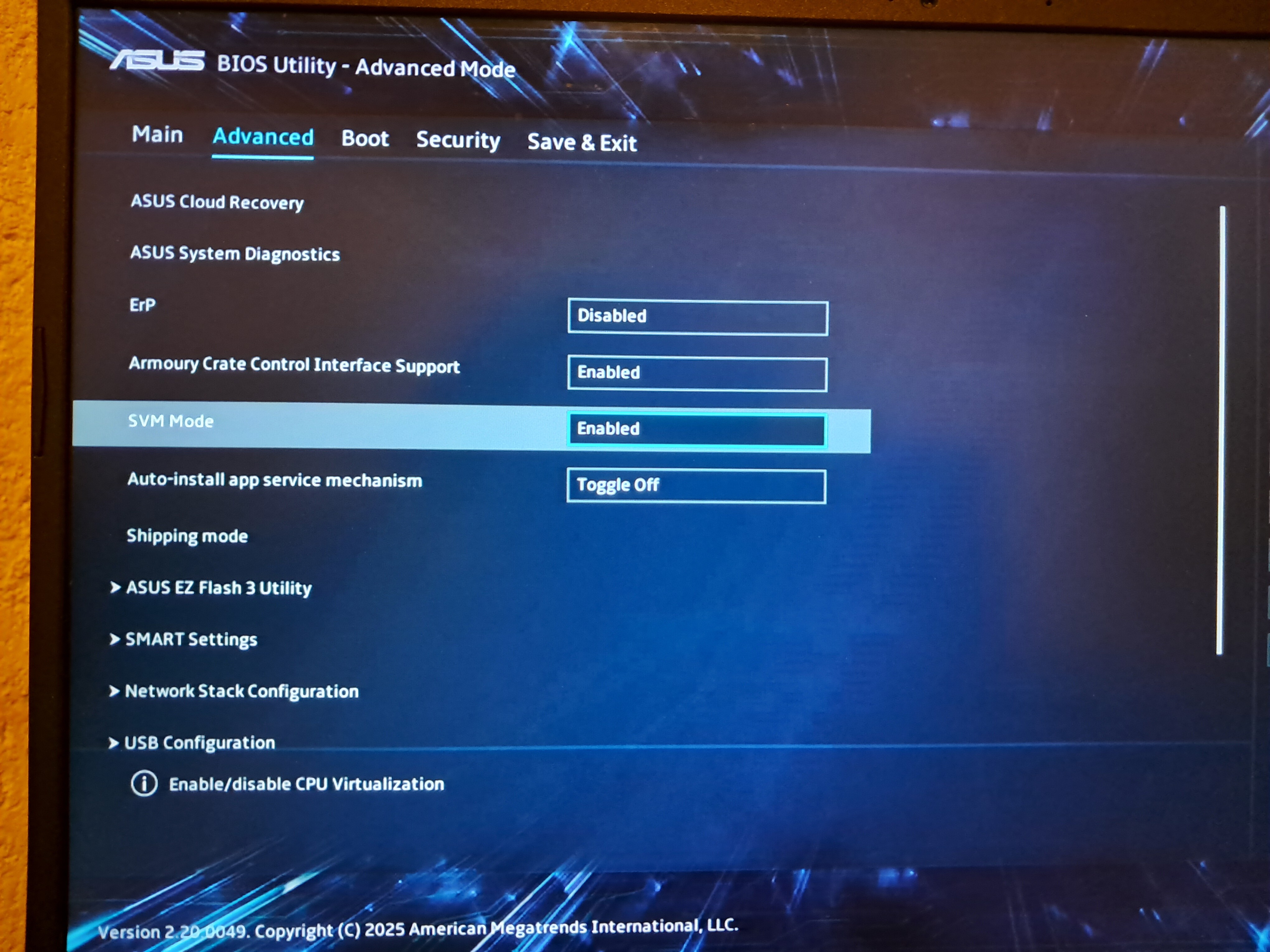
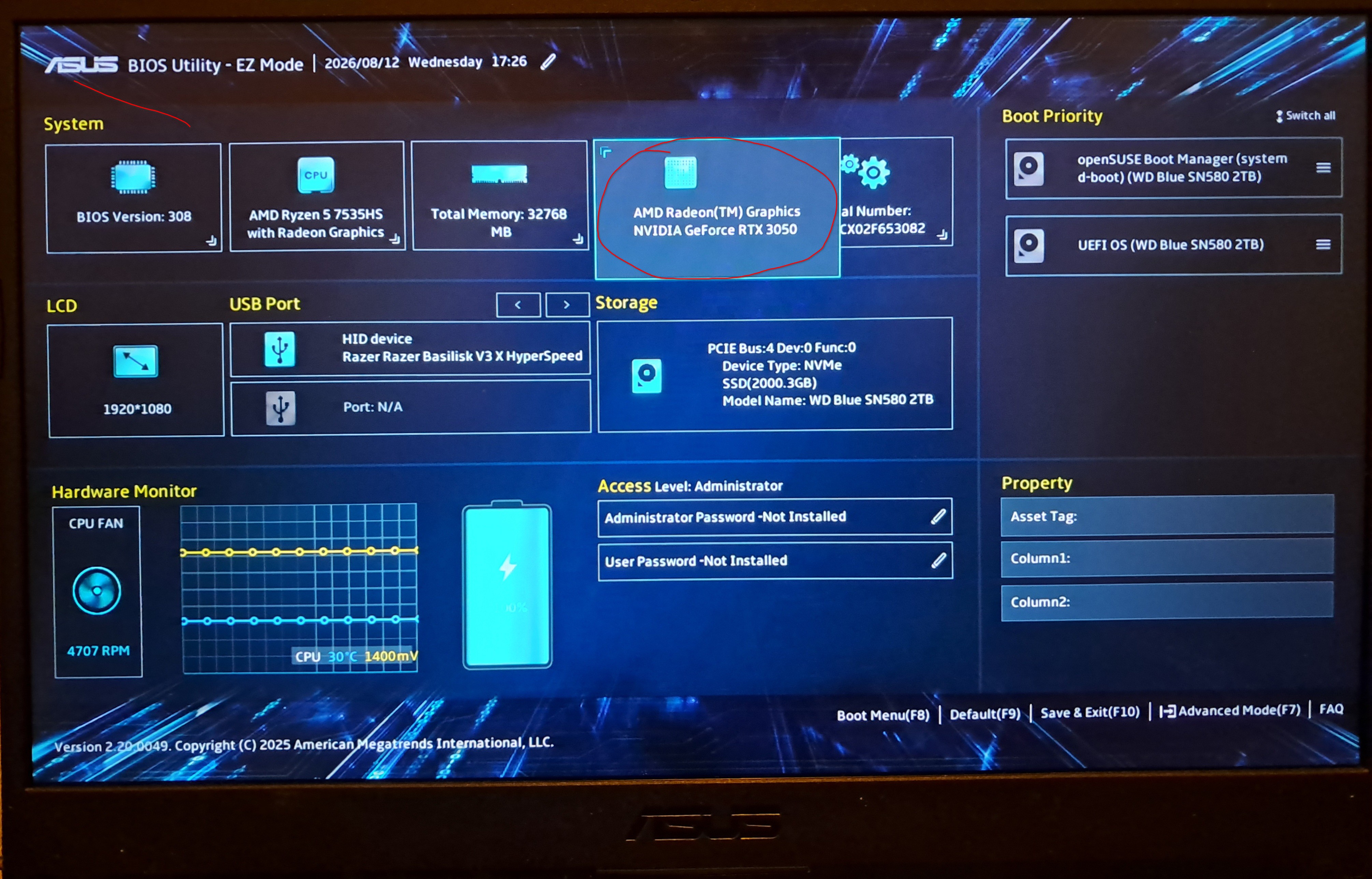
Hi so made a post a while ago but couldn’t keep up with it because of a trouble with life. I have a ‘asus A15 tuf gaming laptop’ with nvidia RTX 3050 that’s not getting dectected. this is the system info and switcherooctl only detects the AMD.
System:X.org v: 1.21.1.24 with: Xwayland v: 24.1.13
this is the switcherooctl list output.
Device: 0radeon
@Insanity101 Hi, you need to reboot and go into the system BIOS to see what settings are available for graphics, it may be set to iGPU…
where would I find that.
What is further down the page? Find the manual for the system which should show the information needed.
manual like physical or something?
Hi, should be able to search for the model type (on the label on bottom of laptop) on ASUS site or use the serial number there.
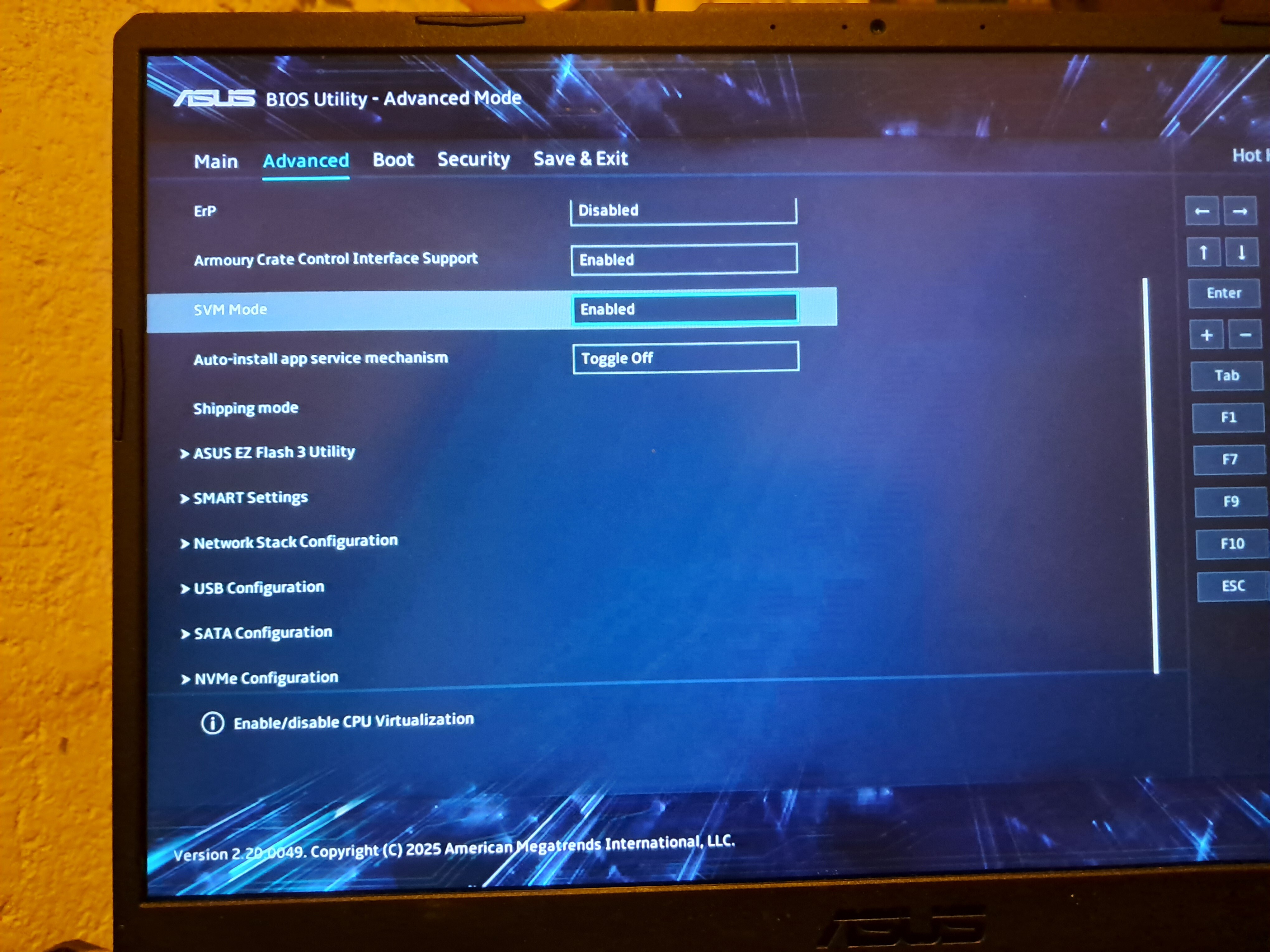
this is the rest of the settings
and what exactly am I looking for in the manual?
In the manual something about the GPU or Hybrid GPU setup etc…
yup similar. found the Manuel going through it to find anything about GPU but not much luck so checking some of the other manuals.
ASUS TUF15 have “optimus” models and “discrete” models, the former doesn’t likely have anything GPU related in the BIOS, the latter should have something.lspci -nnk | grep -EA3 "VGA|3D|Display" , if the Nvidia doesn’t show up it is either disabled in BIOS or possibly broken?
hui
September 5, 2026, 6:04pm
12
For reference…all the info was already given in the former thread
Hi so I have been struggling to get opensuse to be full operational on my ASUS TUF A15 gaming laptop.could I please get some help I’m confused and have tried everything I can understand.
1)I have a NVIDIA RTX 3050 GPU and the system can’t detect it
2) I can’t control brightness for some reason.
3) on boot the screen says it can’t find a AE something or other??
I would really appreciate some help.
this is the output but the BIOS detects it and when I installed opensuse for the first time it did detect it but after the third reinstall cause I didn’t Know what I was doing it then did not detect it anymore?
pcilib: Error reading /sys/bus/pci/devices/0000:00:08.3/label: Operation not permitted
I’m not having luck with the manual (maybe because I’m a little bit dyslexic)
Zlinux1
September 5, 2026, 6:31pm
14
I have received a message from the post of @malcolmlewis
Yes, i have solved the problem in the bios here with the hel of malcolmlewis :
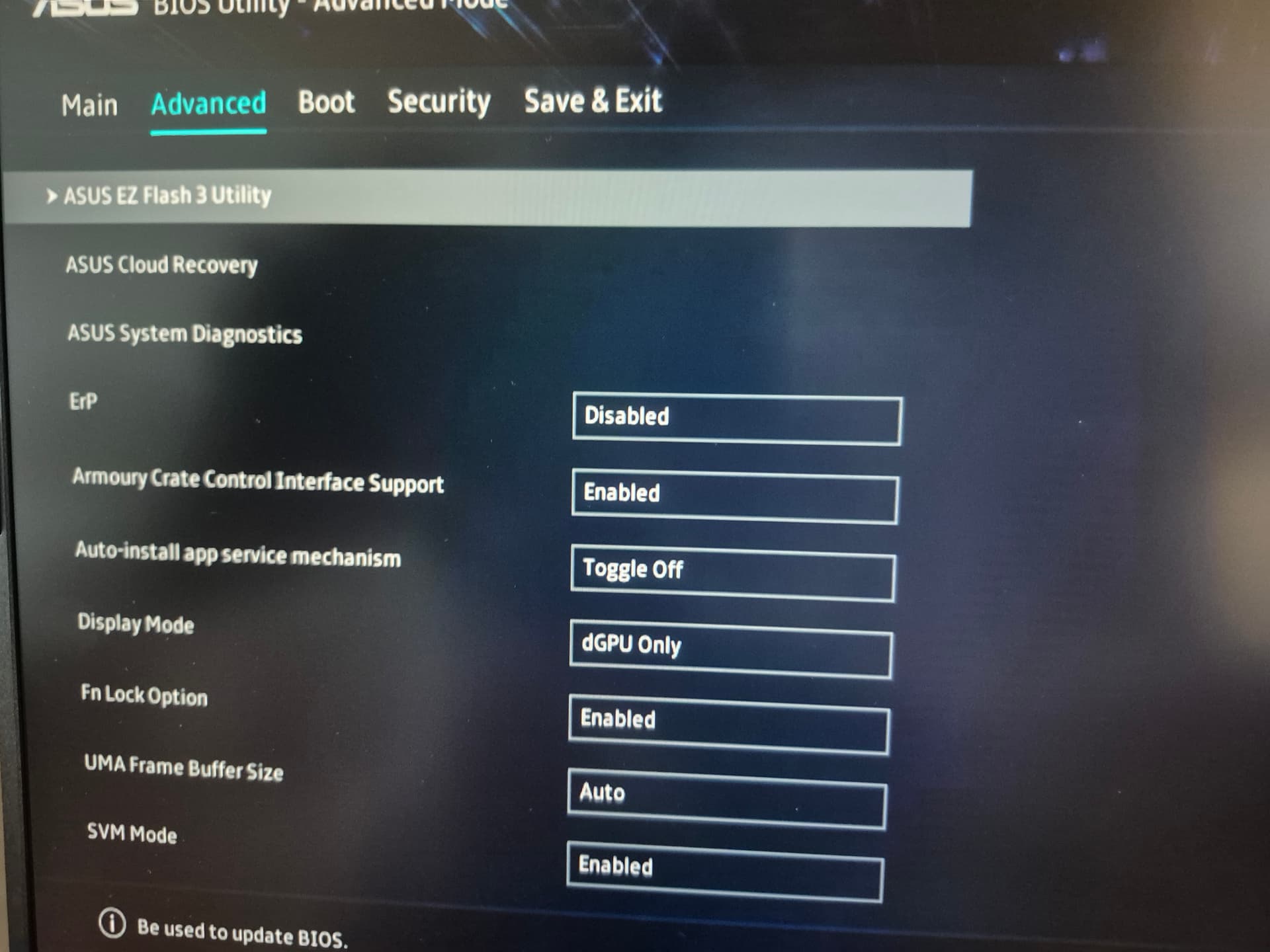
You must find in your bios, in advanced, the display mose line and pick the appropriate device.
For me, the NVIDIA card is dGPU
Sorry for my english, i have not use the traduction of DeepL here
If you have a NVIDIA card, please try to change.
I don’t have that setting.
Zlinux1
September 5, 2026, 6:42pm
16
It seem your bios is different as what i have.
yup it seems like I have an annoyingly unique setup
Zlinux1
September 5, 2026, 6:59pm
18
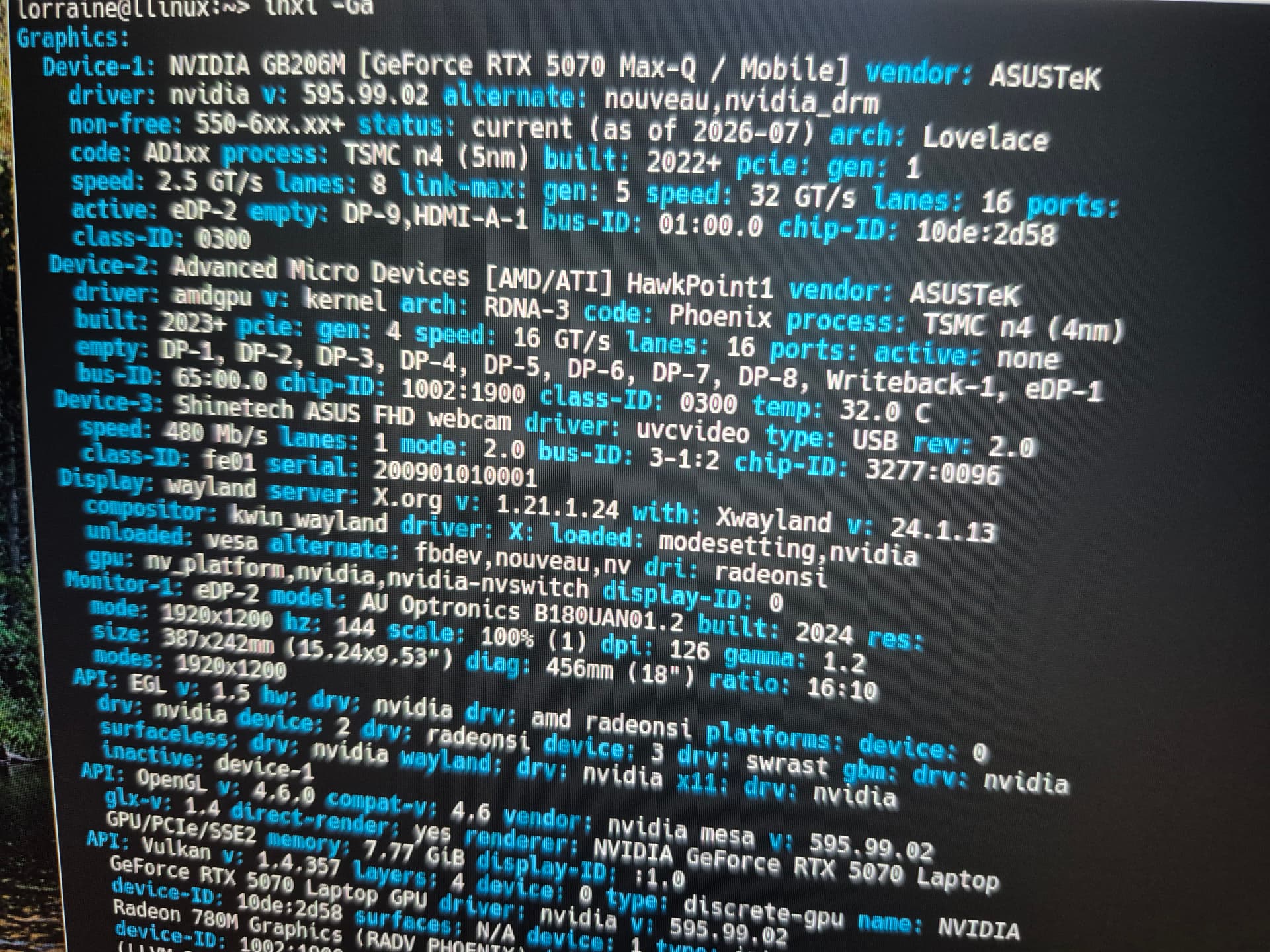
I have read now all previous messages and i have not read anything about 2 graphics devices. As you writed, you have only Device-1: Advanced Micro Devices [AMD/ATI] Rembrandt [Radeon 680M]
Here are what i have :
What is you your result from inxi -Ga ?
Zlinux1
September 5, 2026, 7:00pm
19
Sorry for the photos, i’m writing from my desktop
that the point it’s no longer picking up the RTX 3050 it did then I had to do a clean reinstall and it then didn’t detect the GPU anymore.