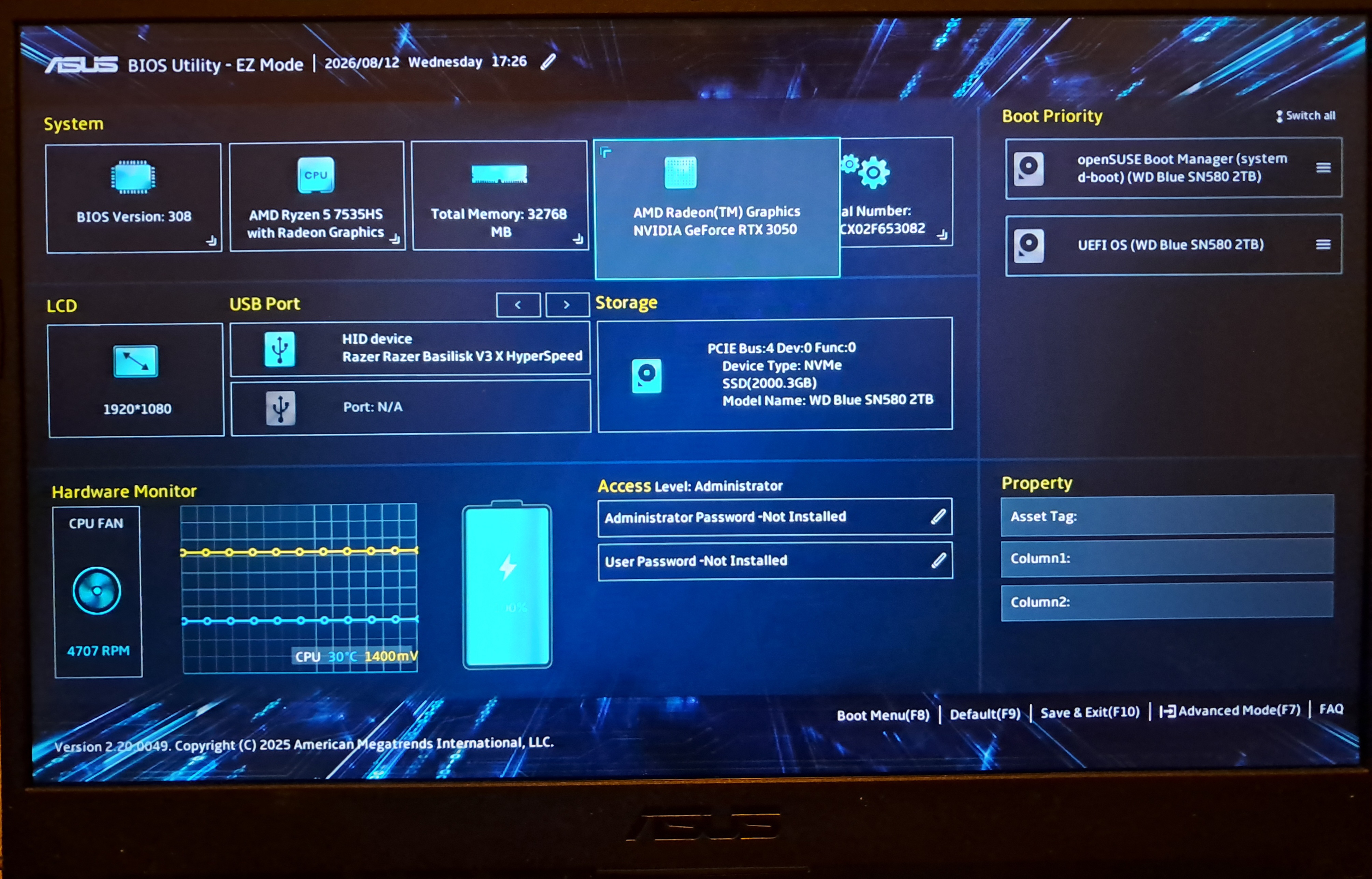
Hi so I have been struggling to get opensuse to be full operational on my ASUS TUF A15 gaming laptop.could I please get some help I’m confused and have tried everything I can understand.
I would really appreciate some help.
hui
August 12, 2026, 4:55pm
2
Showinxi -GSazzypper se -si nvidia bumblebee suse-prime switcheroo-control
is this the right info
System:
  Kernel: 7.1.7-1-default arch: x86_64 bits: 64 compiler: gcc v: 16.2.0
    clocksource: tsc avail: acpi_pm
    parameters: initrd=\opensuse-tumbleweed\7.1.7-1-default\initrd-325262941c6b2d2305a6357712ad8f56ec8974a1
    root=UUID=1cdda01c-c6d0-4b6d-9780-baf55c11dd03 splash=silent
    mitigations=auto quiet security=selinux selinux=1
    rd.driver.blacklist=nouveau rootflags=subvol=@/.snapshots/1/snapshot
  Desktop: KDE Plasma v: 6.7.4 tk: Qt v: N/A info: frameworks v: 6.28.0
    wm: kwin_wayland tools: avail: xscreensaver vt: 2 dm: SDDM Distro: openSUSE
    Tumbleweed 20260809
Graphics:
  Device-1: Advanced Micro Devices [AMD/ATI] Rembrandt [Radeon 680M]
    vendor: ASUSTeK driver: amdgpu v: kernel arch: RDNA-2 code: Navi-2x
    process: TSMC n7 (7nm) built: 2020-22 pcie: gen: 4 speed: 16 GT/s
    lanes: 16 ports: active: eDP-1 empty: DP-1, DP-2, DP-3, DP-4, DP-5, DP-6,
    DP-7, DP-8, Writeback-1 bus-ID: 05:00.0 chip-ID: 1002:1681 class-ID: 0300
    temp: 32.0 C
  Device-2: Sonix USB2.0 HD UVC WebCam driver: uvcvideo type: USB rev: 2.0
    speed: 480 Mb/s lanes: 1 mode: 2.0 bus-ID: 1-4:2 chip-ID: 2b7e:b888
    class-ID: 0e02 serial: <filter>
  Display: wayland server: X.org v: 1.21.1.24 with: Xwayland v: 24.1.13
    compositor: kwin_wayland driver: gpu: amdgpu display-ID: 0
  Monitor-1: eDP-1 model: Najing CEC Panda 0x004d built: 2019 res:
    mode: 1920x1080 hz: 144 scale: 100% (1) dpi: 142 gamma: 1.2
    size: 344x194mm (13.54x7.64") diag: 395mm (15.5") ratio: 16:9 modes:
    max: 1920x1080 min: 640x480
  API: EGL v: 1.5 hw: drv: amd radeonsi platforms: device: 0 drv: radeonsi
    device: 1 drv: swrast gbm: drv: radeonsi surfaceless: drv: radeonsi wayland:
    drv: radeonsi x11: drv: radeonsi
  API: OpenGL v: 4.6 vendor: amd mesa v: 26.1.6 glx-v: 1.4
    direct-render: yes renderer: AMD Radeon 660M (radeonsi rembrandt ACO DRM
    3.64 7.1.7-1-default) device-ID: 1002:1681 memory: 500 MiB unified: yes
    display-ID: :0.0
  API: Vulkan v: 1.4.357 layers: 9 device: 0 type: integrated-gpu name: AMD
    Radeon 660M (RADV REMBRANDT) driver: mesa radv v: 26.1.6
    device-ID: 1002:1681 surfaces: N/A device: 1 type: cpu name: llvmpipe
    (LLVM 22.1.8 256 bits) driver: mesa llvmpipe v: 26.1.6 (LLVM 22.1.8)
    device-ID: 10005:0000 surfaces: N/A
  Info: Tools: api: clinfo, eglinfo, glxinfo, vulkaninfo
    de: kscreen-console,kscreen-doctor gpu: nvidia-smi wl: wayland-info
    x11: xdpyinfo, xprop, xrandr
S  | Name                                      | Type    | Version              | Arch   | Repository
---+-------------------------------------------+---------+----------------------+--------+--------------
i  | kernel-firmware-nvidia                    | package | 20260610-2.1         | noarch | repo-oss
i  | libnvidia-cfg                             | package | 595.84-8.1           | x86_64 | repo-non-free
i  | libnvidia-egl-gbm1                        | package | 1.1.3-11.6           | x86_64 | repo-non-free
i  | libnvidia-egl-gbm1-32bit                  | package | 1.1.3-11.3           | x86_64 | repo-non-free
i  | libnvidia-egl-wayland1                    | package | 1.1.22-57.8          | x86_64 | repo-non-free
i  | libnvidia-egl-wayland1-32bit              | package | 1.1.22-57.4          | x86_64 | repo-non-free
i  | libnvidia-egl-x111                        | package | 1.0.5-26.6           | x86_64 | repo-non-free
i  | libnvidia-egl-x111-32bit                  | package | 1.0.5-26.3           | x86_64 | repo-non-free
i  | libnvidia-gpucomp                         | package | 595.84-8.1           | x86_64 | repo-non-free
i  | libnvidia-gpucomp-32bit                   | package | 595.84-8.1           | x86_64 | repo-non-free
i  | libnvidia-ml                              | package | 595.84-8.1           | x86_64 | repo-non-free
i  | libnvidia-ml-32bit                        | package | 595.84-8.1           | x86_64 | repo-non-free
i  | nvidia-common-G07                         | package | 595.84-8.1           | x86_64 | repo-non-free
i  | nvidia-compute-G07                        | package | 595.84-8.1           | x86_64 | repo-non-free
i  | nvidia-compute-G07-32bit                  | package | 595.84-8.1           | x86_64 | repo-non-free
i  | nvidia-compute-utils-G07                  | package | 595.84-8.1           | x86_64 | repo-non-free
i  | nvidia-gl-G07                             | package | 595.84-8.1           | x86_64 | repo-non-free
i  | nvidia-gl-G07-32bit                       | package | 595.84-8.1           | x86_64 | repo-non-free
i  | nvidia-modprobe                           | package | 595.84-2.1           | x86_64 | repo-non-free
i  | nvidia-open-driver-G07-signed-kmp-default | package | 595.84_k7.1.6_1-2.5  | x86_64 | repo-oss
i+ | nvidia-open-driver-G07-signed-kmp-meta    | package | 595.80-29.1          | x86_64 | repo-non-free
i  | nvidia-persistenced                       | package | 595.84-2.1           | x86_64 | repo-non-free
i  | nvidia-userspace-meta-G07                 | package | 595.84-26.1          | x86_64 | repo-non-free
i  | nvidia-video-G07                          | package | 595.84-8.1           | x86_64 | repo-non-free
i  | nvidia-video-G07-32bit                    | package | 595.84-8.1           | x86_64 | repo-non-free
i+ | openSUSE-repos-Tumbleweed-NVIDIA          | package | 20260423.1a6a0f3-2.2 | x86_64 | repo-oss
i  | switcheroo-control                        | package | 3.0-1.6              | x86_64 | repo-oss
Mod Edit: add code tags!
hui
August 12, 2026, 5:00pm
4
Please use preformatted text tags </> in the forum editor to paste terminal output. It makes it better readable.
There seems to be no Nvidia GPU. Did you check your BIOS that the Nvidia (dedicated GPU) is not disabled?
okay will do </> did not know how, so thanks.
Usually on ASUS press F2 during POST to access the BIOS.
um I can’t find anything like what is said?
this is what my bios looks like and I can’t find the options mentioned
did the image upload correctly?
No, just grey background. If everything else fails, take a photo and upload that?
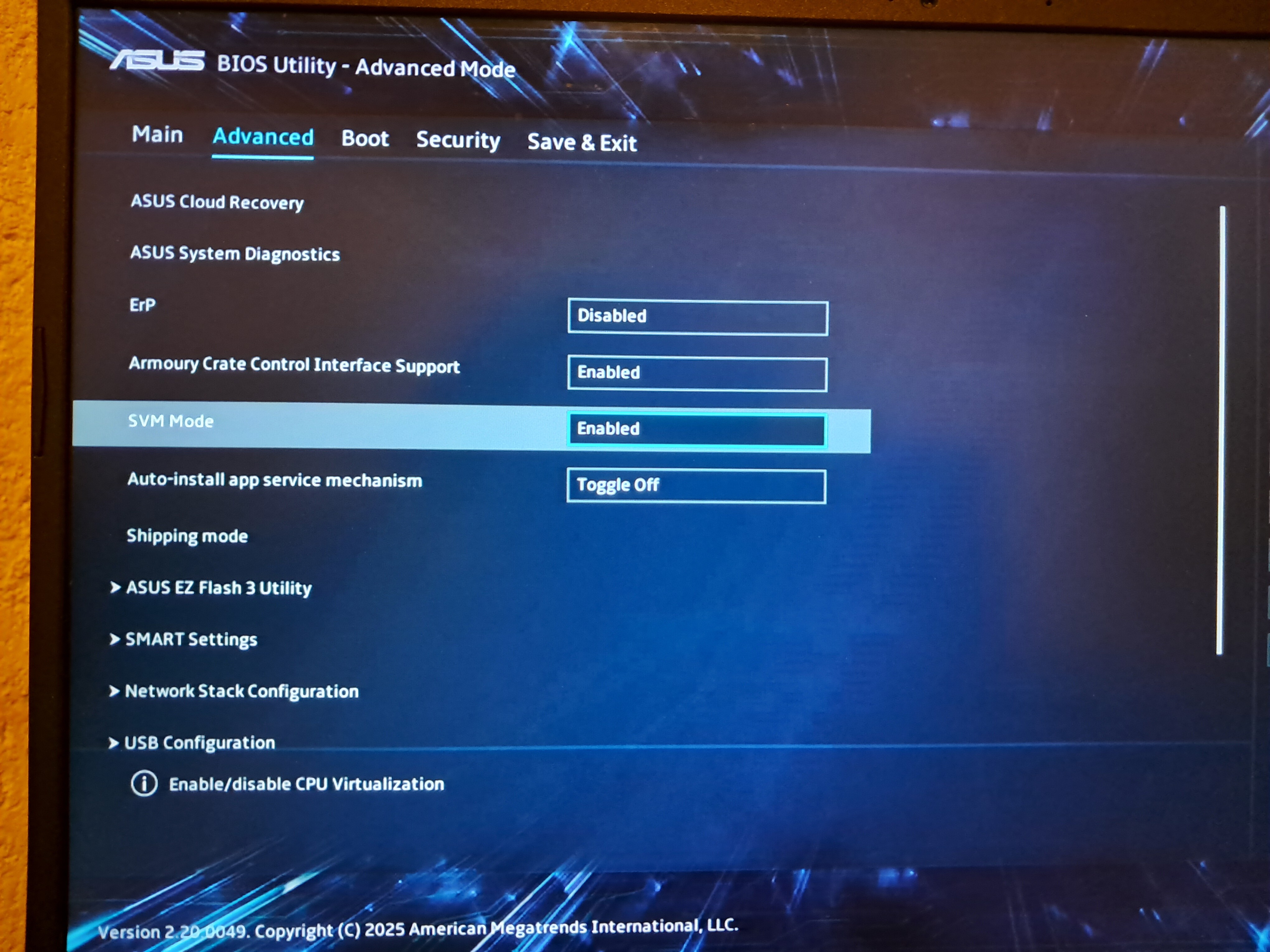
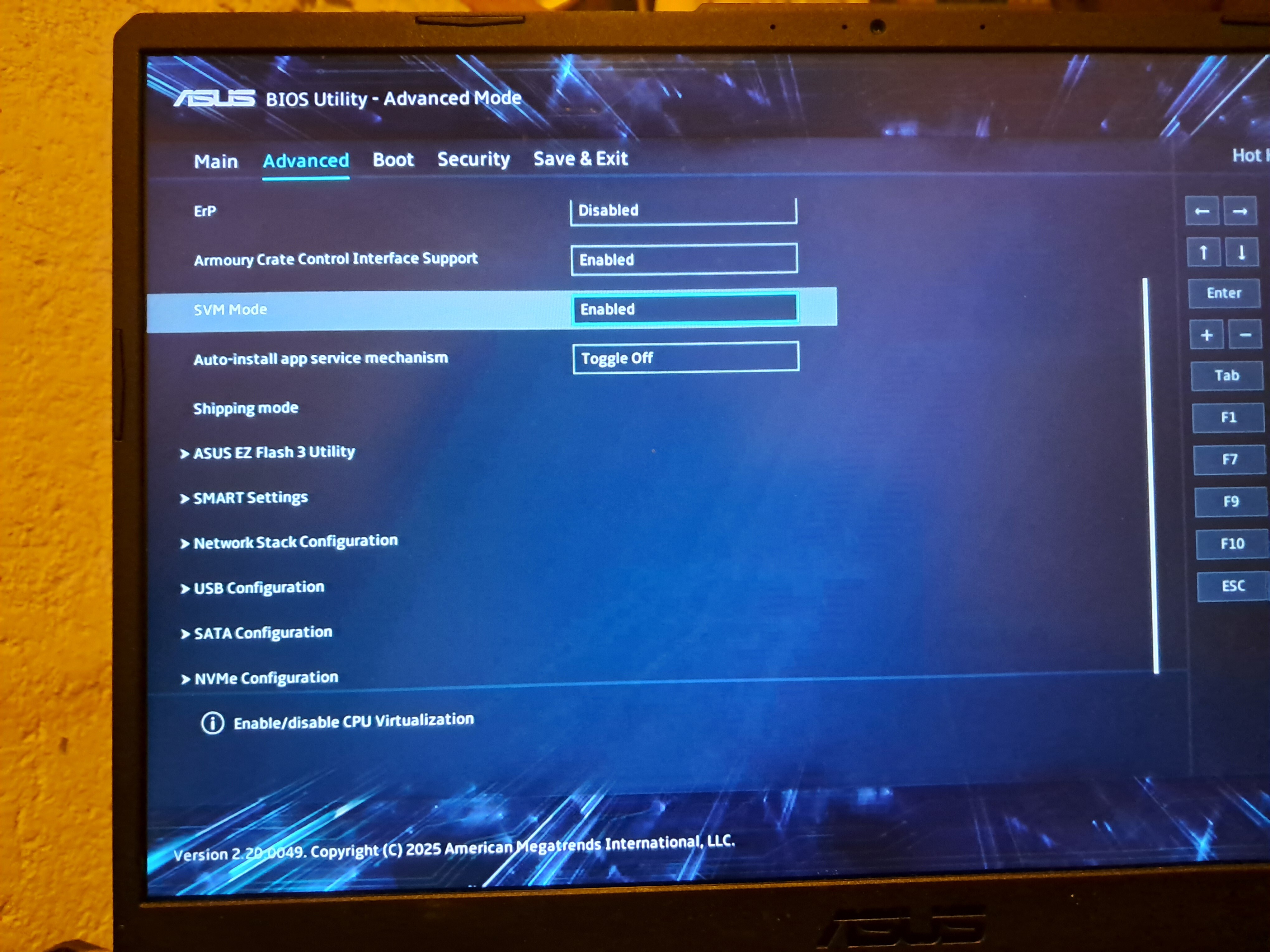
Does anything else appear in that Graphics menu if you hit F7 (Advanced Mode)?
this is all the advance settings I have
If nothing in the BIOS, possibly the following commands may show what configuration your system has:
switcherooctl list
sudo lspci -k |grep -EA3 "VGA|3D|Display"
Please be aware that some ROG laptops have “exotic” configurations, so we need some more details
hui
August 12, 2026, 7:53pm
17
Try to disable the “Armoury Crate Control Interface Support”. It is used mainly in Windows environments and can send the dGPU to deep sleep, which means it is no longer detected.
did that, nothing changed? is there something else I should try.
hui
August 12, 2026, 8:00pm
19
The drivers are not the issue. The Nvidia GPU is not detected on the hardware level. So not driver related at all.
After disabling the setting in BIOS and saving, restart, did you execute OrsoBrunos command again? Any change in inxi -GSaz output?
Reboot after disabling that Armoury thing?