Hey, I am trying to install OpenSUSE Tumbleweed on my Zephyrus G14, and I keep getting to a black screen. I got past the initial scroll of terminal code when hitting the installation button. I got past the screen with a the green loading bar in the bottom, with text saying “loading basic drivers” & "hardware detection. I then get to a second screen of terminal saying its starting yast and the installer, and then nothing. All I see is an underscore (_) on the top left, and wait for as long as 20 minutes, wondering if I went wrong somewhere. Could anyone please help? As I already tried to grab the latest offline ISO format it on my USB Stick (using BalenaEtcher), and retry to process again. No dice.
We have more than one thread on installation issues, although they may be different from yours.
Did you conduct a checksum test on the downloaded iso file to confirm the download was good?
And did you try installing using the ‘nomodeset’ command?
https://en.opensuse.org/SDB:Nomodeset:_Work_Around_Graphic_Upgrade_%26_Installation_Obstacles
To perform an openSUSE installation with nomodeset, you need to edit the boot parameters during the installation process. When the GRUB menu appears, select “Installation” and press ‘e’ to edit the boot command line. Find the line starting with “linux” and append nomodeset to the end of it, then press F10 or Ctrl-X to boot with the modified parameters ( I don’t which of those will work). This will temporarily disable kernel mode setting, which can help resolve issues with graphics drivers during installation
1 Like
Thanks for the help on that front, I tried nomodeset before but hat no idea where to put it so I just appended it at the end of all the other commands. I got through the rest of the installer relatively fine but I did receive this error when installing:
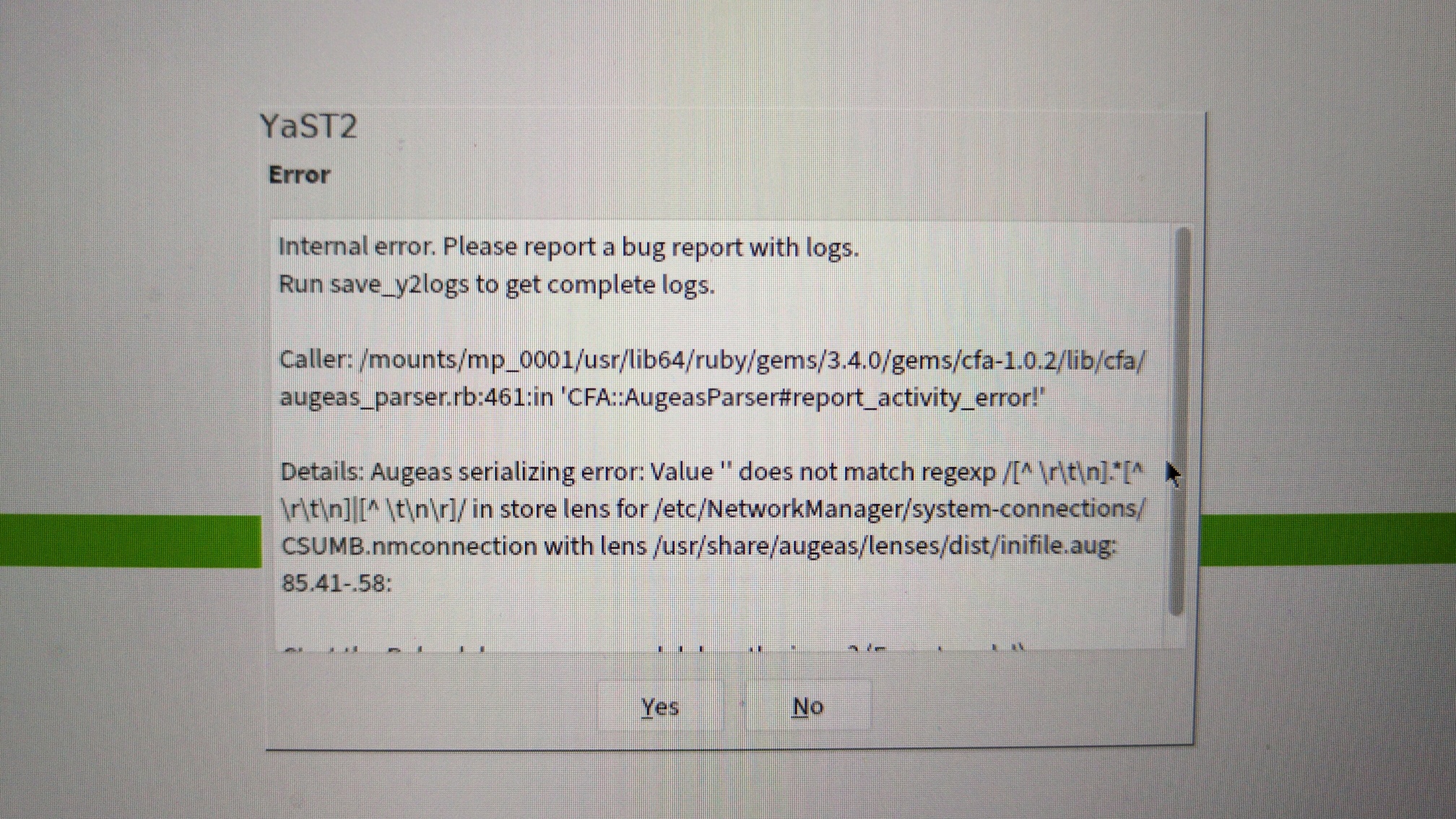
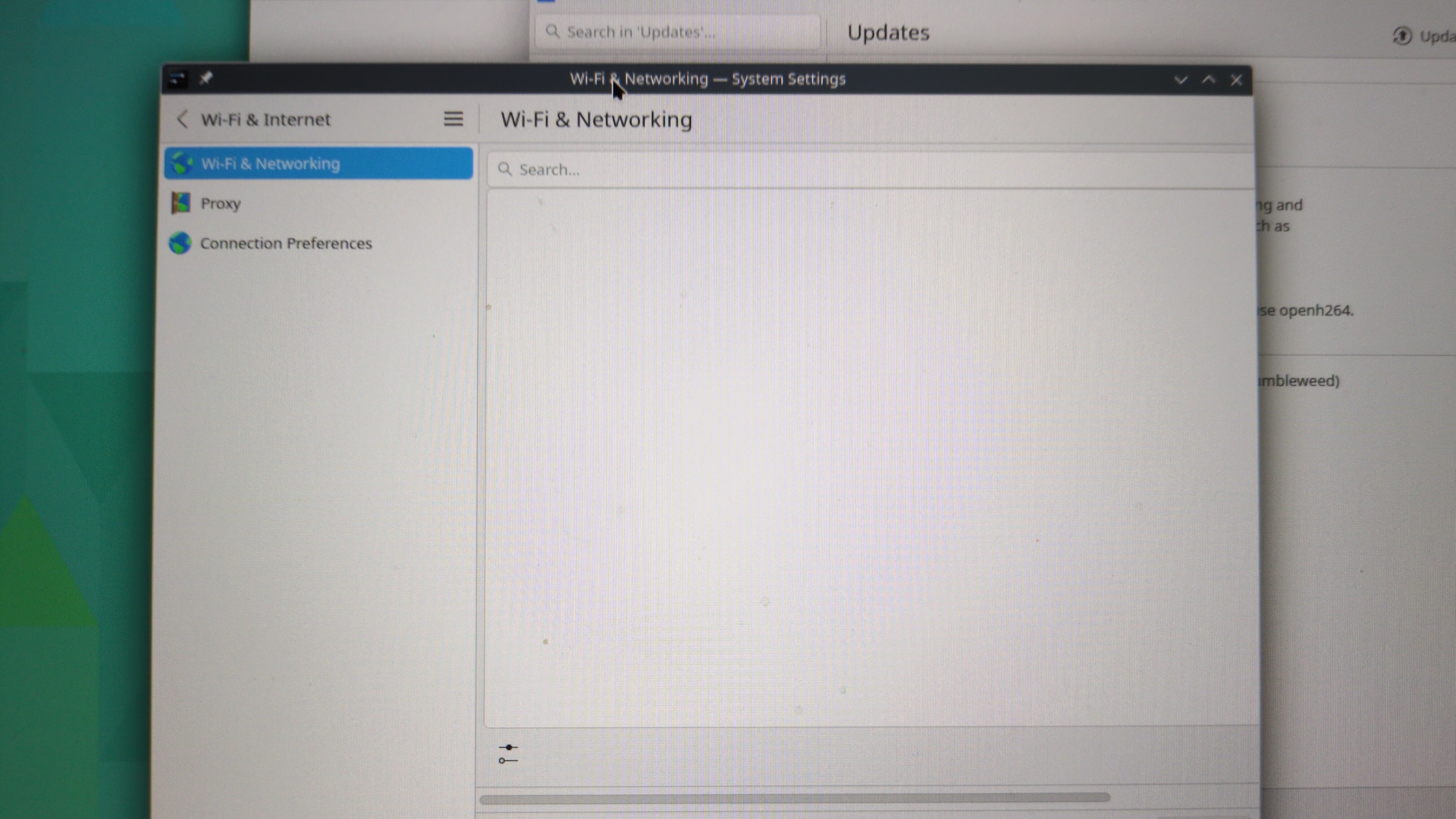
In addition, once I got in, I have no internet, and my WiFi & Networking settings (Installed with KDE desktop environment) does not show any networks around. Can you perhaps assist me with this and if that error during installation is something to worry about?
Please tell us how you
- download: which ISO, did you verify the download?
- usb installer: what was used to create it
I did the offline intel/amd 64bit iso. I could not figure out how to verify checksum I think. Windows did not seem to recognize “sha256sum” as a command and trying to find out how to verify checksum on windows was very confusing for me. For installing I used a Sandisk USB 3.0 32GB stick (USB-A), and used Balenaetcher to create the installation media.
Looking back I might’ve setup the network card wrong during installation, as currently the wifi I am using requires I sign in on my account to get said wifi. Might’ve mistyped the username or password.
Ok so I reinstalled and managed to configure the network card correctly I believe, since I did not see an option to connect to the latest repositories and such. I still have the same error during installation and tbe same issue of no networks being recognized/appearing in KDE’s system settings.
Could you show us the output of inxi -Na from a terminal window?

Looking around, I found a thread (that I unfortunately cannot find anymore, suggesting I try going to network settings in Yast and try to configure. I tried to configure what I think is my wireless network adapter for my laptop but I keep getting this error:

Created a new topic since the original issue was fixed and I can’t edit the title to include the new issue.
This topic was automatically closed 7 days after the last reply. New replies are no longer allowed.