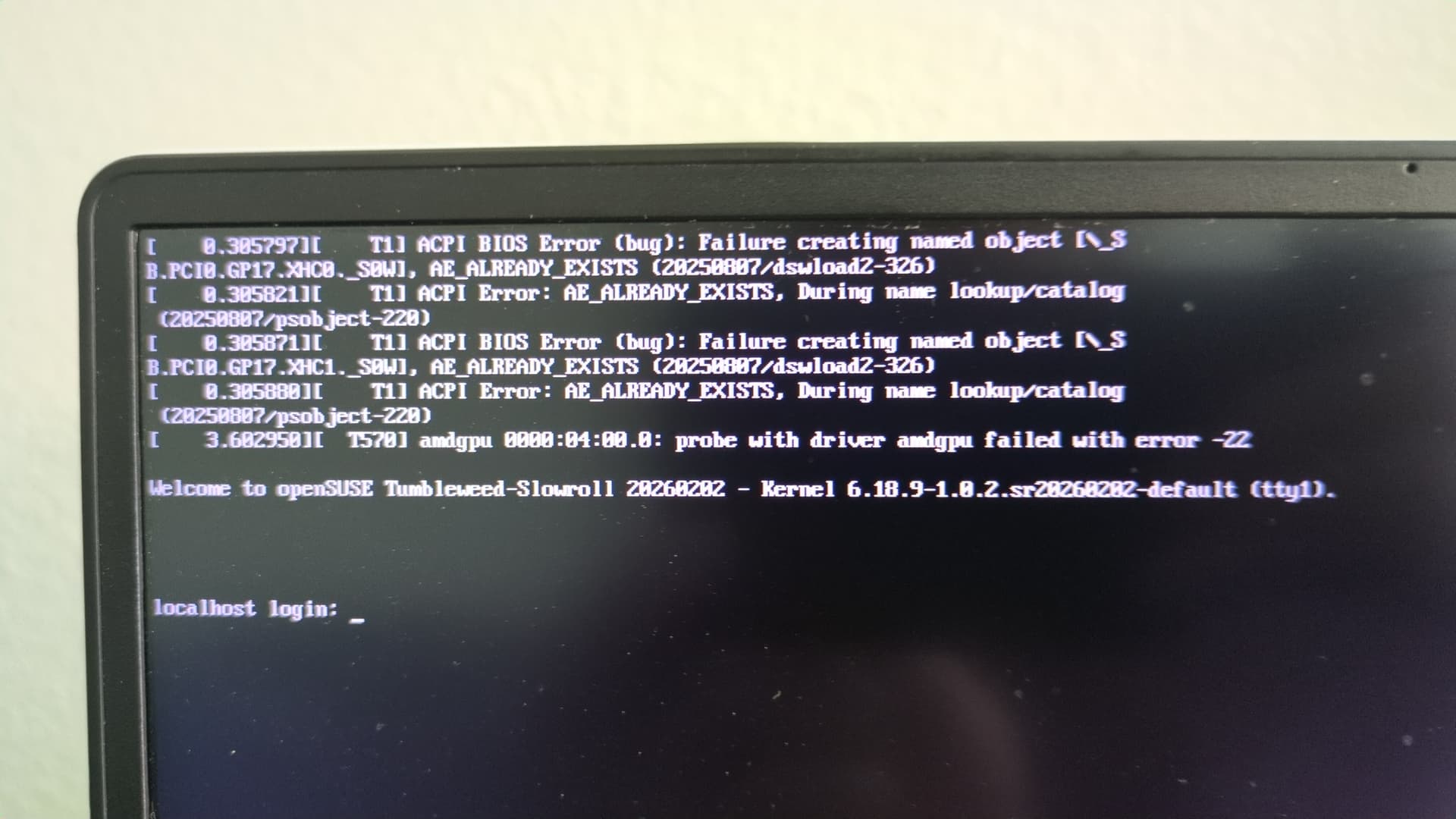
After many reboots, I managed to get in with nomodeset on. I do not know whether the information I will supply below is affected by this setting, but I might aswell post since I don’t know if I can boot without the option again.
nvidia-smi
Sun Mar  8 12:29:12 2026
+-----------------------------------------------------------------------------------------+
| NVIDIA-SMI 580.126.18             Driver Version: 580.126.18     CUDA Version: 13.0     |
+-----------------------------------------+------------------------+----------------------+
| GPU  Name                 Persistence-M | Bus-Id          Disp.A | Volatile Uncorr. ECC |
| Fan  Temp   Perf          Pwr:Usage/Cap |           Memory-Usage | GPU-Util  Compute M. |
|                                         |                        |               MIG M. |
|=========================================+========================+======================|
|   0  NVIDIA GeForce RTX 3060 ...    On  |   00000000:01:00.0 Off |                  N/A |
| N/A   52C    P0             24W /   75W |      15MiB /   6144MiB |      9%      Default |
|                                         |                        |                  N/A |
+-----------------------------------------+------------------------+----------------------+

+-----------------------------------------------------------------------------------------+
| Processes:                                                                              |
|  GPU   GI   CI              PID   Type   Process name                        GPU Memory |
|        ID   ID                                                               Usage      |
|=========================================================================================|
|    0   N/A  N/A            2014      G   /usr/bin/Xorg.bin                         4MiB |
+-----------------------------------------------------------------------------------------+
S  | Name                           | Type    | Version                   | Arch   | Repository
---+--------------------------------+---------+---------------------------+--------+-----------------------
i  | kernel-firmware-nvidia         | package | 20251018-1.1              | noarch | Main Repository (OSS)
i  | kernel-firmware-nvidia         | package | 20251018-1.1              | noarch | repo-oss
i  | libnvidia-egl-gbm1             | package | 1.1.3-1.1                 | x86_64 | update-slowroll
i  | libnvidia-egl-gbm1             | package | 1.1.3-1.1                 | x86_64 | Main Update Repository
i  | libnvidia-egl-wayland1         | package | 1.1.22-1.1                | x86_64 | update-slowroll
i  | libnvidia-egl-wayland1         | package | 1.1.22-1.1                | x86_64 | Main Update Repository
i  | libnvidia-egl-x111             | package | 1.0.5-2.1                 | x86_64 | update-slowroll
i  | libnvidia-egl-x111             | package | 1.0.5-2.1                 | x86_64 | Main Update Repository
i  | libnvidia-gpucomp              | package | 580.126.18-49.1           | x86_64 | repo-non-free
i  | nvidia-common-G06              | package | 580.126.18-49.1           | x86_64 | repo-non-free
i  | nvidia-compute-G06             | package | 580.126.18-49.1           | x86_64 | repo-non-free
i  | nvidia-compute-utils-G06       | package | 580.126.18-49.1           | x86_64 | repo-non-free
i+ | nvidia-driver-G06-kmp-default  | package | 580.126.18_k6.19.5_1-49.1 | x86_64 | repo-non-free
i  | nvidia-gl-G06                  | package | 580.126.18-49.1           | x86_64 | repo-non-free
i  | nvidia-modprobe                | package | 580.126.18-23.2           | x86_64 | repo-non-free
i  | nvidia-persistenced            | package | 580.126.18-3.4            | x86_64 | repo-non-free
i  | nvidia-userspace-meta-G06      | package | 580.126.18-36.1           | x86_64 | repo-non-free
i  | nvidia-video-G06               | package | 580.126.18-49.1           | x86_64 | repo-non-free
i  | openSUSE-repos-Slowroll-NVIDIA | package | 20250728.9adc675-1.1      | x86_64 | Main Repository (OSS)
i  | openSUSE-repos-Slowroll-NVIDIA | package | 20250728.9adc675-1.1      | x86_64 | repo-oss
inxi -SGaz
System:
  Kernel: 6.18.9-1.0.2.sr20260202-default arch: x86_64 bits: 64 compiler: gcc
    v: 15.2.1 clocksource: tsc avail: hpet,acpi_pm
    parameters: BOOT_IMAGE=/opensuse-slowroll/6.18.9-1.0.2.sr20260202-default/linux-b9d536a6e10a8ab7e4e7199f84056f6f470271c1
    splash=silent nomodeset resume=/dev/system/swap mitigations=auto quiet
    security=selinux selinux=1 rd.driver.blacklist=nouveau
    root=UUID=cee78edf-441d-4bd0-b40d-a702e78fd6b5
    rootflags=subvol=@/.snapshots/1/snapshot
    systemd.machine_id=052c9cc9f64142b0b4ad455b5b7804e3
  Desktop: KDE Plasma v: 6.5.5 tk: Qt v: N/A info: frameworks v: 6.22.0
    wm: kwin_wayland tools: avail: xscreensaver vt: 3 dm: SDDM Distro: openSUSE
    Tumbleweed-Slowroll 20260202
Graphics:
  Device-1: NVIDIA GA106M [GeForce RTX 3060 Mobile / Max-Q] vendor: ASUSTeK
    driver: nvidia v: 580.126.18 alternate: nouveau,nvidia_drm
    non-free: 550-580.xx+ status: current (as of 2025-11; EOL~2026-12-xx)
    arch: Ampere code: GAxxx process: TSMC n7 (7nm) built: 2020-2023 pcie:
    gen: 3 speed: 8 GT/s lanes: 8 link-max: gen: 4 speed: 16 GT/s lanes: 16
    ports: active: none empty: DP-1 bus-ID: 01:00.0 chip-ID: 10de:2520
    class-ID: 0300
  Device-2: Advanced Micro Devices [AMD/ATI] Cezanne [Radeon Vega Series /
    Radeon Mobile Series] vendor: ASUSTeK driver: N/A alternate: amdgpu
    arch: GCN-5 code: Vega process: GF 14nm built: 2017-20 pcie: gen: 3
    speed: 8 GT/s lanes: 16 bus-ID: 04:00.0 chip-ID: 1002:1638 class-ID: 0300
  Display: wayland server: X.org v: 1.21.1.21 with: Xwayland v: 24.1.9
    compositor: kwin_wayland driver: X: loaded: modesetting,nvidia
    unloaded: vesa alternate: fbdev,nouveau,nv gpu: nvidia display-ID: 0
  Monitor-1: Unknown-1 res: mode: 1920x1080 hz: 60 scale: 100% (1) dpi: 96
    size: 508x285mm (20x11.22") diag: 582mm (22.93") modes: 1920x1080
  API: EGL v: 1.5 hw: drv: nvidia platforms: device: 0 drv: nvidia device: 2
    drv: swrast gbm: drv: nvidia surfaceless: drv: nvidia wayland: drv: swrast
    x11: drv: swrast inactive: device-1
  API: OpenGL v: 4.6.0 compat-v: 4.5 vendor: mesa v: 25.3.4 glx-v: 1.4
    direct-render: yes renderer: llvmpipe (LLVM 21.1.8 256 bits)
    device-ID: ffffffff:ffffffff memory: 37.67 GiB unified: yes
    display-ID: :1.0
  API: Vulkan v: 1.4.341 layers: 4 device: 0 type: discrete-gpu name: NVIDIA
    GeForce RTX 3060 Laptop GPU driver: nvidia v: 580.126.18
    device-ID: 10de:2520 surfaces: N/A device: 1 type: cpu name: llvmpipe
    (LLVM 21.1.8 256 bits) driver: mesa llvmpipe v: 25.3.4 (LLVM 21.1.8)
    device-ID: 10005:0000 surfaces: N/A
  Info: Tools: api: clinfo, eglinfo, glxinfo, vulkaninfo
    de: kscreen-console,kscreen-doctor gpu: nvidia-smi wl: wayland-info
    x11: xdpyinfo, xprop, xrandr
lsmod | grep nvidia
nvidia_wmi_ec_backlight    12288  0
nvidia_drm            147456  24
nvidia_modeset       1937408  4 nvidia_drm
nvidia_uvm           3842048  0
nvidia              111607808  137 nvidia_uvm,nvidia_drm,nvidia_modeset
drm_ttm_helper         16384  2 amdgpu,nvidia_drm
video                  81920  5 nvidia_wmi_ec_backlight,asus_wmi,amdgpu,asus_nb_wmi,nvidia_modeset
wmi                    32768  4 video,nvidia_wmi_ec_backlight,asus_wmi,wmi_bmof
 sudo dmesg | grep -i nvidia
[   16.255074] [   T1341] nvidia: loading out-of-tree module taints kernel.
[   16.255083] [   T1341] nvidia: module license 'NVIDIA' taints kernel.
[   16.255088] [   T1341] nvidia: module verification failed: signature and/or required key missing - tainting kernel
[   16.255090] [   T1341] nvidia: module license taints kernel.
[   16.319943] [    T258] input: HDA NVidia HDMI/DP,pcm=3 as /devices/pci0000:00/0000:00:01.1/0000:01:00.1/sound/card0/input19
[   16.320119] [    T258] input: HDA NVidia HDMI/DP,pcm=7 as /devices/pci0000:00/0000:00:01.1/0000:01:00.1/sound/card0/input20
[   16.320321] [    T258] input: HDA NVidia HDMI/DP,pcm=8 as /devices/pci0000:00/0000:00:01.1/0000:01:00.1/sound/card0/input21
[   16.320602] [    T258] input: HDA NVidia HDMI/DP,pcm=9 as /devices/pci0000:00/0000:00:01.1/0000:01:00.1/sound/card0/input22
[   16.746736] [   T1341] nvidia-nvlink: Nvlink Core is being initialized, major device number 511
[   16.753254] [   T1341] nvidia 0000:01:00.0: enabling device (0000 -> 0003)
[   16.753522] [   T1341] nvidia 0000:01:00.0: vgaarb: VGA decodes changed: olddecodes=io+mem,decodes=none:owns=none
[   16.796466] [   T1341] NVRM: loading NVIDIA UNIX x86_64 Kernel Module  580.126.18  Wed Feb 11 18:49:55 UTC 2026
[   16.855351] [   T1341] nvidia_uvm: module uses symbols nvUvmInterfaceDisableAccessCntr from proprietary module nvidia, inheriting taint.
[   16.968783] [   T1341] nvidia-modeset: Loading NVIDIA Kernel Mode Setting Driver for UNIX platforms  580.126.18  Wed Feb 11 18:18:13 UTC 2026
[   16.979312] [   T1341] [drm] [nvidia-drm] [GPU ID 0x00000100] Loading driver
[   19.091600] [   T1341] [drm] Initialized nvidia-drm 0.0.0 for 0000:01:00.0 on minor 1
[   19.091991] [   T1341] nvidia 0000:01:00.0: [drm] Cannot find any crtc or sizes
sudo dmesg | tail -50
[   16.791622] [   T1469] BTRFS info (device dm-4): using crc32c (crc32c-lib) checksum algorithm
[   16.795971] [   T1469] BTRFS info (device dm-4): enabling ssd optimizations
[   16.795985] [   T1469] BTRFS info (device dm-4): enabling free space tree
[   16.796466] [   T1341] NVRM: loading NVIDIA UNIX x86_64 Kernel Module  580.126.18  Wed Feb 11 18:49:55 UTC 2026
[   16.844610] [   T1263] systemd-journald[1263]: Received client request to flush runtime journal.
[   16.850210] [   T1263] systemd-journald[1263]: File /var/log/journal/052c9cc9f64142b0b4ad455b5b7804e3/system.journal corrupted or uncleanly shut down, renaming and replacing.
[   16.855351] [   T1341] nvidia_uvm: module uses symbols nvUvmInterfaceDisableAccessCntr from proprietary module nvidia, inheriting taint.
[   16.855670] [    T158] mt7921e 0000:02:00.0: HW/SW Version: 0x8a108a10, Build Time: 20251223091050a

[   16.968783] [   T1341] nvidia-modeset: Loading NVIDIA Kernel Mode Setting Driver for UNIX platforms  580.126.18  Wed Feb 11 18:18:13 UTC 2026
[   16.979312] [   T1341] [drm] [nvidia-drm] [GPU ID 0x00000100] Loading driver
[   16.980350] [    T728] input: HD-Audio Generic Mic as /devices/pci0000:00/0000:00:08.1/0000:04:00.6/sound/card2/input23
[   16.980634] [    T728] input: HD-Audio Generic Headphone as /devices/pci0000:00/0000:00:08.1/0000:04:00.6/sound/card2/input24
[   17.117892] [   T1341] ACPI Warning: \_SB.NPCF._DSM: Argument #4 type mismatch - Found [Buffer], ACPI requires [Package] (20250807/nsarguments-61)
[   17.117974] [   T1341] ACPI Warning: \_SB.PCI0.GPP0.PEGP._DSM: Argument #4 type mismatch - Found [Buffer], ACPI requires [Package] (20250807/nsarguments-61)
[   17.125501] [    T158] mt7921e 0000:02:00.0: WM Firmware Version: ____010000, Build Time: 20251223091148
[   17.455180] [   T1686] Bluetooth: BNEP (Ethernet Emulation) ver 1.3
[   17.455185] [   T1686] Bluetooth: BNEP filters: protocol multicast
[   17.455190] [   T1686] Bluetooth: BNEP socket layer initialized
[   17.482567] [   T1608] nvme nvme0: using unchecked data buffer
[   17.638504] [   T1741] NET: Registered PF_QIPCRTR protocol family
[   17.959026] [   T1310] mt7921e 0000:02:00.0 wlp2s0: renamed from wlan0
[   19.091600] [   T1341] [drm] Initialized nvidia-drm 0.0.0 for 0000:01:00.0 on minor 1
[   19.091991] [   T1341] nvidia 0000:01:00.0: [drm] Cannot find any crtc or sizes
[   19.203043] [    T161] Bluetooth: hci0: Device setup in 2905065 usecs
[   19.203048] [    T161] Bluetooth: hci0: HCI Enhanced Setup Synchronous Connection command is advertised, but not supported.
[   19.271517] [    T161] Bluetooth: hci0: AOSP extensions version v1.00
[   19.271521] [    T161] Bluetooth: hci0: AOSP quality report is supported
[   19.271651] [   T1594] Bluetooth: MGMT ver 1.23
[   19.276558] [   T1989] NET: Registered PF_ALG protocol family
[   39.516158] [   T2363] Bluetooth: RFCOMM TTY layer initialized
[   39.516169] [   T2363] Bluetooth: RFCOMM socket layer initialized
[   39.516173] [   T2363] Bluetooth: RFCOMM ver 1.11
[   69.547204] [   T3375] NOTICE: Automounting of tracing to debugfs is deprecated and will be removed in 2030
[  110.952816] [   T3586] NET: Registered PF_PACKET protocol family
[  113.198238] [   T3585] wlp2s0: authenticate with 74:9e:75:bc:03:61 (local address=90:e8:68:2c:cb:e1)
[  113.346647] [   T3585] wlp2s0: send auth to 74:9e:75:bc:03:61 (try 1/3)
[  113.374687] [    T117] wlp2s0: authenticated
[  113.376688] [    T116] wlp2s0: associate with 74:9e:75:bc:03:61 (try 1/3)
[  113.429493] [    T116] wlp2s0: RX AssocResp from 74:9e:75:bc:03:61 (capab=0x1431 status=0 aid=1)
[  113.438828] [    T116] wlp2s0: associated
[  113.454541] [    T117] wlp2s0: Limiting TX power to 36 (36 - 0) dBm as advertised by 74:9e:75:bc:03:61
[  121.578708] [   T3585] wlp2s0: disconnect from AP 74:9e:75:bc:03:61 for new auth to 74:9e:75:ba:b7:11
[  121.655434] [   T3585] wlp2s0: authenticate with 74:9e:75:ba:b7:11 (local address=90:e8:68:2c:cb:e1)
[  122.177846] [   T3585] wlp2s0: send auth to 74:9e:75:ba:b7:11 (try 1/3)
[  122.181482] [   T2018] wlp2s0: authenticated
[  122.187208] [   T2018] wlp2s0: associate with 74:9e:75:ba:b7:11 (try 1/3)
[  122.191183] [   T2018] wlp2s0: RX ReassocResp from 74:9e:75:ba:b7:11 (capab=0x11 status=0 aid=3)
[  122.203183] [   T2018] wlp2s0: associated
[  122.238737] [    T112] wlp2s0: Limiting TX power to 30 (30 - 0) dBm as advertised by 74:9e:75:ba:b7:11