I have the feeling, it’s working sometimes — sometimes not. Not reliably! Sometimes I have a blank screen with just the mouse cursor, nothing more. I cannot log-in back then…
If you want an alternative maybe use wayfire in xfce. It has a rotating cube like compiz before going to suspend. It will act like screensaver though it is just showing your desktop wallpaper.
I am using it sometimes with xfce in wayland. It’s nice with it’s bling-bling
You can use it side by side with xfce/labwc, you just have to create the xfce-wayfire wayland session so you can choose it before you login in xfce.
or do you even always use “power off” (or something similar like “hibernate”) — instead of just “lock” or “log out” temporarily?
I myself have noticed that (when leaving the machine powered, thus no “power off” or similar) I experience issues with “lock” (invoked by xfce4-screensaver or invoked manually by me (action: “lock”)) … but no issues with (real and actual) “log out” (which, of course, means, that I am logged out then and cannot directly resume my environment and work…!)
I admit that I can use Xfce on Wayland (in this “early state”) mostly properly. Almost everything of my daily stuff is working properly. But I really experience these issues here — and it’s really annoying! — and have noticed that some of the Xfce config tools (i.e. keyboard and mouse) are not working, yet (I can live without, though).
So, I am really interested in your way of closing a session (“lock”/“log out”/“power off”)!
@C7NhtpnK mine set to suspend in 5 minutes when not in use.
When I have to do gardening or nothing to do with the machine I shut it down for electricity bill
savings
@C7NhtpnK I tried the screensaver in xfce-wayland (labwc) and it is working in tumbleweed.
You just have to enable it in autostart, logout and login and screensaver starts on the time you set in the screensaver timer.
It is working generally. But sometimes, I experience some special issue: when screensaver is activated (called “lock” and/or called “screensaver”) I have just a blank screen — even of use of keyboard and/or mouse I don’t get back my unlock resp. login screen. The graphical screen seems “dead” somehow then. I just can reboot. Maybe, you haven’t experienced this one yourself, just yet (it’s not always the case and it then takes some time to occur…). Or it is not the case due to recent packages in TW. Maybe it could also be resolved for me by using dev repo packages (wishfully updates for Leap 16.1). I also have noticed that there are said to be actual issues with screensaver (Xfce project), it’s said to be WIP (tracker is showing activity…).
(Before you may repeat that (things are working with your system — but) Xfce on Wayland is said to be beta status officially: most things actually do work here (very fine and properly)— currently I mainly have experienced only this one (screensaver issue) and the one in the other thread (reporting correct window state, like e.g. minimizing). I don’t guess it unusable at all, I guess it usable very much — except for some special issues (explicitly noticed). (And remember, for “some” issues, at least, there it has been resolved by updated packages available generally.)
@C7NhtpnK I tried the lock screen in screensaver and so far still working.
You don’t need to reboot if the screen seems dead as long as the keyboard is working.
You have to assign a shortcut key to logout so you can go back to the login screen.
You can use the wayland-logout command and assign a shortcut key in xfce4/labwc.
Xfce4-screensaver is working here (Leap 16.1, Xfce on Wayland (labwc 0.8.1)). And it is generally working, indeed. But sometimes (mostly after a “some” time) it shows issues: when there’s the screensaver/lock screen up (because the station is locked (initially manually or by screensaver after time)), I can shortly notice the unlock box: but when I want to use it, I get a (completely) blank screen with just the mouse. Then I can move the mouse and can watch it — but there is no unlock box any more. But yes, I can still use the keyboard (e.g. login at TTY…).
Could this be related to the outdated labwc 0.8.1 in Leap 16.0 (instead of 0.9.6 in TW)?
Or related to similar packages more recent in TW than in Leap (16.0)?
specific question for word-around: I am still able to login at TTY by keyboard… Is there something other than reboot … like resetting the DE/graphics desktop (to be able to use it, i.e. the unlock box, again)?
You can make a shortcut key for logout even though the screen is black using the command wayland-logout
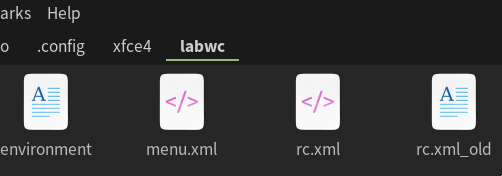
You have to add the keybind in your ~/.config/xfce4/labwc/rc.xml.
It will look like this:
wayland-logout is a command to logout
In the terminal, if it is not yet installed, do: cnf wayland-logout
Maybe you need to install the wf-shell
It is included in this package
Since, the keybind is in ~/.config/xfce4/labwc/rc.xml, I guess it can only work when the screen is locked only (user still logged in) — but not when the user is logged out (and the screeensaver is active then)?!
Maybe, I rather rely on resolving this by an updated labwc (if it is actually the case).