Agreed, hence the suggestion to at least use the backport kernel. It’s an issue with HDMI connectivity that’s of interest here.
With a desktop PC with CPU/GPU about 6 months newer than OP, I tried to emulate his setup as close as I could. All I did was dig the ancient LCD out of the closet, connect the hardware, and boot 15.6 into a Plasma 5 session. It’s been a month since its 15.6 was updated. Global scale is untouched:
$ inxi -C
CPU:
  Info: 6-core model: 11th Gen Intel Core i5-11400 bits: 64 type: MT MCP
...
$ xrdb -query | grep dpi
$ inxi -GSaz --vs --hostname --za --edid
inxi 3.3.39-00 (2025-08-29)
System:
  Host: ab560 Kernel: 6.4.0-150600.23.60-default arch: x86_64 bits: 64
    compiler: gcc v: 7.5.0 clocksource: tsc avail: hpet,acpi_pm
    parameters: BOOT_IMAGE=/boot/vmlinuz root=LABEL=<filter> noresume
    ipv6.disable=1 net.ifnames=0 consoleblank=0 preempt=full mitigations=off
  Desktop: KDE Plasma v: 5.27.11 tk: Qt v: 5.15.12 info: frameworks
    v: 5.115.0 wm: kwin_x11 vt: 7 dm: 1: KDM 2: XDM Distro: openSUSE Leap 15.6
Graphics:
  Device-1: Intel RocketLake-S GT1 [UHD Graphics 730] vendor: ASUSTeK
    driver: i915 v: kernel arch: Xe process: Intel 10nm built: 2020-21 ports:
    active: DP-1,HDMI-A-2 empty: HDMI-A-1,HDMI-A-3 bus-ID: 00:02.0
    chip-ID: 8086:4c8b class-ID: 0300
  Display: x11 server: X.Org v: 1.21.1.11 compositor: kwin_x11 driver: X:
    loaded: modesetting unloaded: fbdev,vesa alternate: intel dri: iris
    gpu: i915 display-ID: :0 screens: 1
  Screen-1: 0 s-res: 3584x1440 s-dpi: 120 s-size: 758x304mm (29.84x11.97")
    s-diag: 817mm (32.15")
  Monitor-1: DP-1 pos: primary,left model: Acer K272HUL serial: <filter>
    built: 2018 res: mode: 2560x1440 hz: 60 scale: 100% (1) dpi: 109 gamma: 1.2
    chroma: red: x: 0.651 y: 0.337 green: x: 0.314 y: 0.627 blue: x: 0.149
    y: 0.051 white: x: 0.314 y: 0.329 size: 598x336mm (23.54x13.23")
    diag: 686mm (27") ratio: 16:9 modes: 2560x1440, 1920x1440, 1856x1392,
    1920x1080, 1680x1050, 1280x1024, 1440x900, 1280x960, 1280x800, 1152x864,
    1280x720, 1024x768, 832x624, 800x600, 720x576, 720x480, 640x480, 720x400
  Monitor-2: HDMI-A-2 mapped: HDMI-2 pos: right model: Dell 1504FP
    serial: <filter> built: 2003 res: mode: 1024x768 hz: 60 scale: 100% (1)
    dpi: 86 gamma: 1.2 chroma: red: x: 0.631 y: 0.357 green: x: 0.298 y: 0.580
    blue: x: 0.141 y: 0.094 white: x: 0.310 y: 0.329
    size: 304x228mm (11.97x8.98") diag: 372mm (14.6") ratio: 4:3
    modes: 1024x768, 800x600, 640x480, 720x400
  API: EGL v: 1.5 hw: drv: intel iris platforms: device: 0 drv: iris
    device: 1 drv: swrast gbm: drv: iris surfaceless: drv: iris x11: drv: iris
    inactive: wayland
  API: OpenGL v: 4.6 compat-v: 4.5 vendor: intel mesa v: 23.3.4 glx-v: 1.4
    direct-render: yes renderer: Mesa Intel Graphics (RKL GT1)
    device-ID: 8086:4c8b memory: 29.48 GiB unified: yes
  API: Vulkan v: 1.3.275 layers: 3 device: 0 type: integrated-gpu name: Intel
    Graphics (RKL GT1) driver: mesa intel v: 23.3.4 device-ID: 8086:4c8b
    surfaces: xcb,xlib device: 1 type: cpu name: llvmpipe (LLVM 17.0.6 256
    bits) driver: mesa llvmpipe v: 23.3.4 (LLVM 17.0.6) device-ID: 10005:0000
    surfaces: xcb,xlib
  Info: Tools: api: clinfo, eglinfo, glxinfo, vulkaninfo
    de: kscreen-console,kscreen-doctor wl: wayland-info x11: xdriinfo,
    xdpyinfo, xprop, xrandr
$ ls -gGh /sys/class/drm
total 0
lrwxrwxrwx 1    0 Sep  1 13:17 card0 -> ../../devices/pci0000:00/0000:00:02.0/drm/card0
lrwxrwxrwx 1    0 Sep  1 13:17 card0-DP-1 -> ../../devices/pci0000:00/0000:00:02.0/drm/card0/card0-DP-1
lrwxrwxrwx 1    0 Sep  1 13:17 card0-DP-2 -> ../../devices/pci0000:00/0000:00:02.0/drm/card0/card0-DP-2
lrwxrwxrwx 1    0 Sep  1 13:17 card0-HDMI-A-1 -> ../../devices/pci0000:00/0000:00:02.0/drm/card0/card0-HDMI-A-1
lrwxrwxrwx 1    0 Sep  1 13:17 card0-HDMI-A-2 -> ../../devices/pci0000:00/0000:00:02.0/drm/card0/card0-HDMI-A-2
lrwxrwxrwx 1    0 Sep  1 13:17 card0-HDMI-A-3 -> ../../devices/pci0000:00/0000:00:02.0/drm/card0/card0-HDMI-A-3
lrwxrwxrwx 1    0 Sep  1 13:17 renderD128 -> ../../devices/pci0000:00/0000:00:02.0/drm/renderD128
-r--r--r-- 1 4.0K Sep  2 00:13 version
$
We’re both running 10nm generation 11 Intel Xe arch with i915 kernel module and modesetting display driver. My ancient 1024x768 HDMI out to DVI in connected Dell LCD display is showing the entirety of what it should, e.g. maximized Konsole window.
What perhaps could play a part in this I suppose is KScreen 2? As normally here, I have it not autostarting.
OP’s inxi shows DM #1 is GDM, #2 SDDM. Could GDM loading Plasma impact this? I would expect not, but a switch could be worth a try I suppose.
I doubt it, and in any case only one display manager is likely to be active
systemctl status display-manager
xrandr --verbose
[quote=“deano_ferrari, post:19, topic:187786”]
kscreen-doctor -o
systemctl status display-manager
That confirms the HDMI output active, but you say nothing being displayed by projector?
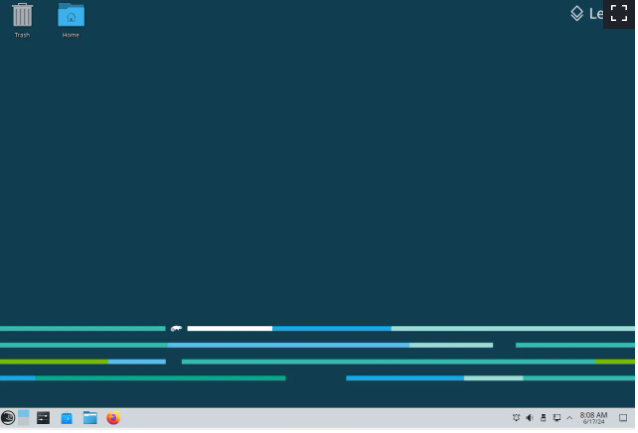
There is an image displayed on the wall projected by the video projector, but it bears no relationship to what is displayed by the laptop screen. When one first installs leap 15.6 as a fresh install, there is a default wallpaper supplied by opensuse. I’ve long ago replaced that wallpaper with one of my choosing. Whatever else might be displayed on my laptop screen as I open or close a program, is not displayed via the video projector to mirror what is displayed on the laptop screen. It looks like this:
So have you examined Display and Monitor settings to clone the display (Unify Outputs)? Currently the HDMI -connected monitor is offset to the right of the laptop display it would seem:
eDP-1 connected primary 3300x2200+0+0
HDMI-1 connected 1024x768+3300+0
I did look in the settings under Display and Monitor settings to clone the display. I had posted this in an earlier post in this thread, but it was a long time ago and maybe wasn’t written clearly anyways.
"The video projector is connected via an HDMI cable to the laptop.
In the KDE Plasma “System Settings” application → section “Hardware” → topic “Display and Monitor
It appears that only the laptop screen is detected, the HDMI device is not detected."
Just to try and clarify this, when I go into the settings under Display and Monitor, there is only one screen detected and presented, which is the laptop screen. The HDMI device is not displayed there, and cannot therefore be configured to mirror the laptop screen.
Hmmm… that is inconsistent with the kscreen-doctor output you shared though. Perhaps try removing the existing kscreen settings…
rm -rf ~/.local/share/kscreen/
With KDE Plasma, you have to delve into the System Settings and, for each Screen/Display set the Background individually …
- There are also other KDE Plasma items where you can set individually for each Screen/Display –
Such as “Activities” …
None of that is relevant to getting the external display cloned though.
With KDE Plasma, cloning a Display/Screen is also in the System Settings.
Yes I know that. I suggest you go back and read this thread from the beginning.
1 Like
I ran the bash code in terminal rm -rf ~/.local/share/kscreen/ When I tried to see what was projected, it was only a blue screen, solid color. Then I rebooted, and now I’m projecting the default opensuse desktop wallpaper, of which I pasted an image in a reply above.
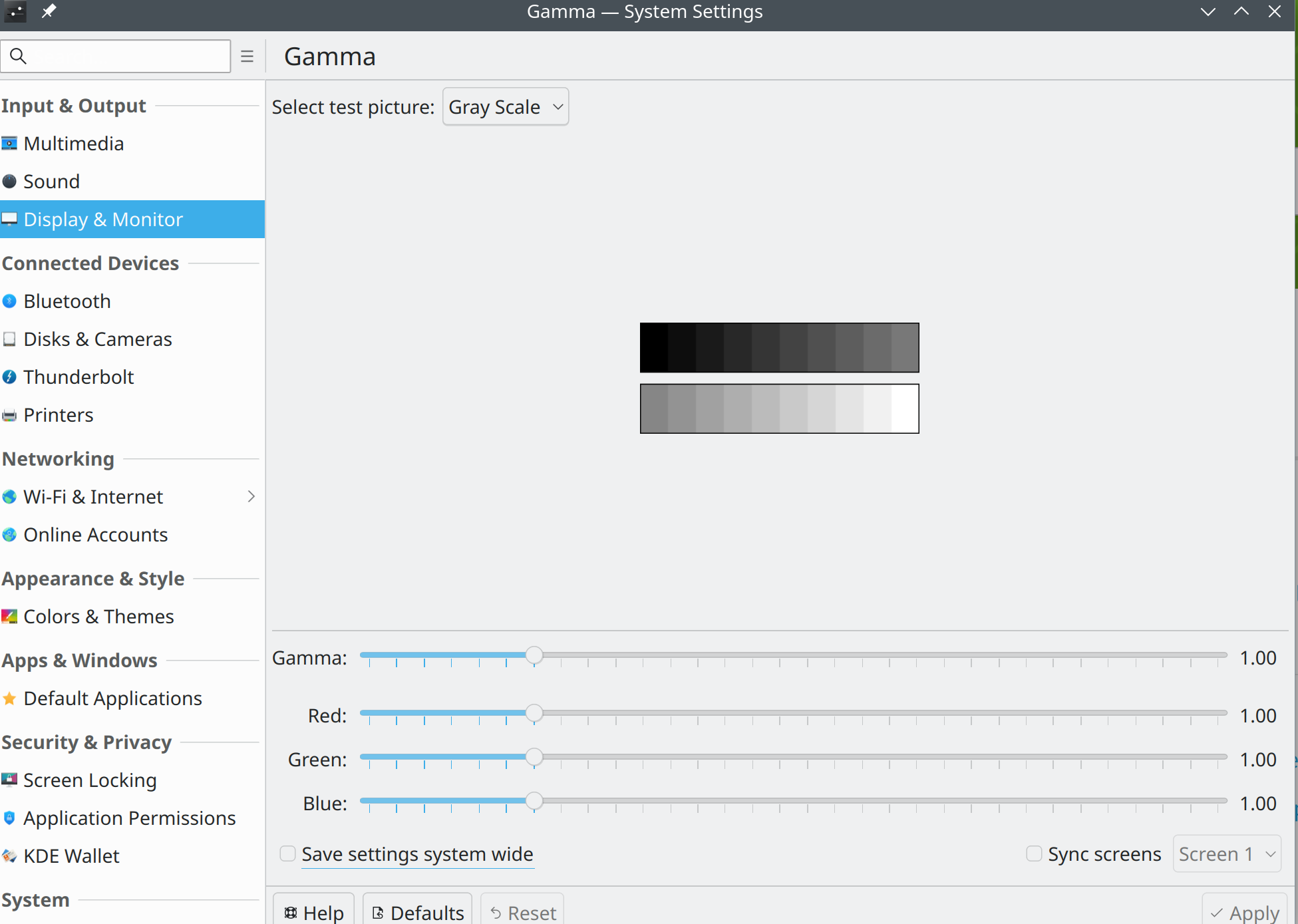
I tried to go into Settings> Display and Monitor, but since I installed the Plasma 6 things have changed on the computer. One of those is that the ability to see the laptop screen and the HDMI screen side by side to configure them, that option is no longer available. I only can see one screen when I select Display and Monitor, that I will paste below.
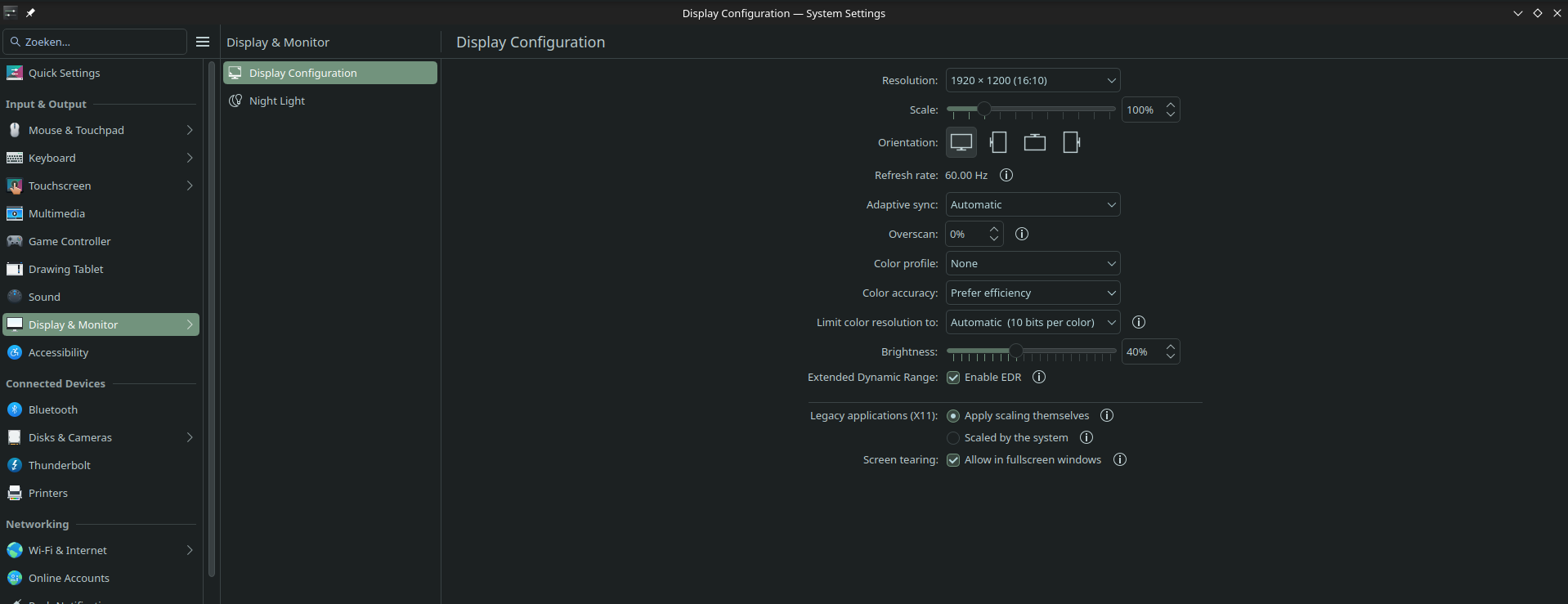
There is something wrong with your Plasma6. This is what you should see ( I don’t have a second screen or whatever ):
Please tell us how you performed the upgrade + show us your repos again:
zypper lr -d | susepaste
1 Like
Hi,
I actually posted what I did to install plasma 6 on my computer in an earlier post. I’ve copied it here for you to see.
https://paste.opensuse.org/pastes/a42229931ef4
Just to clarify what I did,I started at the top of the list and ran each command in the terminal, serially from top to bottom. That was as best as I understood what to do, if I haven’t understood correctly perhaps you can elaborate with better instructions.
zypper lr -d
No idea how to fix it, but I cannot get rid of the idea that you have some weird mix of Plasma5 and 6
With that repo list I can only wonder why you are on Leap and not on TW
Hi
I don’t have a solution for you, but in the earlier part of this century I did some speaker support with a laptop and projector. For the last 20 years I have been using OpenSuse & KDE as my daily-driver OS. At the time I had a 17" Acer laptop and an Acer projector, and after a bit of searching I found a presentation made with OpenOffice Impress (their version of PowerPoint), so here is what it should look like with OpenSuse Leap 15.6 & KDE Plasma 5.
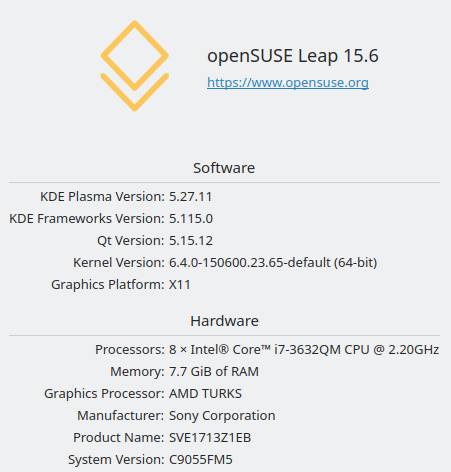
My system:
Settings > Display and Monitor with my 32" Samsung TV as the 2nd display:
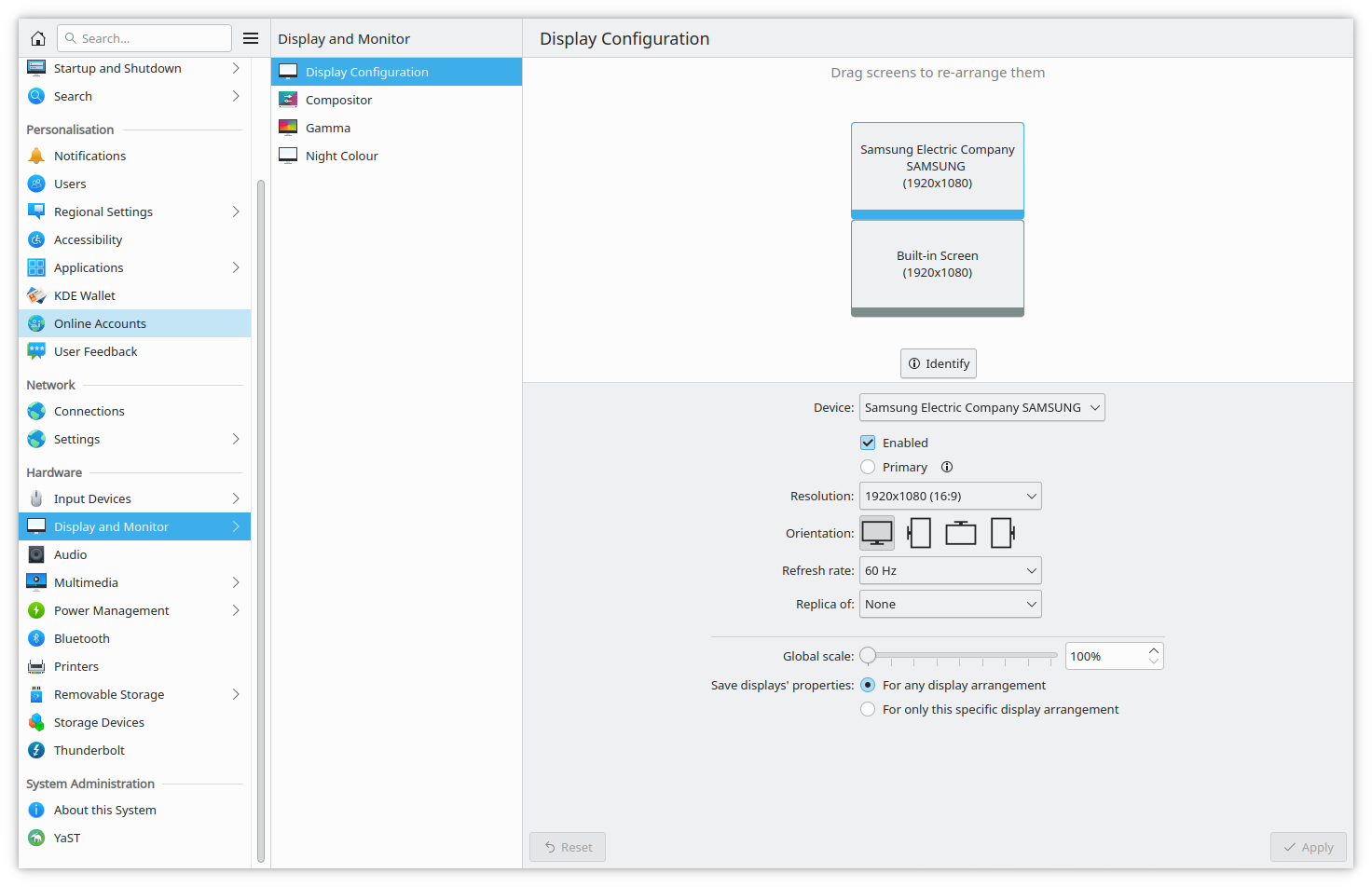
I ran Impress like this in the past. The projector only had VGA, but from what I can remember the KDE settings were pretty much the same. As you can see from the previous screen shot, I put the projector above the laptop screen. In Impress I had the settings for slide show set so that the presentation output was assigned to the 2nd display. The Impress UI is much smarter than it used to be, but the functions were pretty much the same. This is what it would look like as an “all-screens” screenshot with my TV standing in for the projector:

I hope this is of some help. At least it proves that KDE did support this set-up in the past and can still do it now. I think your issue is the projector not being detected properly. With KDE Plasma 5 I only have to plug in the HDMI from the TV and the system finds it even when it is in standby. Either the projector is not reporting itself correctly or you have a problem with the X11 set-up. I’ve never seen something like what you report, so all I can do is wish you luck.
Sadiq