Also post executed as User:
groups
 groups
fatalii vboxsf vboxguest vboxusers
/etc/udev/rules.d/ in my case it is empty obviously I go there as root
while this is what is in the other path (look bootom),
in the path this path: ramarro:/usr/lib/udev/rules.d i have this 90-vboxguest.rules
KERNEL=="vboxguest", NAME="vboxguest", OWNER="root", MODE="0660" ENV{ID_INPUT}="1", ENV{ID_INPUT_MOUSE}="1"
KERNEL=="vboxuser", NAME="vboxuser", OWNER="root", MODE="0660", TAG+="uaccess"
ACTION=="add|change", SUBSYSTEM=="drm", KERNEL=="card[0-9]", SUBSYSTEMS=="pci", ATTRS{vendor}=="0x15ad", ATTRS{device}=="0x0405", TAG+="systemd", ENV{SYSTEMD_WANTS}="vboxclient.service"
and the file : 60-vboxdrv.rules
KERNEL=="vboxdrvu", NAME="vboxdrvu", OWNER="root", GROUP="vboxusers", MODE="0660"
KERNEL=="vboxnetctl", NAME="vboxnetctl", OWNER="root", GROUP="vboxusers", MODE="0660"
SUBSYSTEM=="usb_device", ACTION=="add", RUN+="/usr/lib/virtualbox/VBoxCreateUSBNode.sh $major $minor $attr{bDeviceClass}"
SUBSYSTEM=="usb", ACTION=="add", ENV{DEVTYPE}=="usb_device", RUN+="/usr/lib/virtualbox/VBoxCreateUSBNode.sh $major $minor $attr{bDeviceClass}"
SUBSYSTEM=="usb_device", ACTION=="remove", RUN+="/usr/lib/virtualbox/VBoxCreateUSBNode.sh --remove $major $minor"
SUBSYSTEM=="usb", ACTION=="remove", ENV{DEVTYPE}=="usb_device", RUN+="/usr/lib/virtualbox/VBoxCreateUSBNode.sh --remove $major $minor"
I try to copy the file 60-vboxdrv.rules from /usr/lib/udev/rules.d/ , to /etc/udev/rules.d
nothing has changed I restarted udev and laptop
I’m in the same situation as redsbaron, and the problem definitely came from that bunch of 4400 updates someone referred above. I’ve got two computers with TW running the same Windows 10 VM, and I’ve rollbacked one of them to the pre-zypper snapshot of that bunch of updates and everything works again there. Windows 10 guest, no Extended Pack (not needed: my only USB device is just a smartcard reader), same setup for about 2 years.
1 Like
Did drag and drop work for you? I hope to be able to solve it soon, I need it for study software but I hate Windows and I would just like to run it in VM at the same time VBOX has the advantage that you can do the dridges easily without distorting anything
Me to have got the same problem, I have installed this several times with success last year, but now on a new fresh installation it does not work (TW and win10 in VB)
1 Like
Is there the same problem on opensuse Leap?
I sometimes play with drag and drop options but it has never worked fine for me.
I’ve got a computer with EndeavourOS: I’ll update it soon and make some tests to see if this problem with last updates and Virtualbox is a general one or TW specific, but there’s no similar issues at EndeavourOS or Arch forums so I guess it will be related to TW.
I don’t know, I have currently no devices with Leap.
As I have said before - If you install the virtualbox-guest-tools on the host - they lock USB and cut and paste.
It is best to zypper rm virtualbox* and reboot
then on host
zypper in virtualbox
anything else needed will get installed.
All windows guest have to use the Oracle Guest additions.
On OpenSUSE guests
zypper in virtualbox-kmp-default virtualbox-guest-tools
Anything else needed will get installed.
With VirtualBox 7.0 the extension pack is not needed for most users.
Here is proof that OpenSUSE and Windows 10 do allow USB.
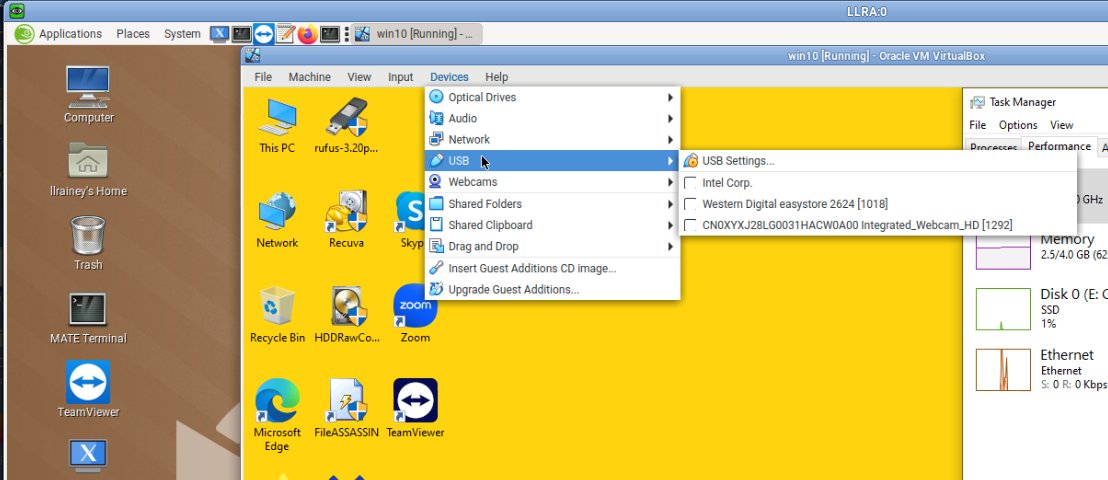
1 Like
I don’t have guest-tools installed on the host, but will try to purge and reinstall Virtualbox.
I followed what you said and now this is happening again
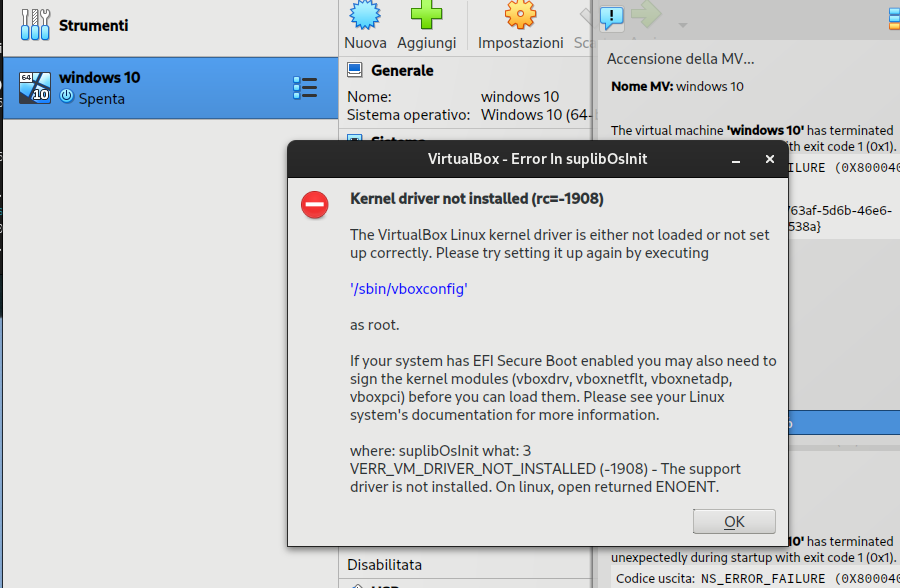
I followed your commands in case how can I really remove everything? Could it be some configuration file?
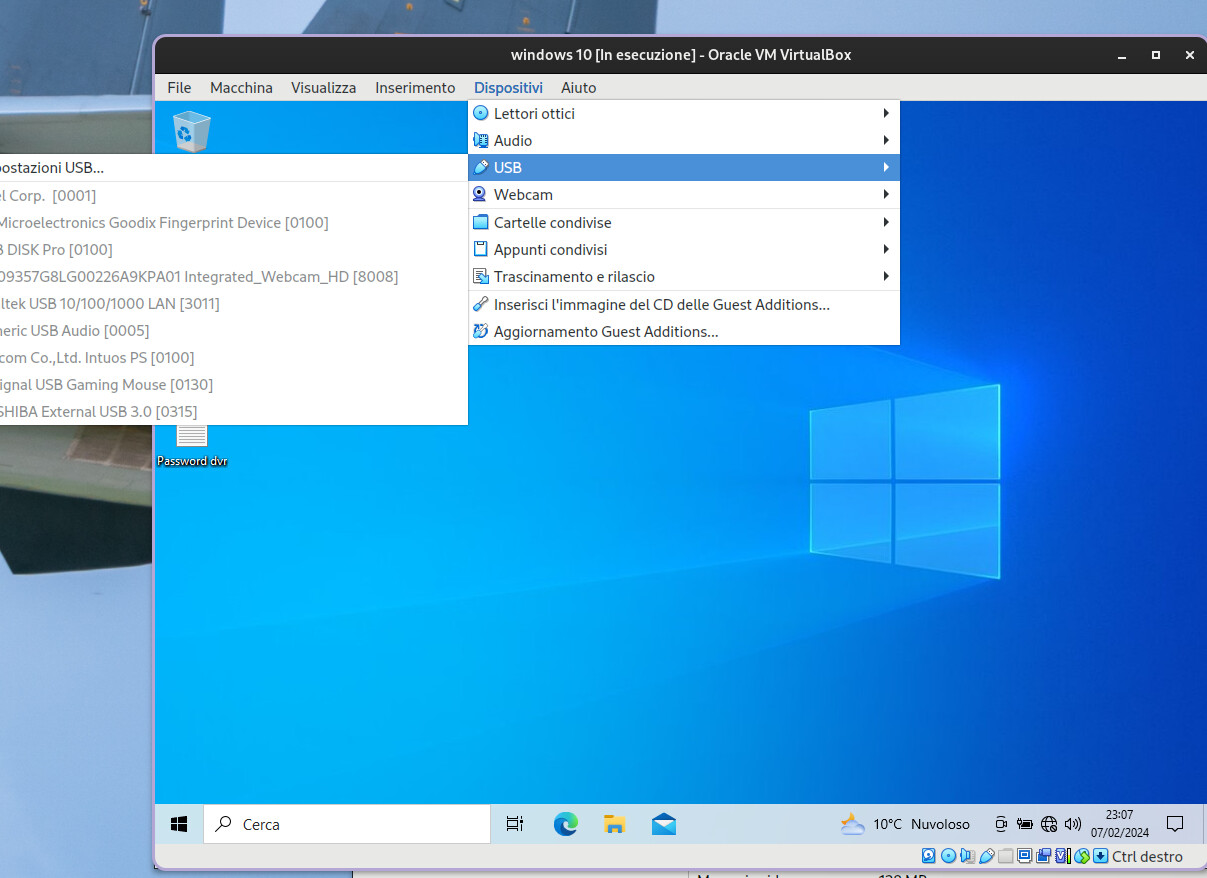
you have to reboot after removing or installing virtualbox.
done after uninstallation and after installation, nothing to do still doesn’t work,
ps.As a buffer I can try to learn to use QEMU, hoping it doesn’t cause problems
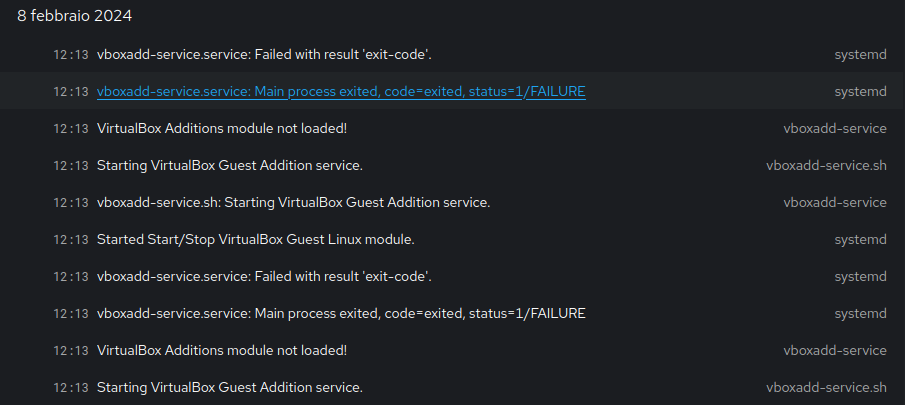
I just now checked VB in my main stationary pc, last time I used USB in a virtual win 10 machine on this PC it worked just fine ~ a week ago, nothing has been done to this afterwards, now it does not work. Same as above, I can add the USB filter, but in win10 they are all greyed out. Then I have two PC have the same. Something must have happened at some update.
(TW, KDE)
/rogerf
If you are on a Windows Host - the problem needs to be reported to Oracle VirtualBox.
The Kernel not installed with the executing ‘/sbin/vboxconfig’ only shows up on my computer host when I am running Oracle’s VirtualBox rpm after I install it.
If you install Oracle’s OpenSUSE rpm - you have to remove it to run OpenSUSE’s.
You can always run Oracle’s VirtualBox rpm’s instead of OpenSUSE’s but you have to disable Secure Boot or sign the Oracle’s rpm yourself and add it to your computer’s signatures.