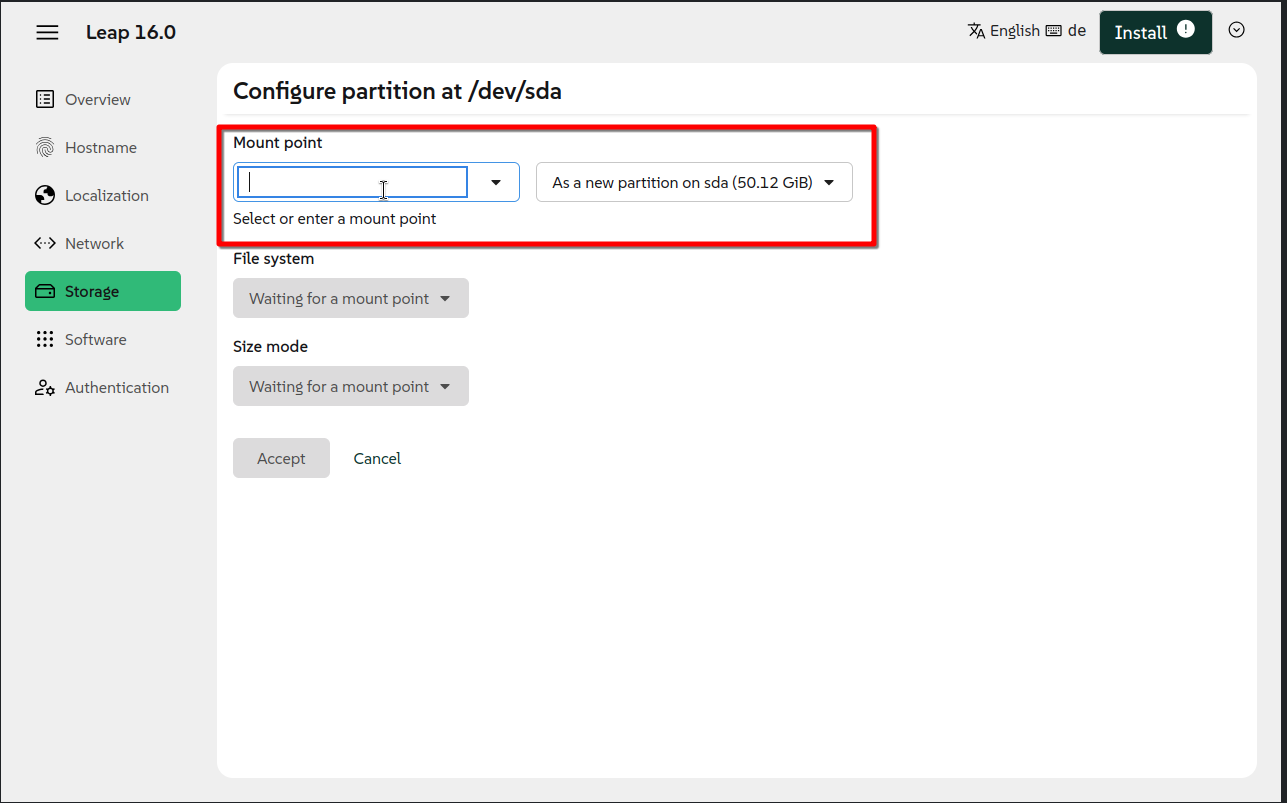
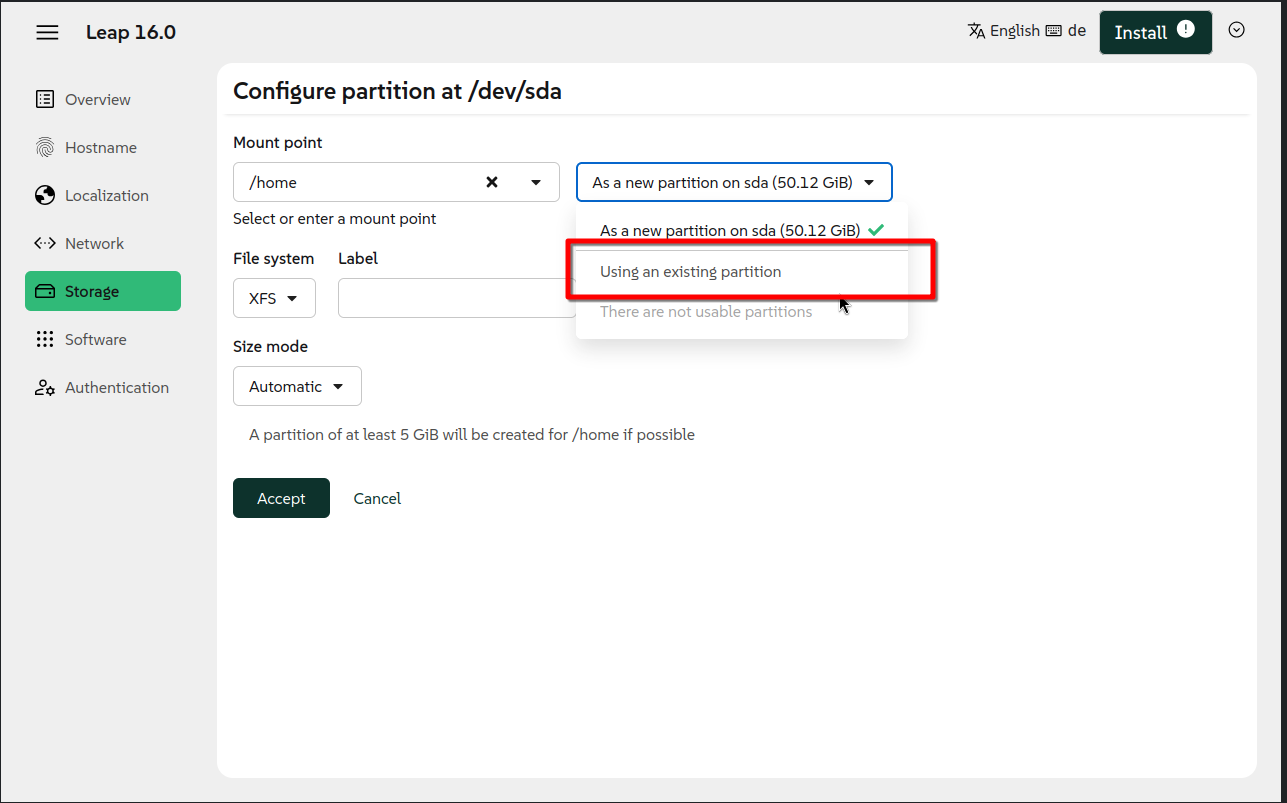
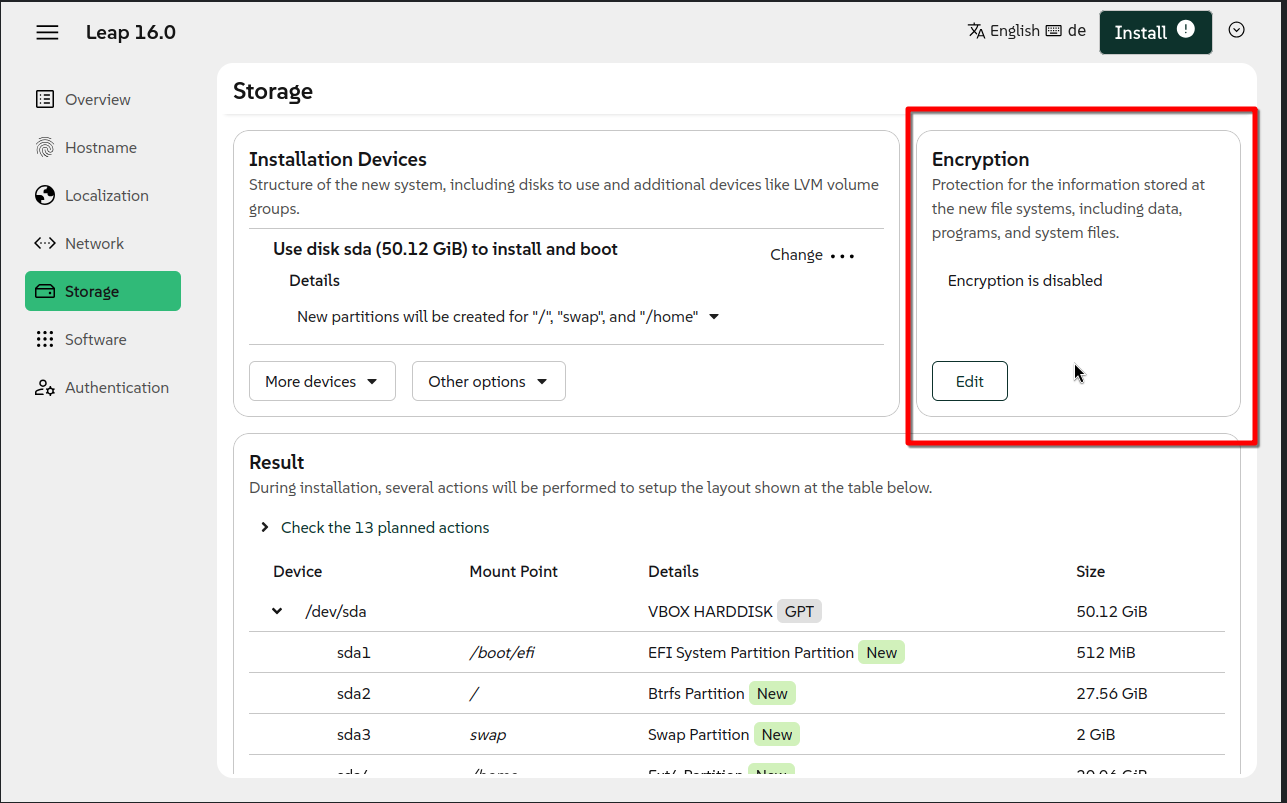
Not 100% backwards compatible, viz encryption indicates that it is whole disk; but appears to only apply to the root partition; takes ages to boot after encryption password provided for root partition; struggling to get rid of root partition encryption now even after a re-install.
Well, -I manage to do a new install of Leap16 on my Leap15.6 partition deleting that (I dont know if if was formatted). I told the installer to NOT touch swap(remounted) and my windows partitions. Viola! Dual boot still works after the installation. It took some time before I figure it out…
Regards
I have managed to install Leap 16. The new Leap 16 installer is not as intuitive as the previous Leap 15.x installer with respect to partition configuration; also you cannot discretely encrypt partition with the new Leap 16 installer, the encryption edit only appears to allow the encryption of the root partition to be switched on/off.
I’m not clear. I have existing partitions that I want to retain, besides / and /home. Will Agama allow me to keep these, or will I have to do some editing in /etc/fstab?
Be careful, I defined “/boot/efi” and “/” which should be sufficient for an install; I had an existing encrypted partition which I didn’t want to mount a boot (mobile device); the default behaviour of the Leap 16.0 installer is to delete the partition without an explicit mount point, doh; I had to supply a mount point for every partition I wanted to retain.
I want to install Leap 16 as a completely new installation. No upgrade.
The filesystem I prefer is XFS, and I also want to have every partition - including the root partition - to be encrypted. It does work fine this way with 15.6 that I’m still running on some of my computers. Furthermore, I am eager to decide on my own about the sizes of my partitions.
But I have failed each and every time I’ve tried to accomplish such a setup using Agama’s interface as shown here. For the moment I am stuck with Leap 16 with btrfs on / and XFS on /home, but none of the partitions are encrypted.
Please note that for me, it looks like that all the choices I want to make are possible with Agama: to create all necessary and wanted partitions with XFS and to make them encrypted. But in the end I’m confronted with a broken system.
What am I doing wrong?
Is there anybody who can direct me to some kind of solution? And by the way: plymouth seems to be broken. No graphical boot, nor shutdown even without encrypted partitions.
Right now I realize that I don’t know nor understand how to enable that kernel parameter… A bit embarrassing maybe. Where should I add splash=silent option? How to do it?
I don’t see any need for the agama installer to show this default behavior, to remove partitions that aren’t needed for the installation of Leap 16.0.
This is all but trustworthy.
I forgot to say thanks for the link and the information that I encountered… Now Plymouth works as expected.
But still, the question of combining XFS on all partitions, root included, and to have them encrypted is something I haven’t been able to resolve inside Agama and it’s graphical interface. Yet.
Right. I’ll check it out in order to perform a new effort to install Leap 16 the way I want it installed. For the moment, I prefer to continue with 15.6 instead of feeling disappointed.
Come to think about it, is it absolutely necessary to use Agama at all in order to install Leap 16? Can I bypass it somehow? As far as I remember it wasn’t possible. Since I’m not able to make my own JSON-based configuration profile, I must fall back on interactive use , but without Agama deciding about the configuration.