So basically, the solution is to either not use Ventoy, or fix kernel parameters (which could be done in recovery mode or with chroot, either using yast or modifying grub config files).
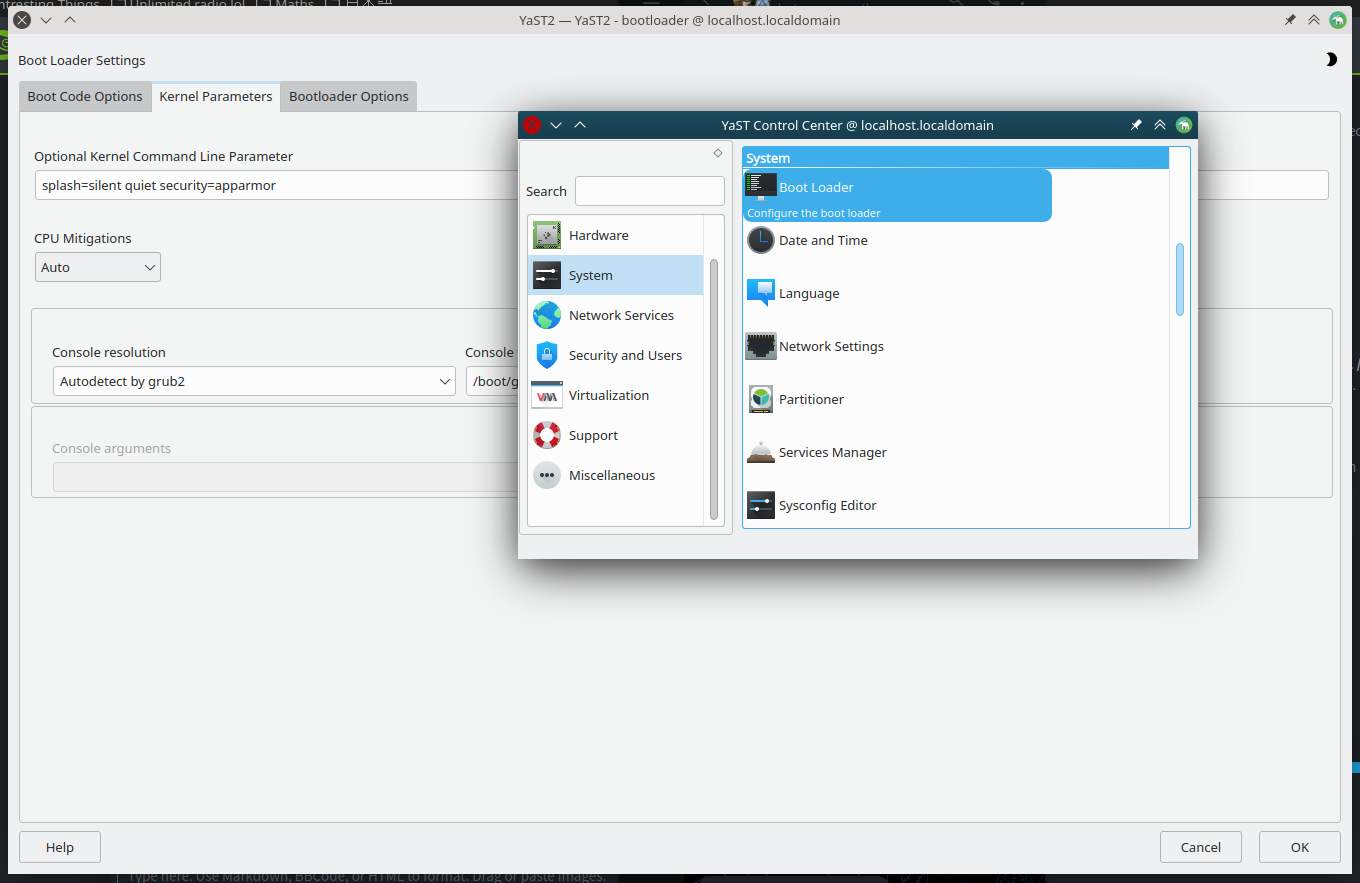
If you want to change kernel parameters from yast, go to System->Boot Loader, there go to “Kernel Parameters” tab and in “Optional Kernel Command Line Parameter” remove parameters related to Ventoy (I currently can’t reproduce it, but they will be obvious).
I have to use Ventoy for the GPT partition table aspect of it because of my motherboard, so I suppose I am going to have to edit the kernel parameters.
@Boogieman what do you mean by gpt partition table aspect? What are the kernel options, cat /proc/cmdline will show, else from grub you can edit out on a one-off basis.
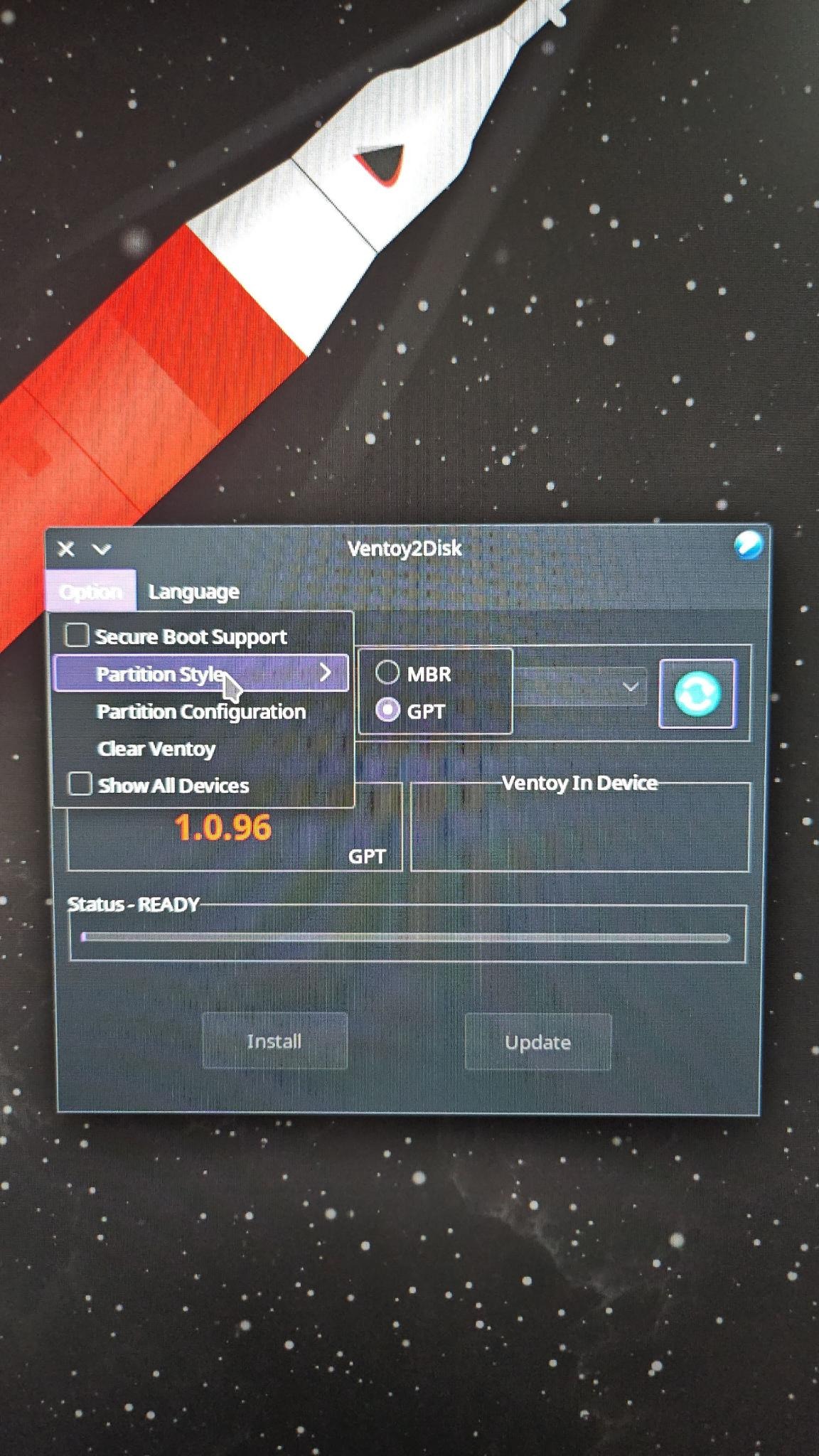
Here is a pic of Ventoy. See how it gives you the option to create a ventoy USB using either MBR or GPT partition table? Majority of Linux ISOs will not be detected by my motherboard when the ISO is written directly to the USB, but if I use Ventoy with the GPT partition table specifically, the same ISO works. The only distro that I can get to be detected without Ventoy is Ubuntu and its spins. I don’t know what the diference is with how they package their ISO’s but theirs works and almost all the others don’t.
@Boogieman Do you have a USB 2.0 port or a BIOS option to select Legacy USB? On the BIOS boot menu can you select the device to boot from, does it see the USB device there?
After you install your system, if the problem persists, boot in recovery mode (select “openSUSE Tumbleweed, with Linux **** (recovery mode)”), after you boot, log in as root. You can run “startx”(it starts your X11 server) if you prefer graphical environment. Run YaST, and there find a “Boot Loader” option (see image), there go to “Kernel Parameters” and remove Ventoy related parameters from “Optional Kernel Command Line Parameters” (again, see image), if you’re unsure about what parameters to remove, you can send an image in reply.
PS, I now realize that you can press E in grub to temporarily change parameters from there, if you know what I mean by that, you can do that too instead of booting in recovery mode.
Where did you get this information from? It is true that Intel phased out the legacy BIOS support. But UEFI Bios without Secure Boot is supported…
UEFI does not require Secure boot as this are different topics…
And how is it related to this topic? The issue of the TO was caused by a kernle boot parameter which was added by the tool Ventoy…