Leap 16 --usb mouse just drops "dead"-- previous thread just expired

So I had a previous thread going about “glitchy mouse” and seems like there was some commonality with other XFCE users and Leap 16. That thread was closed 3 days ago: https://forums.opensuse.org/t/leap-16-couple-of-issues-with-mouse-action-glitchy-not-typing-in-message-boxes/191416/143

Today is again Leap 16 day, ran a zypper up, logged out and back in . . . earlier it seemed like the mouse action was not decisive and then a few minutes ago, clicking on an email in Gmail and . . . the usb mouse was dead, no laser tracking light showing. Sometimes that had happened before when trying to revive from suspend there would be no mouse, and jiggling the connector would have to be done. IN this case the mouse “died in flight” while in use . . . even jiggling the connector had to be done a few times to again revive the mouse.

So, the “glitchy mouse” saga continues . . . .

So the mouse lost power entirely? A marginal USB connection can often manifest first as erratic clicks, delayed pointer response, or partial input events before progressing to complete disconnects.

USB autosuspend?
grep . /sys/bus/usb/devices/*/power/control

With a healthy wired mouse, even in a low power state (where LED may dim or turn off), any movement/button event should wake it immediately.

If /sys/bus/usb/devices/.../power/control shows auto, it may be worth forcing the mouse to stay awake, because buggy USB power handling can occasionally interact badly with marginal hardware. You can do this temporarily by examining lsusboutput to identify the mouse device first,
find its corresponding /sys/bus/usb/devices/... entry and temporarily set:
echo on | sudo tee /sys/bus/usb/devices/DEVICE/power/control

Writing -1 to the usbcore autosuspend parameter can also be done to disable USB autosuspend globally until reboot…
echo -1 | sudo tee /sys/module/usbcore/parameters/autosuspend

Verify current value with
cat /sys/module/usbcore/parameters/autosuspend

For permanent global USB disabling, the following kernel boot paramter can be used: usbcore.autosuspend=-1

1 Like

That statement right there is indicative of a hardware (power) issue.

Power connectors in automobiles, refrigerators, a room fan, battery charger, a loose light bulb, ad-nauseam. Any electrical device that loses its power source will “die” and not work :slight_smile:

1 Like

Thanks for the thoughts on it . . . ran a few of those suggestions, couldn’t exactly figure out which port is which . . . in this case a Kensington mouse is plugged into the Apple aluminum keyboard, which has two usb ports . . . . Both of these items, as discussed in the previous thread are “new” . . . roughly two or so years old . . . .

grep . /sys/bus/usb/devices/*/power/control
/sys/bus/usb/devices/1-2/power/control:auto
/sys/bus/usb/devices/1-7/power/control:on
/sys/bus/usb/devices/3-1.1/power/control:on
/sys/bus/usb/devices/3-1.2/power/control:on
/sys/bus/usb/devices/3-1/power/control:auto
/sys/bus/usb/devices/5-1/power/control:on
/sys/bus/usb/devices/usb1/power/control:auto
/sys/bus/usb/devices/usb2/power/control:auto
/sys/bus/usb/devices/usb3/power/control:auto
/sys/bus/usb/devices/usb4/power/control:auto
/sys/bus/usb/devices/usb5/power/control:auto
/sys/bus/usb/devices/usb6/power/control:auto

@localhost:~> lsusb
Bus 006 Device 001: ID 1d6b:0003 Linux Foundation 3.0 root hub
Bus 005 Device 002: ID 046d:0a8f Logitech, Inc. H390 headset with microphone
Bus 005 Device 001: ID 1d6b:0002 Linux Foundation 2.0 root hub
Bus 004 Device 001: ID 1d6b:0003 Linux Foundation 3.0 root hub
Bus 003 Device 004: ID 1bcf:08a0 Sunplus Innovation Technology Inc. Gaming mouse [Philips SPK9304]
Bus 003 Device 003: ID 05ac:024f Apple, Inc. Aluminium Keyboard (ANSI)
Bus 003 Device 002: ID 05e3:0608 Genesys Logic, Inc. Hub
Bus 003 Device 001: ID 1d6b:0002 Linux Foundation 2.0 root hub
Bus 002 Device 001: ID 1d6b:0003 Linux Foundation 3.0 root hub
Bus 001 Device 003: ID 1462:7c56 Micro Star International MYSTIC LIGHT 
Bus 001 Device 002: ID 05e3:0608 Genesys Logic, Inc. Hub
Bus 001 Device 001: ID 1d6b:0002 Linux Foundation 2.0 root hub

@localhost:~> cat /sys/module/usbcore/parameters/autosuspend
2

Again, problem is intermittent . . . but is largely hitting my XFCE installs, but not my other 6 or so OS installs.

This may have been mentioned in the other thread . . . question is whether that is “cause” or “effect”?? Machine is coming up on two years old, peripherals about the same age . . . it would be more clear if I moved the cable/connection and it died, but in yesterday’s case the connector was not moved, death simply struck in flight, etc.

I have icewm DE installed in this Leap 16 edition . . . I tried running that after I posted this thread, but not enough time to test it out.

I’ll check out the other requests for data later on . . . I’d prefer not changing a setting on some function until there is a more clear picture on the why of it. So far in typing out this reply, no problems with mouse function . . . it seems to show up, on a whim–MOSTLY in Leap 16, but it can occur t some level with XFCE DE programming.

A good next test might be to plug the mouse directly into a motherboard USB port for a few days instead of through the keyboard hub, and see if any difference observed with behaviour.

1 Like

Alrighty, sort of “sensed” that one through the “mystic light” connection . . . so I just did that and then ran the “lsusb” command again . . . . Looks slightly different, I’ll give it a go this way, it is less convenient than plugged into keyboard for switching peripherals between a couple of machines.

~> lsusb
Bus 006 Device 001: ID 1d6b:0003 Linux Foundation 3.0 root hub
Bus 005 Device 002: ID 046d:0a8f Logitech, Inc. H390 headset with microphone
Bus 005 Device 001: ID 1d6b:0002 Linux Foundation 2.0 root hub
Bus 004 Device 001: ID 1d6b:0003 Linux Foundation 3.0 root hub
Bus 003 Device 003: ID 05ac:024f Apple, Inc. Aluminium Keyboard (ANSI)
Bus 003 Device 002: ID 05e3:0608 Genesys Logic, Inc. Hub
Bus 003 Device 001: ID 1d6b:0002 Linux Foundation 2.0 root hub
Bus 002 Device 001: ID 1d6b:0003 Linux Foundation 3.0 root hub
Bus 001 Device 004: ID 1462:7c56 Micro Star International MYSTIC LIGHT 
Bus 001 Device 003: ID 1bcf:08a0 Sunplus Innovation Technology Inc. Gaming mouse [Philips SPK9304]
Bus 001 Device 002: ID 05e3:0608 Genesys Logic, Inc. Hub
Bus 001 Device 001: ID 1d6b:0002 Linux Foundation 2.0 root hub

~> grep . /sys/bus/usb/devices/*/power/control
/sys/bus/usb/devices/1-2/power/control:auto
/sys/bus/usb/devices/1-5/power/control:on
/sys/bus/usb/devices/1-7/power/control:on
/sys/bus/usb/devices/3-1.1/power/control:on
/sys/bus/usb/devices/3-1/power/control:auto
/sys/bus/usb/devices/5-1/power/control:on
/sys/bus/usb/devices/usb1/power/control:auto
/sys/bus/usb/devices/usb2/power/control:auto
/sys/bus/usb/devices/usb3/power/control:auto
/sys/bus/usb/devices/usb4/power/control:auto
/sys/bus/usb/devices/usb5/power/control:auto
/sys/bus/usb/devices/usb6/power/control:auto

Looking at the “grep” data I can’t figure which one is “the mouse”???

But, still, this problem is largely exclusive to Leap 16 in its most egregious manifestations, like yesterday’s mouse “death in flight” rather than mouse “non-revival from suspend” as it had been . . . and then secondly some instances in other XFCE fronted installs.

No problems with mouse behavior are found in the other 5 or so non-leap, non-xfce systems . . . without reading my previous thread I believe that TW w/MATE DE does not have this issue . . . . I recall from the other thread where the suggestion was to add another DE, I ran a fresh install of Leap 16 for testing or slicing dicing of the system, but don’t use it regularly . . . don’t think I nuked it yet.

As before the problem is the inconsistency of the behavior in terms of what produces this “glitchy mouse” behavior . . . .

I would continue testing with the mouse directly connected for a few days.

Leave a terminal window open with one of the following commands running while testing…
sudo dmesg -w | grep -Ei 'usb|reset|disconnect|connect|error'

or

sudo journalctl -kf | grep -Ei 'usb|reset|disconnect|connect|error'

Then if the mouse dies again you may catch messages such as “USB disconnect”, reset messages, device descriptor read errors, or similar. If these occur, then it would further support a USB connectivity/hardware problem at play.

1 Like

@non_space usb-devices and lsusb -t should provide the info.

1 Like

Alrighty, made some time to play with the alternative Leap 16 install I set up to experiment with in regards to this problem and possible association with XFCE. I had the mouse plugged in directly to a mobo port (ossibly older 2.0) and the keyboard where it was in a 3 or 3.1 usb port . . . and all was boringly well. I tried plugging the mouse back into the keyboard and some time later I was typing a message in a G Vice message box, and the original problem of “failure to type” or move blinking cursor in the box . . . returned. Checking the mouse for signs of light showed it was again “dead.”

This time, for testing purposes, I left the mouse plugged into the keyboard, but I moved the cable to the 2.0 port where the mouse had been . . . and function returned. I then suspended the machine, as previously revival from suspend also created a problem for mouse-plugged-into-keyboard function. And, on revival I ran the suggested “dmesg” command, which did provide a lot of data. Reading part way through it showed “xHC error in resume” . . . and some more errors . . . I copied the data from that point and pasting it here for review and commentary. Can’t really tell from what is there what “root hub lost power” means, and whether that was showing the “suspend” process, or if that is after revival??? This is seemingly showing that either the keyboard usb port, or the keyboard, or the 3.1 usb pport that the keyboard is plugged into might be suffering some problem. Hard to know if I had just left the mouse plugged in directly for a few more minutes and function would have stopped, OR “it’s a hardware problem” of one iteration or another?

[    6.584107] [    T523] apple 0003:05AC:024F.0002: input,hidraw4: USB HID v1.00 Device [Matias Keyboard Matias Wired Keyboard] on usb-0000:30:00.3-1.1/input1
[    7.529938] [    T803] usbcore: registered new device driver apple-mfi-fastcharge
[    8.743606] [    T769] usbcore: registered new interface driver snd-usb-audio
[  929.554295] [  T25978] xhci_hcd 0000:16:00.0: xHC error in resume, USBSTS 0x401, Reinit
[  929.554299] [  T25978] usb usb1: root hub lost power or was reset
[  929.554301] [  T25978] usb usb2: root hub lost power or was reset
[  929.928883] [  T25950] usb 1-2: reset high-speed USB device number 2 using xhci_hcd
[  930.371879] [  T25991] usb 1-5: reset low-speed USB device number 3 using xhci_hcd
[  930.729092] [  T25997] usb 1-7: WARN: invalid context state for evaluate context command.
[  930.902080] [  T25997] usb 1-7: reset full-speed USB device number 4 using xhci_hcd
[ 1643.121200] [  T28176] xhci_hcd 0000:16:00.0: xHC error in resume, USBSTS 0x401, Reinit
[ 1643.121204] [  T28176] usb usb1: root hub lost power or was reset
[ 1643.121206] [  T28176] usb usb2: root hub lost power or was reset
[ 1643.580917] [  T28203] usb 1-5: reset low-speed USB device number 3 using xhci_hcd
[ 1643.936594] [  T28209] usb 1-7: WARN: invalid context state for evaluate context command.
[ 1644.109494] [  T28209] usb 1-7: reset full-speed USB device number 4 using xhci_hcd
[ 1644.549750] [  T28191] usb 1-2: reset high-speed USB device number 2 using xhci_hcd
[ 3573.182561] [    T655] usb 1-5: USB disconnect, device number 3
[ 3573.621939] [    T655] usb 1-5: new low-speed USB device number 5 using xhci_hcd
[ 3580.766010] [     T82] usb 3-1.2: new low-speed USB device number 4 using xhci_hcd
[ 3580.849708] [     T82] usb 3-1.2: New USB device found, idVendor=1bcf, idProduct=08a0, bcdDevice= 1.02
[ 3580.849729] [     T82] usb 3-1.2: New USB device strings: Mfr=0, Product=0, SerialNumber=0
[ 3580.901948] [     T82] input: HID 1bcf:08a0 Mouse as /devices/pci0000:00/0000:00:08.1/0000:30:00.3/usb3/3-1/3-1.2/3-1.2:1.0/0003:1BCF:08A0.0006/input/input20
[ 3580.902101] [     T82] input: HID 1bcf:08a0 Keyboard as /devices/pci0000:00/0000:00:08.1/0000:30:00.3/usb3/3-1/3-1.2/3-1.2:1.0/0003:1BCF:08A0.0006/input/input21
[ 3581.024166] [     T82] hid-generic 0003:1BCF:08A0.0006: input,hiddev96,hidraw1: USB HID v1.10 Mouse [HID 1bcf:08a0] on usb-0000:30:00.3-1.2/input0
[ 4775.300323] [     T82] usb 3-1.2: USB disconnect, device number 4
[ 4775.981749] [     T82] usb 3-1.2: new low-speed USB device number 5 using xhci_hcd
[ 4776.045783] [     T82] usb 3-1.2: device descriptor read/64, error -32
[ 4776.224778] [     T82] usb 3-1.2: device descriptor read/64, error -32
[ 4776.396862] [     T82] usb 3-1.2: new low-speed USB device number 6 using xhci_hcd
[ 4776.461584] [     T82] usb 3-1.2: device descriptor read/64, error -32
[ 4776.630897] [     T82] usb 3-1.2: device descriptor read/64, error -32
[ 4776.733493] [     T82] usb 3-1-port2: attempt power cycle
[ 4777.328781] [     T82] usb 3-1.2: new low-speed USB device number 7 using xhci_hcd
[ 4777.329325] [     T82] usb 3-1.2: Device not responding to setup address.
[ 4777.533396] [     T82] usb 3-1.2: Device not responding to setup address.
[ 4777.740774] [     T82] usb 3-1.2: device not accepting address 7, error -71
[ 4777.804763] [     T82] usb 3-1.2: new low-speed USB device number 8 using xhci_hcd
[ 4777.805325] [     T82] usb 3-1.2: Device not responding to setup address.
[ 4778.013396] [     T82] usb 3-1.2: Device not responding to setup address.
[ 4778.220830] [     T82] usb 3-1.2: device not accepting address 8, error -71
[ 4778.221274] [     T82] usb 3-1-port2: unable to enumerate USB device
[ 4813.414423] [     T82] usb 3-1: USB disconnect, device number 2
[ 4813.414454] [     T82] usb 3-1.1: USB disconnect, device number 3
[ 4820.564143] [    T655] usb 1-5: new high-speed USB device number 6 using xhci_hcd
[ 4820.772260] [    T655] usb 1-5: New USB device found, idVendor=05e3, idProduct=0608, bcdDevice=85.37
[ 4820.772276] [    T655] usb 1-5: New USB device strings: Mfr=0, Product=1, SerialNumber=0
[ 4820.772284] [    T655] usb 1-5: Product: USB2.0 Hub
[ 4820.780372] [    T655] hub 1-5:1.0: USB hub found
[ 4821.114223] [     T28] usb 1-5.1: new full-speed USB device number 7 using xhci_hcd
[ 4821.461493] [     T28] usb 1-5.1: New USB device found, idVendor=05ac, idProduct=024f, bcdDevice= 1.91
[ 4821.461515] [     T28] usb 1-5.1: New USB device strings: Mfr=1, Product=2, SerialNumber=3
[ 4821.461524] [     T28] usb 1-5.1: Product: Matias Wired Keyboard
[ 4821.461530] [     T28] usb 1-5.1: Manufacturer: Matias Keyboard
[ 4821.461536] [     T28] usb 1-5.1: SerialNumber: FK318VUS
[ 4821.518625] [     T28] input: Matias Keyboard Matias Wired Keyboard as /devices/pci0000:00/0000:00:02.1/0000:16:00.0/usb1/1-5/1-5.1/1-5.1:1.0/0003:05AC:024F.0007/input/input22
[ 4821.564077] [     T28] apple 0003:05AC:024F.0007: input,hidraw1: USB HID v1.00 Keyboard [Matias Keyboard Matias Wired Keyboard] on usb-0000:16:00.0-5.1/input0
[ 4821.609710] [     T28] input: Matias Keyboard Matias Wired Keyboard as /devices/pci0000:00/0000:00:02.1/0000:16:00.0/usb1/1-5/1-5.1/1-5.1:1.1/0003:05AC:024F.0008/input/input23
[ 4821.609871] [     T28] apple 0003:05AC:024F.0008: input,hidraw3: USB HID v1.00 Device [Matias Keyboard Matias Wired Keyboard] on usb-0000:16:00.0-5.1/input1
[ 4821.688924] [     T28] usb 1-5.2: new low-speed USB device number 8 using xhci_hcd
[ 4821.792957] [     T28] usb 1-5.2: device descriptor read/64, error -32
[ 4821.977961] [     T28] usb 1-5.2: device descriptor read/64, error -32
[ 4822.161145] [     T28] usb 1-5.2: new low-speed USB device number 9 using xhci_hcd
[ 4822.266049] [     T28] usb 1-5.2: device descriptor read/64, error -32
[ 4822.452220] [     T28] usb 1-5.2: device descriptor read/64, error -32
[ 4822.562629] [     T28] usb 1-5-port2: attempt power cycle
[ 4823.158161] [     T28] usb 1-5.2: new low-speed USB device number 10 using xhci_hcd
[ 4823.186014] [     T28] usb 1-5.2: Device not responding to setup address.
[ 4823.424781] [     T28] usb 1-5.2: Device not responding to setup address.
[ 4823.629154] [     T28] usb 1-5.2: device not accepting address 10, error -71
[ 4823.705168] [     T28] usb 1-5.2: new low-speed USB device number 11 using xhci_hcd
[ 4823.733012] [     T28] usb 1-5.2: Device not responding to setup address.
[ 4823.968976] [     T28] usb 1-5.2: Device not responding to setup address.
[ 4824.172968] [     T28] usb 1-5.2: device not accepting address 11, error -71
[ 4824.178478] [     T28] usb 1-5-port2: unable to enumerate USB device
[ 4834.579281] [    T655] usb 1-5.2: new low-speed USB device number 12 using xhci_hcd
[ 4834.786411] [    T655] usb 1-5.2: New USB device found, idVendor=1bcf, idProduct=08a0, bcdDevice= 1.02
[ 4834.786432] [    T655] usb 1-5.2: New USB device strings: Mfr=0, Product=0, SerialNumber=0
[ 4834.851451] [    T655] input: HID 1bcf:08a0 Mouse as /devices/pci0000:00/0000:00:02.1/0000:16:00.0/usb1/1-5/1-5.2/1-5.2:1.0/0003:1BCF:08A0.0009/input/input24
[ 4834.851623] [    T655] input: HID 1bcf:08a0 Keyboard as /devices/pci0000:00/0000:00:02.1/0000:16:00.0/usb1/1-5/1-5.2/1-5.2:1.0/0003:1BCF:08A0.0009/input/input25
[ 4834.993208] [    T655] hid-generic 0003:1BCF:08A0.0009: input,hiddev96,hidraw4: USB HID v1.10 Mouse [HID 1bcf:08a0] on usb-0000:16:00.0-5.2/input0
[ 5005.024785] [  T33253] xhci_hcd 0000:16:00.0: xHC error in resume, USBSTS 0x401, Reinit
[ 5005.024789] [  T33253] usb usb1: root hub lost power or was reset
[ 5005.024791] [  T33253] usb usb2: root hub lost power or was reset
[ 5005.228471] [  T33279] usb 1-7: WARN: invalid context state for evaluate context command.
[ 5005.265247] [  T33276] usb 5-1: reset full-speed USB device number 2 using xhci_hcd
[ 5005.400769] [  T33279] usb 1-7: reset full-speed USB device number 4 using xhci_hcd
[ 5005.840802] [  T33259] usb 1-2: reset high-speed USB device number 2 using xhci_hcd
[ 5006.206059] [  T33282] usb 1-5: reset high-speed USB device number 6 using xhci_hcd
[ 5006.938065] [  T33293] usb 1-5.2: reset low-speed USB device number 12 using xhci_hcd
[ 5007.318404] [  T33288] usb 1-5.1: WARN: invalid context state for evaluate context command.
[ 5007.463103] [  T33288] usb 1-5.1: reset full-speed USB device number 7 using xhci_hcd

Ran the two commands from Malcolm as well:

:~> usb-devices

T:  Bus=01 Lev=00 Prnt=00 Port=00 Cnt=00 Dev#=  1 Spd=480  MxCh=10
D:  Ver= 2.00 Cls=09(hub  ) Sub=00 Prot=01 MxPS=64 #Cfgs=  1
P:  Vendor=1d6b ProdID=0002 Rev=06.12
S:  Manufacturer=Linux 6.12.0-160000.9-default xhci-hcd
S:  Product=xHCI Host Controller
S:  SerialNumber=0000:16:00.0
C:  #Ifs= 1 Cfg#= 1 Atr=e0 MxPwr=0mA
I:  If#= 0 Alt= 0 #EPs= 1 Cls=09(hub  ) Sub=00 Prot=00 Driver=hub
E:  Ad=81(I) Atr=03(Int.) MxPS=   4 Ivl=256ms

T:  Bus=01 Lev=01 Prnt=01 Port=01 Cnt=01 Dev#=  2 Spd=480  MxCh= 4
D:  Ver= 2.00 Cls=09(hub  ) Sub=00 Prot=01 MxPS=64 #Cfgs=  1
P:  Vendor=05e3 ProdID=0608 Rev=60.70
S:  Product=USB2.0 Hub
C:  #Ifs= 1 Cfg#= 1 Atr=e0 MxPwr=100mA
I:  If#= 0 Alt= 0 #EPs= 1 Cls=09(hub  ) Sub=00 Prot=00 Driver=hub
E:  Ad=81(I) Atr=03(Int.) MxPS=   1 Ivl=256ms

T:  Bus=01 Lev=01 Prnt=02 Port=04 Cnt=01 Dev#=  6 Spd=480  MxCh= 4
D:  Ver= 2.00 Cls=09(hub  ) Sub=00 Prot=01 MxPS=64 #Cfgs=  1
P:  Vendor=05e3 ProdID=0608 Rev=85.37
S:  Product=USB2.0 Hub
C:  #Ifs= 1 Cfg#= 1 Atr=e0 MxPwr=100mA
I:  If#= 0 Alt= 0 #EPs= 1 Cls=09(hub  ) Sub=00 Prot=00 Driver=hub
E:  Ad=81(I) Atr=03(Int.) MxPS=   1 Ivl=256ms

T:  Bus=01 Lev=02 Prnt=06 Port=00 Cnt=01 Dev#=  7 Spd=12   MxCh= 0
D:  Ver= 2.00 Cls=00(>ifc ) Sub=00 Prot=00 MxPS= 8 #Cfgs=  1
P:  Vendor=05ac ProdID=024f Rev=01.91
S:  Manufacturer=Matias Keyboard
S:  Product=Matias Wired Keyboard
S:  SerialNumber=FK318VUS
C:  #Ifs= 2 Cfg#= 1 Atr=a0 MxPwr=100mA
I:  If#= 0 Alt= 0 #EPs= 1 Cls=03(HID  ) Sub=01 Prot=01 Driver=usbhid
E:  Ad=81(I) Atr=03(Int.) MxPS=  15 Ivl=1ms
I:  If#= 1 Alt= 0 #EPs= 1 Cls=03(HID  ) Sub=01 Prot=00 Driver=usbhid
E:  Ad=82(I) Atr=03(Int.) MxPS=   4 Ivl=1ms

T:  Bus=01 Lev=02 Prnt=07 Port=01 Cnt=01 Dev#= 12 Spd=1.5  MxCh= 0
D:  Ver= 2.00 Cls=00(>ifc ) Sub=00 Prot=00 MxPS= 8 #Cfgs=  1
P:  Vendor=1bcf ProdID=08a0 Rev=01.02
C:  #Ifs= 1 Cfg#= 1 Atr=a0 MxPwr=98mA
I:  If#= 0 Alt= 0 #EPs= 1 Cls=03(HID  ) Sub=01 Prot=02 Driver=usbhid
E:  Ad=81(I) Atr=03(Int.) MxPS=   8 Ivl=10ms

T:  Bus=01 Lev=01 Prnt=12 Port=06 Cnt=01 Dev#=  4 Spd=12   MxCh= 0
D:  Ver= 1.10 Cls=00(>ifc ) Sub=00 Prot=00 MxPS=64 #Cfgs=  1
P:  Vendor=1462 ProdID=7c56 Rev=00.01
S:  Manufacturer=MSI
S:  Product=MYSTIC LIGHT 
S:  SerialNumber=A02021090806
C:  #Ifs= 1 Cfg#= 1 Atr=80 MxPwr=500mA
I:  If#= 0 Alt= 0 #EPs= 2 Cls=03(HID  ) Sub=00 Prot=00 Driver=usbhid
E:  Ad=02(O) Atr=03(Int.) MxPS=  64 Ivl=5ms
E:  Ad=81(I) Atr=03(Int.) MxPS=  64 Ivl=5ms

T:  Bus=02 Lev=00 Prnt=00 Port=00 Cnt=00 Dev#=  1 Spd=10000 MxCh= 4
D:  Ver= 3.10 Cls=09(hub  ) Sub=00 Prot=03 MxPS= 9 #Cfgs=  1
P:  Vendor=1d6b ProdID=0003 Rev=06.12
S:  Manufacturer=Linux 6.12.0-160000.9-default xhci-hcd
S:  Product=xHCI Host Controller
S:  SerialNumber=0000:16:00.0
C:  #Ifs= 1 Cfg#= 1 Atr=e0 MxPwr=0mA
I:  If#= 0 Alt= 0 #EPs= 1 Cls=09(hub  ) Sub=00 Prot=00 Driver=hub
E:  Ad=81(I) Atr=03(Int.) MxPS=   4 Ivl=256ms

T:  Bus=03 Lev=00 Prnt=00 Port=00 Cnt=00 Dev#=  1 Spd=480  MxCh= 4
D:  Ver= 2.00 Cls=09(hub  ) Sub=00 Prot=01 MxPS=64 #Cfgs=  1
P:  Vendor=1d6b ProdID=0002 Rev=06.12
S:  Manufacturer=Linux 6.12.0-160000.9-default xhci-hcd
S:  Product=xHCI Host Controller
S:  SerialNumber=0000:30:00.3
C:  #Ifs= 1 Cfg#= 1 Atr=e0 MxPwr=0mA
I:  If#= 0 Alt= 0 #EPs= 1 Cls=09(hub  ) Sub=00 Prot=00 Driver=hub
E:  Ad=81(I) Atr=03(Int.) MxPS=   4 Ivl=256ms

T:  Bus=04 Lev=00 Prnt=00 Port=00 Cnt=00 Dev#=  1 Spd=10000 MxCh= 2
D:  Ver= 3.10 Cls=09(hub  ) Sub=00 Prot=03 MxPS= 9 #Cfgs=  1
P:  Vendor=1d6b ProdID=0003 Rev=06.12
S:  Manufacturer=Linux 6.12.0-160000.9-default xhci-hcd
S:  Product=xHCI Host Controller
S:  SerialNumber=0000:30:00.3
C:  #Ifs= 1 Cfg#= 1 Atr=e0 MxPwr=0mA
I:  If#= 0 Alt= 0 #EPs= 1 Cls=09(hub  ) Sub=00 Prot=00 Driver=hub
E:  Ad=81(I) Atr=03(Int.) MxPS=   4 Ivl=256ms

T:  Bus=05 Lev=00 Prnt=00 Port=00 Cnt=00 Dev#=  1 Spd=480  MxCh= 4
D:  Ver= 2.00 Cls=09(hub  ) Sub=00 Prot=01 MxPS=64 #Cfgs=  1
P:  Vendor=1d6b ProdID=0002 Rev=06.12
S:  Manufacturer=Linux 6.12.0-160000.9-default xhci-hcd
S:  Product=xHCI Host Controller
S:  SerialNumber=0000:30:00.4
C:  #Ifs= 1 Cfg#= 1 Atr=e0 MxPwr=0mA
I:  If#= 0 Alt= 0 #EPs= 1 Cls=09(hub  ) Sub=00 Prot=00 Driver=hub
E:  Ad=81(I) Atr=03(Int.) MxPS=   4 Ivl=256ms

T:  Bus=05 Lev=01 Prnt=01 Port=00 Cnt=01 Dev#=  2 Spd=12   MxCh= 0
D:  Ver= 1.10 Cls=00(>ifc ) Sub=00 Prot=00 MxPS=64 #Cfgs=  1
P:  Vendor=046d ProdID=0a8f Rev=00.01
S:  Manufacturer=Logitech USB Headset
S:  Product=Logitech USB Headset
C:  #Ifs= 4 Cfg#= 1 Atr=a0 MxPwr=100mA
I:  If#= 0 Alt= 0 #EPs= 1 Cls=01(audio) Sub=01 Prot=00 Driver=snd-usb-audio
E:  Ad=87(I) Atr=03(Int.) MxPS=  16 Ivl=8ms
I:  If#= 1 Alt= 0 #EPs= 0 Cls=01(audio) Sub=02 Prot=00 Driver=snd-usb-audio
I:  If#= 2 Alt= 0 #EPs= 0 Cls=01(audio) Sub=02 Prot=00 Driver=snd-usb-audio
I:  If#= 3 Alt= 0 #EPs= 1 Cls=03(HID  ) Sub=00 Prot=00 Driver=usbhid
E:  Ad=88(I) Atr=03(Int.) MxPS=  16 Ivl=8ms

T:  Bus=06 Lev=00 Prnt=00 Port=00 Cnt=00 Dev#=  1 Spd=10000 MxCh= 2
D:  Ver= 3.10 Cls=09(hub  ) Sub=00 Prot=03 MxPS= 9 #Cfgs=  1
P:  Vendor=1d6b ProdID=0003 Rev=06.12
S:  Manufacturer=Linux 6.12.0-160000.9-default xhci-hcd
S:  Product=xHCI Host Controller
S:  SerialNumber=0000:30:00.4
C:  #Ifs= 1 Cfg#= 1 Atr=e0 MxPwr=0mA
I:  If#= 0 Alt= 0 #EPs= 1 Cls=09(hub  ) Sub=00 Prot=00 Driver=hub
E:  Ad=81(I) Atr=03(Int.) MxPS=   4 Ivl=256ms
non-space@localhost:~> lsusb -t
/:  Bus 06.Port 1: Dev 1, Class=root_hub, Driver=xhci_hcd/2p, 10000M
/:  Bus 05.Port 1: Dev 1, Class=root_hub, Driver=xhci_hcd/4p, 480M
    |__ Port 1: Dev 2, If 0, Class=Audio, Driver=snd-usb-audio, 12M
    |__ Port 1: Dev 2, If 1, Class=Audio, Driver=snd-usb-audio, 12M
    |__ Port 1: Dev 2, If 2, Class=Audio, Driver=snd-usb-audio, 12M
    |__ Port 1: Dev 2, If 3, Class=Human Interface Device, Driver=usbhid, 12M
/:  Bus 04.Port 1: Dev 1, Class=root_hub, Driver=xhci_hcd/2p, 10000M
/:  Bus 03.Port 1: Dev 1, Class=root_hub, Driver=xhci_hcd/4p, 480M
/:  Bus 02.Port 1: Dev 1, Class=root_hub, Driver=xhci_hcd/4p, 10000M
/:  Bus 01.Port 1: Dev 1, Class=root_hub, Driver=xhci_hcd/10p, 480M
    |__ Port 2: Dev 2, If 0, Class=Hub, Driver=hub/4p, 480M
    |__ Port 5: Dev 6, If 0, Class=Hub, Driver=hub/4p, 480M
        |__ Port 1: Dev 7, If 0, Class=Human Interface Device, Driver=usbhid, 12M
        |__ Port 1: Dev 7, If 1, Class=Human Interface Device, Driver=usbhid, 12M
        |__ Port 2: Dev 12, If 0, Class=Human Interface Device, Driver=usbhid, 1.5M
    |__ Port 7: Dev 4, If 0, Class=Human Interface Device, Driver=usbhid, 12M

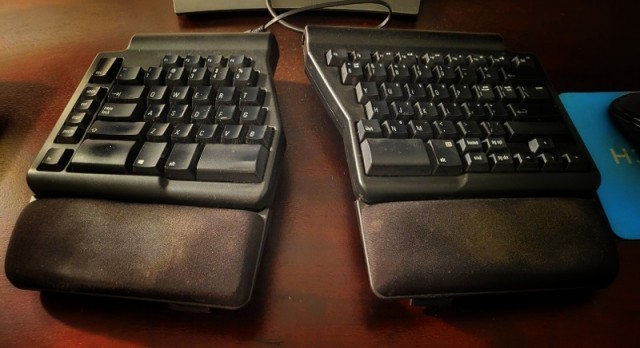
Just for the data, I moved the combo keyboard/mouse unit back to the original 3.1 port and it did show the changes, then suspended and revived it to show:

[ 9637.217958] [    T655] hid-generic 0003:1BCF:08A0.000E: input,hiddev96,hidraw4: USB HID v1.10 Mouse [HID 1bcf:08a0] on usb-0000:16:00.0-5.2/input0
[10100.139785] [    T655] usb 1-5: USB disconnect, device number 6
[10100.139800] [    T655] usb 1-5.1: USB disconnect, device number 7
[10100.300369] [    T655] usb 1-5.2: USB disconnect, device number 17
[10105.708385] [  T26005] usb 3-1: new high-speed USB device number 9 using xhci_hcd
[10105.835300] [  T26005] usb 3-1: New USB device found, idVendor=05e3, idProduct=0608, bcdDevice=85.37
[10105.835314] [  T26005] usb 3-1: New USB device strings: Mfr=0, Product=1, SerialNumber=0
[10105.835321] [  T26005] usb 3-1: Product: USB2.0 Hub
[10105.884562] [  T26005] hub 3-1:1.0: USB hub found
[10106.163951] [  T38647] usb 3-1.1: new full-speed USB device number 10 using xhci_hcd
[10106.262927] [  T38647] usb 3-1.1: New USB device found, idVendor=05ac, idProduct=024f, bcdDevice= 1.91
[10106.262943] [  T38647] usb 3-1.1: New USB device strings: Mfr=1, Product=2, SerialNumber=3
[10106.262951] [  T38647] usb 3-1.1: Product: Matias Wired Keyboard
[10106.262958] [  T38647] usb 3-1.1: Manufacturer: Matias Keyboard
[10106.262964] [  T38647] usb 3-1.1: SerialNumber: FK318VUS
[10106.341353] [  T38647] input: Matias Keyboard Matias Wired Keyboard as /devices/pci0000:00/0000:00:08.1/0000:30:00.3/usb3/3-1/3-1.1/3-1.1:1.0/0003:05AC:024F.000F/input/input36
[10106.387035] [  T38647] apple 0003:05AC:024F.000F: input,hidraw1: USB HID v1.00 Keyboard [Matias Keyboard Matias Wired Keyboard] on usb-0000:30:00.3-1.1/input0
[10106.393845] [  T38647] input: Matias Keyboard Matias Wired Keyboard as /devices/pci0000:00/0000:00:08.1/0000:30:00.3/usb3/3-1/3-1.1/3-1.1:1.1/0003:05AC:024F.0010/input/input37
[10106.393946] [  T38647] apple 0003:05AC:024F.0010: input,hidraw3: USB HID v1.00 Device [Matias Keyboard Matias Wired Keyboard] on usb-0000:30:00.3-1.1/input1
[10106.457924] [  T38647] usb 3-1.2: new low-speed USB device number 11 using xhci_hcd
[10106.542770] [  T38647] usb 3-1.2: New USB device found, idVendor=1bcf, idProduct=08a0, bcdDevice= 1.02
[10106.542784] [  T38647] usb 3-1.2: New USB device strings: Mfr=0, Product=0, SerialNumber=0
[10106.598036] [  T38647] input: HID 1bcf:08a0 Mouse as /devices/pci0000:00/0000:00:08.1/0000:30:00.3/usb3/3-1/3-1.2/3-1.2:1.0/0003:1BCF:08A0.0011/input/input38
[10106.598177] [  T38647] input: HID 1bcf:08a0 Keyboard as /devices/pci0000:00/0000:00:08.1/0000:30:00.3/usb3/3-1/3-1.2/3-1.2:1.0/0003:1BCF:08A0.0011/input/input39
[10106.714068] [  T38647] hid-generic 0003:1BCF:08A0.0011: input,hiddev96,hidraw4: USB HID v1.10 Mouse [HID 1bcf:08a0] on usb-0000:30:00.3-1.2/input0
[10176.294378] [  T40493] xhci_hcd 0000:16:00.0: xHC error in resume, USBSTS 0x401, Reinit
[10176.294382] [  T40493] usb usb1: root hub lost power or was reset
[10176.294383] [  T40493] usb usb2: root hub lost power or was reset
[10176.497848] [  T40509] usb 1-7: WARN: invalid context state for evaluate context command.
[10176.670140] [  T40509] usb 1-7: reset full-speed USB device number 4 using xhci_hcd
[10177.109139] [  T40470] usb 1-2: reset high-speed USB device number 2 using xhci_hcd

Ok, so the failures follow the mouse being connected through the keyboard hub, and the kernel is logging repeated USB enumeration/reset failures at exactly the same time.

These are strong indicators of a low-level USB communication or hardware problem…

device descriptor read/64, error -32
device not accepting address
unable to enumerate USB device
USB disconnect
attempt power cycle

The “xHC error in resume” messages are separate and occur during reinitialisation of the xHCI controller after a suspend, and are not necessarily the root cause here.

So, the problem seems to be related to the keyboard’s integrated USB hub, at least with respect to signal/power integrity through that path.

lsusb -t also confirms the topology clearly now, which matches the failing 1-5.2 device path in the logs…

Bus 01
 └── Port 5: USB2 hub
      ├── Port 1: keyboard
      └── Port 2: mouse
1 Like

From what I read, it seems there is an issue with the keyboard USB port that the mouse is plugged into.

  1. You mention the keyboard has two USB ports - have you plugged the mouse into the other keyboard USB port and tested?
  2. What is the keyboard itself plugged into?
  3. Another off-beat question … I see the Apple keyboard listed, but on the same listing line, there is the text, “Matias keyboard” … what is up with that?
    .

( Sidenote: I find the “Matias” mention interesting, because I have two Matias Ergo-Pro keyboards for the desktops. I rarely come across other folks with a Matias - they are expensive.)

1 Like

Alrighty, thanks for parsing through that data . . . I wasn’t able to “drill down” on it, other than to see it was showing “a problem.”

And, here also, thanks for the follow up. So, just now I tried moving the mouse to the other “Matias” keyboard port, and the mouse function was not there . . . that is the port on the left side of the keyboard, which I have never tried because it pulls the mouse cable across the keyboard . . . but, doesn’t seem to work, now, if ever.

So, I don’t know why it would show “Apple” other than the Matias was the knock off option to the Apple aluminum keyboard that traditionally had the two usb ports, which I liked, rather than using up two ports on the box to get basic function. The Matias was comparatively “expensive” compared to an $8 Dell that I bought at one point, which lasted about two weeks before “death” . . . it was something like $70 plus from an Apple after market site, as my previous machines were Apple. But much cheaper than the System 76 crafted keyboard with clicky keys for $300+++ that seemed to be “too high” . . . .

But, this ATX home-built has a fair number of usb ports, so now back to plugging each of them direct to box, for further testing on it.

What is “irritating” is that the Matias is not that old, but seems like it has problems . . . AND, still, primarily this problem is showing up almost exclusively in Leap. With stuff like difficulties dragging windows from the corner . . . having to move the mouse back and forth to get the “corner” cursor to open and work . . . . For the most part no such problems in my other installs . . . same hardware, same config, etc.

1 Like

Does your mouse doesn’t work in x11 also? Could be Matias is dusty?

Running Leap 16 in X11 . . . .

You think maybe dust has worked its way into the usb ports underneath the keyboard???

1 Like

So, today is/was TW day . . . and after running a 97 package dup I believe I logged out and then on logging back in . . . mouse “death” occurred . . . . This was with the mouse plugged in directly to a 2.0 port, that was working fine yesterday in Leap 16. I jiggled the port plug end and “life” returned . . . .

Mouse function is “OK” but does seem a little “unstable” . . . because previously TW showed no problems with the previous hardware combo mouse plugged into keyboard, I wasn’t running the dmesg at the time of the problem.

Ran it now . . . showing the bottom end of the data:

 4136.355852] [  T53345] usb 1-7: WARN: invalid context state for evaluate context command.
[ 4136.528870] [  T53345] usb 1-7: reset full-speed USB device number 4 using xhci_hcd
[ 5337.803879] [  T58098] xhci_hcd 0000:16:00.0: xHC error in resume, USBSTS 0x401, Reinit
[ 5337.803883] [  T58098] usb usb1: root hub lost power or was reset
[ 5337.803885] [  T58098] usb usb2: root hub lost power or was reset
[ 5338.044356] [  T58129] usb 5-1: reset full-speed USB device number 2 using xhci_hcd
[ 5338.263192] [  T54244] usb 1-5: reset low-speed USB device number 6 using xhci_hcd
[ 5338.793174] [  T58119] usb 1-2: reset high-speed USB device number 2 using xhci_hcd
[ 5338.985504] [  T58107] usb 1-7: WARN: invalid context state for evaluate context command.
[ 5339.158118] [  T58107] usb 1-7: reset full-speed USB device number 4 using xhci_hcd
[ 6541.609105] [  T60568] xhci_hcd 0000:16:00.0: xHC error in resume, USBSTS 0x401, Reinit
[ 6541.609108] [  T60568] usb usb1: root hub lost power or was reset
[ 6541.609110] [  T60568] usb usb2: root hub lost power or was reset
[ 6541.987077] [  T60588] usb 1-2: reset high-speed USB device number 2 using xhci_hcd
[ 6542.438078] [  T60551] usb 1-5: reset low-speed USB device number 6 using xhci_hcd
[ 6542.794765] [  T60570] usb 1-7: WARN: invalid context state for evaluate context command.
[ 6542.968030] [  T60570] usb 1-7: reset full-speed USB device number 4 using xhci_hcd
[ 7438.269785] [  T62496] xhci_hcd 0000:16:00.0: xHC error in resume, USBSTS 0x401, Reinit
[ 7438.269788] [  T62496] usb usb1: root hub lost power or was reset
[ 7438.269790] [  T62496] usb usb2: root hub lost power or was reset
[ 7438.541342] [  T62519] usb 3-1: reset high-speed USB device number 2 using xhci_hcd
[ 7438.646593] [  T62525] usb 1-2: reset high-speed USB device number 2 using xhci_hcd
[ 7438.839649] [  T62482] usb 1-7: WARN: invalid context state for evaluate context command.
[ 7439.001550] [  T62531] usb 3-1.1: reset full-speed USB device number 3 using xhci_hcd
[ 7439.012472] [  T62482] usb 1-7: reset full-speed USB device number 4 using xhci_hcd
[ 7439.537536] [  T62490] usb 1-5: reset low-speed USB device number 6 using xhci_hcd

The logs mostly report suspend/resume related xHCI controller resets:

xHC error in resume, USBSTS 0x401, Reinit
root hub lost power or was reset

followed by further device resets.

Software problems generally do not recover because the physical connector was moved. At this stage the evidence points more towards a failing mouse cable, USB connector, or possibly the mouse electronics themselves. Not an openSUSE issue.

3 Likes

OK, thanks kindly for the diagnostic . . . not a very good service life out of the peripherals, that’s why I didn’t give that too much thought. That, and the “intermittent” nature largely occurring in Leap . . . so Leap is just more sensitive to faulty equipment than other distros??

I have an older set of Matias keyboard/mouse combo that I could test out, but seems like fresh horsies would be the better step on it.

OK, new usb keyboard and mouse installed . . . so far, no typing errors or mouse crashes . . . no major errors reported in the dmesg grep . . . . Only been a day or so, but hoping this gets it done . . . . Didn’t get much use out of the two previous items . . . .

Back over in TW this morning and using new mouse I was mousing over some web site tab and I saw a little “glitchy” behavior in the mouse . . . like a “wobble” . . . so I fired up the dmesg grep error command and it does show a “segfault” in Firefox??? Is that a “normal” or "semi-normal behavior??

I suspended and un-suspended a couple of times perhaps showing in this data, but then after that again mousing around doesn’t click anything up in the report.

[    3.681049] [    T472] input: Logitech Signature Wired M520 L for Business as /devices/pci0000:00/0000:00:08.1/0000:30:00.3/usb3/3-2/3-2:1.0/0003:046D:C0A2.0001/input/input1
[    3.681149] [    T472] hid-generic 0003:046D:C0A2.0001: input,hidraw0: USB HID v1.11 Mouse [Logitech Signature Wired M520 L for Business] on usb-0000:30:00.3-2/input0
[    3.681261] [    T472] hid-generic 0003:046D:C0A2.0002: hiddev96,hidraw1: USB HID v1.11 Device [Logitech Signature Wired M520 L for Business] on usb-0000:30:00.3-2/input1
[    3.681333] [    T472] input: Logitech USB Headset Logitech USB Headset as /devices/pci0000:00/0000:00:08.1/0000:30:00.4/usb5/5-1/5-1:1.3/0003:046D:0A8F.0003/input/input2
[    3.732686] [    T472] hid-generic 0003:046D:0A8F.0003: input,hidraw2: USB HID v1.11 Device [Logitech USB Headset Logitech USB Headset] on usb-0000:30:00.4-1/input3
[    3.732829] [    T472] input: MSI MYSTIC LIGHT  as /devices/pci0000:00/0000:00:02.1/0000:16:00.0/usb1/1-7/1-7:1.0/0003:1462:7C56.0004/input/input3
[    3.733145] [    T472] hid-generic 0003:1462:7C56.0004: input,hiddev97,hidraw3: USB HID v1.10 Device [MSI MYSTIC LIGHT ] on usb-0000:16:00.0-7/input0
[    3.733353] [    T472] input: Cherry GmbH CHERRY Corded Device as /devices/pci0000:00/0000:00:02.1/0000:16:00.0/usb1/1-9/1-9:1.0/0003:046A:C098.0005/input/input4
[    3.800751] [    T472] hid-generic 0003:046A:C098.0005: input,hidraw4: USB HID v1.11 Keyboard [Cherry GmbH CHERRY Corded Device] on usb-0000:16:00.0-9/input0
[    3.800908] [    T472] input: Cherry GmbH CHERRY Corded Device as /devices/pci0000:00/0000:00:02.1/0000:16:00.0/usb1/1-9/1-9:1.1/0003:046A:C098.0006/input/input5
[    3.851675] [    T472] hid-generic 0003:046A:C098.0006: input,hidraw5: USB HID v1.11 Device [Cherry GmbH CHERRY Corded Device] on usb-0000:16:00.0-9/input1
[    6.970424] [    T971] usb 5-1: applying playback min mute quirk
[    7.045243] [    T971] usb 5-1: applying playback min mute quirk
[    7.049243] [    T971] usb 5-1: applying playback min mute quirk
[    7.129428] [    T971] usb 5-1: applying playback min mute quirk
[    7.129707] [    T971] usbcore: registered new interface driver snd-usb-audio
[ 2388.975436] [   T9479] Web Content[9479]: segfault at 0 ip 000055d8a1f10c9e sp 00007ffcb7fbd6a0 error 6 in firefox[17c9e,55d8a1f05000+4c000] likely on CPU 0 (core 0, socket 0)
[ 2389.412760] [   T9575] Socket Process[9575]: segfault at 0 ip 000055d6fdcfcc9e sp 00007ffdfe7aff70 error 6 in firefox[17c9e,55d6fdcf1000+4c000] likely on CPU 7 (core 7, socket 0)
[ 2575.390058] [  T49604] xhci_hcd 0000:16:00.0: xHC error in resume, USBSTS 0x401, Reinit
[ 2575.390061] [  T49604] usb usb1: root hub lost power or was reset
[ 2575.390063] [  T49604] usb usb2: root hub lost power or was reset
[ 2575.852903] [  T49653] usb 1-9: reset low-speed USB device number 4 using xhci_hcd
[ 2576.209068] [  T49651] usb 1-7: WARN: invalid context state for evaluate context command.
[ 2576.382065] [  T49651] usb 1-7: reset full-speed USB device number 3 using xhci_hcd
[ 2576.822152] [  T49642] usb 1-2: reset high-speed USB device number 2 using xhci_hcd
[ 2972.659933] [  T51585] xhci_hcd 0000:16:00.0: xHC error in resume, USBSTS 0x401, Reinit
[ 2972.659936] [  T51585] usb usb1: root hub lost power or was reset
[ 2972.659938] [  T51585] usb usb2: root hub lost power or was reset
[ 2972.859707] [  T51612] usb 1-7: WARN: invalid context state for evaluate context command.
[ 2973.032574] [  T51612] usb 1-7: reset full-speed USB device number 3 using xhci_hcd
[ 2973.555632] [  T51614] usb 1-9: reset low-speed USB device number 4 using xhci_hcd
[ 2974.084673] [  T51603] usb 1-2: reset high-speed USB device number 2 using xhci_hcd