How to mount a usb stick in Kconsole

I want to mount a usb stick in Kconsole because I lost my graphic nvidia driver.
So I can install my driver manually.
It happens after a Yast software packages update.
The nvidia repository link does not work anymore
Who can help me.

OpenSuse Leap 15.6 gpu RTX 3060 12 GB

It seems you are hit by the already discussed issue, that the Nvidia drivers have a higher version as the open kernel module for Leap 15.6.

You can verify this by running zypper se -si nvidia in the terminal. If you see a version missmatch between the open driver kernel module and the rest of the drivers, you may switch to the closed source kernel module. This will solve the issue.

Your issue with the unavailibility of the Nvidia repo, may be caused by network unavailibility. You can append a 3 to the end of the kernel command line to boot with enabled network. See detailed description here.

I type a new repository link
https://download.nvidia.com/opensuse/leap/15.6/x86_64/
But it was not allowed what am I doing wrong.
Do I have type a 3 to the end . Sorry I do not understand.

Ok, we start more slowly then.

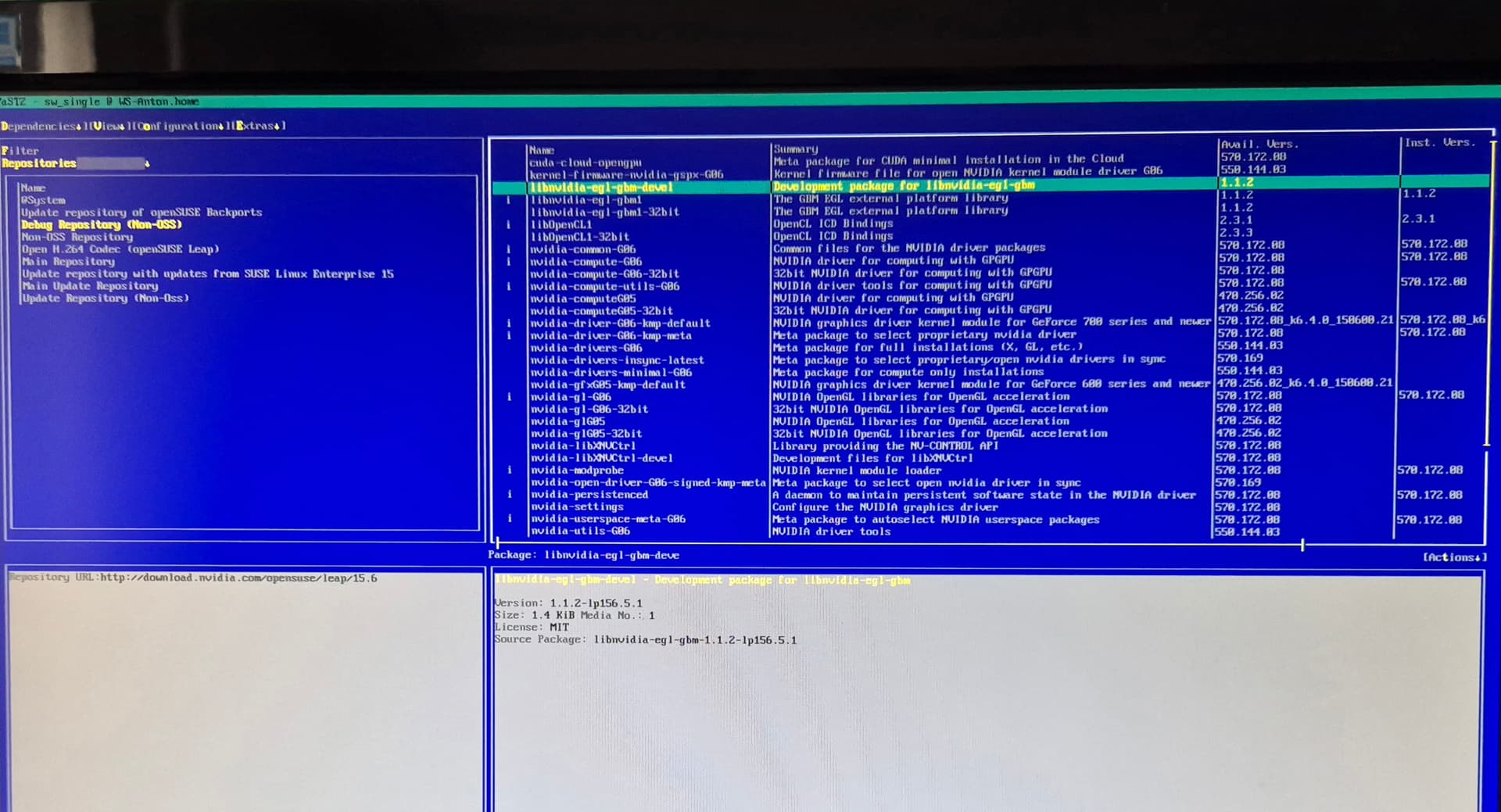
As you seem to have no longer any graphics, we need some informations from you. Please execute following commands, make a readable picture ( via smartphone or camera) and upload them here.

Your repository list:
zypper lr -d

The installed Nvidia packages:
zypper se -si nvidia

I just need to know the correct nvidia link.
So I can change it in yast2 textmodus.
I am now not at home.

The URL for NVIDIA repository is Index of /opensuse/leap/15.6

That is not allowed says yast2 textmodus.
?? So i am stuck.

Zypper lr - d

Zypper se -si nvidia

You leave us to guess the actual error message?

The URL should be exactly https://download.nvidia.com/opensuse/leap/15.6/ no x86_64/ at the end.

As @hui suggested you have the open driver at version 570.169 not matching the other packages at version 570.172

Ok i wil test again.
Hope its working.
I need the nvidia driver for my 3d to work with rendering.

You may replace the open driver kernel module by installing the closed ones:
zypper in nvidia-driver-G06-kmp-default
Choose the solution which removes the open modules.

The nvidea repository worked now, but i have no idea which nvidea g06 i have to install i keep getting failed to start X Display Manager.
.
I have RTX 3060 12g gpu

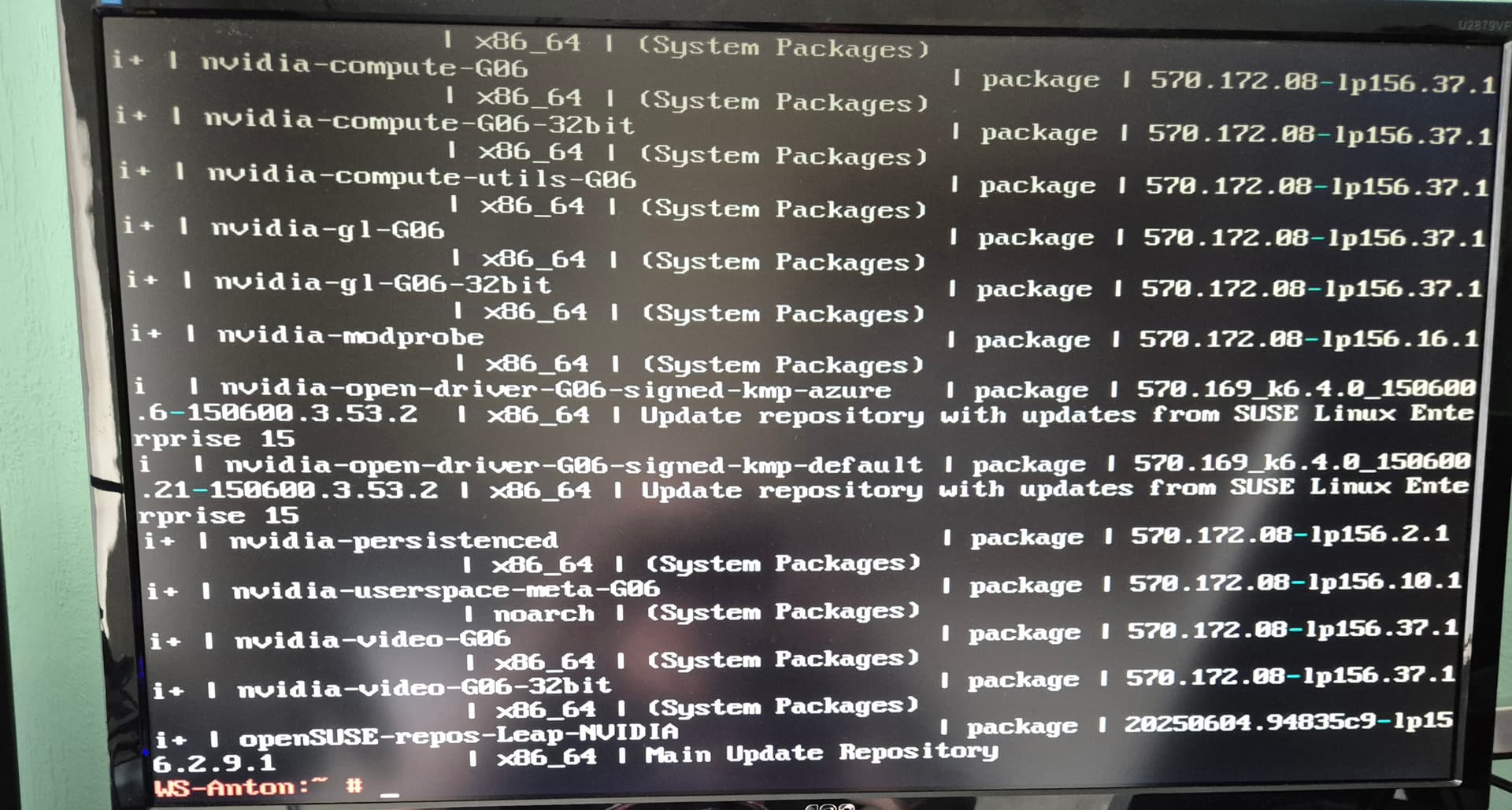
See command above.

Thanks he is installing now


I still have no X display manager what am i missing

The good thing is I have now dual monitor display and a smaller font but i am still missing graphical display. Wonder why.

SecureBoot enabled? Since the proprietary driver is not signed as is, it is not allowed by SecureBoot. Try to disable it in the BIOS settings.

Or the initrd was not rebuilt; if so, dracut --hostonly --force might help.

This is not correct. The proprietary drivers can be used with Secure Boot. A key pair is created whilst installation and need to be imported in MOK screen.
https://en.opensuse.org/SDB:NVIDIA_drivers#Secureboot

@anton can you check the output of systemctl get-default? It should be graphical.target