That worked just fine. I’m now writing this post on my Asus laptop with Tumbleweed. Does this mean the issue is with the Aeon raw install file?
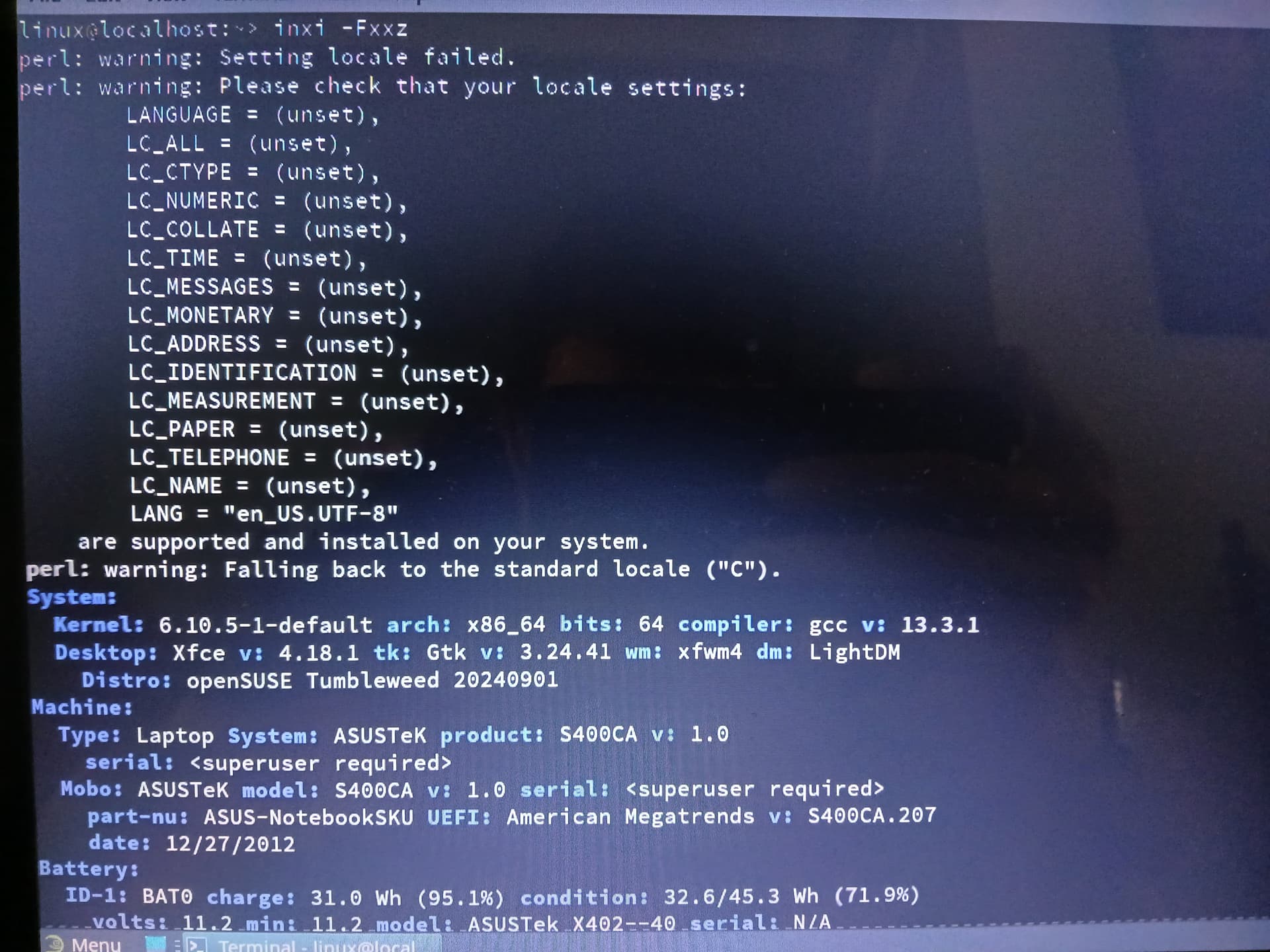
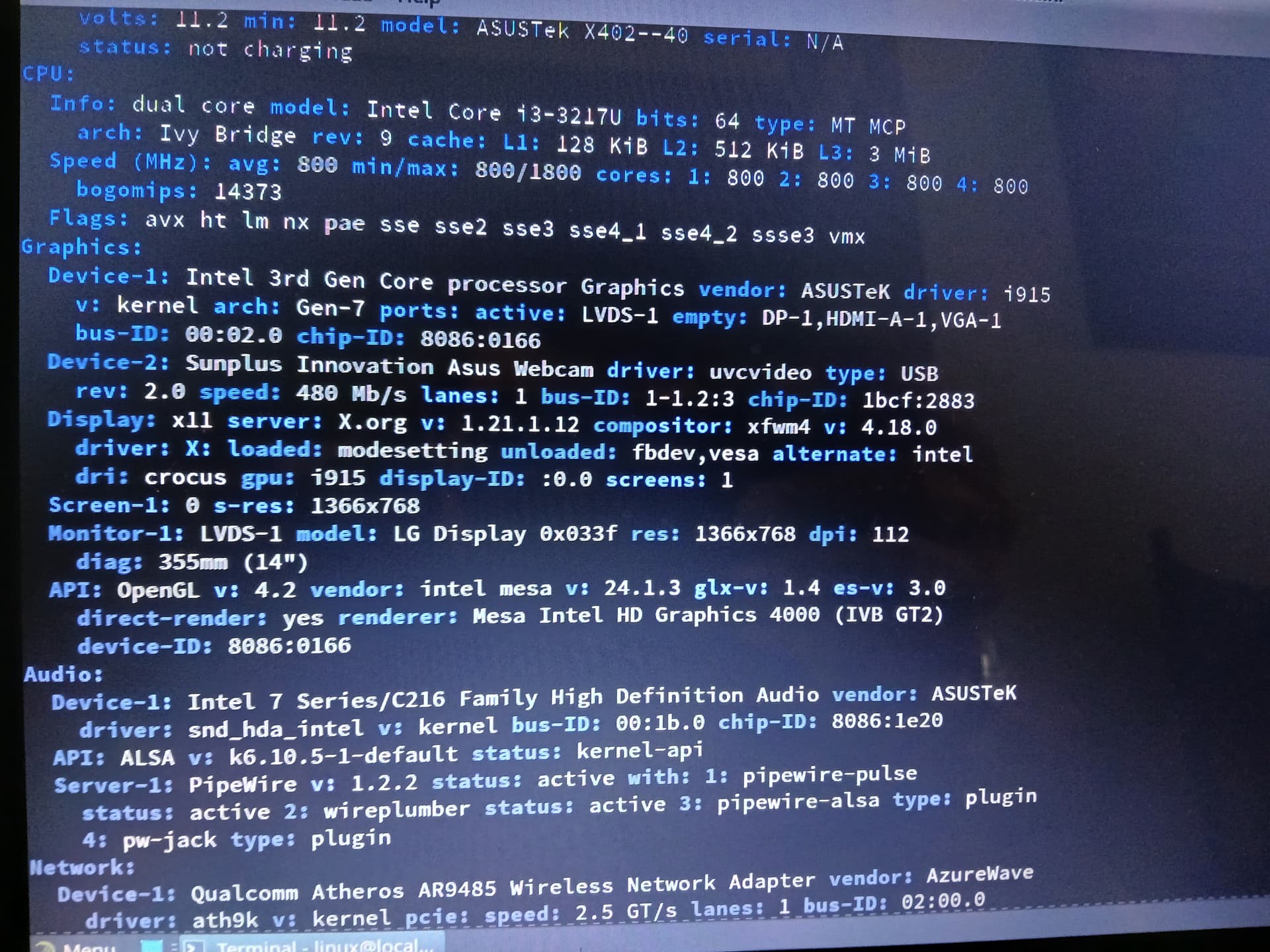
@AeonTux Likely that as it uses systemd-boot and selinux (perhaps). can you show the output from lsblk and inxi -Fxxz`
I’m assuming you mean the output from the Asus laptop in Tumbleweed, correct?
@AeonTux yes and booted from Tumbleweed.
1 Like
Looks like it installed XFCE so no inxi installed but working on that. In the meantime, here is the lsblk output …
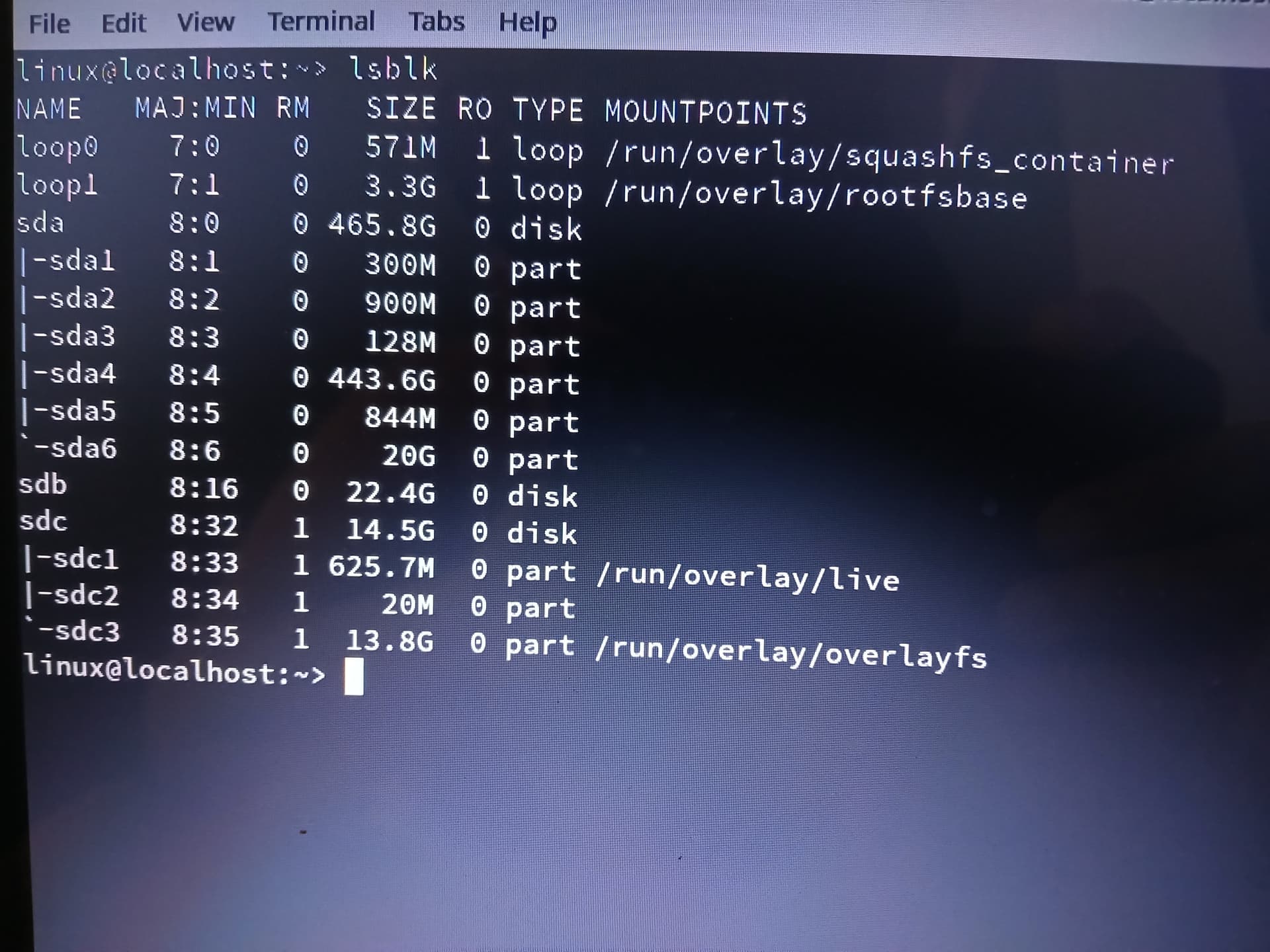
@AeonTux So windows is installed on this device?
1 Like
Honestly, I’m not sure yet. I booted from the USB and I assumed it installed Tumbleweed XFCE on the laptop (but I could just be running live off of the USB). I’m currently running updates before installing inxi application.
@AeonTux yes it’s all on the live device, no need to update, somethings won’t work, like the kernel…
Can you show the output from smartctl -a /dev/sda might need to install smartmontools
1 Like
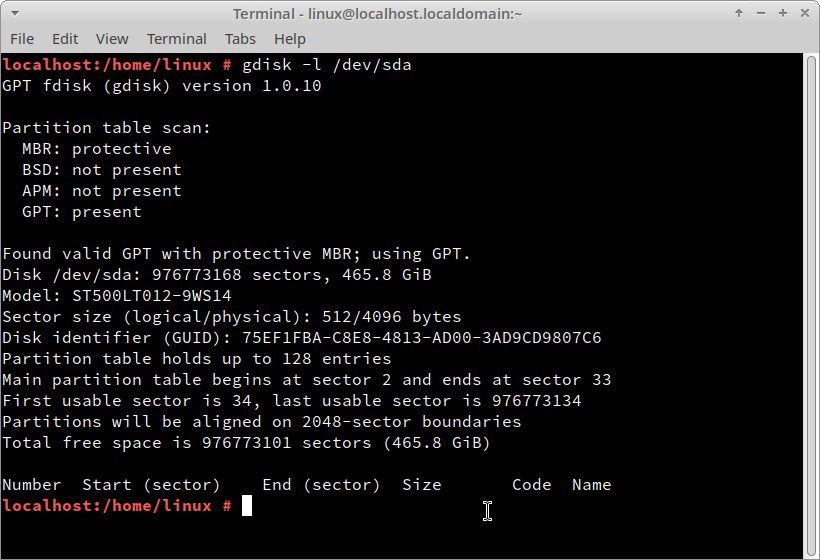
@AeonTux and also fdisk -l /dev/sda
1 Like
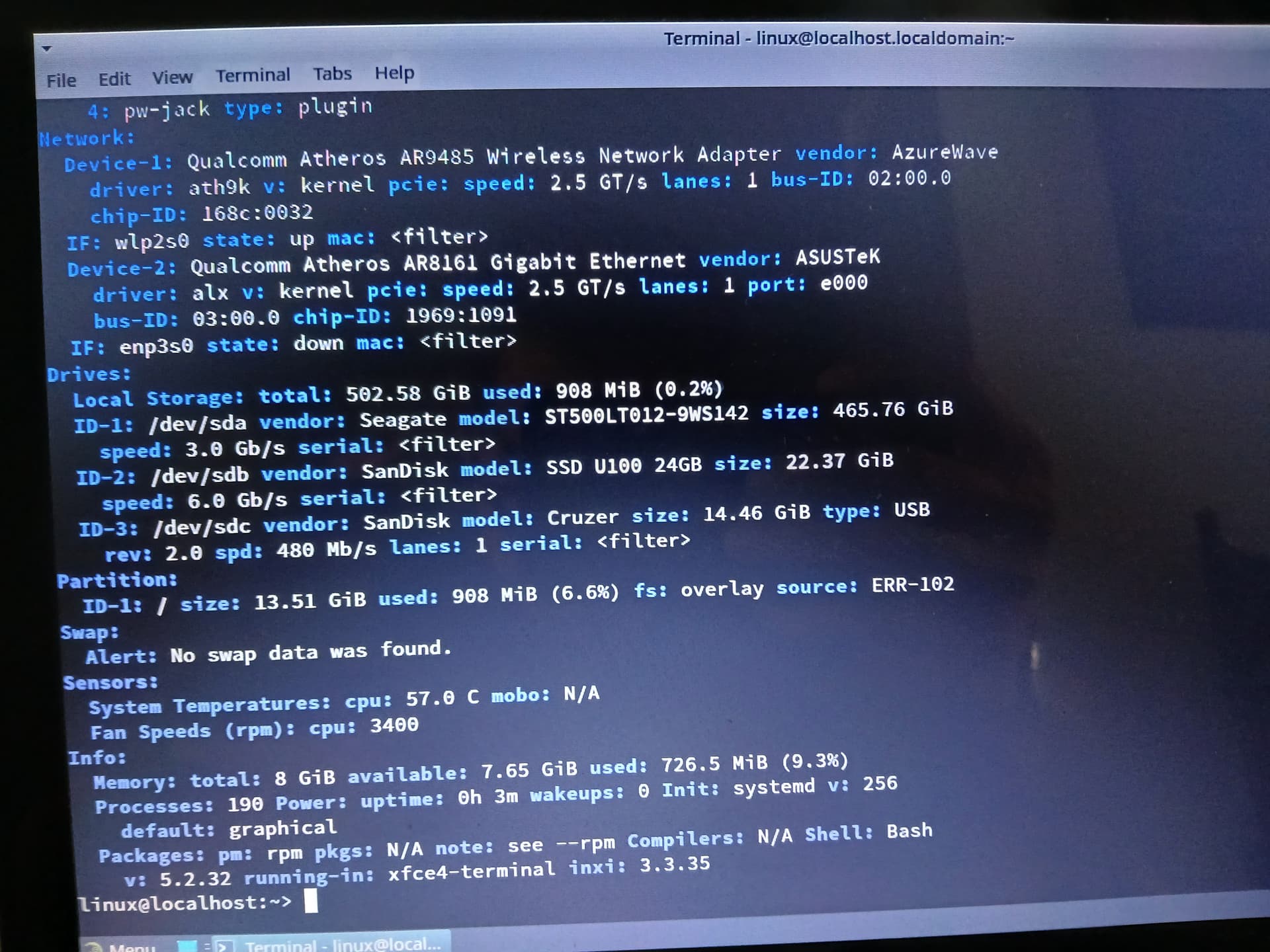
@AeonTux Just wait a bit and then create a new post… Please don’t hijack other threads…
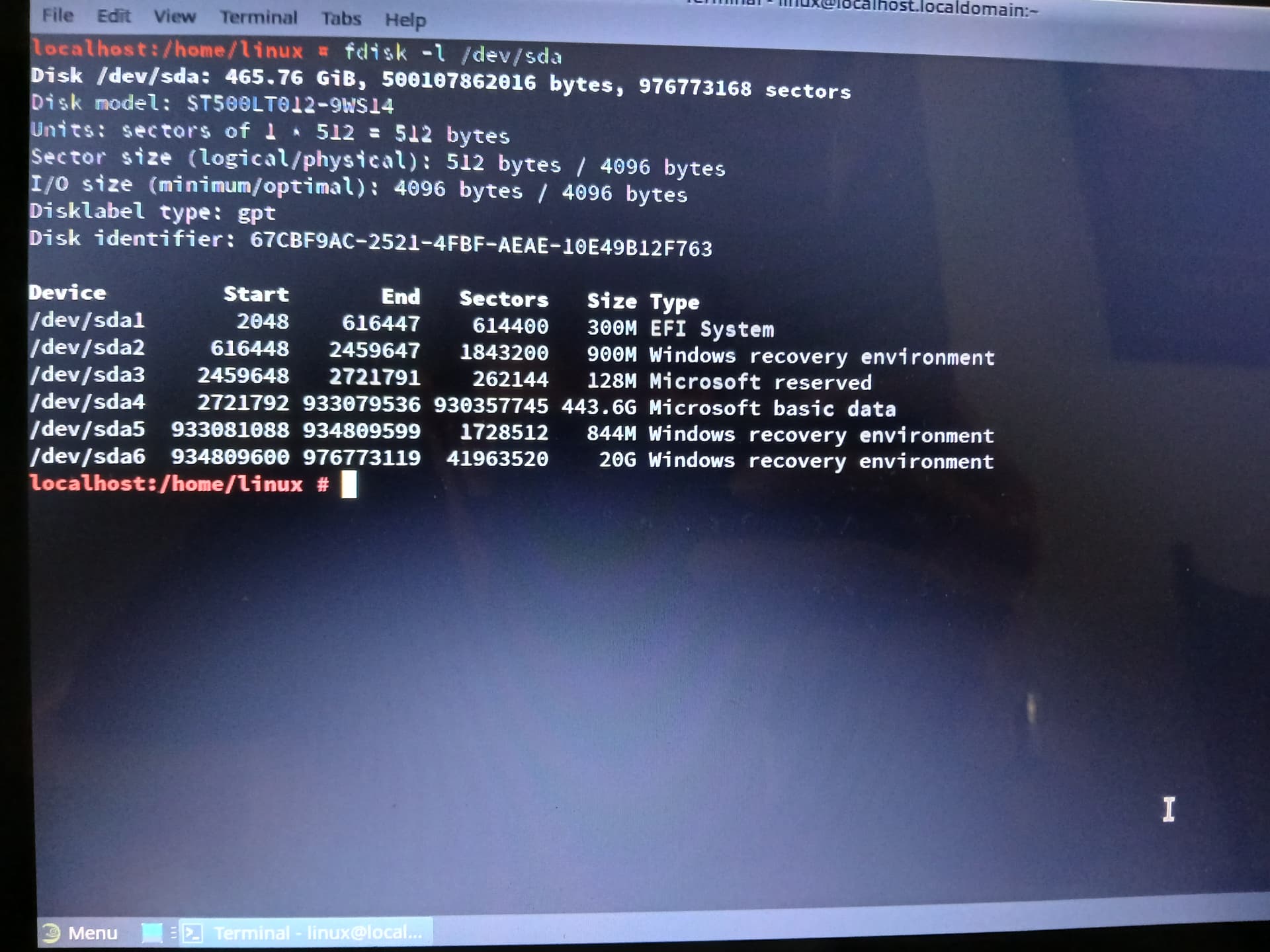
1 Like
@AeonTux Can we wipe the disk?
1 Like
Yes, absolutely.
@AeonTux so from the rescue system can you show the output of efibootmgr -v
To wipe the drive, as root user run;
wipefs -a /dev/sda6
wipefs -a /dev/sda5
wipefs -a /dev/sda4
wipefs -a /dev/sda3
wipefs -a /dev/sda2
wipefs -a /dev/sda1
wipefs -a /dev/sda6

gdisk /dev/sda
x
z
Reply Y to the following prompts and exit gdisk, then;
gdisk /dev/sda
w
Then exit gdisk again and check the output from gdisk -l /dev/sda it should just be blank and type gpt.
1 Like
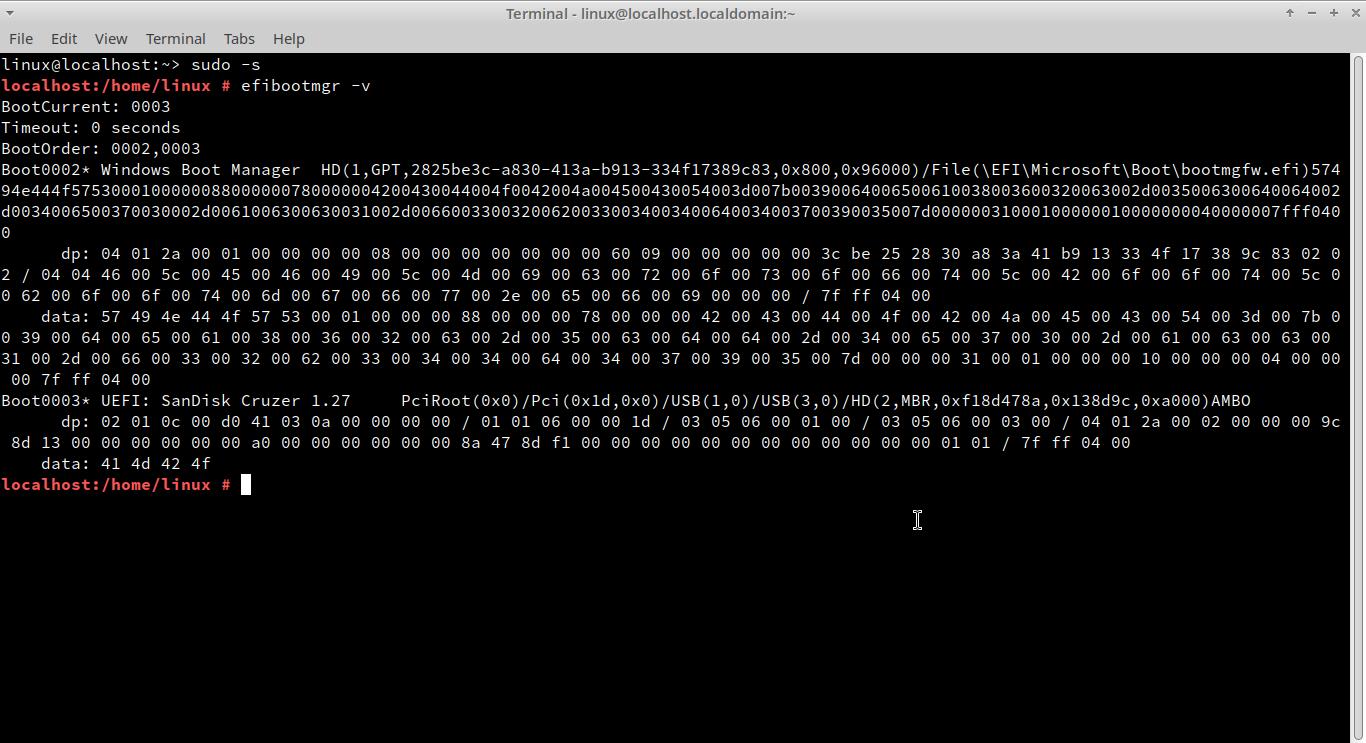
Was that line repeated on purpose? Or was it suppose to be “wipefs -a /dev/sda” instead?
@AeonTux yes /dev/sda
Can you also remove that windows entry efibootmgr -b 0002 -B
1 Like