Do I do anything else after I plug the usb back in?
@AeonTux Run the gdisk commands again, did that now work, if so then the xzcat one to create the installer USB.
1 Like
Well, I was able to successfully write to the usb. Thanks for walking me through the process. However, I’m still getting stuck when trying to install it bare metal on my laptop. Needless to say, very disappointed I’m not able to experience RC3 yet. Hopefully, an updated version that addresses this issue will be released soon.
@AeonTux can you show the output of lsblk command with it plugged in? Are you using TPM2 and secure boot?
I don’t think I have TPM2 as its an old laptop. Secure boot is enabled on the laptop I am installing Aeon on but not on the laptop I used to flash the usb (not sure if that even matters). Here is the screenshot …
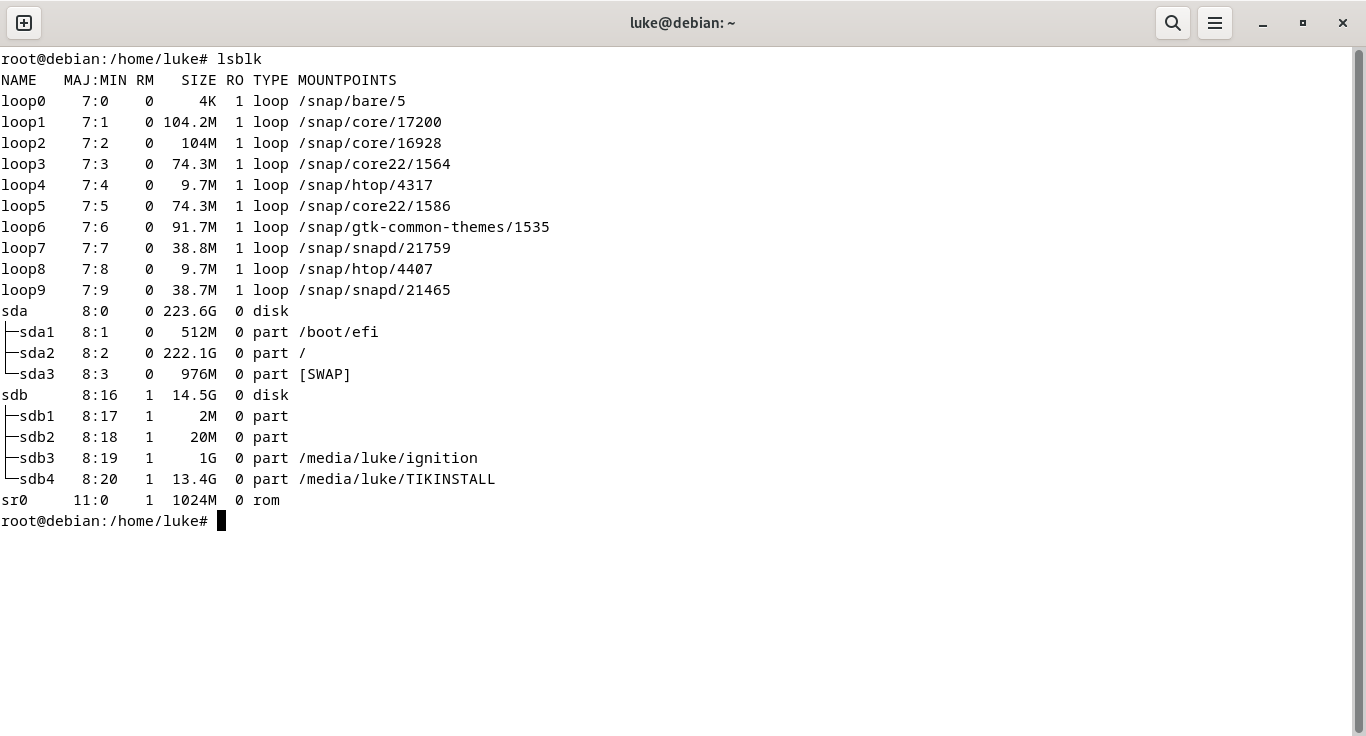
@AeonTux So can you check in the system BIOS and check if it does TPM and disable. Your not trying to dual boot this laptop or anything like that?
When it stalls, are you holding the power button to turn off? If not, suggest that, but also try a couple of times to see what happens.
Also on the USB device, is there an install log?
And it is set for UEFI boot, no Legacy or CSM enabled in the BIOS?
-
I confirmed that there is no TPM on destination laptop.
-
When it stalls at login, I have tried both restarting with the system menu and hard restarts via the power button multiple times to no avail as I eventally land right back at the login step.
-
I cannot find any log files that show they were modified today/
-
I can confirm that neither Legacy nor CSM boot modes enabled.
Still trying to solve this install issue. Assuming it is not user error on my part, I hope an updated gets released addressing this bug.
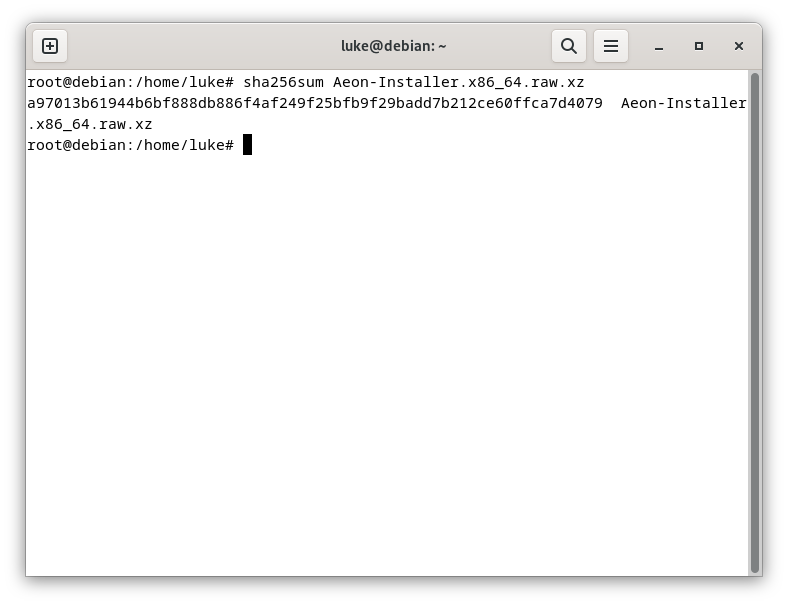
@AeonTux so you also checked the sha256 checksum on the download? It seem to be random on various hardware…
So it is a single boot system, what is the hardware?
I have been trying to do a bare metal install on my old Asus S400c.
@AeonTux When you download the installer, also download the sha256sum file for the date of the download.
Did you try the latest;
https://download.opensuse.org/tumbleweed/appliances/Aeon-Installer.x86_64.raw.xz
https://download.opensuse.org/tumbleweed/appliances/Aeon-Installer.x86_64.raw.xz.sha256
sha256sum -c Aeon-Installer.x86_64.raw.xz.sha256
So is that the original hybrid type drive (500GB+24GB SSD) in the system?
Also does the system have it’s latest BIOS?
Can you disable secure boot as a test to see what happens?
-
I will re-download from the links you provided and try again.
-
Yes, the original drive is still in the Asus.
-
I already tried installing with and without disabling secure boot but will try again with the files I download from the links you provided.
-
In case I have not already done so, thank you for your help!

@malcolmlewis I just tried installing after flashing the file I downloaded using the links you provided. I tried three times with secure boot enabled and three times with secure boot disabled. Each time, I used the power button to initiate a “hard restart”. Needless to say, this has been very frustrating but I’m hopeful I’ll get this figured out sooner or later.
@AeonTux What is the disk set to in the BIOS AHCI? There are no settings for that SSD part in the BIOS?
My BIOS says the hard disk is set to AHCI instead of IDE.
@AeonTux I’m out of ideas… do you have a spare USB device to plug into the laptop, if so plug that in to see if it maybe the internal HDD.
The other option is when it stall press ctrl+alt+F1 or maybe F2 and see if you get a terminal prompt as may be able to glean something from the running logs.
1 Like
Thank you, I appreciate you working with me. I am off tomorrow so I might just call it quits for today and try again in the morning.
1 Like
It is a new day. Per the screenshot below, my guess is that my dual hard disk might be causing the issue. Is there any way to tell the installer to attempt the install on my Port 0 hard disk and ignore the hard disk on Port 1?
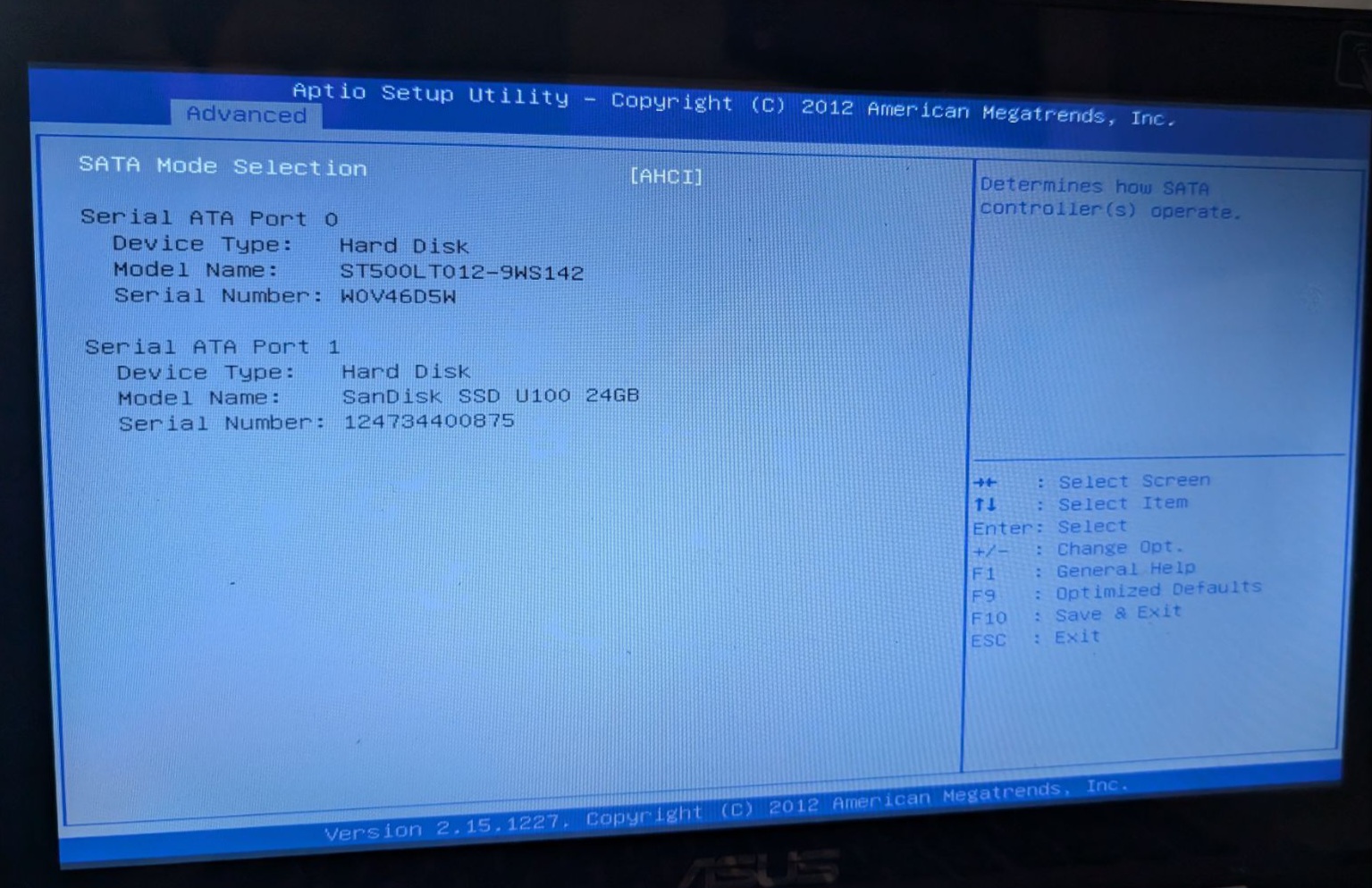
@AeonTux Well the installer should detect both disks. So as a test can you prepare a live USB of openSUSE Tumbleweed and boot ok from that, I suggest the rescue one and prepare with impression?
https://download.opensuse.org/tumbleweed/iso/openSUSE-Tumbleweed-Rescue-CD-x86_64-Current.iso
https://download.opensuse.org/tumbleweed/iso/openSUSE-Tumbleweed-Rescue-CD-x86_64-Current.iso.sha256
1 Like