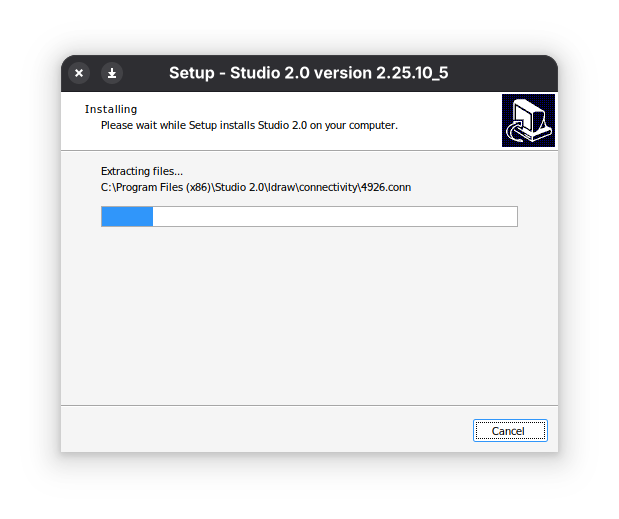
I installed Leap 16.0 (no upgrade, just fresh installation) leaving home/ directory from Leap 15.6 where I had .wine/ directory (I removed it).
List of my repos:
$ zypper lr -u
# | Alias                       | Name                      | Enabled | GPG Check | Refresh | URI
--+-----------------------------+---------------------------+---------+-----------+---------+-------------------------------------------------------------------------
1 | Emulators_Wine              | Wine (16.0)               | Yes     | (r ) Yes  | Yes     | https://download.opensuse.org/repositories/Emulators:/Wine/16.0/
2 | NVIDIA:repo-non-free        | repo-non-free (16.0)      | Yes     | (r ) Yes  | Yes     | https://download.nvidia.com/opensuse/leap/16.0
3 | openSUSE:repo-non-oss       | repo-non-oss (16.0)       | Yes     | (r ) Yes  | Yes     | http://cdn.opensuse.org/distribution/leap/16.0/repo/non-oss/x86_64
4 | openSUSE:repo-non-oss-debug | repo-non-oss-debug (16.0) | Yes     | (r ) Yes  | Yes     | http://cdn.opensuse.org/debug/distribution/leap/16.0/repo/non-oss/x86_64
5 | openSUSE:repo-openh264      | repo-openh264 (16.0)      | Yes     | (r ) Yes  | Yes     | http://codecs.opensuse.org/openh264/openSUSE_Leap_16
6 | openSUSE:repo-oss           | repo-oss (16.0)           | Yes     | (r ) Yes  | Yes     | http://cdn.opensuse.org/distribution/leap/16.0/repo/oss/x86_64
7 | openSUSE:repo-oss-debug     | repo-oss-debug (16.0)     | Yes     | (r ) Yes  | Yes     | http://cdn.opensuse.org/debug/distribution/leap/16.0/repo/oss/x86_64
8 | openSUSE:repo-oss-source    | repo-oss-source (16.0)    | Yes     | (r ) Yes  | Yes     | http://cdn.opensuse.org/source/distribution/leap/16.0/repo/oss
Installed wine software:
$ zypper se wine
S  | Name                               | Summary                                                | Type
---+------------------------------------+--------------------------------------------------------+-----------
   | mingw32-cross-wine                 | Wine cross runtime                                     | package
   | mingw32-cross-wine                 | Wine cross runtime                                     | srcpackage
   | mingw64-cross-wine                 | Wine cross runtime                                     | package
   | mingw64-cross-wine                 | Wine cross runtime                                     | srcpackage
   | python-twine                       | Collection of utilities for interacting with PyPI      | srcpackage
   | python313-twine                    | Collection of utilities for interacting with PyPI      | package
   | wine                               | An MS Windows Emulator                                 | srcpackage
i+ | wine                               | An MS Windows Emulator                                 | package
   | wine-binfmt                        | The binfmt_misc support for Windows                    | package
   | wine-binfmt                        | The binfmt_misc support for Windows                    | srcpackage
   | wine-binfmt-standalone             | Standalone binfmt_misc support for Windows             | package
   | wine-debuginfo                     | Debug information for package wine                     | package
   | wine-debugsource                   | Debug sources for package wine                         | package
   | wine-devel                         | Files for Wine development                             | package
   | wine-devel-debuginfo               | Debug information for package wine-devel               | package
i  | wine-gecko                         | The Wine specific Gecko HTML rendering engine          | package
   | wine-gecko                         | The Wine specific Gecko HTML rendering engine          | srcpackage
i  | wine-mono                          | A .NET replacement for use by Wine                     | package
   | wine-mono                          | A .NET replacement for use by Wine                     | srcpackage
   | wine-staging                       | An MS Windows Emulator                                 | srcpackage
   | wine-staging                       | An MS Windows Emulator                                 | package
   | wine-staging-debuginfo             | Debug information for package wine-staging             | package
   | wine-staging-debugsource           | Debug sources for package wine-staging                 | package
   | wine-staging-devel                 | Files for Wine development                             | package
   | wine-staging-devel-debuginfo       | Debug information for package wine-staging-devel       | package
   | wine-staging-wow64                 | An MS Windows Emulator                                 | srcpackage
   | wine-staging-wow64                 | An MS Windows Emulator                                 | package
   | wine-staging-wow64-debuginfo       | Debug information for package wine-staging-wow64       | package
   | wine-staging-wow64-debugsource     | Debug sources for package wine-staging-wow64           | package
   | wine-staging-wow64-devel           | Files for Wine development                             | package
   | wine-staging-wow64-devel-debuginfo | Debug information for package wine-staging-wow64-devel | package
   | wine-wow64                         | An MS Windows Emulator                                 | srcpackage
   | wine-wow64                         | An MS Windows Emulator                                 | package
   | wine-wow64-debuginfo               | Debug information for package wine-wow64               | package
   | wine-wow64-debugsource             | Debug sources for package wine-wow64                   | package
   | wine-wow64-devel                   | Files for Wine development                             | package
   | wine-wow64-devel-debuginfo         | Debug information for package wine-wow64-devel         | package
i  | winetricks                         | A way to work around problems in WINE                  | package
   | winetricks                         | A way to work around problems in WINE                  | srcpackage
   | winetricks-bash-completion         | Bash Completions for winetricks                        | package
My software installation requires dotnet. I did:
rm -rf ~/.wine
export WINEPREFIX="$HOME/.wine"
export WINEARCH=win64
wineboot -u
If I run winetricks I see some warnings:
You are using a 64-bit WINEPREFIX. Note that many verbs only install 32-bit versions of packages. If you encounter problems, please retest in a clean 32-bit WINEPREFIX before reporting a bug.
You appear to be using Wine's new wow64 mode. Note that this is EXPERIMENTAL and not yet fully supported. If reporting an issue, be sure to mention this.
But I can install some Windows’s app. If I choose dotnet20sdk to install the process is interrupted:
This package (dotnet20sdk) does not work on a 64-bit installation. You must use a prefix made with WINEARCH=win32.
I tried to repeat this steps using WINEARCH=win32 but I got:
wine: WINEARCH is set to 'win32' but this is not supported in wow64 mode.
I also tried to remove all wine software and then I installed wine-wow64. This installation process gave me some warnings that it might break compatibility but I decided to go further. Ultimately, I had also some errors regarding wrong prefix and arch. I remember that on Leap 15.6 there was wine-32bit which was installed and worked. How to resolve this issue?