Hi, I have installed the software for my MFC-295CN printer from brother’s website. The printer prints great but I cannot get it to scan with Sane Xsane frontend at all.
> scanimage -L

No scanners were identified. If you were expecting something different,
check that the scanner is plugged in, turned on and detected by the
sane-find-scanner tool (if appropriate). Please read the documentation
which came with this software (README, FAQ, manpages).
:/usr/lib64>
I am able to ping the printer on it’s IP address @ 192.168.1.19 as setup with the linux-brprinter-installer-2.2.6-0 bash script.
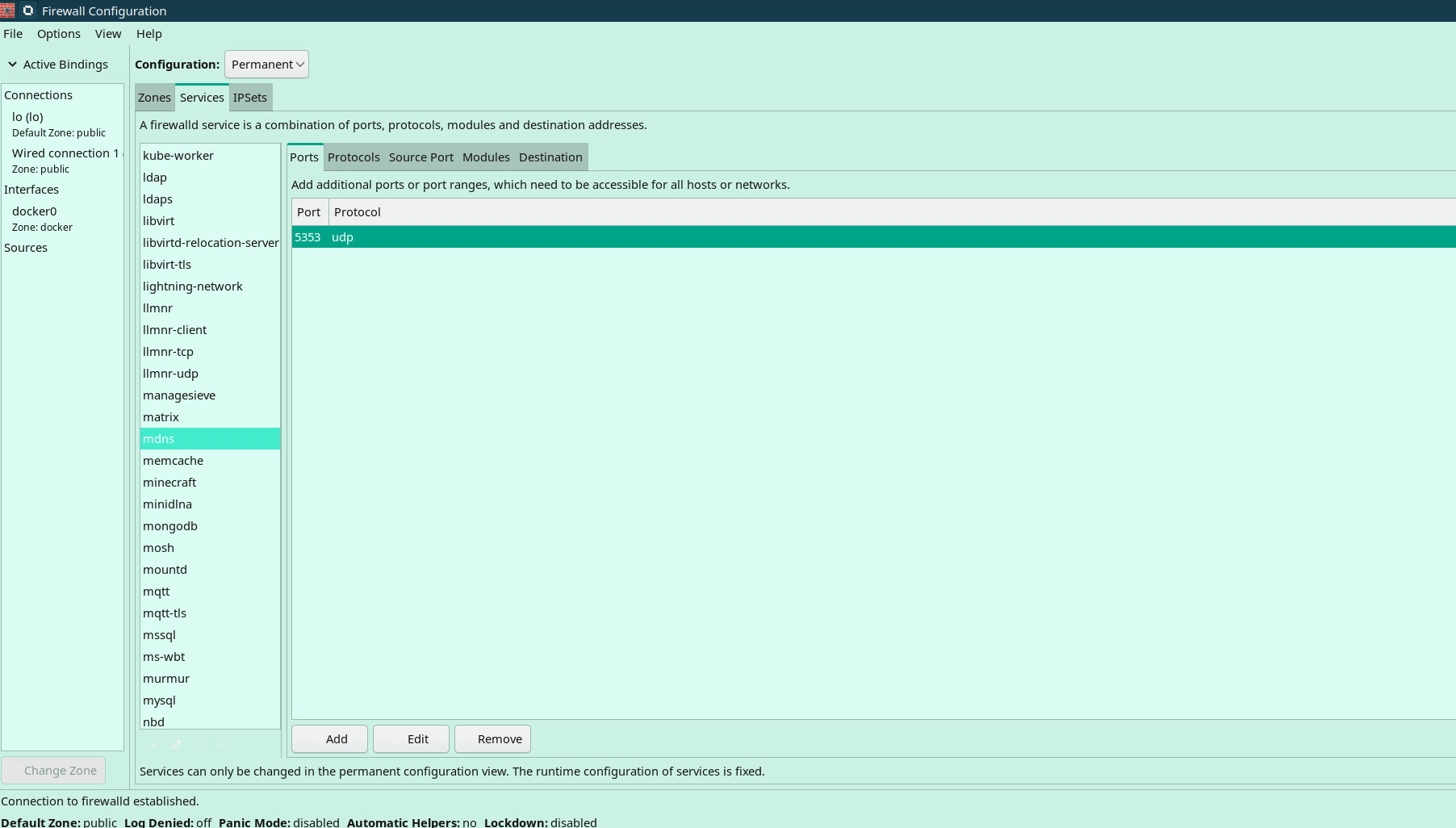
As already mentioned sane-airscanis the package required here to facilitate the eSCL (AirScan/AirPrint scanning) or WSD “driverless” scanning protocol, but make sure that the printer/scanner is discoverable by allowing mdns traffic through the openSUSE firewall (if applicable to your OS).
This printer has no wireless capability. How can I find the port number it connects with on Tumbleweed? Passing sane-airscan fails to produce any results/output via Konsole. The scanner does not appear. The sane-airscan package is installed.
:~> zypper se sane-airscan

    Note: Repository 'Games' is out-of-date. You can run 'zypper refresh' as root to update it.
Loading repository data...
Reading installed packages...

S  | Name                     | Summary                                           | Type
---+--------------------------+---------------------------------------------------+--------
i+ | sane-airscan             | Universal driver for Apple AirScan (eSCL) and WSD | package
   | sane-airscan-debuginfo   | Debug information for package sane-airscan        | package
   | sane-airscan-debugsource | Debug sources for package sane-airscan            | package
:~>
This MFC-295CN device is relatively old, so it may well be it does not support such driverless scanning (unlike most modern models). In this case you will need to install the vendor SANE driver…
/brother-MFC-295CN # scanimage -L

No scanners were identified. If you were expecting something different,
check that the scanner is plugged in, turned on and detected by the
sane-find-scanner tool (if appropriate). Please read the documentation
which came with this software (README, FAQ, manpages).
hightower-i5-6600k:/home/paul/Documents/Computer-Operating-Systems-Software /brother-MFC-295CN #
As it is configured successfully, but discovery by the backend is broken (due to the deprecated library), try invoking scanimage -d brother3:net1 --test(no discovery involved)…unless backend can’t load due to missing libnsl.so.1 dependency of course.
:~> scanimage -d brother3:net1 --test
Output format is not set, using pnm as a default.
scanimage: open of device brother3:net1 failed: Invalid argument
:~>
Also here is SANE_DEBUG info for scanimage
:~ # SANE_DEBUG_DLL=4 scanimage -L
[16:02:16.151401] [sanei_debug] Setting debug level of dll to 4.
[16:02:16.151696] [dll] sane_init: SANE dll backend version 1.0.13 from sane-backends 1.2.1
[16:02:16.151777] [dll] sane_init/read_dlld: attempting to open directory `./dll.d'
[16:02:16.151811] [dll] sane_init/read_dlld: attempting to open directory `/etc/sane.d/dll.d'
[16:02:16.151840] [dll] sane_init/read_dlld: using config directory `/etc/sane.d/dll.d'
[16:02:16.151913] [dll] add_backend: adding backend `hpaio'
[16:02:16.151993] [dll] add_backend: adding backend `airscan'
[16:02:16.152048] [dll] add_backend: adding backend `escl'
[16:02:16.152073] [dll] add_backend: adding backend `brother3'
[16:02:16.152093] [dll] sane_get_devices
[16:02:16.152115] [dll] load: searching backend `brother3' in `/usr/lib64/sane'
[16:02:16.152122] [dll] load: trying to load `/usr/lib64/sane/libsane-brother3.so.1'
[16:02:16.152156] [dll] load: dlopen()ing `/usr/lib64/sane/libsane-brother3.so.1'
[16:02:16.158624] [dll] load: dlopen() failed (libnsl.so.1: cannot open shared object file: No such file or directory)
[16:02:16.158638] [dll] load: searching backend `escl' in `/usr/lib64/sane'
[16:02:16.158645] [dll] load: trying to load `/usr/lib64/sane/libsane-escl.so.1'
[16:02:16.158661] [dll] load: dlopen()ing `/usr/lib64/sane/libsane-escl.so.1'
[16:02:16.177645] [dll] init: initializing backend `escl'
[16:02:16.178557] [dll] init: backend `escl' is version 1.0.0
[16:02:17.192020] [dll] load: searching backend `airscan' in `/usr/lib64/sane'
[16:02:17.192050] [dll] load: trying to load `/usr/lib64/sane/libsane-airscan.so.1'
[16:02:17.192108] [dll] load: dlopen()ing `/usr/lib64/sane/libsane-airscan.so.1'
[16:02:17.234608] [dll] init: initializing backend `airscan'
[16:02:17.237949] [dll] init: backend `airscan' is version 1.0.0
[16:02:18.248693] [dll] load: searching backend `hpaio' in `/usr/lib64/sane'
[16:02:18.248763] [dll] load: trying to load `/usr/lib64/sane/libsane-hpaio.so.1'
[16:02:18.248850] [dll] load: dlopen()ing `/usr/lib64/sane/libsane-hpaio.so.1'
[16:02:18.253536] [dll] init: initializing backend `hpaio'
[16:02:18.254170] [dll] init: backend `hpaio' is version 1.0.0
[16:02:18.298337] [dll] sane_get_devices: found 0 devices

No scanners were identified. If you were expecting something different,
check that the scanner is plugged in, turned on and detected by the
sane-find-scanner tool (if appropriate). Please read the documentation
which came with this software (README, FAQ, manpages).
[16:02:18.298367] [dll] sane_exit: exiting
[16:02:18.298375] [dll] sane_exit: calling backend `escl's exit function
[16:02:18.299105] [dll] sane_exit: calling backend `airscan's exit function
[16:02:18.300029] [dll] sane_exit: calling backend `hpaio's exit function
[16:02:18.300228] [dll] sane_exit: finished
:~ #
Yes, that confirms the driver doesn’t load due to the dependecy issue [dll] load: dlopen() failed (libnsl.so.1: cannot open shared object file: No such file or directory)
Can you share the results from ldd /usr/lib64/sane/libsane-brother3.so | grep nsl
You can try symlinking like this sudo ln -s /lib64/libnsl.so.3 /lib64/libnsl.so.1
but be warned that may crash the brother3 backend, because the ABI may be changed.
For older brother mfc like the one I have here.
If you use the rpm it will not work. You have to use the brother installer, it will take care of the installation of printer and scanner. If after the installation the scanner failed to work you can try linking the libnsl.so.1 to libnsl.so.3. the libnsl.so.1 has to be in the /lib64 also. You can extract the libnsl.so.1 file from one of your old installation or you can just maybe create an empty file named libnsl.so.1.