Broken fonts after June 6, 2026 zypper dup

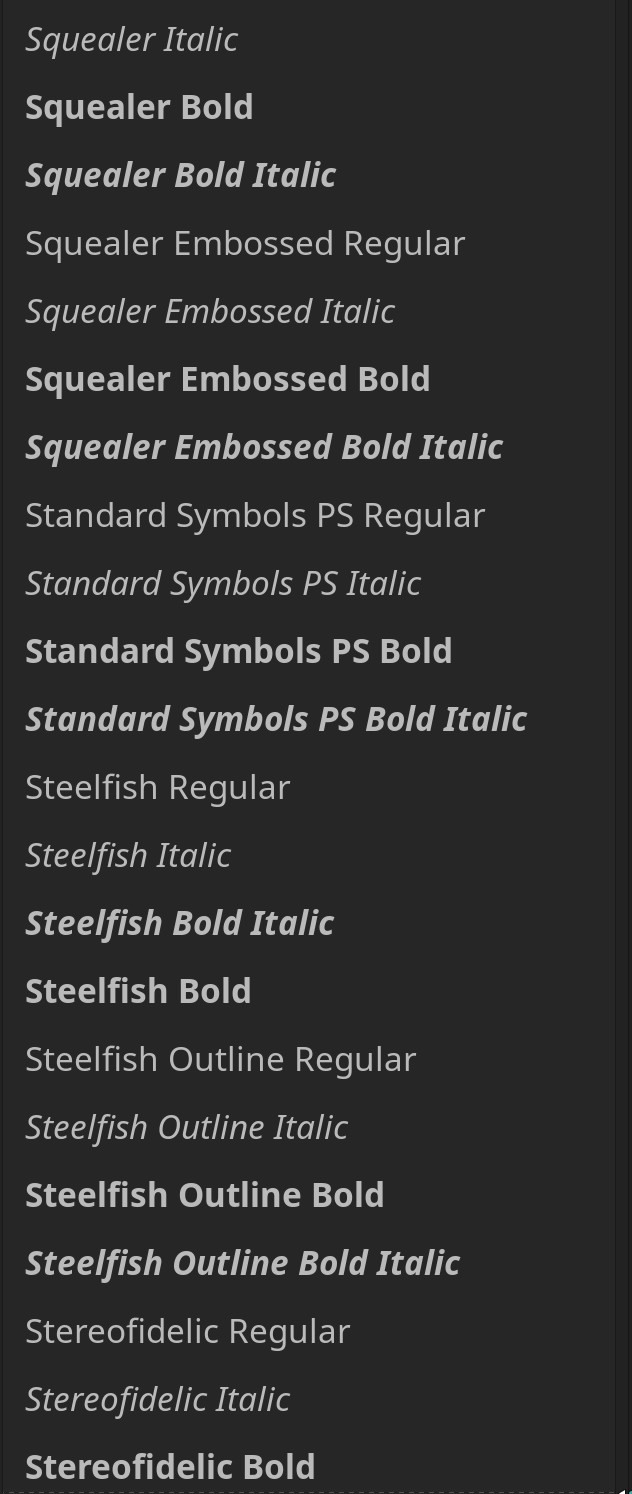
After yesterday’s zypper dup my fonts lost the style specially the art font (free fonts)
It maybe the new fontconfig included in the snapshot is broken.
This are the packages from the snapshot taken from other tumbleweed that wasn’t upgraded yesterday.

The following 82 packages are going to be upgraded:
  adwaita-icon-theme AppStream cpupower cpupower-bash-completion curl dracut
  fontconfig gdk-pixbuf-loader-libheif gnome-keyring gnome-keyring-pam
  grub2-common grub2-systemd-sleep-plugin grub2-x86_64-efi heif-examples
  heif-thumbnailer hwdata java-25-openjdk java-25-openjdk-headless
  javapackages-filesystem javapackages-tools kernel-macros libappstream5
  libAppStreamQt3 libavcodec62 libavcodec62-32bit libavfilter11 libavformat62
  libavif16 libavutil60 libavutil60-32bit libbluray3 libcpupower1 libcurl4
  libfontconfig1 libgbm1 libgck-modules-gnome-keyring libgtop-2_0-11
  libharfbuzz0 libharfbuzz-gobject0 libharfbuzz-icu0 libharfbuzz-subset0
  libheif1 libheif1-32bit libheif-aom libheif-dav1d libheif-ffmpeg libheif-HEIF
  libheif-jpeg libheif-openh264 libheif-openjpeg libheif-rav1e libheif-svtenc
  libinput10 libinput-udev libjxl0_11-32bit libmariadb3 libmozjs-140-0
  libopenjph0_27 libqalculate23 libraw25 libresvg0 libsemanage2 libsemanage-conf
  libswresample6 libswresample6-32bit libswscale9 libvulkan_lvp Mesa Mesa-dri
  Mesa-libEGL1 Mesa-libGL1 Mesa-libva Mesa-vulkan-device-select openSUSE-release
  openSUSE-release-appliance-custom perl-Cpanel-JSON-XS perl-HTML-Parser
  python313-semanage qalculate-data typelib-1_0-AppStream-1.0
  typelib-1_0-HarfBuzz-0_0 xtermset

Here is the screenshot of the fonts from the not upgraded tumbleweed that shows the
right font:


Here is the broken fonts from yesterday’s snapshot.


Xfce, labwc is affected by this broken fonts. I can’t test on plasma and gnome in my other tumbleweed because I don’t want to bork the font also.

Take note that the screenshot for the waybar and tumbleweed title should have the same font family.
Thanks in advance for your help.
If this is a bug please advice and I will file a report.

@conram All good here, but I’m using alternative fonts… rollback fontconfig from the history repo…

1 Like

May 6 (in your thread title), or yesterday (June 6) in your actual post – which is it?

1 Like

May be this regression?
https://www.reddit.com/r/archlinux/comments/1twdfq4/fontconfig_2181_broke_generic_font_aliases/

2 Likes

I can confirm. This is happening to me also.

Also, all my window sizing’s were altered as well.

1 Like

Tumbleweed is still on fontconfig 2.18.0, there is an issue for this version. Maybe try 2.18.1 before downgrading to older versions
https://bugzilla.opensuse.org/show_bug.cgi?id=1267843

2 Likes

I apologize for that mistake. Please kindly revise the thread title to “June 6, 2026”.
Thank you all responders for the advice.

1 Like

Maybe try 2.18.1 before downgrading to older versions

I would just rollback, lock, and wait for 2.18.1 to pass QA, as opposed to installing it from OBS.

I am curious to know why certain UI’s were affected(Xfce/Sway) while others were not though.

@Android_Gynous Likely is a build requires but not in the spec file. It could get called in via another package so would not necessarily rebuild… zypper se -i --requires fontconfig vs zypper se --requires fontconfig

1 Like

I only noticed this because of MuseScore. It is weird to me, that the problem has been known for about a week, but the faulty version still passed QA.

References:

@malcolmlewis , I can’t find or I don’t know how to grab the old fontconfig from the history repo. Can you please guide how to get it.
Thanks.

sudo zypper in --oldpackage https://download.opensuse.org/history/20260603/tumbleweed/repo/oss/x86_64/{fontconfig,libfontconfig1}-2.17.1-1.2.x86_64.rpm

4 Likes

Thanks @hui I got it now from swanema’s link a few seconds ago.
Font now are back to normal. I have to luck the old fontconfig for now.

I come to confirm that this issue happens to me as well.

I am on Fedora Silverblue 44, though. Everything in my Tumbleweed container (Distrobox variant) stopped respecting the fontconfig rule.

I link my host’s ~/.config/fontconfig/conf.d to my container’s ~/.config/fontconfig/. It worked well before the container update. Hope this issue will be fixed soon. Thanks!

1 Like

I just wanted to confirm that I am having the same issue. I’m using two up-to-date Tumbleweed installations on two different computers, one running XFCE, the other running Plasma. Visiting “https://duckduckgo.com” is all it takes to crash the tab. After running the last command posted by hui the problem goes away.

3 Likes

I can confirm that it fixed my issues as well. For example, when I tried to open various websites in my browser—which had been crashing ever since the update—they now work 100% again.

sudo zypper in --oldpackage https://download.opensuse.org/history/20260603/tumbleweed/repo/oss/x86_64/{fontconfig,libfontconfig1}-2.17.1-1.2.x86_64.rpm
1 Like

Hi everyone. I pushed fontconfig 2.18.1 to the devel project, which has now been included within Tumbleweed snapshot 20260609, but there’s one nitpick. To fix the family matching, FC_GENERIC_FAMILY was given a lower priority than PRI_FAMILY_STRONG, but still higher than PRI_FAMILY_WEAK (check the MR), while binding defaults to “weak” in the element (at least that is what I get from reading the manual, search for <edit name="property" mode="assign" binding="weak"> if highlights don’t work for you).

So to fix the matching problem, the users still need to edit their fonts.conf changing the binding to “strong”.

Other than that, I’ll consider the problem fixed. Feel free to report to the original ticket if there’s still issues. Thanks everyone.

3 Likes

As of snapshot 20260609, this issue is fixed :+1:

Thanks, it is working as it is now.

I revised the @hui solution to @ramdomPTM post.
Consider this issue as solve.
Thanks to all the responders who contributed in this thread.