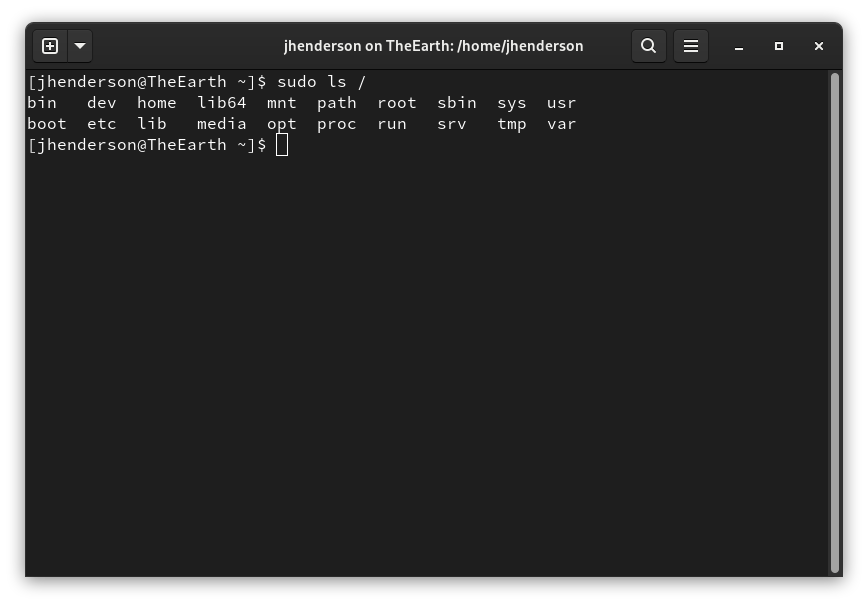
Sure. The WinXP system that I shared the screenshot from is a VM that I’ve had for years, and I never did anything special to the administrator account, as I rarely ever needed it. The only thing that a local administrator account couldn’t do was administer domain-related settings, because that requires a domain administrator.
If there’s anything on the local machine that Administrator couldn’t do, I never ran across it, and I’d be interested to know what those things are.
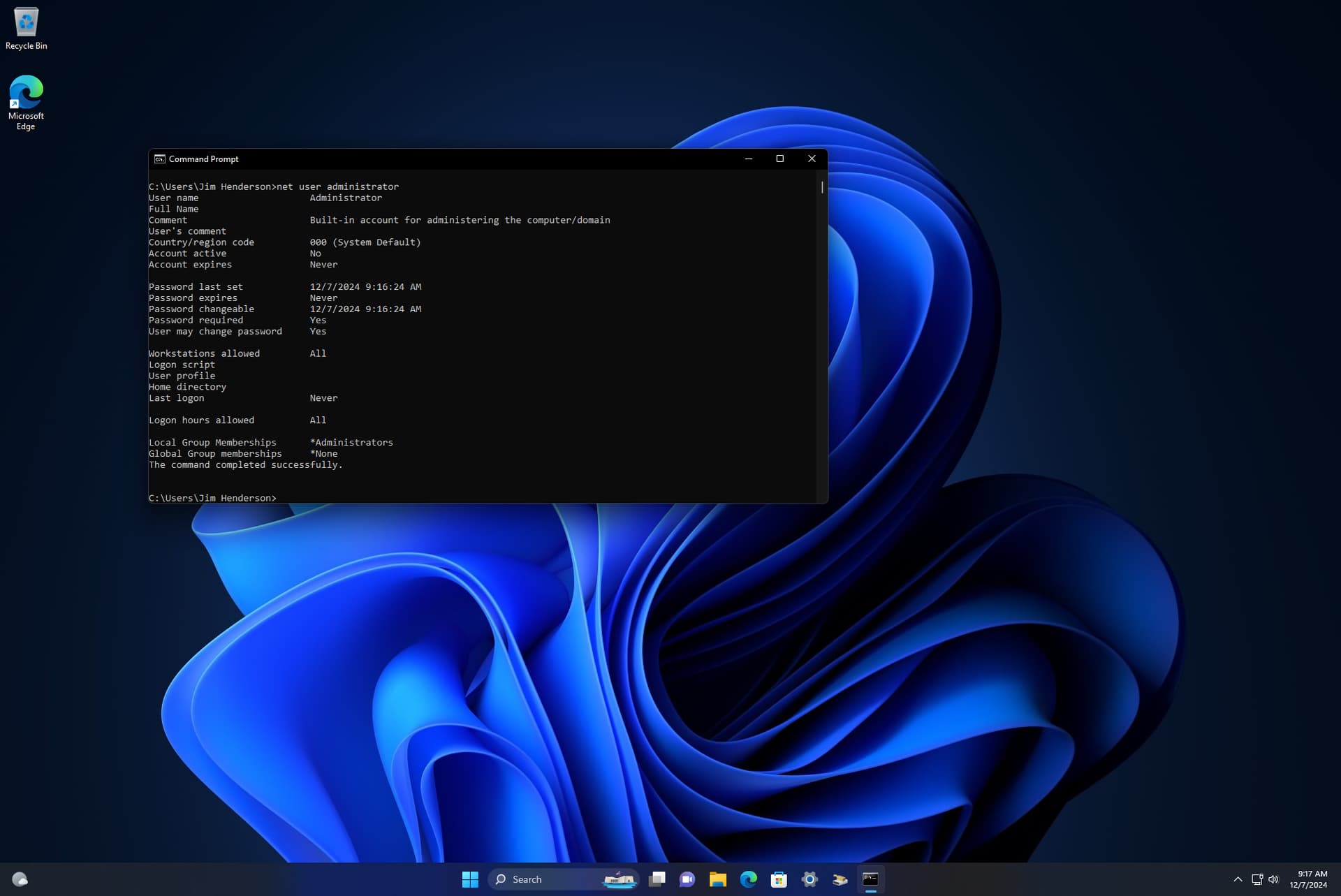
This is a stock Windows 11 installation that I’ve done nothing special to:
The user does exist, but isn’t exposed unless you run net user administrator /active:yes (you can see in the screenshot it says the account is not active). This behavior is similar to being unable to login as root, but being able to use su or sudo to become root. (such as disabling root login via ssh, for example)
My test had a root account, maybe now Windows 11 erase or rename “administrator”, I don’t know and frankly, I don’t care.
In the old times people comes with they laptops or desktops with Windows XP and their SP, Home or Pro… Of course VM is easy than real hardware. Even more, I try to setup a old XP as a new VM (very old hardware and a particular application with a failed floppy disk with the license) and it resists Changing IDE to SATA doen’t works right and I’m afraid that break the real system trying more things
Well, the main point I said is Plasma (as Gnome) doesn’t use sudo, but su (kdesu). System not asking about elevate privileges, but about you can do it.
For example, Unix filesystem scheme starts with / (include /etc, /bin…) as ro system, /usr as ro system, /var as rw system. Micro (Leap Micro or MicroOS) returns that idea. But Leap or TW by convenience mounts / as rw. It is the mythical rm -rf /
So maybe in Aeon (or in Kalpa some day) you’ll find this passworless system fits better. Or maybe all openSUSE systems can gain a new security scheme: “even easier” including this.
Remember the XP systems people brought to me? 9 of each 10 was break for a user pressing “yes” without knowing he was doing and this was fine, I charged arrangements
Anyway this discussion about Windows is going on for too long for this forum. If you think that Windows’ permissions system is similar, or at least similar enough, to Linux’s, then fine.
Sure, but kdesu/gnomesu/xdg-su prompt for a password, and don’t use the sudoers configuration, which is far better understood than using polkit (for example) - which is not, in my exploration of it, well documented at all.
Of course, in TW you can rm -rf /bin, because there’s nothing that prevents it. And in MicroOS, of course, / is mounted ro, so it’s prevented from being modified; when you run transactional-update, it uses a separate mount that’s rw (and a new snapshot based on the original, so you’re still not modifying the original snapshot, you’re modifying a new one).
But in MicroOS/Aeon/Kalpa, /bin is part of the immutable filesystem.
Agreed. The thing is that to the lay-user, the systems aren’t that different, and the end result is pretty much the same; a non-privileged user can execute things that require a privileged account without having to enter a password every single time. The risks are the same - the user can certainly do destructive things that way, but short of an IT-managed system, the user is going to have root access anyways, so they are always going to have the opportunity to break their system badly by doing things as root. Whether they get a prompt that says “hey, this could be dangerous, are you sure you want to do this” and a yes/no option (in some form or another) or they get a warning that says “hey, this could be dangerous, are you sure you want to do this” and a password prompt for either their user password or for the root password, either way if they’re not careful, they’ll break their system.
I’d say an advantage here is that when they run a script that tries to use sudo for something, they’ll get a graphical dialog that lets them know. That’s an improvement, certainly.
Either way, I don’t think shutting down the OP for trying to do something to improve security or awareness is the right approach here - suggesting ways to improve it? Sure. Saying “no, no, you’re wrong, this is bad, don’t do this” just discourages contribution and learning.
The open source community could learn a lot from the improve community by adopting more of a ‘yes, and’ attitude, rather than a ‘no, but’ attitude. For one thing, “yes, and” as an approach encourages people to positively reflect on their suggestion and actually try to improve it. Chasing people away by saying “you’re wrong” just reduces the pool of people with interest in actually contributing - and we need contributors (not just in the openSUSE project, but in open source in general).
I say that it’s not the same. The entire thread is about a system to avoid type the password because it’s annoying. It’s more easy press a button “without look” that type an entire password.
Tipical SAT conversation:
– Hi! I have a problem, from time to time something make this disturbing thin <[proceed to describe the thing]>
– Well, I can see <[after access to the control panel uninstall option]> you have an entire program installed that makes exactly that.
– but I don’t install nothing!!
– yes, you do it. <[press uninstall}> 50 € please.
it’s more easy thing twice about run a root command precisely because we tend to avoid write the password.
So user in the thread ask why his idea is not the default policy. That is the answer. Does this mean we should give up a more comfortable approach for security? Of course no.
In fact I think there’s a lot of things to move to the userspace. Connect printers is a trivial sample. Even you can run systemd units in userspace. And maybe we can learn a lot about systems as MicroOS or even Aeon.
Btw, sudo works without password (How to Run sudo Without Password a simple setup). So use passwordless approach is more secure, at least you have a warning! So the question is about using su (kdesu, gtksu, xdg-su…) in the graphical system, where a user error can be magnified with a software error.
A final thought. You (both) are wrong about Windows users migrating to Linux. They can break their Windows 10 times a year and they will complain and continue using Windows, but if they break their Linux just once they will have the confirmation that Linux is indeed useless.
So, we’ll finished adopting a passwordless system? Maybe, well, I don’t type my password so many times, but laziness is laziness I said it before, maybe TW or Leap can add one more security profile: “even easier”, with things like this but not only.
Maybe for users with different levels of experience.
It’s been my experience, though, that being prompted for a password doesn’t tend to make users stop to think about what they’re doing. They’re just annoyed by having to enter a password.
But another principle that some people will apply is “do we protect users from themselves?” - I kinda sit on the fence on this, honestly. On the one hand, experience is a good teacher. On the other hand, there’s a “cost” for letting users do things that destroy their systems (and part of that cost is, for those of us who help, having to help them recover, if recovery is even possible).
Yeah, I’m well aware of NOPASSWD; I use it in limited cases.
Depends on the user. My mother got frustrated using Windows and switched to ChromeOS. She’s not entirely happy with that either, and usually just uses her iPhone for her online things.
“Passwordless” is a big goal in the identity and access management space. It’s coming.
Yes, but this doesn’t work that way. As I said before, a user can use Windows for years, and have multiple errors and breakdowns. And the same user can try Linux one time. Can install the system, programs and even be happy with Linux. And only have a malfunction once, and then have the confirmation that Linux is indeed useless.
Maybe she was a good candidate to Aeon (or kalpa one day).
That depends a lot on the user. A user could use a Mac for years and be just fine on Linux, and then try Windows and have it fail once and go back to using a Mac (or using Linux).
Users are not a monolithic group, and trying to make decisions about how to do things based on what any particular user might do is not going to help with Linux adoption. Guessing what a user might or might not do if they find themselves in the weeds is like trying to predict the weather 17 days in the future.
I could argue as well that a new user to Linux, being confronted with having to enter their “root” password (after asking "what the heck is ‘root’?) whenever they change their configuration or apply updates could decide it’s annoying enough that they’re going to return to Windows because it’s “easy”.
Change is hard for people to adapt to, and as such, using something different is going to be an experience that is uncomfortable. OP’s suggestion here brings a little familiarity to the Linux experience, without trying to make Linux be Windows.
That seems like a good idea.
Well, only if I want to be doing remote support for her again.
I don’t know how quickly that change is happening, but sure, that would also be an option.
I personally would like to see some better tools for managing polkit, though; asking anyone to go through and tweak XML configuration files is a bit much (at least, that’s what I recall was necessary). I’ve never felt that it was very well documented, so even knowing what you can do with it requires a ton of digging.
I think the first problem is that too many things require a password. run0 might be a way around that, or maybe it’s more of a Policykit thing, or both.
For an operating system that gained fame for the existence of a graphical tool (and ncurses) like YaST, modern versions rely too much on the terminal.
We have YaST → Security and Users → Security Center, which in my opinion is where these things should be handled.
The PolicyKit documentation is sufficient for anyone with minimal programming experience (any language) to adapt examples in documentation or existing files. What is not documented is details provided by individual applications together with request that can be used to affect decisions. Without these details it is all or nothing. So far I have not seen any project documenting them anywhere except sources.
But yes, minimal programming experience is needed and to do anything non-trivial you need JavaScript knowledge.
And PolicyKit does not support “confirm mode”. If you need authentication you must authenticate in full with password.
Which is really too much to ask for general users, and even for those with some JS programming experience (I have some, but I’m not great with async coding, even though I’ve written code in probably 20 different languages). It really should be handled by an engine that has configuration settings, IMO.
Right, but the implementation of the rules themselves (in /etc/polkit-1/rules.d/0-default-privs.rules is still all Javascript, and at least as far as I’ve ever found, the only way to know what those default rules are is to read the source.
It’s not a very user-friendly setup. It is very flexible, if you can unravel how to do exactly what you want to do. But it’s about 3 times more difficult than, say, using Regedit on Windows to tweak your configuration (which is something I thought should never have been necessary on Windows).
I know the goal is to have sane defaults for all users and to provide options to choose for those with more/less relaxed needs, but take procedure 18.1 on that page for example: <action-id> is defined in that procedure, but where does one find out what the value is that they need? I don’t see any explanation on that page of the docs on how to actually start trying to figure out what the value is.
It’s a powerful framework, but it’s stymied by a lack of comprehensive documentation.
The docs at polkit: polkit Reference Manual also don’t provide much additional information, and are written for developers, not users.
That’s what I already said. PolicyKit is mechanism. It does what applications tell it to do. Ideally each application has to provide the list of actions and their exact semantic. No application I am aware of does it.
Blaming PolicyKit makes no sense. PolicyKit does not and cannot have exhaustive list of all actions, so you cannot expect its documentation to provide it. As a mechanism it does its job and is sufficiently documented. It is not PolicyKit fault that those using it do not document how they use it.
Well, at least then we agree there’s an issue here.
It seems to me that the Freedesktop project should provide a default set of documentation for standard applications (what constitutes a “standard application” could be debatable, sure). Or some sort of initiative for applications that use polkit to register that they use it and how they use it so the information is centralized for easy user consumption.
If I were a sysadmin I would be all right and proper with my sudo powers. As it is first thing I do in the terminal is hit su and live dangerously. So far so good.
 Changing IDE to SATA doen’t works right and I’m afraid that break the real system trying more things