Not at all, just that as a Windows Administrator user, that annoying popup can be disabled…
Thanks for sharing! While I won’t be using this myself (I like the boring old CLI over the flashy mouse wielding GUI), I do see where you are coming from. It is one of the great things of Open Source: you can make your installation your own.
If the su experience bothers you, and you want to change it to something you feel more comfortable with, great!
Now, the mandatory warning: please ensure that nobody but you has access to your logged-in session. Depending on where your machine is, an unsupervised user account with root access can create more problems than the convenience of the click to authorize solution.
Keep posting!
2 Likes
Well, and you can use the @pallaswept solution 
Even ssh can let access without password, that is not the problem here. Wait, even sudo can do that! And as far as I know, you can be in the administrator group without any problems. In the old days it was even almost the only way to manage certain devices. I suppose the policy system that has been in use for years nuances this, but it is certainly possible.
Enter the password key is a good practise. “Only click in a button” can develop the habit of pressing without realy looking.
2 Likes
This is a good solution for the stated purpose, i.e., make the admin auth more like Windows. Replacing the clicking part with a physical device like fingerprint reader or Yubikey would be more secure though. Now it would function more like the new Windows Hello passkey system. 
1 Like
No, it’s not. It is a very bad solution in Windows, and is a very bad solution in any system.
If you install i.e. Leap or Tumbleweed you have to set one user (and root: Ubuntu and others avoid this). For a long time this, ask for a name for user, was the only thing Windows is more “easy”. Even the Ubuntu approach is better than avoid a name. Or suggest a name.
OK, well in short: If what you thought of it contained anything useful, you wouldn’t need to be dishing out insults in an attempt to give it substance. Take a look to hui and Malcolm who managed to express themselves without such behaviour. I’ve still managed not to insult you, in spite of your initial insult and now doubling down on it. How about you chill.
I’ve demonstrated that this is an improvement in both security and convenience. The only ever so slightly more secure approach to authenticating via ssh keys, typing the password every time, is as far from convenient as possible, driving users to marginally more convenient and far, far less secure solutions. And this solution doesn’t exclude users who would prefer to type their password every time, anyway, so is equally secure, and equally useful to those people, as what we have now. Heck, you can even set a password on the ssh key, and you’d STILL have to type that password every time, even when using ssh auth. So you can have BOTH.
It is a good idea, especially for them. New linux users should absolutely want to have this, and if they think it over further, they will know why it is a great idea for them.
I they don’t do it, they’ll quickly realise why it was a good idea, when they setup their first linux box, and have to type their password a hundred times, then still bork it when they paste something stupid from reddit into their machine and mindlessly type their password since they’re used to typing it over and over again…
See above where the point was made that this might help a ‘3 year old’. Still, it’s a good idea for all of you, too. If you don’t want to use it, you don’t do anything, and it won’t do anything.
If you’re worried about new users, maybe consider how they might (and usually do, search this if you’re not familiar with it) feel about the fact that Windows has better ‘Admin rights’ prompts than we do and they have to type their password in AGAAIN. Those newbies get annoyed, go direct to google/reddit, get AI/stupid instructions on how to configure sudo with NOPASSWD, and paste it in. Wouldn’t it be better, to make the UX actually welcoming to them, convenient to use, and secure? Of course it would. But I posted it on the Haters-R-Us forums so apparently common sense needs to be argued for.
You’re certainly not helping any new users by expecting them to do things the hard way for no good reason.
Not being sarcastic, but, genuine question: what ways might those be? I am not aware of any other means to require confirmation, in both CLI or GUI, without requiring re-authentication. I mean, I didn’t choose these tools because they were the best way, it was because it’s the only way I could find ( as potential drop-in-replacements, there is a newer rust alternative called pam_ssh_agent, but we don’t use that on suse, yet and gpg-agent, but that’s messy to set up)
I’ve demonstrated above that this is not only “just as safe”, but is more safe, with the possible exception being to type the password every time, which might be safe, but is also impractical/less accessible, and inspires people - especially those who don’t know any better - to do unsafe things like using NOPASSWD or empty passwords.
So, I might be wrong, but as far as I can tell, I don’t think it’s possible to do this as safely, or at all, with other tools. If there’s actually a better way, please do enlighten us, so we can use it, instead of this.
Because it’s easier, not only since we have all the well known benefits of the GUI, but since this extra work:
Isn’t necessary.
To be clear, this isn’t running the editor as the root user, it just saves as the root user. I use it in micro the same way. You just open the file, as your normal user, edit, save, it asks if you’d like to use sudo to save, since you don’t have permission, you say yes and get a nice prompt from ksshaskpass about it. It’s just like editing a normal file, except you are warned that it isn’t one, and given a chance to cancel.
Of course, if for some reason you would prefer to save it as the user and then do other stuff to get it in a root-owned directory, there’s nothing in this setup, which would prevent that. You can have that cake and eat it, too. Heck, you can even change your mind half-way.
I suppose you meant to say, when you are in the Administrators group? (comparable to our wheel group)
Like this solution, it pops up a ‘yes or no’ dialog when you attempt to run something as an administrator.
Heres a video, here’s another, there are plenty of examples. This is how Windows works for the vast, vast majority of users. Ask a random person how their computer works when they run as admin, and they’ll describe this to you.
Well, comparing windows like that, seems unfair…to Windows… it only makes this solution look even better 
It does, I just posted a how-to on setting it up. I think you’re in that thread 
Thanks for being supportive of contribution!
Different strokes! One nice part about this is that it’s all tacked ‘on top of’ the existing setup, so, even if this were the distro’s default, it wouldn’t have any impact upon the way you use it today.
I’m just gonna echo this for safety’s sake:
Actually … maybe not 100… I was just typing something affirmative about this and then it hit me: If you’re in a place where a malicious person might abuse your system when you’re away, that same person can just record you typing your password. With this setup, you can easily lock out root access by locking the password database/wallet/etc (see above comment to hui) and also not ever have to type the password in front of that person. I never even considered this benefit until now.
:99: isn’t a real emoji, darn 
Anyway, I do get the point you are making and it is sound: safety first. Walking away with the keys still in the ignition is not a smart move if you’d like it to be there when you get back.
I disagree that it’s good practice, I discussed this already. Forcing users to do something boring and annoying (typing a long password every single time) trains them to do it mindlessly (“Oh, it’s asking for my password AGAIN? OK then…” sigh [types password]). See above where others pointed out their frustration that users do this so casually.
Besides, that’s not even how the system works by default, by default, it uses the timeout, so there’s no training to either pay attention to it or to treat it mindlessly, there’s no consistency at all. Maybe it didn’t ask for a password because it’s not using root and it’s safe, maybe it didn’t ask because you typed it in this shell a few minutes ago, and is about to let you do something dangerous without your knowledge or a chance to stop it… who knows.
“Only click a button” has been the way all the most popular operating systems have done this for years (maybe decades?), now. Windows does it, mac does it, android does it… It’s perfectly well-suited to the job. Linux is trailing on this.
This is a cool idea I think, and it is totally doable. I don’t have such a device, so I can’t provide a setup post for it, but I’m confident it’s doable. Basically, the clicking part is just a way to type in the password for the SSH key. If there isn’t one, you just get Accept/Cancel buttons. So, if you secure the SSH key with your yubikey, then that ought to do it. I am pretty sure that the yubikeys have a means to add keys from the device to the ssh-agent, when you authenticate with it? I guess that the yubikey would replace keepassxc in this configuration.
Yet another reason why I want a yubikey
Come on dude I type all this with one hand and broken dictation, and the best you can manage is “It’s bad” with no substance to it? Even ignoring all I’ve taught you above, I can completely nullify that post with “you’re wrong”. Not ignoring all of it, you’re really, really wrong.
haters gon’ hate around this sucka. If you’re wondering why linux has a single-digit market share on desktop, this thread is why.
Is it? It’s the big unknown (clicks on a web site don’t really count)… I know folks who download just one openSUSE DVD and deploy to many desktops…
I’ve been using computers for too long 
Just because you don’t use your system in a way that necessitates being root daily doesn’t mean others don’t.
I routinely have tasks that I run on my system that require root privileges (including running a sandbox Discourse forum setup).
Assuming your experience is the experience that everyone has is just - to borrow your phrase - nuts.
1 Like
Personally, I see a benefit in this approach. For one thing, users moving from Windows to Linux will see something that’s familiar (not that unfamiliar is"bad", but it helps transition).
Everyone’s use case is going to be different, and their security posture is also going to vary depending on their risk tolerances. So if someone wants a notification that says “you’re going to run this as root - click ‘accept’ to continue” - that seems like a good compromise to having to regularly type in a password (whether it’s yours or root’s).
This is not entirely dissimilar to a discussion I had years ago with my employer about their MFA solution (a commercial product that they created). The principle was simple - you got an MFA request, and rather than having a code to type in or anything like that, you just drag a slider on your mobile device to continue authentication.
When you first look at it, it seems like this would not be terribly secure, because anyone with your mobile device could use it to authenticate.
But that’s not really any different than someone having your mobile device, getting an OTP via SMS or email (which is less secure, as it turns out, because of IEMI cloning for SMS, or email account hijacking through phishing and other such techniques). So if they have your device, OTP isn’t any more secure than just dragging a slider, and it’s an extra step to enter the code correctly.
This is, in some ways, similar to that. If someone’s already accessing your desktop, they probably know your password, and if you’re using the most recent sudo configurations that don’t use the target’s password (ie, they use the user password), then whether it’s an “accept” button or a password prompt, they’re getting in as root.
And, come to that, if they really are determined to become root, they can just reboot the system and add init=/bin/sh to the kernel parameters. After all, not everyone uses a bootloader or EFI/BIOS password for their systems because it’s inconvenient (some do, and it’s good that there’s an option for that).
The bottom line is that this method is something that happens when you have physical access to the system, and with that, pretty much all bets on security are off anyways. Sure, encrypted partitions and boot passwords (before the kernel loads) can help with this, but most people don’t use those because the system isn’t preconfigured with it, and its commonly seen as more trouble than its worth.
3 Likes
Yeh that may be hyperbole or maybe not. I’m one of those folks to roll out one image to a zillion machines, even suse have paid for me to do that with SLES/SLED. I’m sure we can agree that number isn’t so big as we’d like it to be, it ought to be, or could be, if we deleted even just a few pain-points.
Still, my point is, if there’s a technical cause of a bad UX that is one of the first things a user experiences when they try linux, and it is a serious pain point that annoys them repeatedly, and a solution is presented, and immediately shouted down by “it’s fine the way it is, NIH, have you tried being perfect like me? Now get out”, that UX limitation stays, and new users first impression will stay “this sucks” - AND if they do see that the solution existed but was never implemented because [no good reason], it makes them not only conclude that linux sucks, but that it sucks ON PURPOSE because linux PEOPLE also suck… AND future contributors who might make solutions to other real problems, might just remember that those other linux people treated them disrespectfully last time they helped and just…not ever help again.
Threads like this push away the newest users, and the oldest most productive users, simultaneously. I’ve got a stack of little tricks I could share like this, but it’s hard for me to do. Today, I thought I’d pick one of the most annoying problems with the most cool fix, that has no negative effect on anyone at all, and only good effect for people who might want to use it. I didn’t expect everyone would want to use it, especially on a linux forum where most users are enthusiasts and less likely to personally experience this problem. I certainly didn’t expect to run into a wall of almost pure negativity and wilful ignorance, spiced with insulting jerks, with absolutely nothing productive to add (I don’t mean to drag the constructive posts here into that generalisation. No, it wasn’t all bad, Close enough, though). What do you think the chances are that I’m going to do this again? What do you think that a typical windows user is gonna say when they see this?
Nobody won, here. Linux definitely lost, though.
1 Like
I would just say this: Don’t be discouraged because a minority of people who use the platform didn’t see your vision the way you did. I think you did something fantastic here. Perfect? Maybe not, but you tried to do something to make things better, and for you, it does just that.
The world is full of people who feel it is necessary to criticize anything and/or everything they come across. Don’t let that drag you down.
I see this not just in open source - I see it in gaming communities, I see it in debate groups, I see it in pretty much every sort of online interaction. Everyone these days has an opinion and feels like they must share it, and some feel that need to “be right” all the time, no matter if they are or not, and no matter the impact it has on other people. They only think about themselves and “feeling superior”.
Don’t let other people’s negativity change your behavior. It’s not on you to make everyone happy, and some people are determined just to be critical of everything they see.
(I’m speaking in general terms here, for those reading - I’m very specifically not singling anyone out or any specific interaction out here. I am speaking about the general state of things in online interactions.)
3 Likes
I don’t think so, so many folks use Linux, they don’t even know…
The good thing is a user can change how the linux system runs/works/does things for the use case… that is the win!
2 Likes
Even Microsoft people don’t think it’s a good idea and actually encourage their customers to set up regular user accounts.
They compare two circumstances:
- the security requirements
- the competition
and decide that the security risks are less than the business risk, so they leave it at that and the installation just creates an administrator “class” user. And they take action accordingly. For example, the administrator cannot perform all administrator tasks without additional steps. The last ridiculous resource they have is to literally hide folders and files from the administrator user (e.g. to edit the hosts file, nothing spectacular, you have to go to windows\system32 and there “search”, using the search tool, for the file. And there you will see it as a result of the search, but not inside the folder.
So if you think that what you do with this is similar to what Windows does then you are very wrong.
To finish the “comparison” with Windows, here we have two things: sudo (without setup by default: any user can use it) and YaST. You put the password once and that’s it.
And from the beginning I have not said that it is wrong by itself or anything like that. And it is not the first time that they have raised this type of thing thinking about computers used by a single person, or even how to facilitate delegating computers to other people who can do certain administrative tasks but not all.
Even things like packagekit being able to update the system without asking for a password raised some discussion.
However, I am in favor of more administrative tasks being able to be performed in the user space - e.g. packagekit- and simplify some things. Add policies -which can even be optional at configuration time, something like the “easy” mode we already have- and rules that simplify usage. And in the meantime, lots of people who might find your solution useful should use it (with care!).
When a normal user experiences this, on windows, they tell the system they want to do something “as admin” and it pops up a yes or no box to confirm it.
When a normal user experiences this, as above, they tell the system they want to do something “as root” and it pops up a yes or no box to confirm it.
Obviously, seeing any similarity between these is “very wrong”
Yeh we’re done here.
Because you assume you’re doing the same thing on both systems.
As I’ve already told you, in Windows the default admin account can’t even do anything without additional steps. In Linux the default admin account can do anything without additional steps. I understand that you don’t want to see it but that doesn’t change how Windows (or Linux) is made.
Let’s see, something more constructive to see if that way you don’t take it so badly:
How to do something similar to Windows?
- set an account with certain administrative privileges. An easy way is to create an account in the root group and make it read-only in certain places.
- create a policy group that provides functionality to that user in the root group.
- now, make your user “impersonate” that pseudo-root.
In that case it would be the same.
Linux GUI as Plasma or Gnome relies in especifics “su” tools (they don’t use sudo). I’m Plasma user, so I talk about Plasma.
Plasma uses kdesu. Some years ago you can “open as root” from Dolphin or use kdesu kate /etc/fstab, but this was considered insecure. kdesu kate /etc/fstab doesn’t work, and sudo kate /etc/fstab returns:
:~> sudo kate /etc/fstab
[sudo] contraseña para root:
THIS IS POTENTIALLY INSECURE!
To edit files as root please use:
SUDO_EDITOR=kwrite sudoedit <file>
but this can’t save in a root directory.
In dolphin seems you can install kio-admin but it is for Plasma 5. Meanwhile you can use dolphin as root.
Note: Windows XP had a specific root user but as far as I remember you couldn’t log directly into it, I think you had to enable it. Windows 10 and 11 as far as I know don’t have that admin user. But they even have a thing they call “god mode”
Windows has the “Administrator” user, and has had that going back to Windows NT.
And you certainly could log in as administrator both on the local machine and using the domain administrator if it was part of an NT domain.
Windows XP (logged in as “Administrator” from the GINA login):
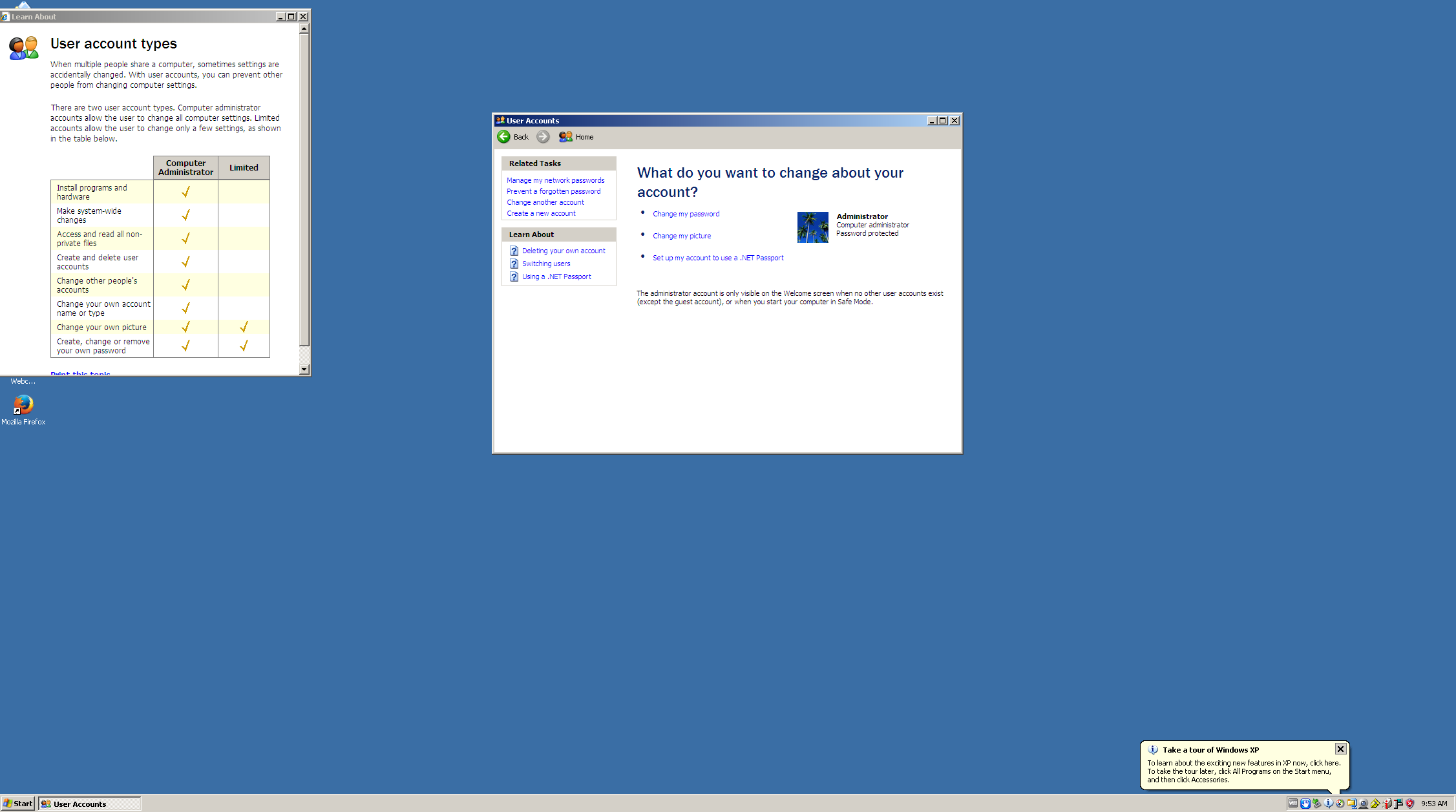
Windows 11 is a little different; it does have an administrator account, but logging in directly as that user is disabled by default - but you can enable it and log in explicitly from the login screen if you want.
But what OP here has created is something that essentially behaves functionally the same as “Run as Administrator”.
In Windows, you certainly can create GPOs (if in a domain) that limit what can be done (it’s been a while since I did that) as administrator, but AFAICR by default, it’s full system access, the same as using su - or sudo to open a shell.
Yes, I like the approach the OP has described/implemented. It has a similarity to Polkit approach with respect to authentication popups, and seems to be well thought out IMHO. As the OP has demonstrated, it can be configured to match the security requirements of the IT environment it will be serving, (which is a good thing).
1 Like
I haven’t administered Windows XP for a long time but certainly there were things you might have to do that required privileges that your standard administrator account couldn’t.
If I didn’t get it right, you could activate the account simply with
net user administrator /active:yes
Or maybe is not that option, so many years has passed and I wan’t to back that days 
So… If I login as administrator, and open a terminal, I’ll need to open that as administrator just a regular user. Just as with konsole?
I insist. I think our model can be better and maybe a passwordless system can be OK. But before cheers for that we need understand that root (su) is different from sudo. And create a directory as administrator in Windows 11 using Explorer in c:\Windows displays 2 warning messages, while create a directory as root in Tumbleweed using Dolphin in /usr displays nothing.
I spent a lot of time dealing with Windows XP desktops; I can’t think of anything that the administrator account couldn’t do without making any special changes.
That’s something I found for a Windows 11 setup, but never had to use on XP.
When logged in as administrator on XP, you can do anything without elevating your privileges. XP’s security model didn’t differentiate in that way - it was relatively primitive compared to things we do now with tools like SELinux and Apparmor in Linux.
Sure, there’s always room for improvement. Passwordless systems can be secure (I worked for almost 9 years for an identity company that was involved in that space). We’ve been moving slowly away from security and convenience being in opposition.
Me too. You’ll have your experience, I’ll have mine. There’s no sense in perceptions or memories.
Ok, in my test theres no administrator “hide” in Windows 11, you need to setup one.
Of course, but it’s different.
I remember when Tolvards critized that connect a printer requires password (or passwordless) when it’s clear that it needs to be in the userspace. Today it needs password, we can name this as bug.
Or when some time ago, because I haven’t tried it for a while, it was easier use FAT or even NTFS in external devices as pendrives or external hard disks than ext4 or xfs because there was a policy to let users mount external devices with FAT or NTFS but not with other filesystems (and yes, it have easy solution but…).