No worries . . . this is now an “open chat” . . . so it’s just for “background” discussion. Your post is indicating that “the problem” is also hitting newer hardware, not just my “legacy” unit . . . . So that was useful information . . . not trolling . . . .
No no, I’m exploring if is it possible to change kwin for another windows manager, like openbox or something, and continue using Plasma Desktop… because maybe es kwin as compositor who is causing the black screen + mouse error after suspend.
I’d like to know if this is possible.
By the way, I’m using X11 Plasma in an Arch Linux installation and the bug is not hitting this computer, but I don’t have Nvidia here, so …
EDIT: It is possible! KDE - ArchWiki
I will try it tonight.
1 Like
Feature request for “Debian-like” notifications for changes in packages while running zypper dup has been filed. There was no option to select for filing against zypper . . . so I picked YaST2 as the option.
Zypper dup brings new 6.14.1-1 kernel this morning, rebooted into it . . . suspended it. On resuming from suspend this kernel provided the fastest response of any of the recent kernels, even back to the 6.12.6 that is now the default kernel for TW.
I was hopeful. However on suspending a second time, resume brought no display function.
Some of the recent iterations would bring two or three revivals . . . but not so much in the 6.14 xxx series.
Lotsa hits on Google with following search:
suspend fails forums linux -windows
in "search tools" *past month*
You may be looking for a solution that will never come except via a fresh installation. Likely in your particular hardware/software combination there is a unique bug that may never be identified, much less fixed.
From private email I got the following from a developer:
1 Like
1 Like
Indeed. Well, I did a fresh install of TW a few weeks back . . . did not provide the avenue for running newer kernels in TW . . . .
Looks like Launchpad is doing housecleaning on old bug reports, here’s one I filed in 2019, looks like at that time TW was ahead of the curve on it:
You received this bug notification because you are subscribed to the bug
report.
Title:
5.8 kernel appears to break video in two groovy installs
Status in linux package in Ubuntu:
Expired
Bug description:
Ran apt to update/upgrade in both of my groovy distros, Lubuntu &
U-MATE 20.10 . . . on reboot not only was my grub list broken in both
cases but seemingly the update to the new 5.8.0-12 kernel shows splash
logo, but “logs” to a black screen. Display power light is “on” but
screen is black.
I repeated this several times in both systems . . . having to boot
using SG2 to another distro to repair grub . . . then after I did that
I got to grub list and went to “advanced options” and rolled back to
the prior 5.4.0-42 kernel . . . and GUI is operational.
I believe in TW I am running 5.7 kernel and that system has video. I
have an Nvidia card and I’m using “nouveau” as my driver.
ProblemType: Bug
DistroRelease: Ubuntu 20.10
Package: linux-image-5.4.0-42-generic 5.4.0-42.46
ProcVersionSignature: Ubuntu 5.4.0-42.46-generic 5.4.44
Uname: Linux 5.4.0-42-generic x86_64
ApportVersion: 2.20.11-0ubuntu43
Architecture: amd64
AudioDevicesInUse:
USER PID ACCESS COMMAND
/dev/snd/controlC1: non-space2 1665 F… pulseaudio
/dev/snd/controlC0: non-space2 1665 F… pulseaudio
CasperMD5CheckResult: skip
CurrentDesktop: LXQt
Date: Mon Aug 3 15:45:08 2020
InstallationDate: Installed on 2019-06-17 (413 days ago)
InstallationMedia: Lubuntu 19.04 “Disco Dingo” - Release amd64 (20190416)
Late in the day yesterday I did find the everymac graphics card page that listed an upgrade option for the Mac Pro 5,1 back in the day that is a Radeon card. I’ll have to check it today to see if that card is “metal” friendly . . . and if so, try to find one that is “Mac” friendly . . . .
I’m not quite ready to buy or build a new desktop just yet, so a card will punt that decision down the road a bit . . . hopefully.
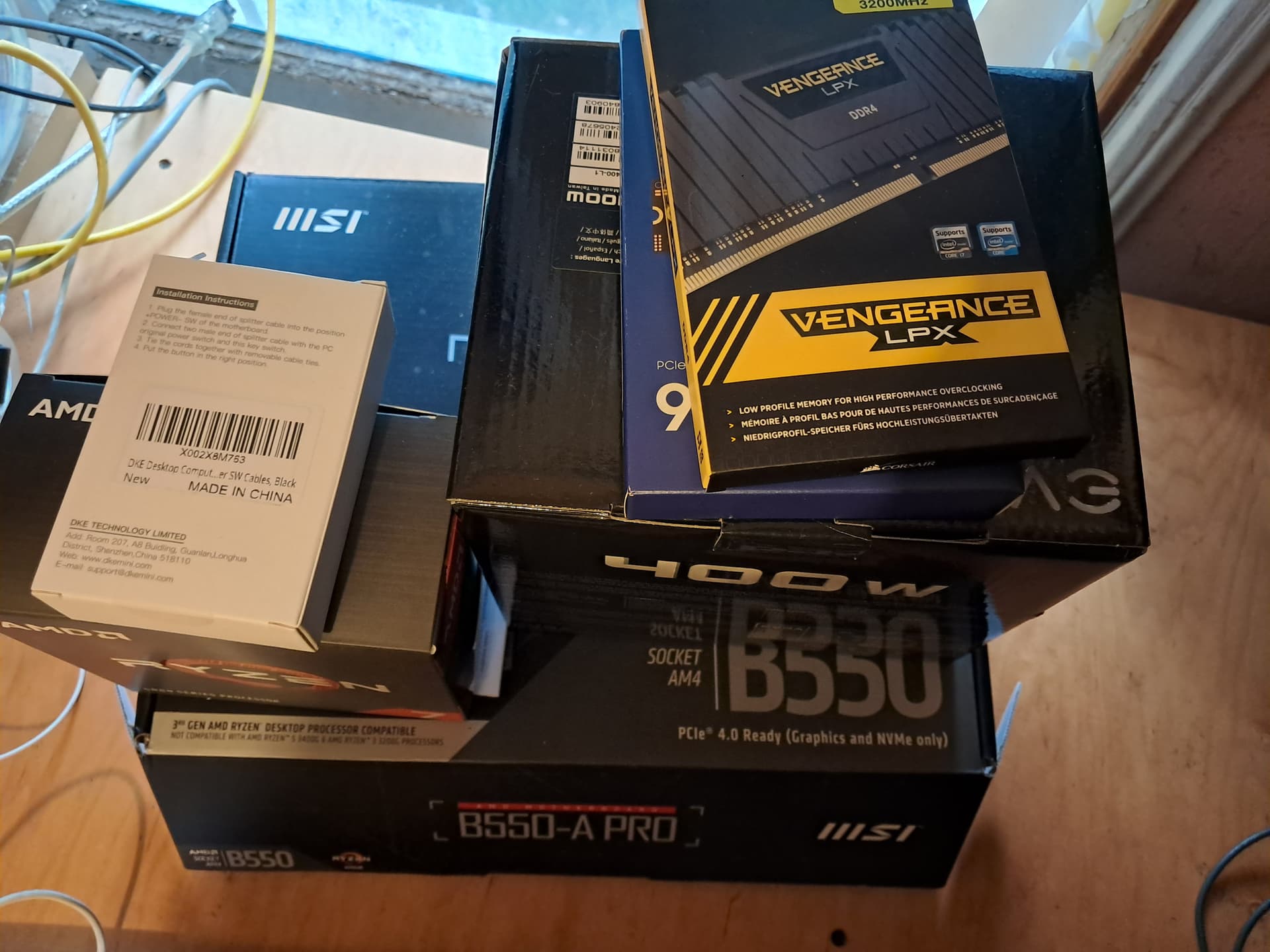
Based upon @karlmistelberger advice . . . a bundled cpu/mobo was ordered today as part of the first step to a newer machine, either DIYer or find an base generic PC into which the new mobo/cpu could simply be plugged in and off we go . . . with what will be slightly behind the tech wave parts, rather than 13 year old “way behind the curve” parts . . . .
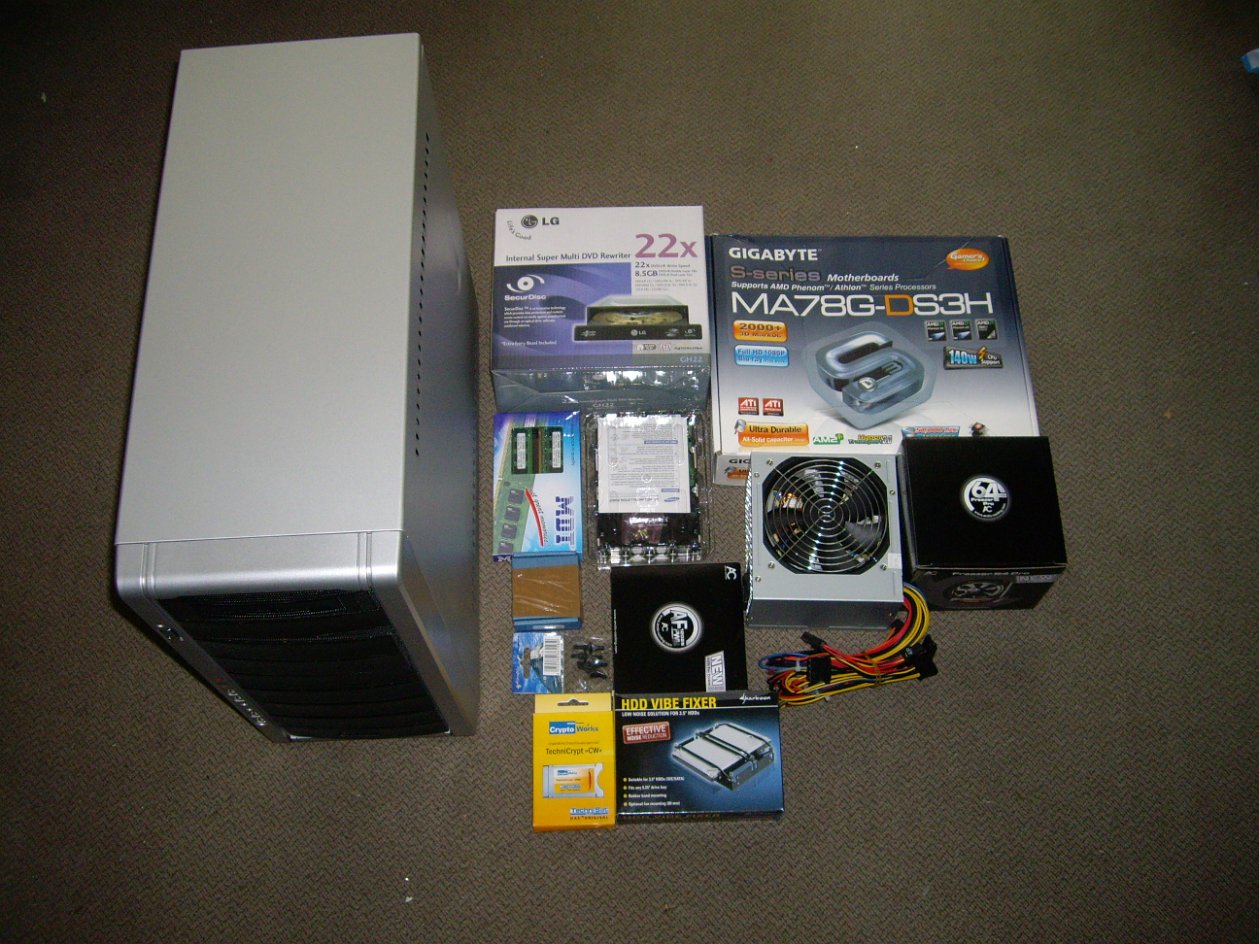
DDR2, Phenom II X6 x86_64-v1, izzatt something still in daily use?
1 Like
I think he was just showing that his stack O parts is older than my stack O parts . . . .
openSUSE 11.1 is still alive:
6700k:~ # smartctl -iA /dev/sdc
smartctl 7.4 2023-08-01 r5530 [x86_64-linux-6.14.4-1-default] (SUSE RPM)
Copyright (C) 2002-23, Bruce Allen, Christian Franke, www.smartmontools.org

=== START OF INFORMATION SECTION ===
Model Family:     SAMSUNG SpinPoint F1 DT
Device Model:     SAMSUNG HD103UJ
Serial Number:    S13PJDWS158660
LU WWN Device Id: 5 0000f0 000ee4e0b
Firmware Version: 1AA01113
User Capacity:    1,000,203,804,160 bytes [1.00 TB]
Sector Size:      512 bytes logical/physical
Device is:        In smartctl database 7.3/5528
ATA Version is:   ATA/ATAPI-7, ATA8-ACS T13/1699-D revision 3b
Local Time is:    Tue May  6 09:29:22 2025 CEST
SMART support is: Available - device has SMART capability.
SMART support is: Enabled

=== START OF READ SMART DATA SECTION ===
SMART Attributes Data Structure revision number: 16
Vendor Specific SMART Attributes with Thresholds:
ID# ATTRIBUTE_NAME          FLAG     VALUE WORST THRESH TYPE      UPDATED  WHEN_FAILED RAW_VALUE
  1 Raw_Read_Error_Rate     0x000f   100   100   051    Pre-fail  Always       -       0
  3 Spin_Up_Time            0x0007   077   077   011    Pre-fail  Always       -       7870
  4 Start_Stop_Count        0x0032   098   098   000    Old_age   Always       -       2328
  5 Reallocated_Sector_Ct   0x0033   100   100   010    Pre-fail  Always       -       0
  7 Seek_Error_Rate         0x000f   100   100   051    Pre-fail  Always       -       0
  8 Seek_Time_Performance   0x0025   100   100   015    Pre-fail  Offline      -       10294
  9 Power_On_Hours          0x0032   094   094   000    Old_age   Always       -       32212
 10 Spin_Retry_Count        0x0033   100   100   051    Pre-fail  Always       -       0
 11 Calibration_Retry_Count 0x0012   100   100   000    Old_age   Always       -       0
 12 Power_Cycle_Count       0x0032   098   098   000    Old_age   Always       -       1915
 13 Read_Soft_Error_Rate    0x000e   100   100   000    Old_age   Always       -       0
183 Runtime_Bad_Block       0x0032   100   100   000    Old_age   Always       -       5
184 End-to-End_Error        0x0033   100   100   000    Pre-fail  Always       -       0
187 Reported_Uncorrect      0x0032   100   100   000    Old_age   Always       -       0
188 Command_Timeout         0x0032   100   100   000    Old_age   Always       -       0
190 Airflow_Temperature_Cel 0x0022   074   058   000    Old_age   Always       -       26 (Min/Max 19/26)
194 Temperature_Celsius     0x0022   066   055   000    Old_age   Always       -       34 (Min/Max 19/34)
195 Hardware_ECC_Recovered  0x001a   100   100   000    Old_age   Always       -       641
196 Reallocated_Event_Count 0x0032   100   100   000    Old_age   Always       -       0
197 Current_Pending_Sector  0x0012   100   100   000    Old_age   Always       -       0
198 Offline_Uncorrectable   0x0030   100   100   000    Old_age   Offline      -       0
199 UDMA_CRC_Error_Count    0x003e   100   100   000    Old_age   Always       -       6
200 Multi_Zone_Error_Rate   0x000a   099   099   000    Old_age   Always       -       441
201 Soft_Read_Error_Rate    0x000a   253   253   000    Old_age   Always       -       0

6700k:~ #
A few years ago I added IDE and SCSI adapters and successfully retrieved partitions from older drives.
1 Like
I’ve had a motherboard kicking around this room since late last summer, before just several hours ago giving it a tryout to see whether working or not as a candidate to replace some K6 or Pentium ii or iii in a worthy case. Turns out it boots recent TW USB installation media and passes Memtest 7 with a pair of PC2-6400 512M Corsair XMS2 sticks. Same AM2 socket as your Gigabyte, but MSI K9N Neo V2, and almost same Athlon processor, just 100MHz faster. Too bad it isn’t v2, but for TW, that may not matter while I’m still breathing.
First P4 motherboard I bought still works, Socket 478, and I still have the retail Abit box it arrived in. Last upgrade to TW i586 port was 20250316:
# pinxi -GSaz --vs --za --hostname
pinxi 3.3.37-08 (2025-03-11)
System:
  Host: a-865 Kernel: 6.12.10-1-default arch: i686 bits: 32 compiler: gcc
    v: 14.2.1 clocksource: tsc avail: hpet,acpi_pm
    parameters: root=LABEL=<filter> ipv6.disable=1 net.ifnames=0 noresume
    consoleblank=0 mitigations=off vga=794
  Desktop: KDE v: 3.5.10 tk: Qt v: 3.3.8c wm: kwin with: kicker tools:
    avail: xscreensaver dm: 1: KDM 2: XDM Distro: openSUSE Tumbleweed 20250316
Graphics:
  Device-1: Matrox Systems Millennium G550 driver: N/A bus-ID: 01:00.0
    chip-ID: 102b:2527 class-ID: 0300
  Display: x11 server: X.Org v: 21.1.15 compositor: kwin driver: X:
    loaded: modesetting unloaded: vesa failed: mga alternate: fbdev dri: swrast
    gpu: N/A display-ID: :0 screens: 1
  Screen-1: 0 s-res: 1280x1024 s-dpi: 96 s-size: 338x270mm (13.31x10.63")
    s-diag: 433mm (17.03")
  Monitor-1: Unknown-1 mapped: None-1 res: mode: 1280x1024 hz: 60
    scale: 100% (1) size: N/A modes: 1280x1024
  API: EGL v: 1.5 platforms: device: 0 drv: swrast surfaceless: drv: swrast
    x11: drv: swrast inactive: gbm,wayland
  API: OpenGL v: 4.5 vendor: mesa v: 25.0.1 glx-v: 1.4 direct-render: yes
    renderer: llvmpipe (LLVM 19.1.7 128 bits) device-ID: ffffffff:ffffffff
    memory: 1.91 GiB unified: yes
  Info: Tools: api: eglinfo,glxinfo x11: xdriinfo, xdpyinfo, xprop, xrandr
This more general inxi output is 8 years old, when inxi was, to me, newly discovered:
# inxi -c0 -v5
System:    Host: a-865 Kernel: 4.10.4-1-default i686 (32 bit gcc: 6.3.1) Console: tty 3
           Distro: openSUSE Tumbleweed
Machine:   Device: desktop Mobo: Abit model: AI7 (Intel i865-ICH5) v: 1.0 BIOS: Phoenix v: 6.00 PG date: 11/03/2004
CPU:       Single core Intel Pentium 4 (-HT-) cache: 1024 KB flags: (pae sse sse2 sse3) bmips: 6121
           clock speeds: max: 3060 MHz 1: 3060 MHz 2: 3060 MHz
Memory:    Array-1 capacity: 4 GB devices: 4 EC: None max module size: 1 GB
           Device-1: A0 size: 1 GB speed: N/A type: SDRAM part: N/A
           Device-2: A1 size: No Module Installed type: N/A
           Device-3: A2 size: 1 GB speed: N/A type: SDRAM part: N/A
           Device-4: A3 size: No Module Installed type: N/A
Graphics:  Card: Matrox Systems Millennium G550 bus-ID: 01:00.0
           Display Server: X.org 1.19.2 drivers: (unloaded: modesetting,fbdev,vesa) FAILED: mga
           tty size: 128x48 Advanced Data: N/A for root out of X
Audio:     Card Intel 82801EB/ER (ICH5/ICH5R) AC'97 Audio Controller
           driver: snd_intel8x0 ports: d800 dc00 bus-ID: 00:1f.5
           Sound: Advanced Linux Sound Architecture v: k4.10.4-1-default
Network:   Card: Realtek RTL-8100/8101L/8139 PCI Fast Ethernet Adapter
           driver: 8139too v: 0.9.28 port: a000 bus-ID: 02:02.0
           IF: eth0 state: unknown speed: 100 Mbps duplex: full mac: 00:50:8d:f5:3e:cb
Drives:    HDD Total Size: 250.1GB (67.7% used)
           ID-1: /dev/sda model: ST3250310AS size: 250.1GB
           Optical: /dev/sr0 model: SONY DVD-ROM DDU1613 rev: 9YS2 dev-links: cdrom,dvd
Partition: ID-1: / size: 4.7G used: 4.2G (95%) fs: ext3 dev: /dev/sda21
           label: os133SS25 uuid: f80d697e-9a56-4c94-9d33-a5b2dbde1d03
           ID-2: /home size: 5.4G used: 1.4G (27%) fs: ext3 dev: /dev/sda10
           label: SS25home uuid: 38a353e8-3eca-4028-b90d-67a12d13ed48
           ID-3: swap-1 size: 0.95GB used: 0.00GB (0%) fs: swap dev: /dev/sda8
           label: SS25swapper uuid: bf974314-a1df-4eaa-bfca-86ce3f309d15
Sensors:   None detected - is lm-sensors installed and configured?
Info:      Processes: 123 Uptime: 0:02 Memory: 55.8/2015.7MB Init: systemd runlevel: 3 Gcc sys: N/A
           Client: Shell (bash 4.4.121) inxi: 2.3.8
Last tried it would still boot openSUSE 11.4 and 10.2, besides Debians from 8 through 12, Fedora 28, and Mageia 6. Originally its HDD was 250G PATA Seagate, but later switched to near twin current SATA.
1 Like
In the latest episode of the DIYer story . . . seems like the bundled mobo/cpu brought the 5700X . . . and so when I booted the Stack O Parts up . . . no display, at all. So some could say that would solve the “non-resuming from suspend” problem very efficiently . . . but that would be “rose colored glasses” . . . .
Thought about adding a video card into the mix, but various folks, including Karl . . . said, “DON’T DO THAT!!! Get the 5700G . . . .” And so that is what I am now doing . . . . TBC
Now, as in today returning 5700X in exchange for 5700G? I couldn’t find in this megathread what AMD product you actually bought, just a poor picture of part of a Ryzen box.
1 Like
Like the energizer bunny . . . the megathread keeps on going.
The 5700X cpu has been “energized” more than once, in the effort to try to get video or to “boot the BIOS” . . . and then it is part of the “bundle” . . . . That is “mea culpa” . . . in the effort to make something happen I glazed over the product description wherein several clues were provided, but the significance of the clues was only understood in retrospect. “Product requires discreet graphics,” “Product does not have a fan” . . . were clues that in the glee of buying parts, were missed or misunderstood.
The mobo I believe is the correct part, and that also has been “energized” . . . so I would have to de-populate the whole board, find as many of the package contents as possible, to return them, to get the same mobo and hopefully the right cpu???
Or, I pulled the trigger on the 5700G . . . to either use the 5700X as a “paper weight” as a reminder of human foible . . . OR on a rainy day, post it on eBay?? If the items were still in the box, unopened, unenergized, then perhaps I could have returned the items and re-ordered the right bundle, if it in fact exists??? Amazon has thousands of products to choose from, if not millions . . . bait and switch seems to be the strategy . . . . Perhaps it is “live and learn,” or perhaps “live to make another mistake in the nearing future.”
You might contact the seller to inquire about a partial exchange, paying CPU price difference plus 15% or whatever return/exchange fee. That motherboard does have DisplayPort and HDMI port. Most sellers like to make customers happy if they can.
2 Likes