Update repos point to weird location

Hi there, im a newbie! Used Mint for a couple weeks, decided to try LEAP, but installation failed, but Thumbleweed did work and was installed.
After installation, i got errors in the update software, there are mentions to the usb media where i installed Thumbleweed from, is this normal?
Could it be a bug? I don’t think it was supposed to be looking for the USB!?

EDIT: Also forgot to say that i cannot install apps normally in the installer, only through flathub. When trying to go to the software centre and trying to install theres the infamous repo error, although the link seems to be the one that people recommend.

Show your repository list via
zypper lr -d

Afterwards we can tell you the exact command how to remove this leftover repo from installation.

You should use a GUI application like Myrlyn to manage packages and repos. If not installed, install it via
sudo zypper in myrlyn

Afterwards you can manage repos via Myrlyn->Extras->Repositories

Discover and Gnome Software will fail when package conflicts occur. Myrlyn is capable of providing solver questions and solutions. Myrlyn is the official openSUSE Gui for software/repo management.

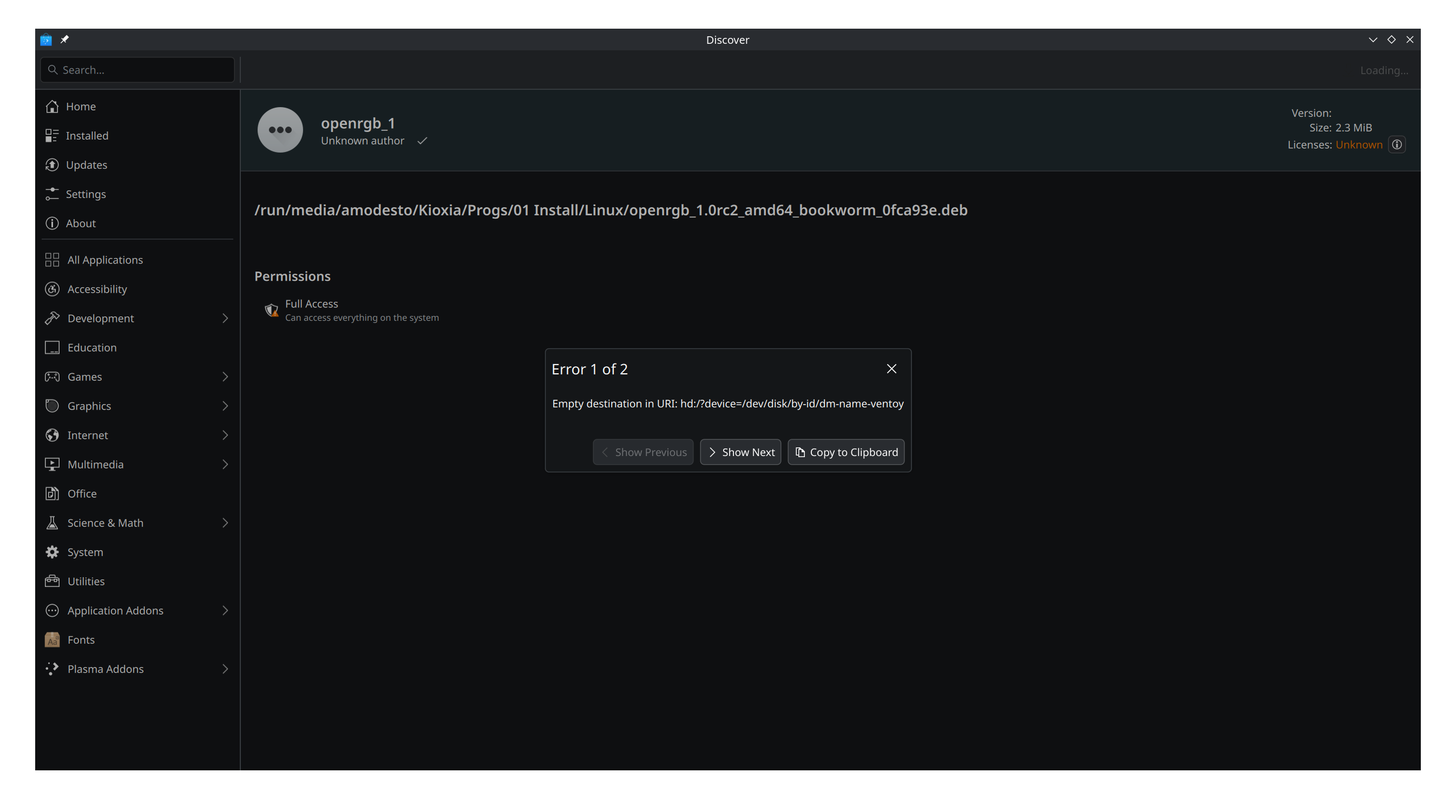
Your screenshot shows that you used Ventoy which is not supported by openSUSE. It alters the boot parameters and other stuff which in turn breaks the installation in various ways.

Hi, thank you for the fast answer.

amodesto@9600K:~> zypper lr -d
#  | Alias                            | Name                                   | Enabled | GPG Check | Refresh | Keep | Priority | Type   | URI                                                      | Service
---+----------------------------------+----------------------------------------+---------+-----------+---------+------+----------+--------+----------------------------------------------------------+---------
 1 | NVIDIA:repo-non-free             | repo-non-free                          | Yes     | (r ) Yes  | Yes     | -    |   99     | rpm-md | https://download.nvidia.com/opensuse/tumbleweed          | NVIDIA
 2 | download.opensuse.org-non-oss    | Main Repository (NON-OSS)              | Yes     | (r ) Yes  | Yes     | -    |   99     | rpm-md | http://download.opensuse.org/tumbleweed/repo/non-oss/    | 
 3 | download.opensuse.org-oss        | Main Repository (OSS)                  | Yes     | (r ) Yes  | Yes     | -    |   99     | rpm-md | http://download.opensuse.org/tumbleweed/repo/oss/        | 
 4 | download.opensuse.org-tumbleweed | Main Update Repository                 | Yes     | (r ) Yes  | Yes     | -    |   99     | rpm-md | http://download.opensuse.org/update/tumbleweed/          | 
 5 | openSUSE-20260305-0              | openSUSE-20260305-0                    | Yes     | (r ) Yes  | Yes     | -    |   99     | rpm-md | hd:/?device=/dev/disk/by-id/dm-name-ventoy               | 
 6 | openSUSE:repo-non-oss            | repo-non-oss                           | Yes     | (r ) Yes  | Yes     | -    |   99     | rpm-md | http://cdn.opensuse.org/tumbleweed/repo/non-oss          | openSUSE
 7 | openSUSE:repo-openh264           | repo-openh264                          | Yes     | (r ) Yes  | Yes     | -    |   99     | rpm-md | https://codecs.opensuse.org/openh264/openSUSE_Tumbleweed | openSUSE
 8 | openSUSE:repo-oss                | repo-oss                               | Yes     | (r ) Yes  | Yes     | -    |   99     | rpm-md | http://cdn.opensuse.org/tumbleweed/repo/oss              | openSUSE
 9 | openSUSE:repo-oss-debug          | repo-oss-debug                         | No      | ----      | ----    | -    |   99     | N/A    | http://cdn.opensuse.org/debug/tumbleweed/repo/oss        | openSUSE
10 | openSUSE:repo-oss-source         | repo-oss-source                        | Yes     | (r ) Yes  | Yes     | -    |   99     | rpm-md | http://cdn.opensuse.org/source/tumbleweed/repo/oss       | openSUSE
11 | openSUSE:update-tumbleweed       | update-tumbleweed                      | Yes     | (r ) Yes  | Yes     | -    |   99     | rpm-md | http://cdn.opensuse.org/update/tumbleweed                | openSUSE
12 | repo-debug                       | openSUSE-Tumbleweed-Debug              | No      | ----      | ----    | -    |   99     | N/A    | http://download.opensuse.org/debug/tumbleweed/repo/oss/  | 
13 | repo-openh264                    | Open H.264 Codec (openSUSE Tumbleweed) | Yes     | (r ) Yes  | Yes     | -    |   99     | rpm-md | http://codecs.opensuse.org/openh264/openSUSE_Tumbleweed  | 
14 | repo-source                      | openSUSE-Tumbleweed-Source             | Yes     | (r ) Yes  | Yes     | -    |   99     | rpm-md | http://download.opensuse.org/source/tumbleweed/repo/oss/ | 
amodesto@9600K:~> ^C

The issue is repo number 5. Remove it via:

sudo zypper rr 5

As repo 2-4 and 12-14 are duplicates, you can remove them also via:
sudo zypper rr 2 3 4 12 13 14

1 Like

Hi, thank you for the quick reply, i got this after those commands:

Repository ‘14’ not found by alias, number or URI.

Every other was removed, but now despite this, i managed to install an app, so it seems to be ok now. Thank you.

As a side note, why wouldn’t the system ignore duplicate repos? A bit weird that i have to remove these specific ones to be able to install stuff and update, isnt it?

Duplicate repos aren’t an issue. Often they are only a cosmetic thing.

The real issue was repo number 5 which was added by the unsupported Ventoy. This repo made it imposible for you to install any application.

1 Like

I see. Can you please elaborate on the “repo 5 was added by ventoy” part? Could it just been me, selecting extra repos? I think i have cheked more repos on the install, i remember thinking: more repos, more sources, harm it wont do. kinda thing. Was not clear that it could break installs in the future.

https://en.opensuse.org/Create_installation_USB_stick#Ventoy

1 Like

thank you!

I assume you removed repo #5 first. That means that all repos from #6 to #14 now get lower numbers: #5 to #13. Thus the second command suggested by @hui must be adapted. Now you probably will still have what was #12 in your first list.

It shows how dangerous it is to define repos by Number :frowning:

Dang! im in trouble again… you see, because it was mentioned that ventoy is not recommended and it screws up things, and because i started to get other issues, i thought it was all due to the ventoy install, so i decided to go and fomat and reinstall, this time i didn’t select anything extra in the repository menu of the installation, but still, i get the same issue as before…

#  | Alias                            | Name                                   | Enabled | GPG Check | Refresh | Keep | Priority | Type   | URI                                                                                          | Service
---+----------------------------------+----------------------------------------+---------+-----------+---------+------+----------+--------+----------------------------------------------------------------------------------------------+---------
 1 | NVIDIA:repo-non-free             | repo-non-free                          | Yes     | ( p) Yes  | Yes     | -    |   99     | N/A    | https://download.nvidia.com/opensuse/tumbleweed                                              | NVIDIA
 2 | download.opensuse.org-non-oss    | Main Repository (NON-OSS)              | Yes     | (r ) Yes  | Yes     | -    |   99     | rpm-md | http://download.opensuse.org/tumbleweed/repo/non-oss/                                        | 
 3 | download.opensuse.org-oss        | Main Repository (OSS)                  | Yes     | (r ) Yes  | Yes     | -    |   99     | rpm-md | http://download.opensuse.org/tumbleweed/repo/oss/                                            | 
 4 | download.opensuse.org-tumbleweed | Main Update Repository                 | Yes     | (r ) Yes  | Yes     | -    |   99     | rpm-md | http://download.opensuse.org/update/tumbleweed/                                              | 
 5 | openSUSE-20260306-0              | openSUSE-20260306-0                    | No      | ----      | ----    | -    |   99     | rpm-md | hd:/?device=/dev/disk/by-id/usb-Kingston_DataTraveler_3.0_00241D8B55C2BFA0A9525248-0:0-part2 | 
 6 | openSUSE:repo-non-oss            | repo-non-oss                           | Yes     | ( p) Yes  | Yes     | -    |   99     | N/A    | http://cdn.opensuse.org/tumbleweed/repo/non-oss                                              | openSUSE
 7 | openSUSE:repo-openh264           | repo-openh264                          | Yes     | ( p) Yes  | Yes     | -    |   99     | N/A    | https://codecs.opensuse.org/openh264/openSUSE_Tumbleweed                                     | openSUSE
 8 | openSUSE:repo-oss                | repo-oss                               | Yes     | ( p) Yes  | Yes     | -    |   99     | N/A    | http://cdn.opensuse.org/tumbleweed/repo/oss                                                  | openSUSE
 9 | openSUSE:repo-oss-debug          | repo-oss-debug                         | No      | ----      | ----    | -    |   99     | N/A    | http://cdn.opensuse.org/debug/tumbleweed/repo/oss                                            | openSUSE
10 | openSUSE:repo-oss-source         | repo-oss-source                        | No      | ----      | ----    | -    |   99     | N/A    | http://cdn.opensuse.org/source/tumbleweed/repo/oss                                           | openSUSE
11 | openSUSE:update-tumbleweed       | update-tumbleweed                      | Yes     | ( p) Yes  | Yes     | -    |   99     | N/A    | http://cdn.opensuse.org/update/tumbleweed                                                    | openSUSE
12 | repo-debug                       | openSUSE-Tumbleweed-Debug              | No      | ----      | ----    | -    |   99     | N/A    | http://download.opensuse.org/debug/tumbleweed/repo/oss/                                      | 
13 | repo-openh264                    | Open H.264 Codec (openSUSE Tumbleweed) | Yes     | (r ) Yes  | Yes     | -    |   99     | rpm-md | http://codecs.opensuse.org/openh264/openSUSE_Tumbleweed                                      | 
14 | repo-source                      | openSUSE-Tumbleweed-Source             | No      | ----      | ----    | -    |   99     | N/A    | http://download.opensuse.org/source/tumbleweed/repo/oss/                                     | 

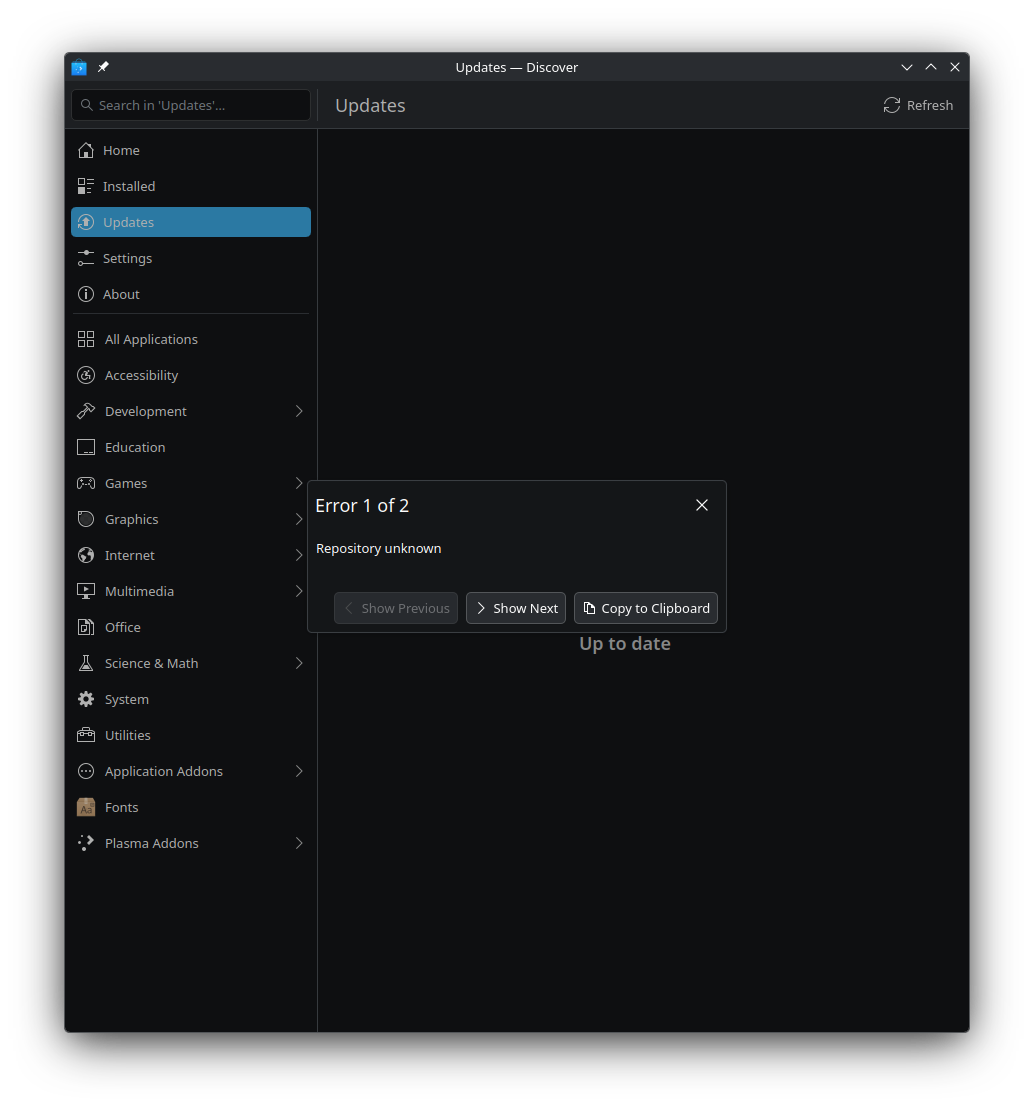
Btw this time i created a bootable drive with only leap, using “impression” and that failed, it would always get stuck in what looks like a loop of a console. So i created another drive with thumbleweed, this time no ventoy. To my surprise, as soon as i try to install anything or update, i get the repo error. “Repository unknown”

If you are still using Discover, you need to disable the installation media (USB medium) in Discover. zypper and Myrlyn do properly deal with a disabled repository. Or you remove it, as it is no longer needed. Same as before:
sudo zypper rr 5

I am struggling a bit to understand, please bear with me.
So if i understand correctly, no5 would be “openSUSE-20260306-0” yes?
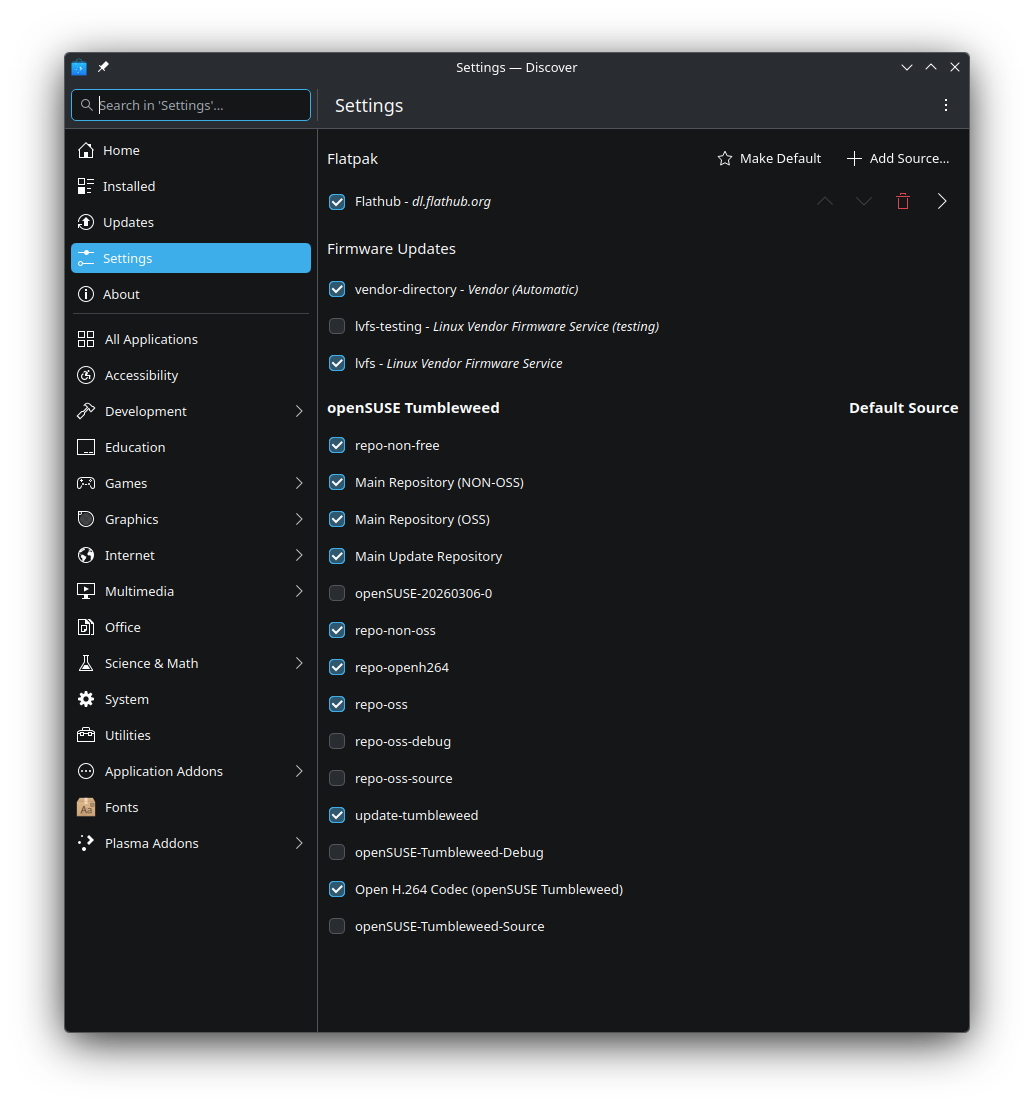
This is confusing as there’s nothing in this screen that tells me that pertains usb…

And when i go to this screen that one seems to be disabled… what i am i missing?

Thanks in advance.

Then you need to post the exact error message…


Same thing if i search for, as an example, openrgb and then try to install it.

What happens when you refresh your repos via command line?
sudo zypper ref

1 Like

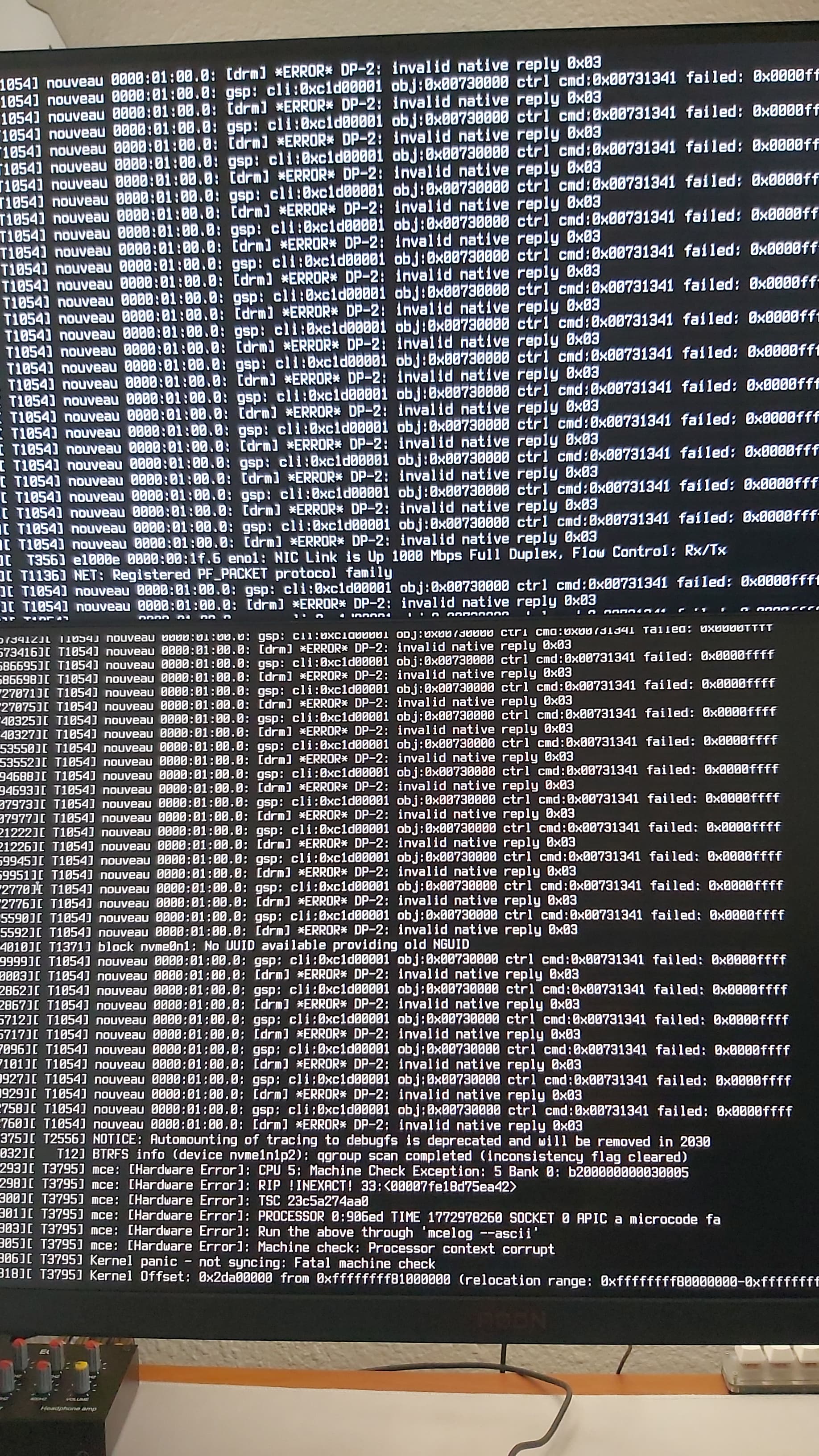
That command has prompted me, i selected to trust always, then a bunch more code went by and then i got a kernel panic. Now the installs work, and updates too… unsure what happened
Next time better post the terminal output so that we can see what you saw and can better help.


There was no time, it all went by and crashed.

gonna keep this command for the future, thank you!