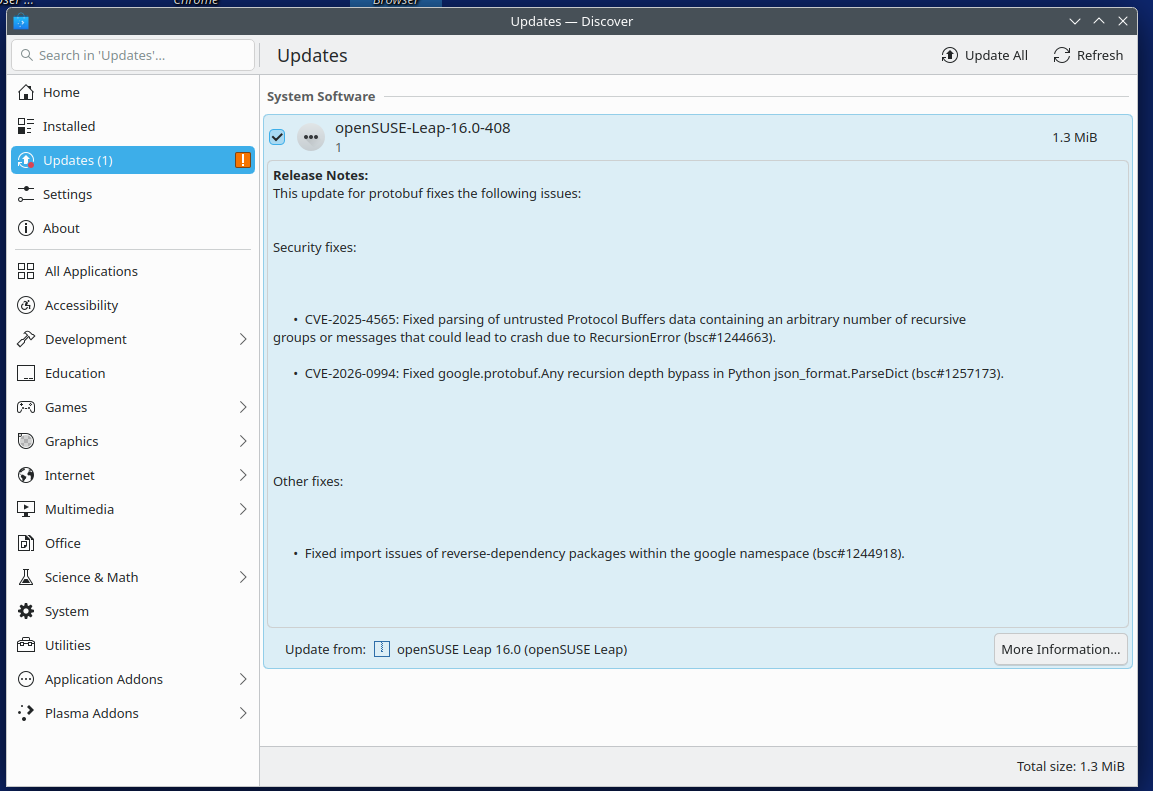
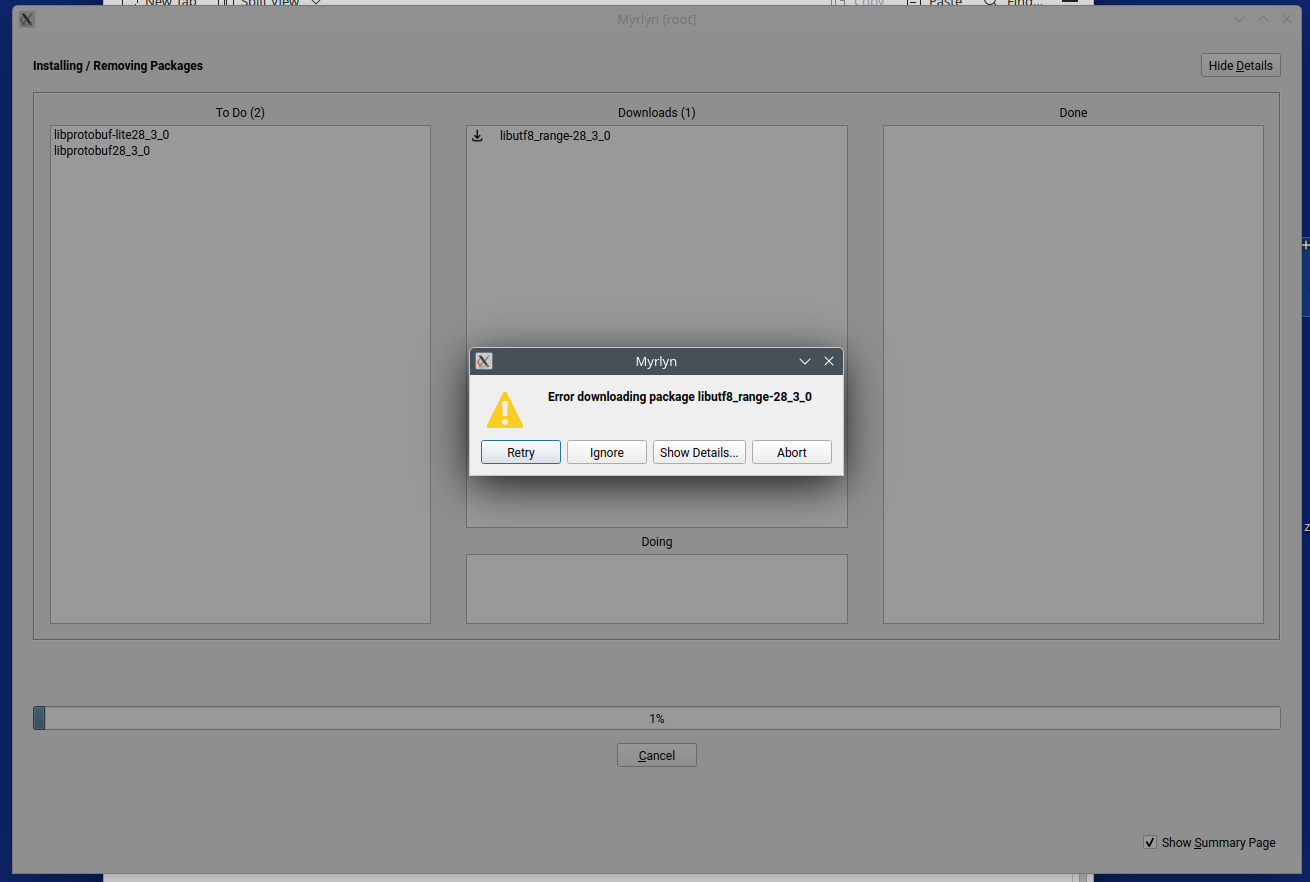
It is a google protocol update and will not update regardless of method.
Zypper up errors with a warning message
Warning: Digest verification failed for file 'libprotobuf28_3_0-28.3-160000.3.1.x86_64.rpm'
[/var/tmp/zypp.tmp/AP_0xGOGhJ3/x86_64/libprotobuf28_3_0-28.3-160000.3.1.x86_64.rpm]

  expected bcb3555f695fa35fc98e153eabbc5448cf05135a0ccc09c83ec992a8b0050235f9171022075476881d7548b68ef666ca41b41e1fb6df144fe359244fe1391fce
  but got  d1aaa1cff164f91eabbb1d44ac872fd2140ca53be0d849baeee2ea19537840ecbddc97d376119e9f771d6f66400f05bf58e725f9ddde69a86ea16e098eae295d

Accepting packages with wrong checksums can lead to a corrupted system and in extreme cases even to a system compromise.

However if you made certain that the file with checksum 'd1aa..' is secure, correct
and should be used within this operation, enter the first 4 characters of the checksum
to unblock using this file on your own risk. Empty input will discard the file.

Unblock or discard? [d1aa/...? shows all options] (discard):
Package libprotobuf28_3_0-28.3-160000.3.1.x86_64 (repo-oss (16.0)) seems to be corrupted during transfer. Do you want to retry retrieval?
Abort, retry, ignore? [a/r/i] (a): a
Problem occurred during or after installation or removal of packages:
Installation has been aborted as directed.
Please see the above error message for a hint.
Password:
localhost:~ # rpm --rebuilddb
localhost:~ # zypper clean -a
All repositories have been cleaned up.
localhost:~ # zypper ref -f
Forcing raw metadata refresh
Retrieving repository 'SoftMaker' metadata ........................................................................................[done]
Forcing building of repository cache
Building repository 'SoftMaker' cache .............................................................................................[done]
Forcing raw metadata refresh
Looking for gpg keys in repository Brave Browser.
  gpgkey=https://brave-browser-rpm-release.s3.brave.com/brave-core.asc
Retrieving repository 'Brave Browser' metadata ....................................................................................[done]
Forcing building of repository cache
Building repository 'Brave Browser' cache .........................................................................................[done]
Forcing raw metadata refresh
Looking for gpg keys in repository google-chrome.
  gpgkey=https://dl.google.com/linux/linux_signing_key.pub
Retrieving repository 'google-chrome' metadata ....................................................................................[done]
Forcing building of repository cache
Building repository 'google-chrome' cache .........................................................................................[done]
Forcing raw metadata refresh
Looking for gpg keys in repository repo-openh264 (16.0).
  gpgkey=https://codecs.opensuse.org/openh264/openSUSE_Leap_16/repodata/repomd.xml.key
Retrieving repository 'repo-openh264 (16.0)' metadata .............................................................................[done]
Forcing building of repository cache
Building repository 'repo-openh264 (16.0)' cache ..................................................................................[done]
Forcing raw metadata refresh
Looking for gpg keys in repository repo-oss (16.0).
  gpgkey=http://cdn.opensuse.org/distribution/leap/16.0/repo/oss/x86_64/repodata/repomd.xml.key
Retrieving repository 'repo-oss (16.0)' metadata ..................................................................................[done]
Forcing building of repository cache
Building repository 'repo-oss (16.0)' cache .......................................................................................[done]
All repositories have been refreshed.
localhost:~ # zypper up
Refreshing service 'openSUSE'.
Loading repository data...
Reading installed packages...

The following 3 packages are going to be upgraded:
  libprotobuf28_3_0 libprotobuf-lite28_3_0 libutf8_range-28_3_0

3 packages to upgrade.

Package download size:     1.3 MiB

Package install size change:
            |       3.1 MiB  required by packages that will be installed
       0 B  |  -    3.1 MiB  released by packages that will be removed

Backend:  classic_rpmtrans
Continue? [y/n/v/...? shows all options] (y):
Preloading: libprotobuf28_3_0-28.3-160000.3.1.x86_64.rpm [Error: "The requested URL returned error: 404", trying next mirror.]
Preloading: libprotobuf-lite28_3_0-28.3-160000.3.1.x86_64.rpm [Error: "The requested URL returned error: 404", trying next mirror.]
Preloading: libutf8_range-28_3_0-28.3-160000.3.1.x86_64.rpm [done]
Preloading: libprotobuf28_3_0-28.3-160000.3.1.x86_64.rpm [Error: "The requested URL returned error: 404", trying next mirror.]
Preloading: libprotobuf-lite28_3_0-28.3-160000.3.1.x86_64.rpm [Error: "The requested URL returned error: 404", trying next mirror.]
Preloading: libprotobuf-lite28_3_0-28.3-160000.3.1.x86_64.rpm [Error: "The requested URL returned error: 404", trying next mirror.]
Preloading: libprotobuf-lite28_3_0-28.3-160000.3.1.x86_64.rpm [done]
Preloading: libprotobuf28_3_0-28.3-160000.3.1.x86_64.rpm [done]
Preload finished. [success (392.2 KiB/s) ] ........................................................................................[done]
Retrieving: libutf8_range-28_3_0-28.3-160000.3.1.x86_64 (repo-oss (16.0))                                            (1/3),  92.3 KiB
Retrieving: libprotobuf28_3_0-28.3-160000.3.1.x86_64 (repo-oss (16.0))                                               (2/3), 949.6 KiB
Retrieving: libprotobuf28_3_0-28.3-160000.3.1.x86_64.rpm .....................................................................[not found]
Retrieving: libprotobuf28_3_0-28.3-160000.3.1.x86_64.rpm .....................................................................[not found]
Retrieving: libprotobuf28_3_0-28.3-160000.3.1.x86_64.rpm .....................................................................[not found]
Retrieving: libprotobuf28_3_0-28.3-160000.3.1.x86_64.rpm .....................................................................[not found]
Retrieving: libprotobuf28_3_0-28.3-160000.3.1.x86_64.rpm .....................................................................[not found]
Retrieving: libprotobuf28_3_0-28.3-160000.3.1.x86_64.rpm ............................................................[done (251.4 KiB/s)]

Warning: Digest verification failed for file 'libprotobuf28_3_0-28.3-160000.3.1.x86_64.rpm'
[/var/tmp/zypp.tmp/AP_0xTuDbSi/x86_64/libprotobuf28_3_0-28.3-160000.3.1.x86_64.rpm]

  expected bcb3555f695fa35fc98e153eabbc5448cf05135a0ccc09c83ec992a8b0050235f9171022075476881d7548b68ef666ca41b41e1fb6df144fe359244fe1391fce
  but got  d1aaa1cff164f91eabbb1d44ac872fd2140ca53be0d849baeee2ea19537840ecbddc97d376119e9f771d6f66400f05bf58e725f9ddde69a86ea16e098eae295d

Accepting packages with wrong checksums can lead to a corrupted system and in extreme cases even to a system compromise.

However if you made certain that the file with checksum 'd1aa..' is secure, correct
and should be used within this operation, enter the first 4 characters of the checksum
to unblock using this file on your own risk. Empty input will discard the file.

Unblock or discard? [d1aa/...? shows all options] (discard):
Package libprotobuf28_3_0-28.3-160000.3.1.x86_64 (repo-oss (16.0)) seems to be corrupted during transfer. Do you want to retry retrieval?
Abort, retry, ignore? [a/r/i] (a):
From myrlun-sudo selecting ‘Updates’ then ‘Package Updates’ (image)
Mmm, did the exact same on my Leap VM, getting the exact same package as an update but did not get the error.
BTW Doing what you did can, as you see, destroy a system.
So far the system works.just can’t reinstall VLC. If I have to, I’ll put the leap 16 key in and see if there is something that can be done with it. Maybe even do a fresh install. Would be the first time.
Been looking around, and found that VLC ‘may’ need the Packman essentials repo. That may be why the gpg problem.
Worth a try to add the Packman essentials?
You can install VLC with all the good codecs from Packman, or you can use the separate “videolan client” repo as well. There is also one from the openSUSE OSS repo, but that one might not have all the codecs, or not all hardware acceleration for decoding.
Whatever you do, make sure you get all VLC packages from the same repo; mixing from different ones will probably result in dependency problems or weird results.
As for checking which packages you got removed last time, check the zypp history in Myrlyn or directly at /var/log/zypp/history.
That are just mirror basics. As the download redirector usees several mirrors, it is absolutely normal that after a fresh update is released, several mirrors show 404 until they are all completely synched. That has nothing to to with DNS…