For the first time in many installations, I’m having trouble installing Slowroll and I’m somewhat perplexed.
I’ve been using SuSE and openSUSE since 1996 and although I’ve tried many of the most widely used distros over the years, I’ve always returned to using openSUSE Leap. Now that Leap is coming to the end of its line, I’ve switched my computers and my friends and relatives to Slowroll.
I’ve been using Slowroll for over a year and it’s performed very well on a wide range of PCs from an old HP notebook from 2012 with a dual core AMD A4-6400 to very new Framework 16 and Framework 13 notebooks (highly recommended! Slowroll has a number of Framework specific drivers for Framework notebooks and Slowroll runs very well on them) to a number of desktop PCs with Ryzen 2400g, 3400g, and 5600g APUs.
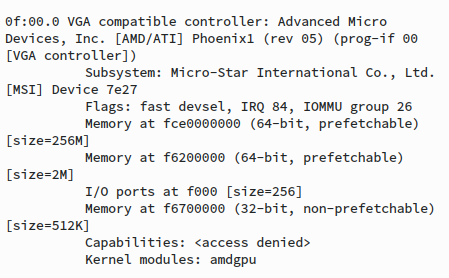
But I’ve run into a problem trying to install Slowroll on my own desktop with a brand new AMD Ryzen 8600g APU with integrated Radeon 760M video. Using the latest Slowroll full ISO or the latest Slowroll NET ISO, the installation routine starts but a green screen appears and the PC apparently hangs up and I have to power cycle it.
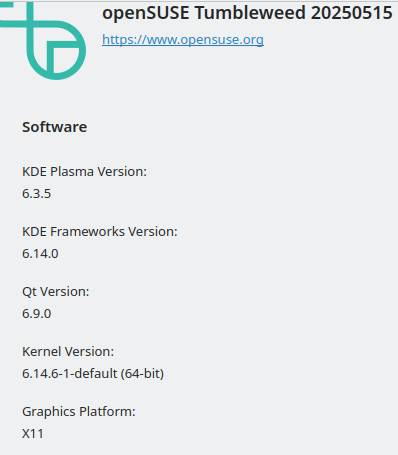
If I use the latest Live Tumbleweed ISO, it boots up to the KDE Plasma desktop but the video is 800 x 600 and Info Center lists the video graphic chip as llvmpipe instead of amdgpu. 800 x 600 is the only resolution available on my Dell 1920 x 1080 HDMI monitor when using the Radeon 760M video built into the Ryzen 8600g APU…
If I install a very old AMD 5450 video PCIe card I can boot up the Live Tumbleweed ISO to the KDE Plasma desktop and it displays 1920 x 1080 resolution but the Info Center still shows the graphics chip as llvmpipe, although it now offers a full list of resolutions from 1920 x 1080 on down. It would be much better to be able to use the much faster Radeon 760M video integrated into the Ryzen 5 8600g APU.
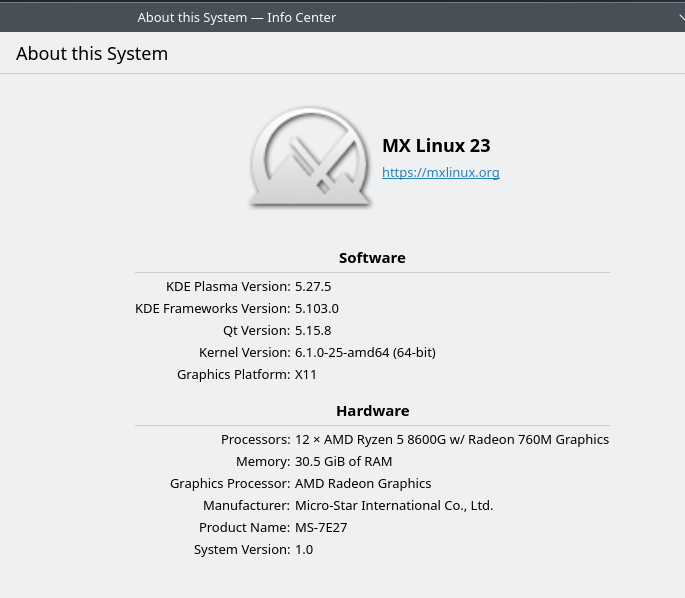
I’ve tried booting some other distros (AntiX, Endeavor, Red Hat, LMDE, KDE Neon, Kubuntu, MX Linux) and they all boot up to their desktop GUIs with the proper 1920 x 1080 resolution using the integrated Radeon 760M video with Info Center showing the AMD Ryzen 8600g APU with integrated Radeon 760M video. For some reason it appears that unlike the other distros I’ve tried, Slowroll and Tumbleweed are unable to correctly identify the Radeon 760M video that is integrated into the AMD Ryzen 5 8600g APU.
This reminds me somewhat of the situation when the first AMD Ryzen APUs came out in 2018 (Ryzen 5 2400). I was using Leap and the amdgpu video driver had not been backported yet to Leap, so Leap would not display a resolution higher than 1280 x 1024. I was advised at the time to use Tumbleweed. I tried Tumbleweed and, indeed, it did have the kernel version and the amdgpu driver which would work correctly with the integrated AMD Ryzen video in the early AMD Ryzen APUs.
A good friend of mine also has a new AMD Ryzen 8600g which he is eager to use to upgrade his existing desktop from an AMD Ryzen 2200g APU. I don’t want to help him upgrade his desktop to the AMD Ryzen 8600g until I know Slowroll works with mine.
Please give me any suggestions about what I can do to get Slowroll to install on my very new AMD Ryzen 8600g which is running on an MSI Pro B650M-P motherboard with the latest BIOS. I’ll be happy to provide any additional info or try installing patches that might help.