OS = Tumbleweed - KDE 6.18 (Same happened on 6.17.6)
GPU = RX 6700 XT
Audio = GPU > HDMI > TV > Optical > Stereo.
VLC = flatpak (to dodge the codec issue)
Firefox = native/unmodified
If I start the pc, open a youtube link in Firefox, then the video plays and the audio plays properly in sync with it.
If I start the pc, double click on an MP4 video file in Dolphin, then VLC opens up, the video plays but there is no audio - the volume in VLC shows as zero (and adjusting it upwards has no affect on the absent audio).
n.b. I have checked the system volume in the taskbar, and the audio output (hdmi stereo), and both are nominal in terms of what i’d expect to see.
Having failed to open a VLC vid with audio, if I then open a youtube link in Firefox the video plays and the audio plays properly in sync with it…
… but if I close the browser and retry the VLC vid i still get no audio.
Having failed to open a VLC vid with audio, if I then open a youtube link in Firefox the video plays and the audio plays properly in sync with it…
… and leave the browser running and retry the VLC vid the audio works again!
So, Firefox reliably works as you’d hope.
But VLC only (reliably???) works when there is another audio source running when it starts.
There is nothing to indicate volume or audio output settings have changed to explain this.
This issue seems similar:
But the behaviour that triggers this hit-or-miss audio output seems quite different.
AI suggests the following text /below/
But while i’m sympathetic to the idea of dodgy power management with RDNA2 GPU’s that seems inconsistent with the behaviour I describe ^above^.
Random audio cutouts with an AMD GPU over HDMI on openSUSE Tumbleweed with KDE are often caused by
the GPU entering low-power states or issues with the PipeWire audio buffer size. These are known, long-standing issues within the Linux/AMD ecosystem and potentially the hardware itself, which also affect Windows users.
Potential Causes and Solutions
The primary causes are related to power management and the audio stack configuration.
GPU Low-Power States
The audio issues often occur when the GPU is lightly loaded (e.g., streaming music or browsing the web), causing the card to enter a low-power state where it cannot maintain a stable audio signal.
Workaround: Force High Performance Profile
You can force the GPU power profile to high on boot, which prevents it from entering problematic low-power states. This increases idle power draw but usually resolves the audio cuts.
Open a terminal and run the following command to temporarily test this fix:
bash
echo high | sudo tee /sys/class/drm/card1/device/power_dpm_force_performance_level
(Note: card1 might need to be adjusted based on your system’s device ID. You can check the correct path with lspci or by browsing /sys/class/drm/.)
If this resolves the issue, you can make the change permanent by adding a udev rule or a script that runs on boot.
PipeWire Buffer Size
The default PipeWire buffer (quantum) size may be too small for the AMD HDMI audio hardware, leading to underruns and audible dropouts.
Workaround: Increase PipeWire Quantum
You can increase the default quantum size for PipeWire.
Create a new configuration file in ~/.config/pipewire/pipewire.conf.d/ (e.g., 90-amd-quantum.conf) with the following content:
Save the file and restart PipeWire or reboot your system to apply the changes.
HDMI/PCIe Hardware Issues
Sometimes, the issue can be related to physical hardware or signal integrity, such as a low-quality HDMI cable or an unstable PCIe link.
Troubleshooting Steps:
Check the HDMI cable: Try a different, high-quality, certified HDMI cable.
Reseat the GPU: Ensure your graphics card is properly seated in the PCIe slot.
Force PCIe Link Speed: Manually setting the PCIe link speed in your system’s BIOS/UEFI (e.g., to Gen3 or Gen2 instead of Auto/Gen4/Gen5) can improve stability and eliminate errors that cause dropouts.
Other Potential Factors
Kernel Regressions: Specific Linux kernel versions can introduce regressions. The openSUSE Tumbleweed distribution is a rolling release, so a recent kernel update might be the cause. You can test an older kernel version via the GRUB menu to see if the problem disappears.
TV/Receiver Settings: The “handshake” process between your GPU and the display/receiver can sometimes fail.
Try power cycling your TV/receiver.
Ensure the TV speakers are enabled in the TV’s audio settings if that is the intended output.
three images:
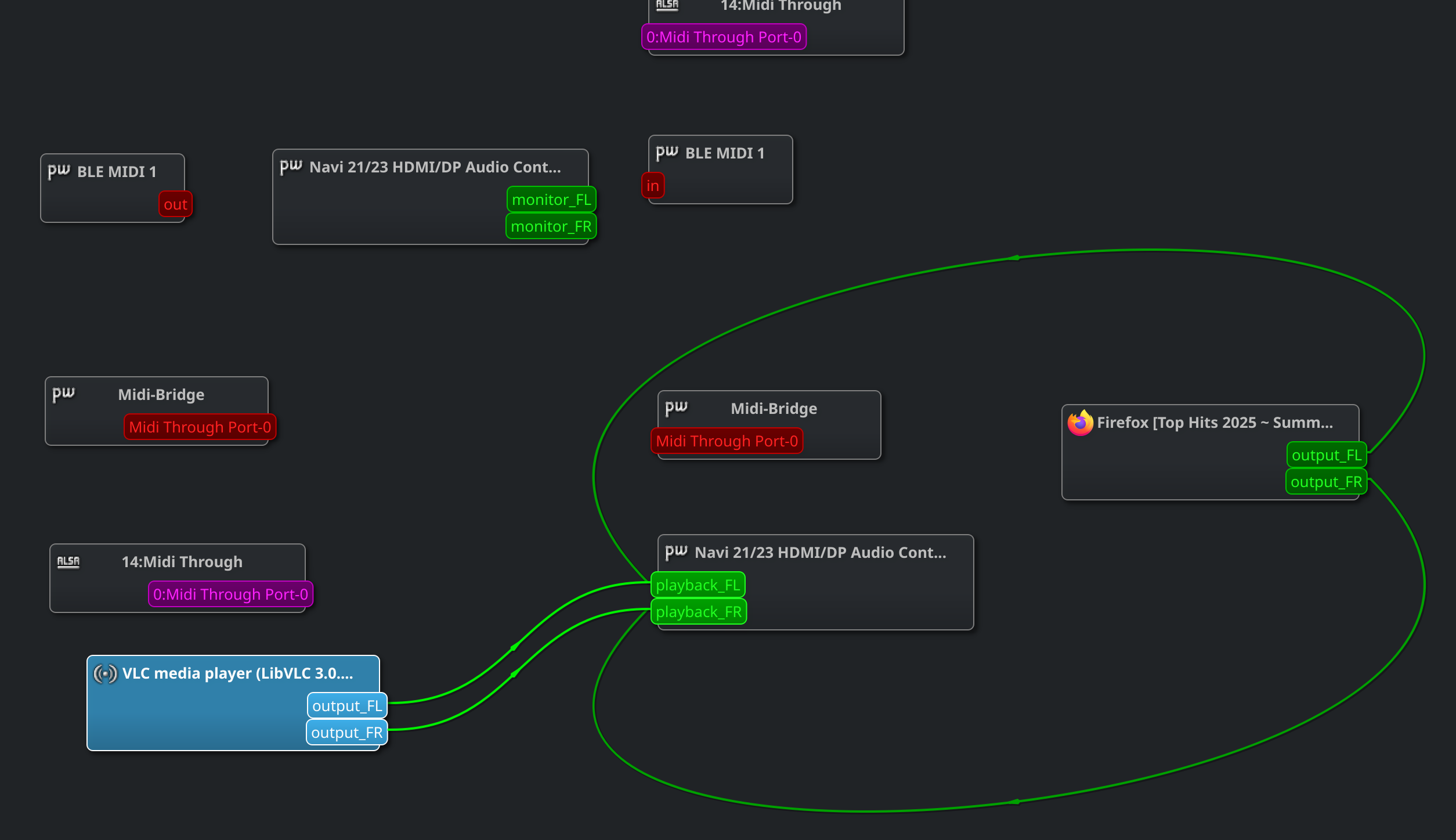
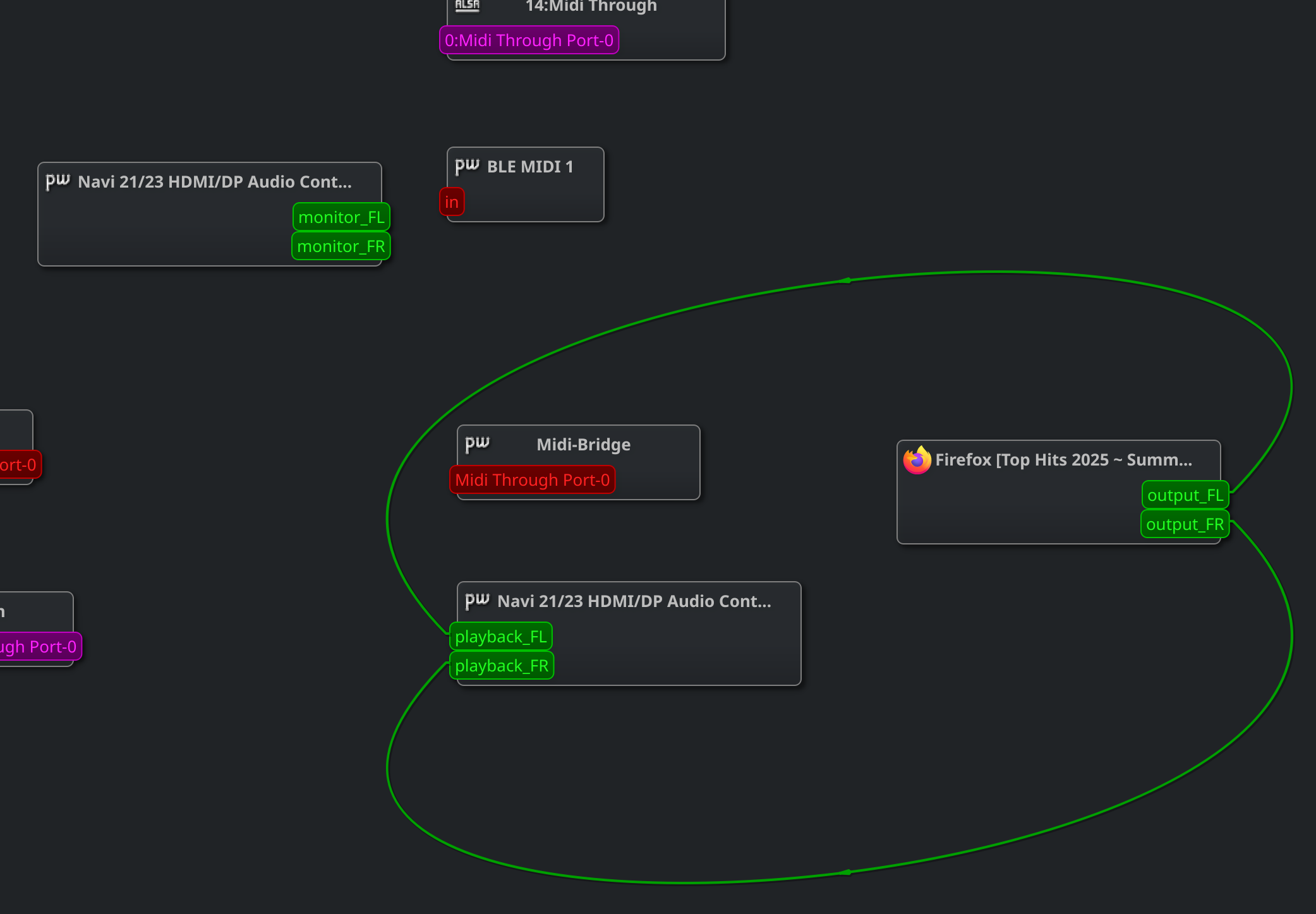
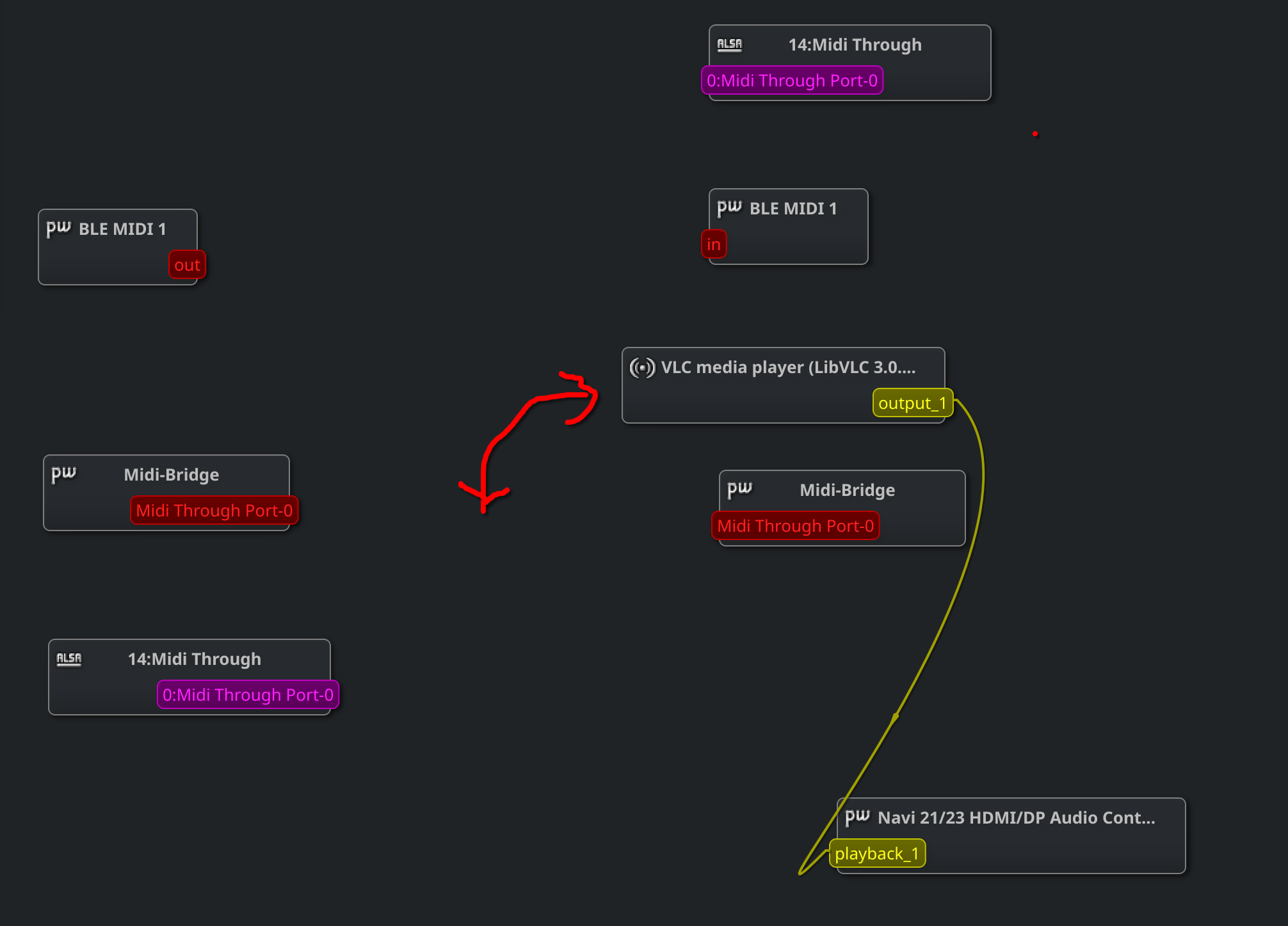
vlc (audio=no) - the vlc article jumps back and forth around the screen every five seconds, but the single connection remains.
firefox (audio=yes)
firefox_then_vlc (audio=yes)
do you think this behaviour might be a quirk of using the flatpak version of VLC, and that it is worth reinstalling the native opensuse VLC package to see if the same behaviour exhibits there too?
this behaviour does not appear to be limited to flatpak VLC, as exactly the same behaviour exhibits after removing the package, reinstalling the opensuse VLC package, and then installing the OPI codecs from packman.
I did find the solution to this with the help of an Arch friend.
VLC setting for audio source were set to “Auotmatic”.
When I changed the audio source to “ALSA (PW)” the audio played as it should.
Not sure if the text log output above is useful in determing what is going on, but it does feel like the setting of “Automatic” is not doing what it needs to do.