Software shortage in the "Software" application

Hi Everyone,

I am going through the fun part of looking for and installing applications, only to see that there is close to nothing overall.

Correct me if I am wrong; I understand there is work in progress regarding Packman.
Can you advise on whether that is soon to be completed, and is there others that can be integrated, such as Snaps, etc.?

Please accept my apologies, I am still learning the proper terminologies when it comes to Linux.

Thank you in advance,
Michael

@EuroNiceguy Hi, perhaps provide a list of what your looking for? Packman is a third party repository, mainly used for patent encumbered codecs.

  1. “What” applications??

  2. What are your requirements for Packman repo?

  3. Might run Discover and see if any Flatpak apps fit your needs.

What is “Software” application?

I am running Gnome Desktop environment, and there is only Software Centre on here.
Thank you for reminding me of Discover. When I moved to Gnome, I forgot about KDE related applications

When I went to download Discover, the following popup had come up;

Empty destination in URI: hd:/install?device=/dev/disk/by-id/scsi-SSanDisk_Cruzer_Blade_03021209081020165943-part2

Can you advise on how I can fix this please.

The entry hd:/install?device=/dev/disk/by-id/… is just the installation media repository left over from when you installed openSUSE using a USB stick. You can remove or disable this repo entry.

sudo zypper lr       # find the repo number
sudo zypper mr -d <number>   # disable it
# or
sudo zypper rr <number>      # remove it

Consider installing Myrlyn (graphical software management utility). Install it with sudo zypper in myrlyn.

More info:

1 Like

I cannot reproduce it. GNOME Software shows available applications and as of this moment there are over 800 applications listed in the OSS repository software catalog. This is far from “close to nothing”.

You need to explain in more details what you are doing (or trying to do), what your expectations are and what results you get.

I suspect the usual confusion between “applications” which are handled by the GNOME Software and “packages” which are handled by the lower level tools like zypper.

I was looking for Teams and Zoom. Both were not there

Of course not. Both are proprietary apps.

Hi Deano.
Thank you for this.

I just did sudo zypper lr, and this is what I got;

MichaelDesktop:/home/michael # sudo zypper lr
Repository priorities are without effect. All enabled repositories share the same priority.

# | Alias                       | Name                      | Enabled | GPG Check | Refresh
--+-----------------------------+---------------------------+---------+-----------+--------
1 | Leap                        | Leap 16.0                 | Yes     | (r ) Yes  | No
2 | openSUSE:repo-non-oss       | repo-non-oss (16.0)       | Yes     | (r ) Yes  | Yes
3 | openSUSE:repo-non-oss-debug | repo-non-oss-debug (16.0) | No      | ----      | ----
4 | openSUSE:repo-openh264      | repo-openh264 (16.0)      | Yes     | (r ) Yes  | Yes
5 | openSUSE:repo-oss           | repo-oss (16.0)           | Yes     | (r ) Yes  | Yes
6 | openSUSE:repo-oss-debug     | repo-oss-debug (16.0)     | No      | ----      | ----
7 | openSUSE:repo-oss-source    | repo-oss-source (16.0)    | No      | ----      | ----
8 | packman                     | packman                   | Yes     | (r ) Yes  | Yes
9 | snappy                      | snappy                    | Yes     | (r ) Yes  | Yes
MichaelDesktop:/home/michael # 

Can you advise on what I need to do next please? I don’t want to ruin anything.

Run zypper lr -d to be sure of the URI. (It’s likely to be the first repo listed.)

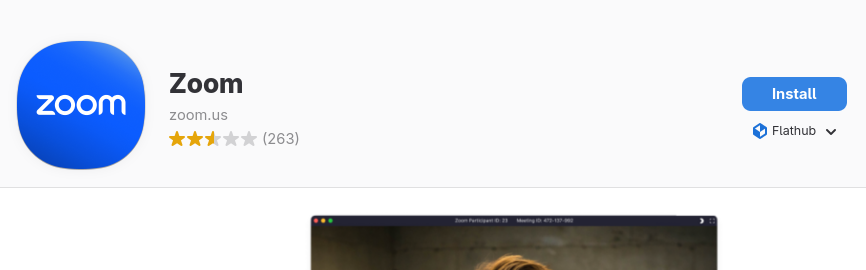
Zoom is available as a Flatpak, installed using Discover.

MS no longer provides an official desktop client for Teams for Linux.
There are 3rd party front ends (check Discover) and PWA.

To use the PWA, go to teams.microsoft.com in a Chrome-based browser and install it from the address bar. See screenshot where my mouse pointer is (I use official Google Chrome in screenshot, logged into Teams).

Ran the command, and you are right that it is the first. Please find below the result;

# | Alias                       | Name                      | Enabled | GPG Check | Refresh | Keep | Priority | Type   | URI                                                                                      | Service
--+-----------------------------+---------------------------+---------+-----------+---------+------+----------+--------+------------------------------------------------------------------------------------------+---------
1 | Leap                        | Leap 16.0                 | Yes     | (r ) Yes  | No      | -    |   99     | rpm-md | hd:/install?device=/dev/disk/by-id/scsi-SSanDisk_Cruzer_Blade_03021209081020165943-part2 | 
2 | openSUSE:repo-non-oss       | repo-non-oss (16.0)       | Yes     | (r ) Yes  | Yes     | -    |   99     | rpm-md | http://cdn.opensuse.org/distribution/leap/16.0/repo/non-oss/x86_64                       | openSUSE
3 | openSUSE:repo-non-oss-debug | repo-non-oss-debug (16.0) | No      | ----      | ----    | -    |   99     | N/A    | http://cdn.opensuse.org/debug/distribution/leap/16.0/repo/non-oss/x86_64                 | openSUSE
4 | openSUSE:repo-openh264      | repo-openh264 (16.0)      | Yes     | (r ) Yes  | Yes     | -    |   99     | rpm-md | http://codecs.opensuse.org/openh264/openSUSE_Leap_16                                     | openSUSE
5 | openSUSE:repo-oss           | repo-oss (16.0)           | Yes     | (r ) Yes  | Yes     | -    |   99     | rpm-md | http://cdn.opensuse.org/distribution/leap/16.0/repo/oss/x86_64                           | openSUSE
6 | openSUSE:repo-oss-debug     | repo-oss-debug (16.0)     | No      | ----      | ----    | -    |   99     | N/A    | http://cdn.opensuse.org/debug/distribution/leap/16.0/repo/oss/x86_64                     | openSUSE
7 | openSUSE:repo-oss-source    | repo-oss-source (16.0)    | No      | ----      | ----    | -    |   99     | N/A    | http://cdn.opensuse.org/source/distribution/leap/16.0/repo/oss                           | openSUSE
8 | packman                     | packman                   | Yes     | (r ) Yes  | Yes     | -    |   99     | rpm-md | http://ftp.gwdg.de/pub/linux/misc/packman/suse/openSUSE_Leap_16.0/                       | 
9 | snappy                      | snappy                    | Yes     | (r ) Yes  | Yes     | -    |   99     | rpm-md | https://download.opensuse.org/repositories/system:/snappy/openSUSE_Leap_16.0             | 
MichaelDesktop:/home/michael # 

What do I do next?

Thank you for this.

This can only be achieved using Chrome?

Remove repo #1 : sudo zypper rr 1

Hi.
Many thanks for this.

If Flatpak is installed, Gnome’s Software should display those applications.
See: OpenSUSE Wiki

Hi.
Many thanks for this.

Please check the screenshot. I did install as per instructions. It is not appearing in Gnome’s Software

By the way I like your Profile name & icon. A winner

What is “it”?

You already were told about Teams.

OK, it looks like Flathub is indeed missing in your case. Is flatpak installed? You will also need flatpak-remote-flathub for a default Flathub repository (or add them yourself).

Gnome Software is Gnome’s version of Discover. See attached icon.

I believe I have installed Flatpak. Just incase I haven’t can you share the Terminal command.

And how do I set up the default Flathub repository?

Screenshot From 2025-11-26 06-18-25