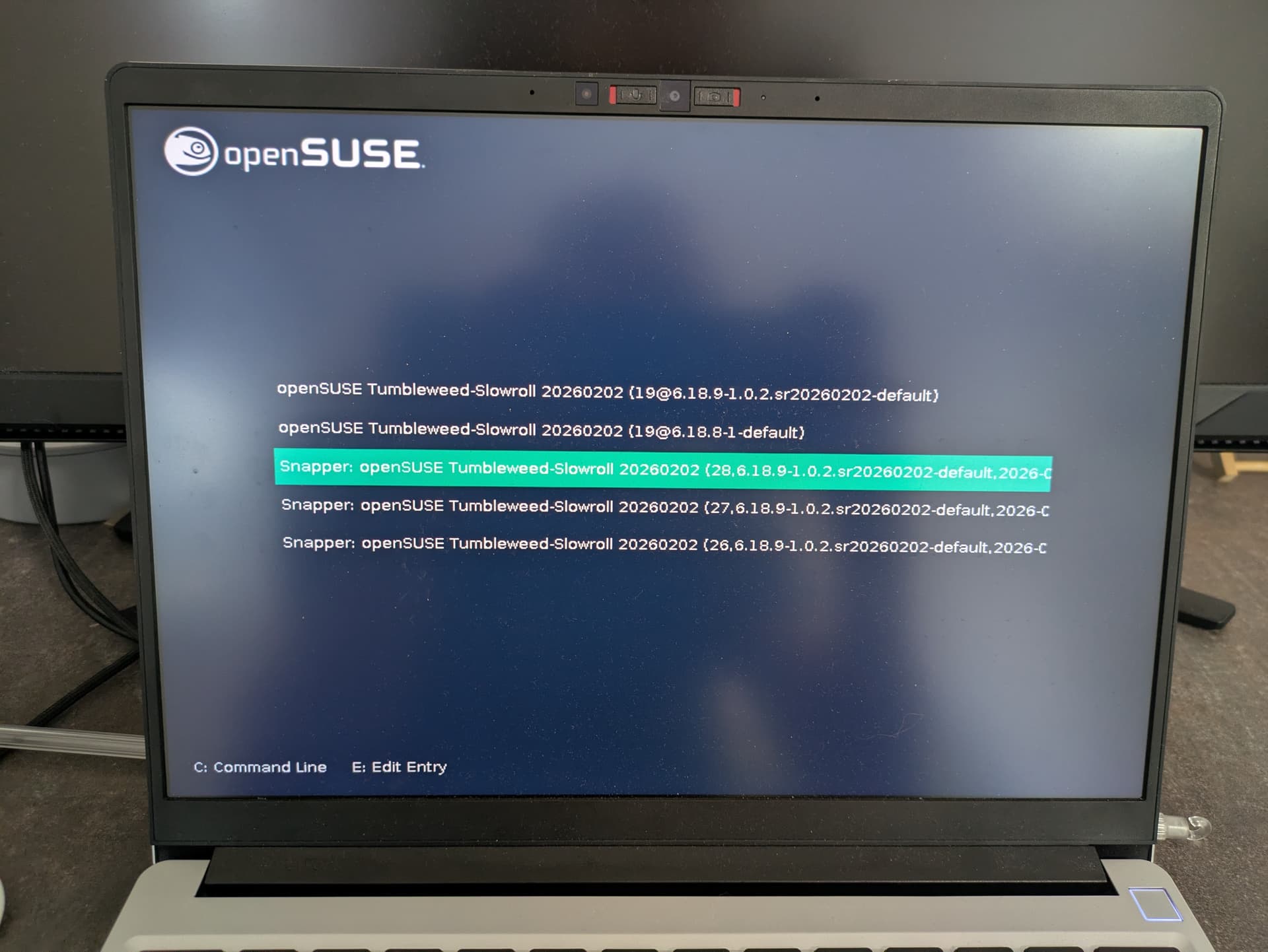
Hi everyone,
I am trying to change screen resolution with grub2 (I do think I have grub with bls) and exactly this issue:
YAST does not give me the option to change the grub resolution.
I have read trough this post but I do not really understand what I’ll have to do. Seems like there are several ways to accomplish this. Sadly this thread is already closed.
Normally I wouldn’t care with the grub resolution, but the listed snapshots that are shown after booting are very long in text and I can’t see date/time from the snapshots.
Can someone here please guide me trough the easiest and recommended solution?
I have Leap 15.6, but I assume YaST is the same.
YaST → System → Boot Loader and then the tab Kernel Parameters. It has an item Console Resolution where you can choose between a given set, or type your own values.
Yes, that is the option I can remember when I first tested tumbleweed about a year ago.
On a fresh install it seems to use grub with bls as default (at least on my notebook / framework 13 amd) and the option to change the screen resolution is not there.
I can’t share a screen now but it is definitely not there.
The whole stanza will appear if you strike the E key, after which ESC will return you to the GUI screen if desired to read another. Grub can be reconfigured to use text mode, which can make better use of available screen space.