Use the Myrlyn (not Myrlyn read-only) icon from the application menu. No need to start Myrlyn via sudo from a terminal.
Please don’t clutter the thread. If you read the thread you will see that flatpak/flathub is already setup.
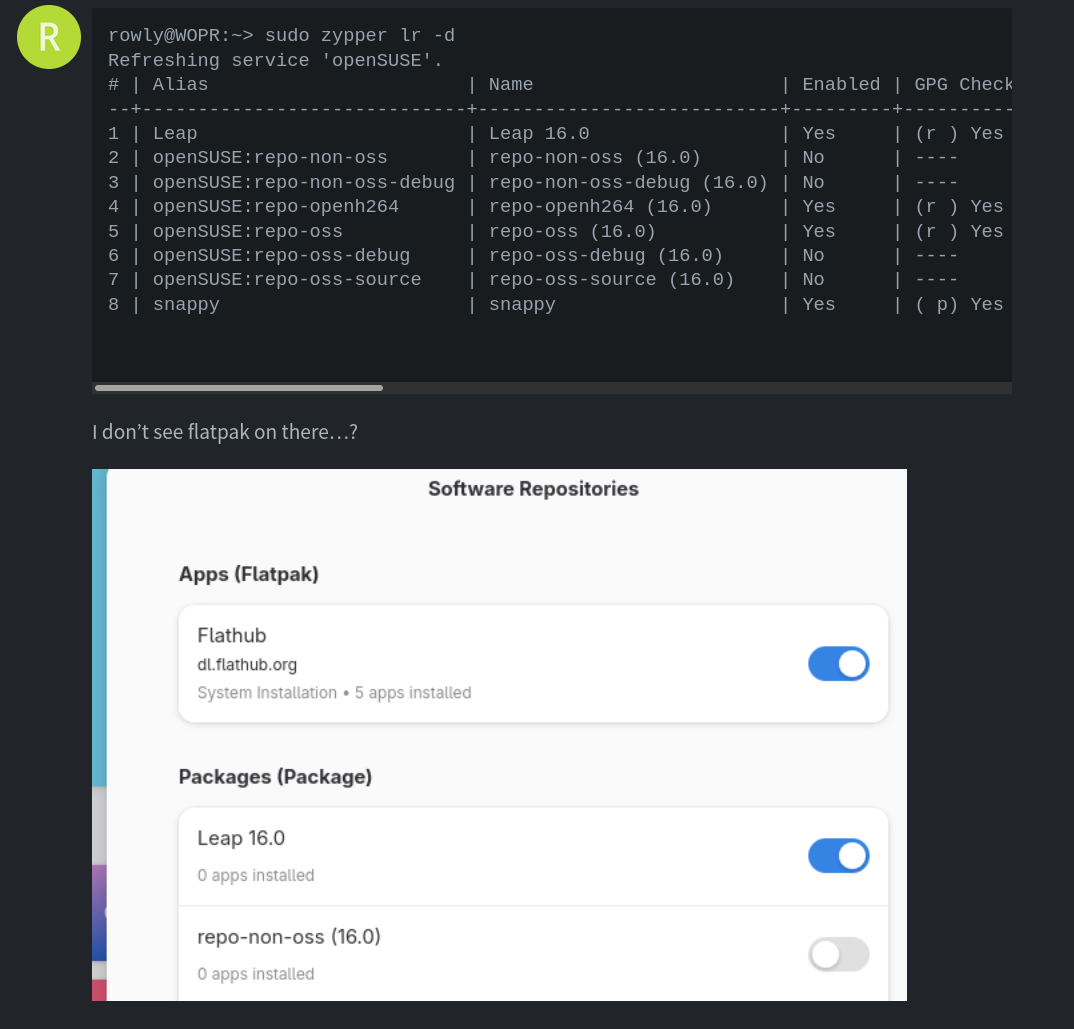
Okay, that’s all done. I rebooted, Mrylyn asked me to accept a licence thing for snappy which I’ve done. But I still don’t see Simplenote in the Gnome shop (Flatpak is still there)
Step by step 
After your repos are fixed now, we can proceed with the way Malcolm suggested. We install the rpm via zypper. So repeat
sudo zypper in /home/rowly/Downloads/Simplenote-linux-2.27.1-x86_64.rpm
You should no longer get any error due to non existing USB sticks or invalid repositories.
rowly@WOPR:~> sudo zypper in /home/rowly/Downloads/Simplenote-linux-2.27.1-x86_64.rpm
'/home/rowly/Downloads/Simplenote-linux-2.27.1-x86_64.rpm' looks like an RPM file. Will try to use it.
Refreshing service 'openSUSE'.
Loading repository data...
Reading installed packages...
Resolving package dependencies...

Problem: 1: nothing provides 'libuuid' needed by the to be installed simplenote-2.27.1-1.x86_64
 Solution 1: do not install simplenote-2.27.1-1.x86_64
 Solution 2: break simplenote-2.27.1-1.x86_64 by ignoring some of its dependencies

Choose from above solutions by number or cancel [1/2/c/d/?] (c): 2

Resolving dependencies...
Resolving package dependencies...

The following 2 NEW packages are going to be installed:
  libnotify-tools simplenote

2 new packages to install.

Package download size:    91.0 MiB

Package install size change:
              |     450.9 MiB  required by packages that will be installed
   450.9 MiB  |  -      0 B    released by packages that will be removed

Backend:  classic_rpmtrans
Continue? [y/n/v/...? shows all options] (y): y
Preloading: libnotify-tools-0.8.4-160000.2.2.x86_64.rpm [done]
Preload finished. [success (5.6 KiB/s) ] .................................[done]
Retrieving: libnotify-tools-0.8.4-160000.2.2.x86_64 (repo-oss (16.0))
                                                            (1/2),  26.6 KiB
Retrieving: simplenote-2.27.1-1.x86_64 (Plain RPM files cache)
                                                            (2/2),  90.9 MiB
Simplenote-linux-2.27.1-x86_64.rpm:
    Package header is not signed!

simplenote-2.27.1-1.x86_64 (Plain RPM files cache): Signature verification failed [6-File is unsigned]
Abort, retry, ignore? [a/r/i] (a):
Ignore?
You can type “i” to ignore. As the package is not signed with a gpg key, you have to ignore it.
This was also shown in the output from Malcolm in comment 8.
-----SUCCESS!------
That all seemed to work.
Congratulation. Your learning curve today was steep 
Myrlyn is the graphical tool to manage openSUSE repos and rpm packages.
Gnome software can be used additionally to manage flatpaks.
Ah, yes. The red text in my console worries me.
Yes, I may step away now… 
What’s going on with Flatpak? Why can’t I see Simplenote there?
As i’m not a Gnome user, someone else need to step up who knows the quirks of Gnome Software.
1 Like
Thanks for your help. Both you and Malcolm. 
1 Like
I’ve downloaded Discover and it shows up in there.
As far as i remember, @malcolmlewis is a Gnome user. So he may have an idea why Gnome Software does not show the flatpak when Discover (KDE Plasma package manager) does.
It’s there. Me? I have no use for SimpleNote, but it would have taken me a whole 60 seconds to install the Flatpak version and then be using it.
I use Discover as I’m on KDE Plasma … I think you would use “GNOME Software” ?? (guessing that’s the equivalent tool, I’ve never used GNOME).
Start up Discover … I type “simplenote” in the Search field, then Discover shows me the application … then I would simply click “Install” button.
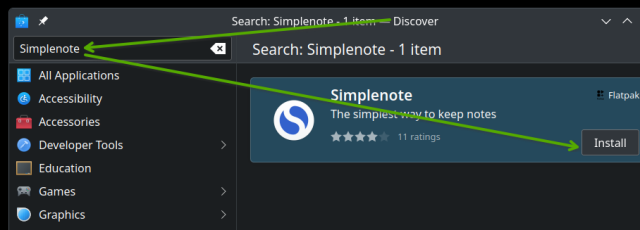
It often helps to read the thread. As Rowly wrote only 2 comments above yours, he sees simplenote in Discover. So this is no issue at all. We already know that Discover is working. What we want to figure out is why Gnome Software does not show simplenote even with the remote setup properly.
Sometimes i wonder if ppl actually read the threads before answering.
I read the thread, from beginning until I began my Reply.
My Reply involved launching Discover, taking a screenshot, doing annotations on it, saving, then resizing it. Then I continued to provide details in my Reply. (which I had to type manually, so not a 30-second composition )
.
The last Reply I read was from OP, when I decided to reply:
“Thanks for your help. Both you and Malcolm”
1 Like
Maybe this…Here
1 Like
That would mean that Gnome Software has some functionality to hide some flatpaks. I doubt that. As you have clearly shown in one of your screenshots, you already have 5 flatpaks installed. So Gnome Software is working on your system. Waiting for @malcolmlewis knowledge.
Good you found this article. At least you are using now an up to date simplenote version and not an outdated flatpak. But you need to update simplenote manually now if it hasn’t an builtin update function.