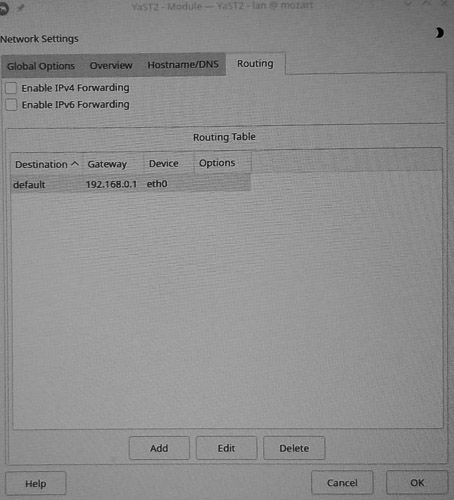
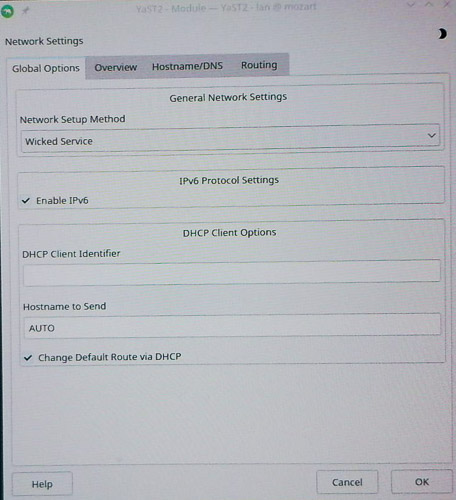
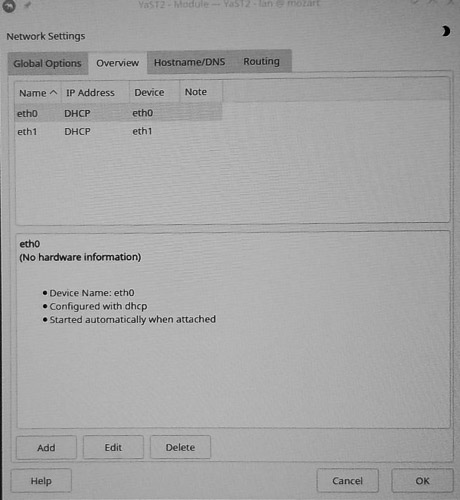
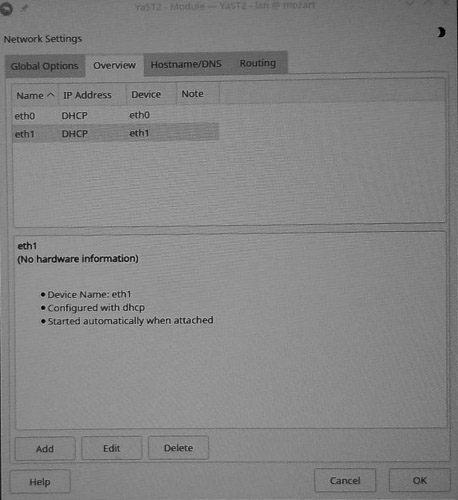
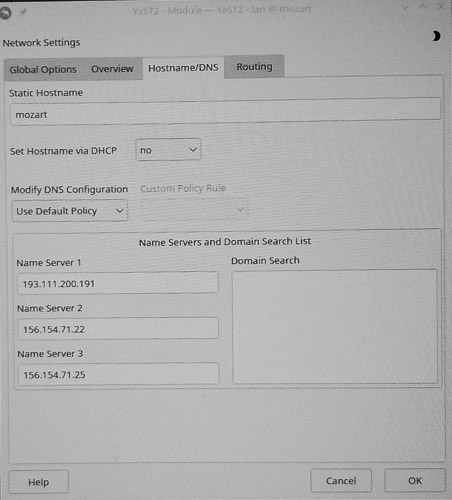
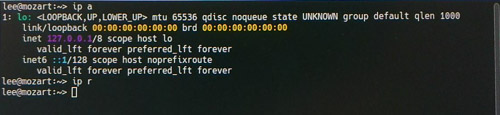
OK. For my Win11 system (which I have also been trying to make Secure Boot — and which I am using here to communicate), I found the video card wasn’t kosher; I purchased another (which works), but the outputs were incompatible with my existing KVM. I’ve reverted to the previous Win11 video card, so now I can see information on one screen while responding in the other. As explained, my Linux machine (with the old card re-inserted) is not recognising my local network, so I cannot communicate with the internet (I am currently on the Win11 system). Furthermore, I am now finding that if I copy something to a thumb drive on the Linux system, where it appears to save correctly, on transferring the thumb drive to the Win11 system, that file (although claiming to have the correct size) appears empty in an editor. That makes passing detailed information difficult.
Is this a hint that I need additional drivers for the USB ports? This is getting totally crazy!
Now,from:
/sbin/lspci -nmk | grep -iA3 net
07:00.0 Network controller [0280]: MEDIATEK Corp. Device [14c3:7925]
Subsystem Foxcomm International, Inc Device [105b:e112]
0c:00.0 RAID bus controller [0104]: Areca Technology Corp. ARC-188x series PCIe 2.0/3.0 to SAS/SATA 6/12Gb RAID Controller [17d3:1880] (rev 05)
Subsystem: Areca …(and more Areca stuff) …
Sauerland noted “No network controller, only wlan…”.
In principle, I have an (old) comms card physically connected to my network, and an RJ-45 port as part of the Gigabyte MB — which also seemed not to connect correctly to the network (after removing the old comms card, and plugging the network cable into that RJ-45 port.
So, I do not understand the comment “No network controller, only wlan…”. Is this a suggestion I am missing drivers? Under Wicked, I was able to see network card hardware, and to set static addresses such as 192.168.0.3 for the active Linux network card. Now, I seem to be unable to see addresses, and the number of “cards” seems to be unchanged when I remove the comms card. I feel totally at sea here, and need specific advice.
The earlier : “Wlan not available in Leap 15.6:
opensuse156:/home/stephan # modinfo mt7925e
modinfo: ERROR: Module mt7925e not found.
opensuse156:/home/stephan #
mt7925e s the driver for Wlan.”
Was not clear to me. The first part appeared to say a Wlan is not designed to be available in opensuse156 — despite the fact that I have been using a local network (with router for internet access) for a long time. The last part seemed to be a suggestion that mt7925e is an appropriate and necessary driver for Wlan. Which is correct? And driver for what (ie what supplier?). For my old comms card? For the RJ-45 as part of my Gigabyte MB? As a necessary component of opensuse15.6 (which I would have assumed would be part of the kernel).
Earlier, I said:
Googling “realtek r8169 linux driver” produces: “The r8169 is the open-source, in-kernel Linux driver for RealTek Gigabyte Ethernet Chips … it is included by default in the Linux kernel”.
Is that the driver (to be obtained from Gigabyte?) that I should be using? Please be specific, as I seem to be getting inconsistency.
Back in my initial opening of this topic, I asked
" To date I have not been using Secure Boot. Should I continue to try (so far, abysmal failure).
Are OpenSuSE owners not expected to use Secure Boot?"
I am not at all sure I have had these questions answered. Things just worked previously! It all feels like a MicroSoft plot against Linux.
 BIOS firmware updates: Enabled