Hello, I want to clean the many locales holding only one en_US.UTF-8 but i’m not entirely sure how to start it out. Removing glibc-locale looks clean but, i’m not sure if this is correct or solves it?
$ sudo zypper rm glibc-locale
[sudo] password for root:
Reading installed packages...
Resolving package dependencies...

The following package is going to be REMOVED:
  glibc-locale

1 package to remove.

Package install size change:
              |         0 B    required by packages that will be installed
  -223.4 MiB  |  -  223.4 MiB  released by packages that will be removed

Backend:  classic_rpmtrans
Continue? [y/n/v/...? shows all options] (y):
That is a list of available locales. As you can see they are not active, that is en_US.UTF-8. AFAIK removing glibclocale is going to seriously bork your system and leave you with no locale at all.
I agree with @knurpht. To avoid any future headaches, please don’t remove glibc-locale.
Why do you want to remove all locales except for en_US.UTF-8? To free up disk space? If that is your goal, it would be better to remove the language packs installed by zypper as recommended packages.
Discussion on how best to do that can be found in this older thread.
Hello! Thanks for writing knurpht, ikanotheokara. They are not active but present, as soon as i install or update certain package, they are accompanied by a lang-*, which i see as redundant not because of space constraints they don’t take up much space.
But, they’re unnecessary for my use. Just wanted to leave only those two
$ zypper locales
Code  | Language                | Requested
------+-------------------------+----------
en    | English                 | Fallback
en_US | English (United States) | Requested
$
When i first installed my Tumbleweed, i didn’t wanted glibc-locale to be installed at first so i chosed glibc-locale-base as minimal instead. However, the latter took it glibc-locale as dependencie.
Now, i see that i can remove it without taking anything with it according to zypper, but I don’t know the consequences afterwards? You say i shouldn’t, that’s why i’m hesitant, if you recommend that i shouldn’t remove it, I’ll leave it.
The link above is it interesting, more or less what i am asking for, i am reading it. Nevertheless, I will stick to my topic and your suggestions here.
As long as you have glibc-locale-base, don’t mind character encoding weirdness with legacy character sets and (possibly? probably unlikely) build issues with packages expecting non-English locales, you should be fine to remove and lockglibc-locale.
I mostly recommended against it because, unless you are trying to run an extremely barebones system where 200MB is a huge deal, removing glibc-locale isn’t really worth it.
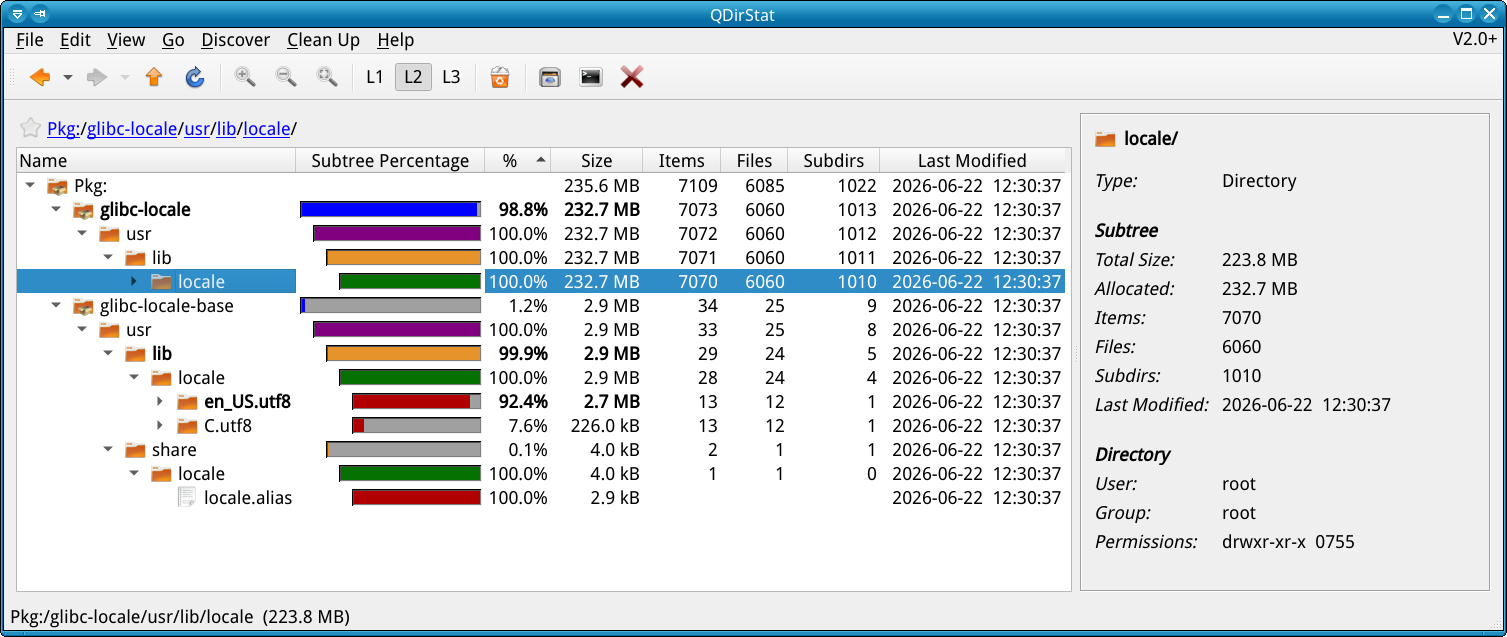
BTW if you try the above QDirStat command and then start opening the branches of glibc-locale you will find that it makes heavy use of hard links, so the disk usage is not anything near what one would expect: A lot of those files are shared between locales.
Thanks for suggests, I am deciding not to remove glibc-locale. I have enough NVMe space, just wanted to remove it more for aesthetic cleaning than memory needs.
@shundhammer I did those commands and the result were almost like yours.
I use Ncdu (NCurses Disk Usage) to calculate directories.
My /usr/lib/locale is about *Total disk usage: 235.6 MiB - Apparent size: 226.7 MiB - Items: 7,112
I am convinced that it is not worth it according to the reasons and arguments you presented.
One less package and a few mega less changes nothing, maybe i shouldn’t have opened this topic and taken your time, but let it serve as a info for someone who wants to do something like that and doesn’t gain anything.
@x0r: No need to worry about anything – we’re here to help and discuss the various issues which arise from the use of computing systems …
And, one learns something new every day …
I’ll bet a newly issued one US dollar coin that, not many people are aware that, at least for Linux systems, the GNU C Library Locale definitions are split into 2 packages – a minimal “basic” package and, another package with “everything else” …