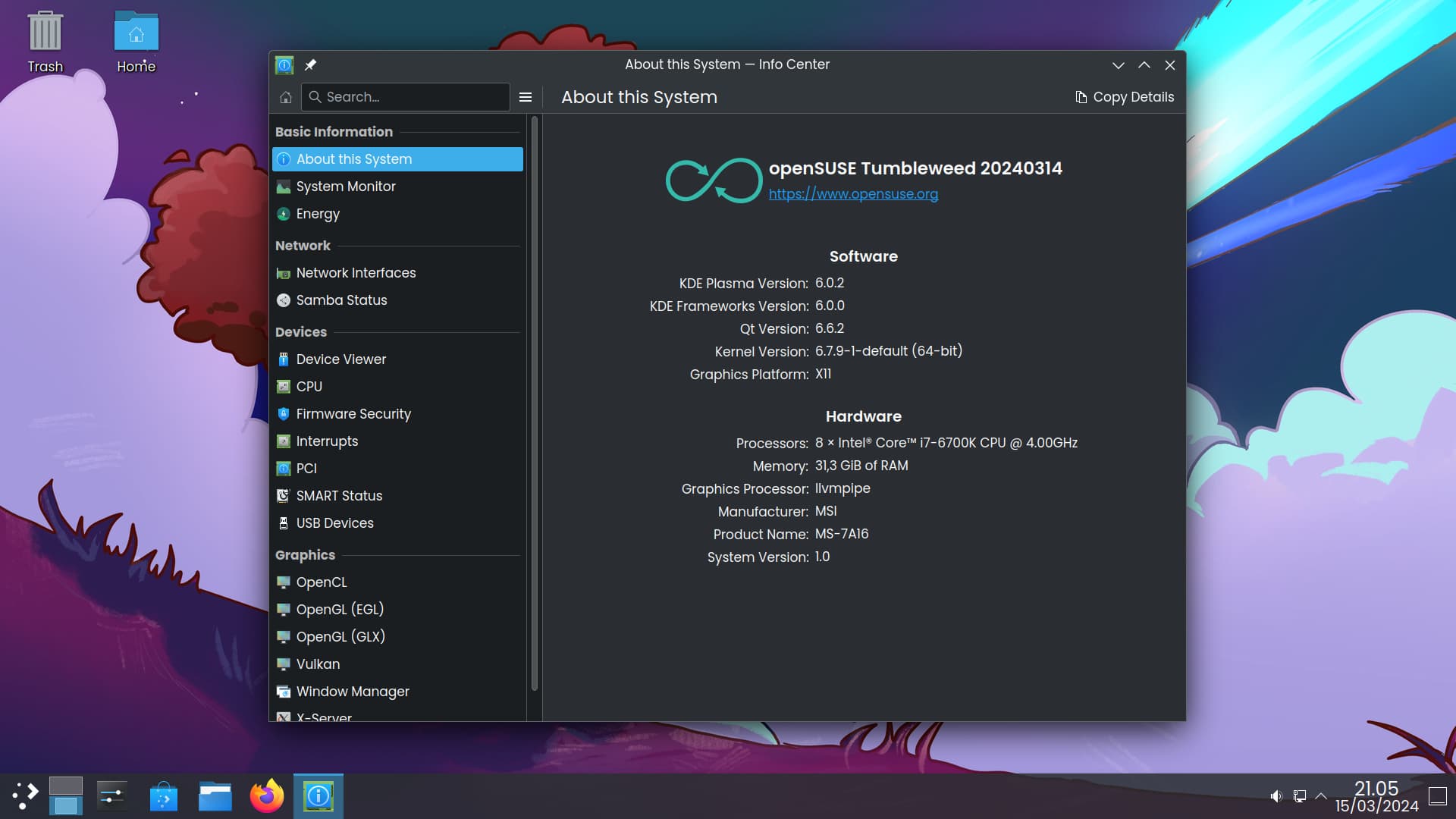
He actualizado a 20240314 como he visto que has hecho tú (así ya hay Plasma 6.0.2) y he hecho todo lo que has dicho que has hecho, sin comerme una coma.
Resultado: pantalla negra de siempre. La he dejado 4 minutos y ahí seguía todo igual.
Antes de matar lo que hubiera (pues se puede matar algo con Ctrl+Alt+Backspace x2) y entrar a X.org he pillado el dmesg.
dmesg completo (expira en 3 días):
https://paste.opensuse.org/pastes/10ac2a30b14e
Un trozo del dmseg que me llamó la atención porque no está el modeset (tampoco sé si ha de estar o no):
[    0.651017] Run /init as init process
[    0.651018]   with arguments:
[    0.651018]     /init
[    0.651019]   with environment:
[    0.651020]     HOME=/
[    0.651020]     TERM=linux
[    0.651021]     BOOT_IMAGE=/boot/vmlinuz-6.7.9-1-default
[    0.651021]     splash=verbose
[    0.651022]     fbdev=1
[    0.734709] systemd[1]: systemd 255.3+suse.15.g96edf7ad18 running in system mode (+PAM +AUDIT +SELINUX +APPARMOR +IMA -SMACK +SECCOMP +GCRYPT +GNUTLS +OPENSSL +ACL +BLKID +CURL +ELFUTILS +FIDO2 +IDN2 -IDN +IPTC +KMOD +LIBCRYPTSETUP +LIBFDISK +PCRE2 +PWQUALITY +P11KIT +QRENCODE +TPM2 +BZIP2 +LZ4 +XZ +ZLIB +ZSTD +BPF_FRAMEWORK -XKBCOMMON -UTMP +SYSVINIT default-hierarchy=unified)
[    0.734713] systemd[1]: Detected architecture x86-64.
[    0.734714] systemd[1]: Running in initrd.
[    0.734793] systemd[1]: Hostname set to <linux>.
[    0.844661] systemd[1]: /usr/lib/systemd/system/plymouth-start.service:15: Unit uses KillMode=none. This is unsafe, as it disables systemd's process lifecycle management for the service. Please update the service to use a safer KillMode=, such as 'mixed' or 'control-group'. Support for KillMode=none is deprecated and will eventually be removed.
dmesg | grep nvidia
[    0.000000] Command line: BOOT_IMAGE=/boot/vmlinuz-6.7.9-1-default root=UUID=f27e4eff-1c1d-4d5a-9f93-c0dcc4705c2d splash=verbose preempt=full quiet security=apparmor nvidia-drm.modeset=1 fbdev=1 mitigations=off
[    0.018244] Kernel command line: BOOT_IMAGE=/boot/vmlinuz-6.7.9-1-default root=UUID=f27e4eff-1c1d-4d5a-9f93-c0dcc4705c2d splash=verbose preempt=full quiet security=apparmor nvidia-drm.modeset=1 fbdev=1 mitigations=off
[    1.550889] nvidia: loading out-of-tree module taints kernel.
[    1.550897] nvidia: module license 'NVIDIA' taints kernel.
[    1.550901] nvidia: module verification failed: signature and/or required key missing - tainting kernel
[    1.550901] nvidia: module license taints kernel.
[    1.751407] nvidia-nvlink: Nvlink Core is being initialized, major device number 242
[    1.752560] nvidia 0000:01:00.0: vgaarb: VGA decodes changed: olddecodes=io+mem,decodes=none:owns=io+mem
[    2.087043] nvidia-modeset: Loading NVIDIA Kernel Mode Setting Driver for UNIX platforms  550.54.14  Thu Feb 22 01:25:25 UTC 2024
[    2.093779] [drm] [nvidia-drm] [GPU ID 0x00000100] Loading driver
[    2.642721] [drm] Initialized nvidia-drm 0.0.0 20160202 for 0000:01:00.0 on minor 0
[    5.741607] audit: type=1400 audit(1710541735.735:2): apparmor="STATUS" operation="profile_load" profile="unconfined" name="nvidia_modprobe" pid=780 comm="apparmor_parser"
[    5.741611] audit: type=1400 audit(1710541735.735:3): apparmor="STATUS" operation="profile_load" profile="unconfined" name="nvidia_modprobe//kmod" pid=780 comm="apparmor_parser"
dmesg | grep systemd
[    0.734709] systemd[1]: systemd 255.3+suse.15.g96edf7ad18 running in system mode (+PAM +AUDIT +SELINUX +APPARMOR +IMA -SMACK +SECCOMP +GCRYPT +GNUTLS +OPENSSL +ACL +BLKID +CURL +ELFUTILS +FIDO2 +IDN2 -IDN +IPTC +KMOD +LIBCRYPTSETUP +LIBFDISK +PCRE2 +PWQUALITY +P11KIT +QRENCODE +TPM2 +BZIP2 +LZ4 +XZ +ZLIB +ZSTD +BPF_FRAMEWORK -XKBCOMMON -UTMP +SYSVINIT default-hierarchy=unified)
[    0.734713] systemd[1]: Detected architecture x86-64.
[    0.734714] systemd[1]: Running in initrd.
[    0.734793] systemd[1]: Hostname set to <linux>.
[    0.844661] systemd[1]: /usr/lib/systemd/system/plymouth-start.service:15: Unit uses KillMode=none. This is unsafe, as it disables systemd's process lifecycle management for the service. Please update the service to use a safer KillMode=, such as 'mixed' or 'control-group'. Support for KillMode=none is deprecated and will eventually be removed.
[    0.858955] systemd[1]: Queued start job for default target Initrd Default Target.
[    0.881227] systemd[1]: Expecting device /dev/disk/by-uuid/BCCE-5430...
[    0.881348] systemd[1]: Expecting device /dev/disk/by-uuid/f27e4eff-1c1d-4d5a-9f93-c0dcc4705c2d...
[    0.881424] systemd[1]: Reached target Initrd /usr File System.
[    0.881500] systemd[1]: Reached target Slice Units.
[    0.881541] systemd[1]: Reached target Swaps.
[    0.881582] systemd[1]: Reached target Timer Units.
[    0.881868] systemd[1]: Listening on Journal Socket (/dev/log).
[    0.882132] systemd[1]: Listening on Journal Socket.
[    0.882413] systemd[1]: Listening on udev Control Socket.
[    0.882619] systemd[1]: Listening on udev Kernel Socket.
[    0.882666] systemd[1]: Reached target Socket Units.
[    0.885912] systemd[1]: Started Entropy Daemon based on the HAVEGE algorithm.
[    0.887928] systemd[1]: Starting Create List of Static Device Nodes...
[    0.891306] systemd[1]: Starting Journal Service...
[    0.897314] systemd[1]: Starting Load Kernel Modules...
[    0.899997] systemd[1]: Starting Virtual Console Setup...
[    0.902005] systemd[1]: Finished Create List of Static Device Nodes.
[    0.904271] systemd[1]: Starting Create Static Device Nodes in /dev gracefully...
[    0.918454] systemd[1]: Finished Load Kernel Modules.
[    0.920202] systemd-journald[199]: Collecting audit messages is disabled.
[    0.922547] systemd[1]: Starting Apply Kernel Variables...
[    0.922727] systemd[1]: Finished Create Static Device Nodes in /dev gracefully.
[    0.926999] systemd[1]: Starting Create Static Device Nodes in /dev...
[    0.933372] systemd[1]: Finished Create Static Device Nodes in /dev.
[    0.933440] systemd[1]: Reached target Preparation for Local File Systems.
[    0.933451] systemd[1]: Reached target Local File Systems.
[    0.933841] systemd[1]: Finished Apply Kernel Variables.
[    0.934582] systemd[1]: Started Journal Service.
[    3.512126] systemd-journald[199]: Received SIGTERM from PID 1 (systemd).
[    3.708883] systemd[1]: systemd 255.3+suse.15.g96edf7ad18 running in system mode (+PAM +AUDIT +SELINUX +APPARMOR +IMA -SMACK +SECCOMP +GCRYPT +GNUTLS +OPENSSL +ACL +BLKID +CURL +ELFUTILS +FIDO2 +IDN2 -IDN +IPTC +KMOD +LIBCRYPTSETUP +LIBFDISK +PCRE2 +PWQUALITY +P11KIT +QRENCODE +TPM2 +BZIP2 +LZ4 +XZ +ZLIB +ZSTD +BPF_FRAMEWORK -XKBCOMMON -UTMP +SYSVINIT default-hierarchy=unified)
[    3.708900] systemd[1]: Detected architecture x86-64.
[    4.127144] systemd[1]: bpf-lsm: LSM BPF program attached
[    4.465419] systemd[1]: /usr/lib/systemd/system/plymouth-start.service:15: Unit uses KillMode=none. This is unsafe, as it disables systemd's process lifecycle management for the service. Please update the service to use a safer KillMode=, such as 'mixed' or 'control-group'. Support for KillMode=none is deprecated and will eventually be removed.
[    4.658150] systemd[1]: initrd-switch-root.service: Deactivated successfully.
[    4.674103] systemd[1]: Stopped Switch Root.
[    4.676247] systemd[1]: systemd-journald.service: Scheduled restart job, restart counter is at 1.
[    4.677718] systemd[1]: Created slice Slice /system/getty.
[    4.678916] systemd[1]: Created slice Slice /system/modprobe.
[    4.680094] systemd[1]: Created slice Slice /system/systemd-fsck.
[    4.680548] systemd[1]: Created slice User and Session Slice.
[    4.681552] systemd[1]: Set up automount Arbitrary Executable File Formats File System Automount Point.
[    4.682107] systemd[1]: Expecting device /dev/disk/by-uuid/3e000dd7-c907-438c-b4b3-3286ec3747aa...
[    4.682320] systemd[1]: Expecting device /dev/disk/by-uuid/831953c3-9b44-4992-9744-ac8e1cc1ff4a...
[    4.683116] systemd[1]: Expecting device /dev/disk/by-uuid/BCCE-5430...
[    4.683317] systemd[1]: Expecting device /dev/disk/by-uuid/a0c21b28-0b51-4030-bed7-0cff2ba455c4...
[    4.684099] systemd[1]: Expecting device /dev/disk/by-uuid/a721ab93-49c4-4cf2-9572-ab836bec1b71...
[    4.684921] systemd[1]: Expecting device /dev/disk/by-uuid/ab6dcede-e04d-433c-82cb-5fce9ff67c3d...
[    4.685754] systemd[1]: Expecting device /dev/disk/by-uuid/f27e4eff-1c1d-4d5a-9f93-c0dcc4705c2d...
[    4.686612] systemd[1]: Stopped target Switch Root.
[    4.687425] systemd[1]: Stopped target Initrd File Systems.
[    4.688219] systemd[1]: Stopped target Initrd Root File System.
[    4.689061] systemd[1]: Reached target Local Integrity Protected Volumes.
[    4.689940] systemd[1]: Reached target Remote File Systems.
[    4.690706] systemd[1]: Reached target Slice Units.
[    4.691560] systemd[1]: Reached target System Time Set.
[    4.692433] systemd[1]: Reached target Local Verity Protected Volumes.
[    4.693377] systemd[1]: Listening on Device-mapper event daemon FIFOs.
[    4.694705] systemd[1]: Listening on LVM2 poll daemon socket.
[    4.695454] systemd[1]: Listening on Syslog Socket.
[    4.703291] systemd[1]: Listening on Process Core Dump Socket.
[    4.703512] systemd[1]: Listening on initctl Compatibility Named Pipe.
[    4.705158] systemd[1]: Listening on udev Control Socket.
[    4.705476] systemd[1]: Listening on udev Kernel Socket.
[    4.733798] systemd[1]: Mounting Huge Pages File System...
[    4.734363] systemd[1]: Mounting POSIX Message Queue File System...
[    4.734916] systemd[1]: Mounting Kernel Debug File System...
[    4.736790] systemd[1]: Mounting Kernel Trace File System...
[    4.736999] systemd[1]: Stopping Entropy Daemon based on the HAVEGE algorithm...
[    4.739867] systemd[1]: Starting Create List of Static Device Nodes...
[    4.740682] systemd[1]: Starting Monitoring of LVM2 mirrors, snapshots etc. using dmeventd or progress polling...
[    4.741447] systemd[1]: Starting Load Kernel Module configfs...
[    4.742853] systemd[1]: Starting Load Kernel Module drm...
[    4.744183] systemd[1]: Starting Load Kernel Module fuse...
[    4.744298] systemd[1]: plymouth-start.service: Deactivated successfully.
[    4.744337] systemd[1]: plymouth-start.service: Unit process 365 (plymouthd) remains running after unit stopped.
[    4.767278] systemd[1]: Stopped Show Plymouth Boot Screen.
[    4.767711] systemd[1]: Dispatch Password Requests to Console Directory Watch was skipped because of an unmet condition check (ConditionPathExists=!/run/plymouth/pid).
[    4.767771] systemd[1]: Reached target Local Encrypted Volumes.
[    4.768461] systemd[1]: plymouth-switch-root.service: Deactivated successfully.
[    4.768637] systemd[1]: Stopped Plymouth switch root service.
[    4.769648] systemd[1]: systemd-fsck-root.service: Deactivated successfully.
[    4.769784] systemd[1]: Stopped File System Check on Root Device.
[    4.790704] systemd[1]: Starting Load Kernel Modules...
[    4.792962] systemd[1]: Starting Remount Root and Kernel File Systems...
[    4.795201] systemd[1]: Starting Coldplug All udev Devices...
[    4.799440] systemd[1]: haveged.service: Deactivated successfully.
[    4.810498] systemd[1]: Stopped Entropy Daemon based on the HAVEGE algorithm.
[    4.810895] systemd[1]: Mounted Huge Pages File System.
[    4.811040] systemd[1]: Mounted POSIX Message Queue File System.
[    4.811157] systemd[1]: Mounted Kernel Debug File System.
[    4.811267] systemd[1]: Mounted Kernel Trace File System.
[    4.843856] systemd[1]: Finished Create List of Static Device Nodes.
[    4.844544] systemd[1]: modprobe@configfs.service: Deactivated successfully.
[    4.860554] systemd[1]: Finished Load Kernel Module configfs.
[    4.860821] systemd[1]: modprobe@drm.service: Deactivated successfully.
[    4.880612] systemd[1]: Finished Load Kernel Module drm.
[    4.893870] systemd[1]: Finished Monitoring of LVM2 mirrors, snapshots etc. using dmeventd or progress polling.
[    4.894163] systemd[1]: modprobe@fuse.service: Deactivated successfully.
[    4.910586] systemd[1]: Finished Load Kernel Module fuse.
[    4.937239] systemd[1]: Finished Load Kernel Modules.
[    4.960579] systemd[1]: Finished Remount Root and Kernel File Systems.
[    4.984028] systemd[1]: Finished Coldplug All udev Devices.
[    5.017265] systemd[1]: Mounting FUSE Control File System...
[    5.018941] systemd[1]: Mounting Kernel Configuration File System...
[    5.019483] systemd[1]: Apply Kernel Variables for 6.7.9-1-default from /boot was skipped because of an unmet condition check (ConditionPathExists=!/usr/lib/modules/6.7.9-1-default/sysctl.conf).
[    5.021743] systemd[1]: Starting Apply Kernel Variables for 6.7.9-1-default...
[    5.022994] systemd[1]: Rebuild Hardware Database was skipped because of an unmet condition check (ConditionNeedsUpdate=/etc).
[    5.026986] systemd[1]: Starting Journal Service...
[    5.032340] systemd[1]: Starting Create Static Device Nodes in /dev gracefully...
[    5.036232] systemd[1]: Mounted FUSE Control File System.
[    5.037494] systemd[1]: Mounted Kernel Configuration File System.
[    5.057162] systemd[1]: Finished Apply Kernel Variables for 6.7.9-1-default.
[    5.058297] systemd[1]: Starting Apply Kernel Variables...
[    5.062553] systemd-journald[592]: Collecting audit messages is disabled.
[    5.090496] systemd[1]: Finished Create Static Device Nodes in /dev gracefully.
[    5.090650] systemd[1]: Started Journal Service.
[    5.884115] systemd-journald[592]: Received client request to flush runtime journal.
[    5.980319] systemd-journald[592]: /var/log/journal/daadfea0b687483d90b42f75fd3afcde/system.journal: Journal file uses a different sequence number ID, rotating.
[    5.980322] systemd-journald[592]: Rotating system journal.
[   23.885841] systemd-journald[592]: /var/log/journal/daadfea0b687483d90b42f75fd3afcde/user-1000.journal: Journal file uses a different sequence number ID, rotating.
dmesg | grep plymouth
[    0.844661] systemd[1]: /usr/lib/systemd/system/plymouth-start.service:15: Unit uses KillMode=none. This is unsafe, as it disables systemd's process lifecycle management for the service. Please update the service to use a safer KillMode=, such as 'mixed' or 'control-group'. Support for KillMode=none is deprecated and will eventually be removed.
[    4.465419] systemd[1]: /usr/lib/systemd/system/plymouth-start.service:15: Unit uses KillMode=none. This is unsafe, as it disables systemd's process lifecycle management for the service. Please update the service to use a safer KillMode=, such as 'mixed' or 'control-group'. Support for KillMode=none is deprecated and will eventually be removed.
[    4.744298] systemd[1]: plymouth-start.service: Deactivated successfully.
[    4.744337] systemd[1]: plymouth-start.service: Unit process 365 (plymouthd) remains running after unit stopped.
[    4.767711] systemd[1]: Dispatch Password Requests to Console Directory Watch was skipped because of an unmet condition check (ConditionPathExists=!/run/plymouth/pid).
[    4.768461] systemd[1]: plymouth-switch-root.service: Deactivated successfully.
No existe en mis grep ni kwin, ni plasma, ni sddm, ni wayland.
No he generado el xorg.conf porque no me hace falta (si fuera xwayland.conf aún).
Saludos