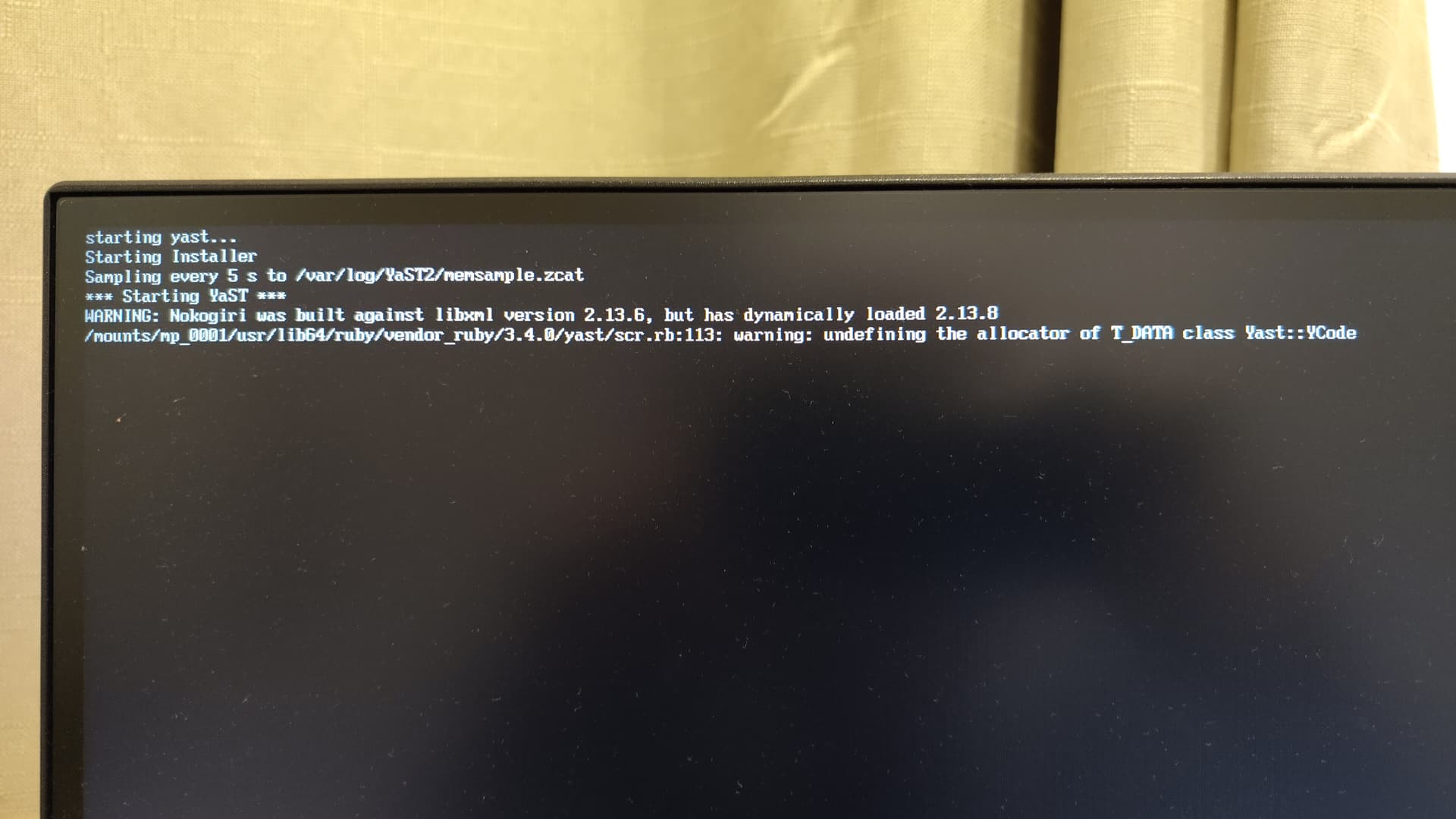
At the end of my installation, it said “The system will reboot” and I clicked ok, but the system hangs on this screen.
This has happened on about 3 separate installs now, all from different ISOs.
I have verified the checksum and gpg.
First used Ventoy, then realised it can cause issues, so switched to Impression.
On my previous installs, when presented with this screen, I would just force reset with the power button, and the system would boot into the OS now problem. However, it still refused to reboot no matter what I did, getting stuck on
[ok] reached target system reboot when i pressed esc.Tried both with the GUI reboot button and sudo reboot.
Sometimes after
[ok] reached target systemd reboot it would say: [104.213516][ T767] systemd-journald[767]: Failed to send WATCHDOG=1 notification message: Connection refused[224.213558][ T767] systemd-journald[767]: Failed to send WATCHDOG=1 notification message: Transport endpoint is not connectedNone of the above or messing around with grub configurations did anything. However, there was one exception:
When I added
reboot=hard to the grub configuration, it rebooted once - I could never repeat that again.Also had some trouble with Wifi, but this is more important at the moment.
This is really frustrating, and I really have tried everything, so I would like to get this quickly fixed or I will give up on OpenSUSE. Any help is greatly appreciated.