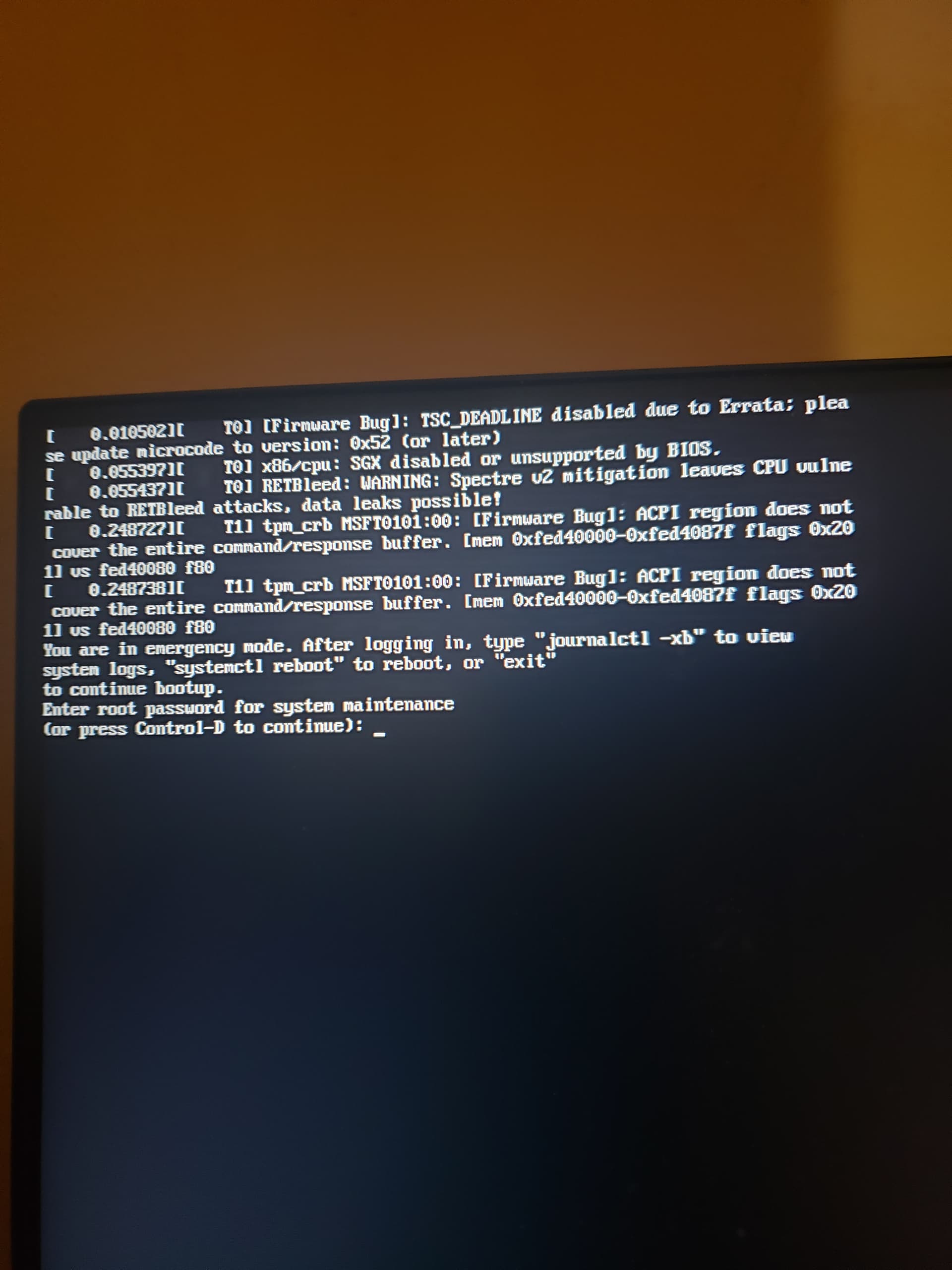
so i recently uninstalled the gnome desktop environment since ive been using kde a lot but the thing is for some reason the login screen auto boots to the gnome one and then boots into kde, so i uninstalled gnome to fix this and now my computer will only boot into emergency mode.
it could be another issue but im not sure.
any suggestions?
Welcome to the openSUSE Forums!
Chances are that by uninstalling Gnome you also removed gdm so you are left without a display manager if you have not installed sddm, for instance.
Login (even in emergency mode) and check if sddm is installed:
zypper se -i sddm
If nothing shows up, install it:
zypper in sddm
Reboot and enjoy.
i tried the first command and it seems i do have it installed, i tried the second command anyway and it didnt install anything.

Try:
update-alternatives --display default-displaymanager
and if that doesn’t show sddm as selected, try:
update-alternatives --config default-displaymanager
(please be aware that if yours is a very recent installation that might not work)
here is the output for using the first command.
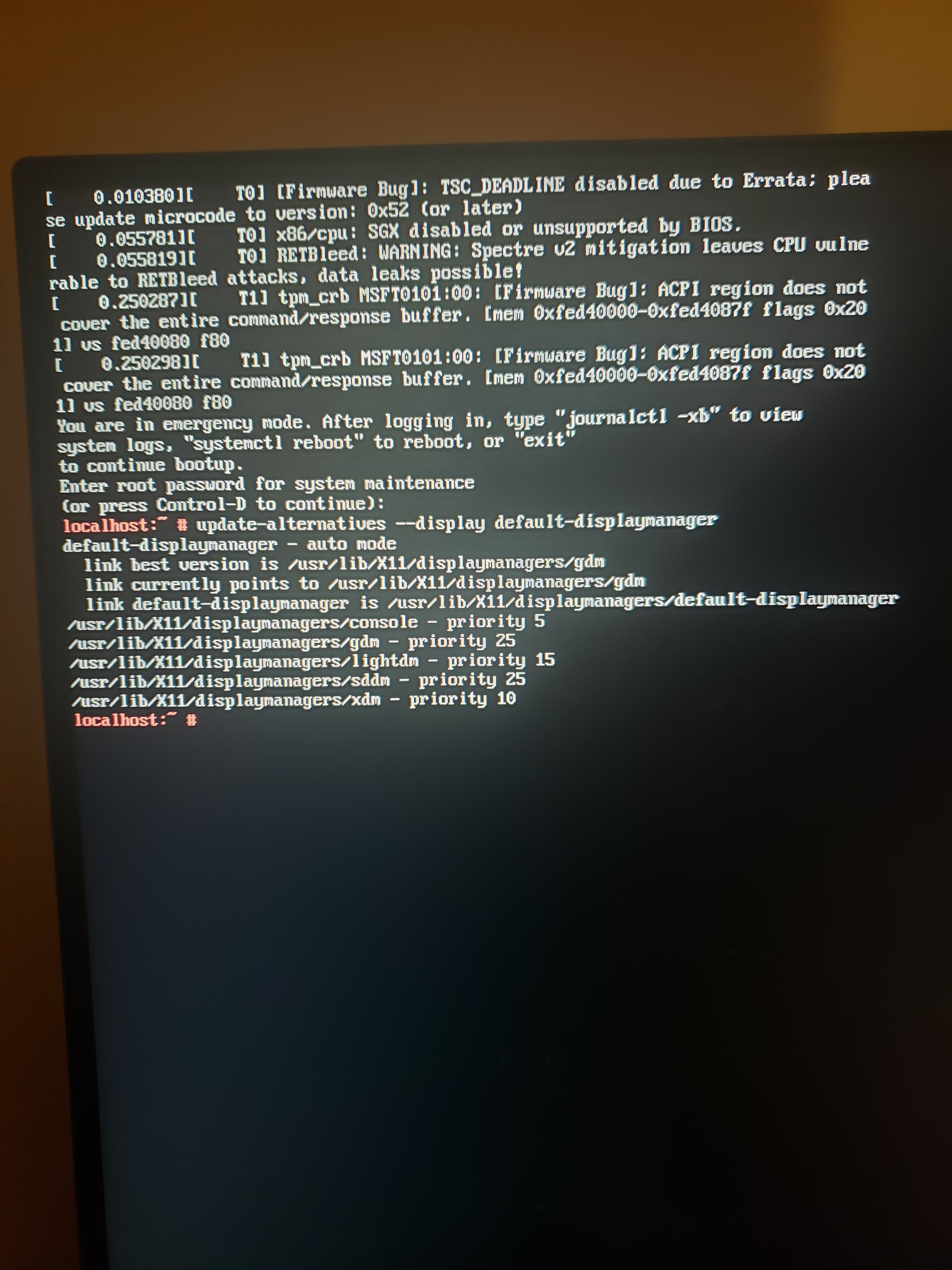
i tried setting the default display manager to each setting and rebooting each time but ive had no luck with that.
after looking at the error logs it might be because of a mounting issue?? i did reformat one of my external drives to ext4 before it did this but it shouldnt have been the one that had the opensuse installation.
You are still using GDM as your displaymanager.
Please refer to this link to replace it with SDDM
https://en.opensuse.org/SDB:Change_Display_Manager
With regards to reformating your external drive I don’t think it will have an effect with your problem. Also if it had, it will spew error while booting in verbose mode.
It does not “autoboot” into Gnome. It is configured to auto-login for a specific user and that user has used Gnome the last time (s)he loged in and thus that is used at all next auto-logins. That user should log-out, login again while choosing KDE as the desktop. Then at next auto-logins, KDE will be used.
Instead of that you have
which of course fixed nothing, but it removed the software still to be used by the unaltered auto-login.
This apart from the fact that “I uninstalled gnome” does not tell us what you really removed.
IMHO the best thing to do is to install Gnome again (using the Pattern), then let the user change the default desktop to be used on login from Gnome to KDE and see if that works to her/his needs.
Or simply disable autologin and chose desktop in login greeter.
That could work of course, but it might be possible that the OP also removed the greeter/login screen as suggested above. Thus my suggestion to first undo the “uninstalled gnome” (where it is unknown what he did) end the start with what he should have done.
my phrasing was bad but on boot the login screen always was gnomes login screen and then boots to kde which is the one i usually use.
i uninstalled gnome with yast by looking at all patterns and clicking uninstall on gnome
I am afraid that that still does not tells us exactly which packages you removed.
And I can add that, allthough I am on Leap 15.6), I never used Gnome, nor installed ay Gnome Patterm, I still have package with gnome in their name on the system. They are there for some reason. And removing e.g. all packages with that string, or even only those starting with that string might break things.
In any case, bluntly removing software because the default desktop of a user is the wrong one is not a good solution. One should make the default desktop for that user the correct one.
update: a day ago ive decided to do a clean reinstall of openSUSE linux after finding the usb i used to install the os, and the issue has been fixed.
This topic was automatically closed 30 days after the last reply. New replies are no longer allowed.