I am trying to find upgrade method when for example leap 17 comes out…what is a correct method to upgrade system to next major version? Thanks
Well, things may well change by the time Leap 17 comes out. But there are several options available these days for doing an upgrade.
https://en.opensuse.org/SDB:System_upgrade is a good starting point.
1 Like
 ok i get it and thanks for the link!
1 Like
Predicting is difficult, specially when t is about the future.
1 Like
This thread is tagged “leap-155-eol”: if you are really on Leap 15.5 please remember that skipping releases when upgrading is nor supported, so you should first upgrade to 15.6, then to 16.0.
This is important since Leap 16.0 introduced several key changes and the chance of an upgrade directly from 15.5 actually working is very low.
1 Like
The 16 series will get you to 2032 … F.e. Leap 16.0 to Leap 16. later this year, the opensuse-migtration-tool package is there, which can also migrate your system to Slowroll, Tumbleweed or SLE ( SUSE Linux Enterprise ).
3 Likes
i just red about it…so how to use it when version for example 16.1 comes out? I dont see leap on the list…
I am on Leap 16
I have upgraded several systems from Leap 15.5 directly to 16.0, and all of those upgrades went well.
1 Like
From 16.0 to 16.1 I guess that a simple zypper --releasever 16.1 dupwill do the job.
1 Like
It is in the Leap 16.0 repos. I just installed it in my Leap 16.0 VM, and see:
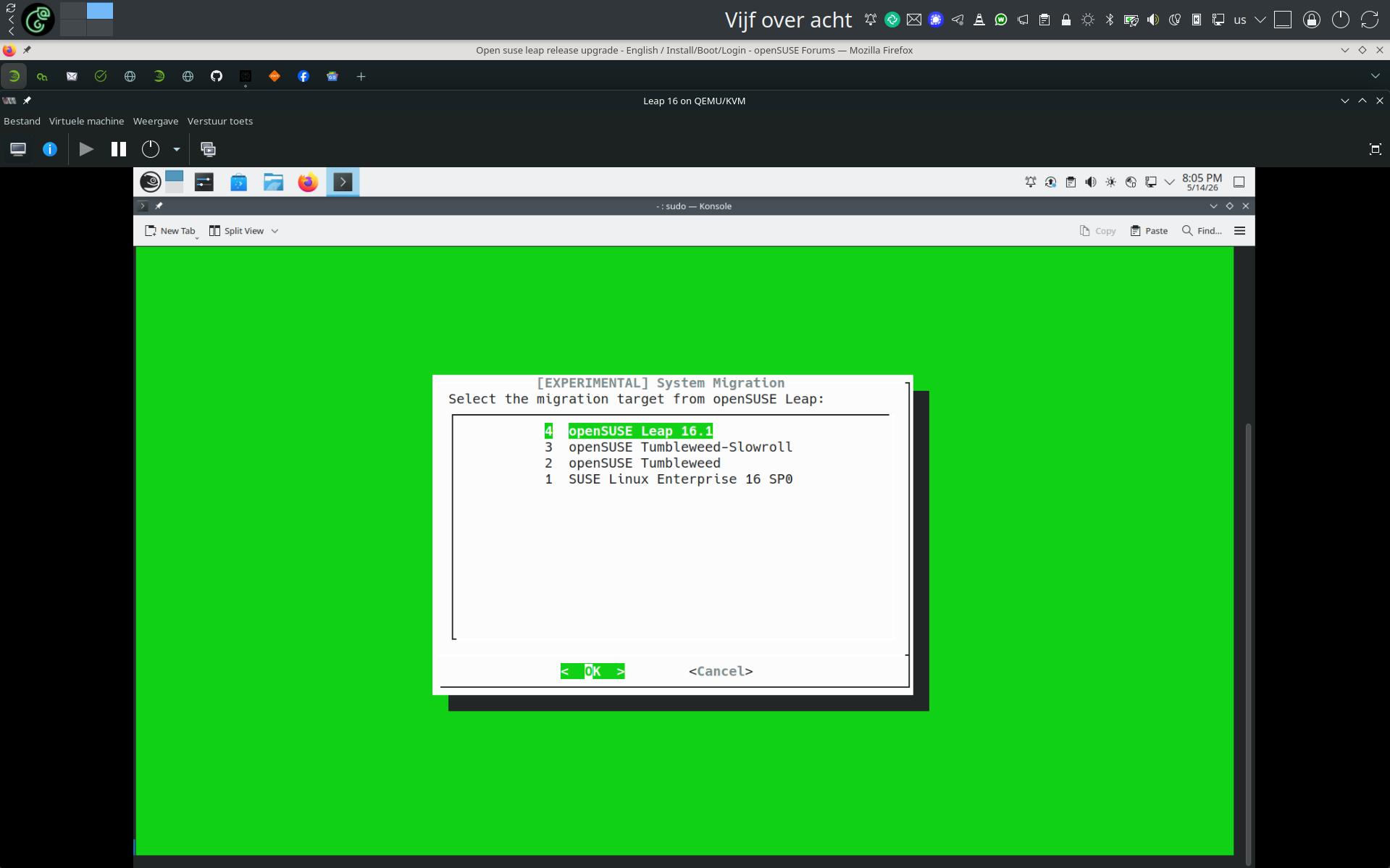
As you can see you can ( should not yet ) already migrate to Leap 16.1
2 Likes
Ok now thats what i call simple migration…Nice!! Ok ill use that since my repos are not converted into $releasever including Nvidia so yes this looks like great choice
Chances are that $releasever is in the repo definitions for some of them, but you won’t see that if you just do a zypper lr -d as I recall. You may have to look at the actual config files in the /usr/etc/zypp/ or /etc/zyppdirectory structures. (Running TW here, so I’m not 100% sure if they show up in zypper lr -d or not).
But also, as knurpht notes, 16.1 is alpha (or pre-alpha) right now, as 16.0 just released a few months ago.
There is an easy check:
zypper --releasever FOOBAR lr -d
Those that haven’t FOOBAR in their URL, but the present releasever are not ready for the mechanism to function.
Good idea, I hadn’t thought of that. 
matija@localhost ~> zypper --releasever FOOBAR lr -d
Warning: Enforced setting: $releasever=FOOBAR
| Alias | Name | Enabled | GPG Check | Refresh | Keep | Priority | Type | URI | Service
–±----------------------------±----------------------------±--------±----------±--------±-----±---------±-------±----------------------------------------------------------------------------------------------------------------------------------------------------------------------------------------------±--------
1 | Leap | Leap 16.0 | No | ---- | ---- | - | 99 | rpm-md | hd:/install?device=/dev/disk/by-id/usb-USB_SanDisk_3.2Gen1_0101d98989ef70cd7404023a045dd65c4a9e143bf86f0c7bd80d4268fc24a181bf3d0000000000000000000054a06ecfff084c00835581076432a8d4-0:0-part2 |
2 | NVIDIA:repo-non-free | repo-non-free (FOOBAR) | Yes | (r ) Yes | Yes | - | 99 | rpm-md | https://download.nvidia.com/opensuse/leap/FOOBAR | NVIDIA
3 | openSUSE:repo-non-oss | repo-non-oss (FOOBAR) | No | ---- | ---- | - | 99 | N/A | http://cdn.opensuse.org/distribution/leap/FOOBAR/repo/non-oss/x86_64 | openSUSE
4 | openSUSE:repo-non-oss-debug | repo-non-oss-debug (FOOBAR) | No | ---- | ---- | - | 99 | N/A | http://cdn.opensuse.org/debug/distribution/leap/FOOBAR/repo/non-oss/x86_64 | openSUSE
5 | openSUSE:repo-openh264 | repo-openh264 (FOOBAR) | Yes | (r ) Yes | Yes | - | 99 | rpm-md | https://codecs.opensuse.org/openh264/openSUSE_Leap_16 | openSUSE
6 | openSUSE:repo-oss | repo-oss (FOOBAR) | Yes | (r ) Yes | Yes | - | 99 | rpm-md | http://cdn.opensuse.org/distribution/leap/FOOBAR/repo/oss/x86_64 | openSUSE
7 | openSUSE:repo-oss-debug | repo-oss-debug (FOOBAR) | No | ---- | ---- | - | 99 | N/A | http://cdn.opensuse.org/debug/distribution/leap/FOOBAR/repo/oss/x86_64 | openSUSE
8 | openSUSE:repo-oss-source | repo-oss-source (FOOBAR) | No | ---- | ---- | - | 99 | N/A | http://cdn.opensuse.org/source/distribution/leap/FOOBAR/repo/oss | openSUSE
matija@localhost ~>
type or paste code here
Nice. When you would have replaced the text type or paste code here with the terminal output (as it tells you) it would have been better 
I am just a noob:D
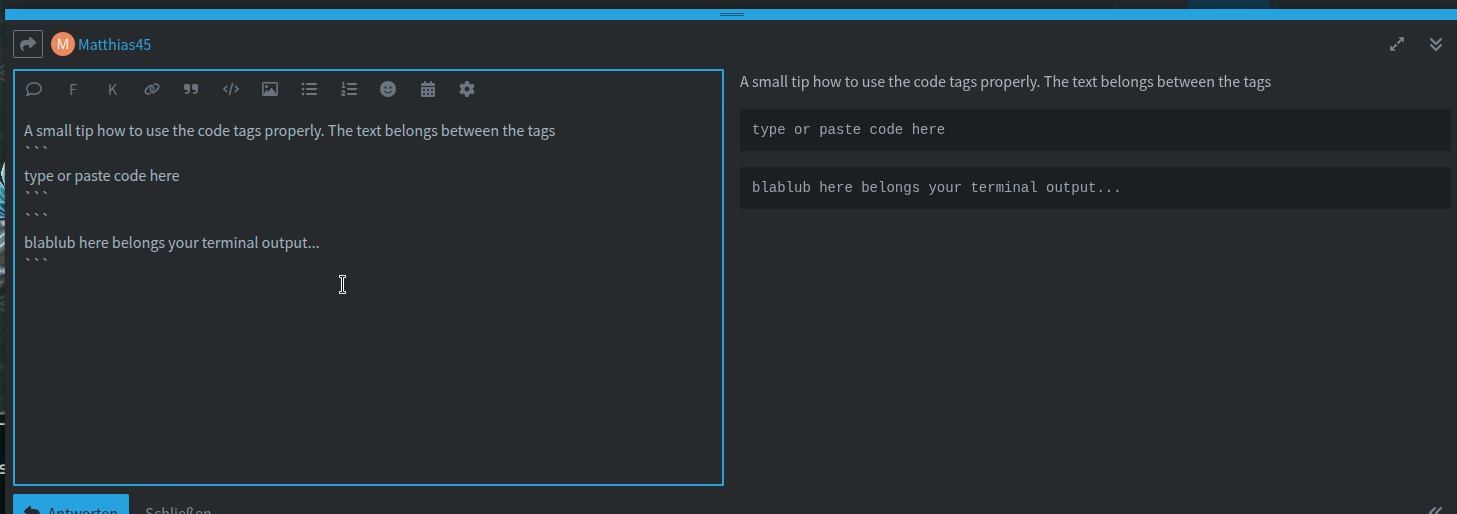
The text belongs between the tags. You can see the results in the preview which is shown on the right side of the editor window.
1 Like