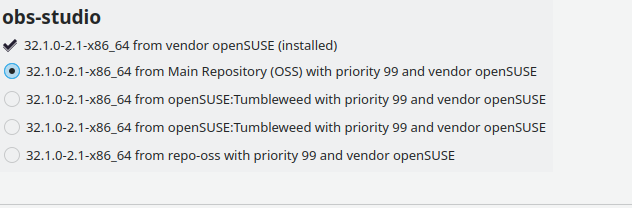
Hi. I installed OBS-studio from the Main Repository (OSS). When configuring my stream (auto config tool for Twitch, to find the best settings), it gives me an error on obs_x264 (logfile OBS):
19:03:53.020: ---------------------------------
19:03:53.020: video settings reset:
19:03:53.020: 	base resolution:   1920x1080
19:03:53.020: 	output resolution: 128x128
19:03:53.020: 	downscale filter:  Bicubic
19:03:53.020: 	fps:               60/1
19:03:53.020: 	format:            NV12
19:03:53.020: 	YUV mode:          Rec. 709/Partial
19:03:53.020: NV12 texture support enabled
19:03:53.020: P010 texture support not available
19:03:53.020: Encoder ID 'obs_x264' not found
I know this is not a OBS-studio help desk. But I was assuming that, when using a package from the Main Repository, it should work …? Things I found about this error, is that I use -or self-compiled- a a build that has wrong or missing dependencies.
I need some assistance, cant find a way to solve this. What info do you need from me?
Tumbleweed, KDE Plasma 6.6.3, Wayland, nvidia 595.58.03 (all nvidia-modules installed and in sync. nvidia-smi running flawless).
I don’t know anything about OBS-studio, but the h264 encoder is patent-encumbered so I really doubt that you can get it from any “official” openSUSE repo, let alone the OSS one.
I am not sure if I understand you, but OBS-studio is straight forwardly available from the main repository. And… I have the repo-openh264.repo loaded and active as well (although I am not sure obs_x264 and h264 are part of my problem, dont know…)
There are other threads, which explained it at the kdenlive example. openSUSE provides these packages for all free and legal use cases. But if the user decides, that he/she wants or needs patent encumbered codecs or plugins, the user is responsible to get these.
It doesn’t require x264 or x265, you can change the codec it uses to encode. If you want to use those codecs, you’re going to need to install them from somewhere that isn’t the OSS repo.
You are not using very kind words towards me. I know that the maintainers have made it clear many times, so kindly requesting not to tell me I should not ask this, because of ‘we told you many times’. I have a very specific reason NOT to use Flatpak, testing purposes, and asked community to give me leads. They did, pointing to other repos (issue solved by connecting packman essential).
Indeed, on my other machine I have Flatpak running with a lot of packages flawless installed. So yeah, true, ‘Install the Flatpak’ => check.
So, lets leave it here. Issue answered and solved.
Where did I exactly not use kind words towards you?
so kindly requesting not to tell me I should not ask this, because of ‘we told you many times’.
There may be some miscommunication or language barrier. At no point did I tell, or request you not to ask(or should not) this, that, or anything. Nor did I imply that you should know this, or that anyone ‘told you many times.’
My reference to sounding like a broken record, is in my own tendency to tell people to use a Flatpak when it is the official way the developers of said software endorse.
I have a very specific reason NOT to use Flatpak, testing purposes, and asked community to give me leads
I beg your pardon, but I was under the impression that you wanted a working OBS Studio.
If you had other intentions for your use case(i.e. testing) you did not make that clear in your original posts.
For what it’s worth, lots of developers suggest this, but Linux distros provide (and test) their own packages for those. OBS, and Calibre are two big ones that say “only use our installation method” that experienced users will tend to ignore.
So while it is useful to tell folks that there is an “officially-supported” installation method, in general, if the package is found in a repo, many users will prefer to have an installation that is managed by their package manager, rather than managed externally.
So if a distro-provided (or third-party repo-provided) package isn’t working, the place the user should report an issue is to the packager, as (as you note) upstream won’t support it because it’s not their package - which is fair.
That doesn’t mean that third-party packaged versions of this code will not function. It just means that it’s someone else’s issue to resolve, and not the upstream project.