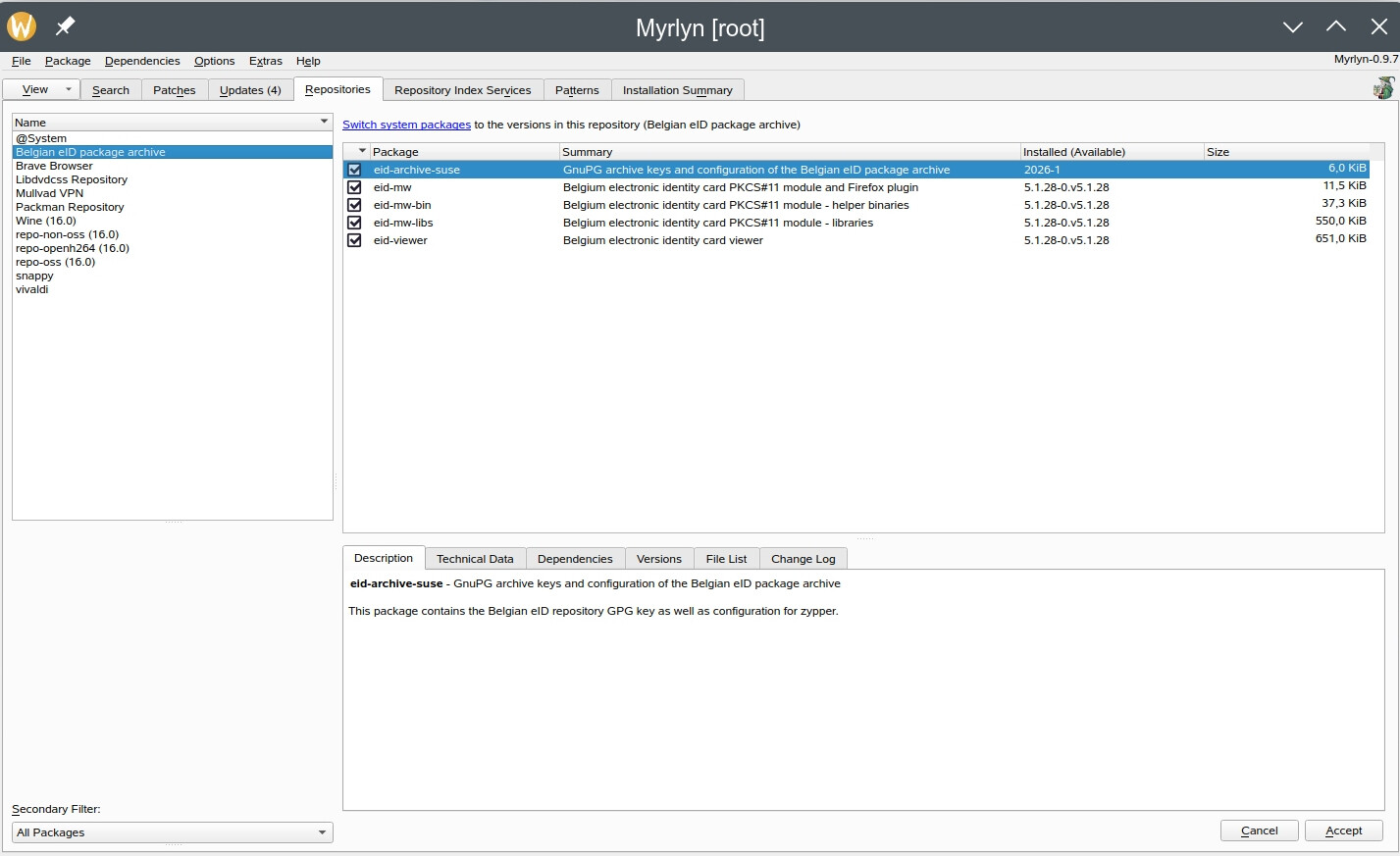
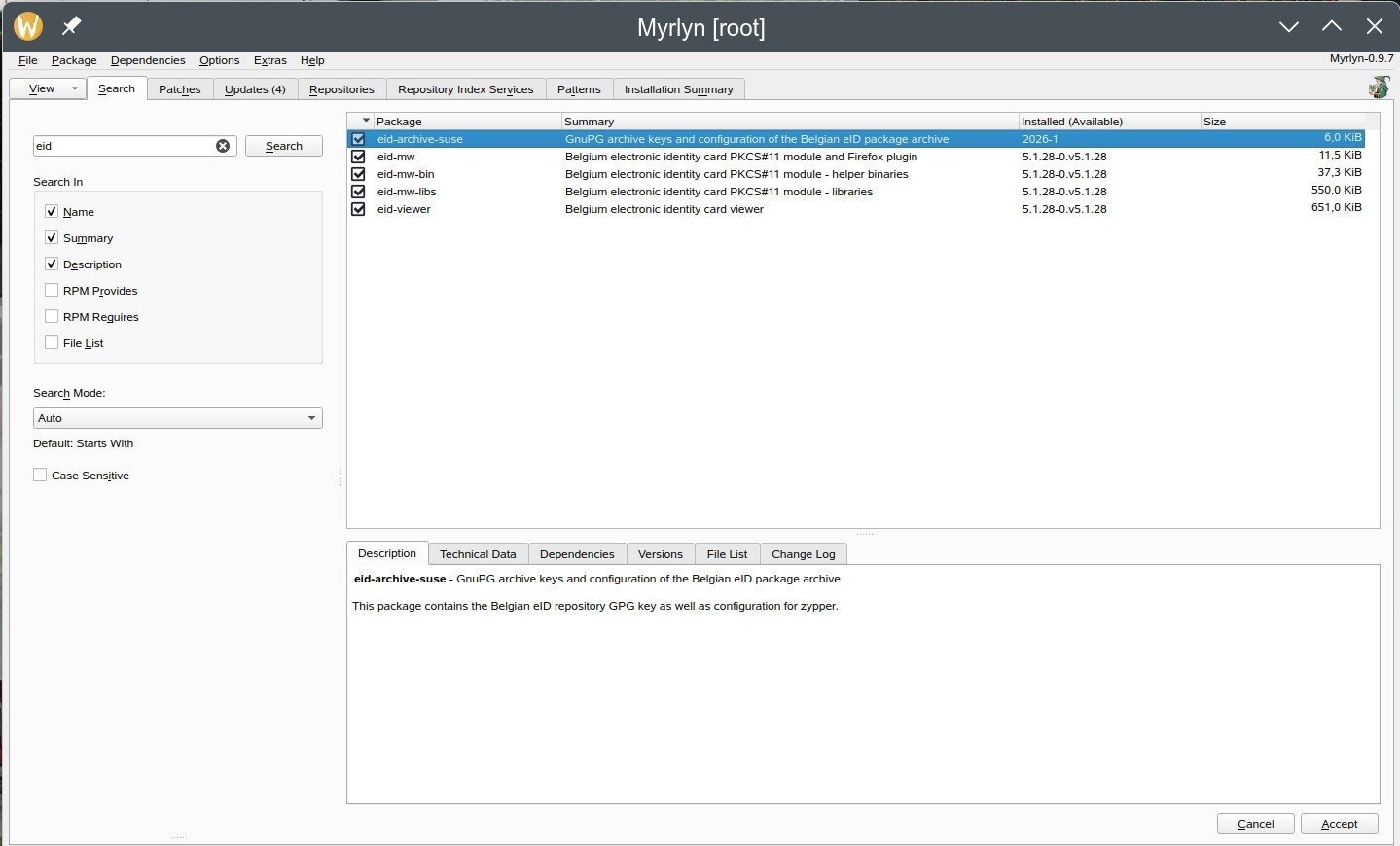
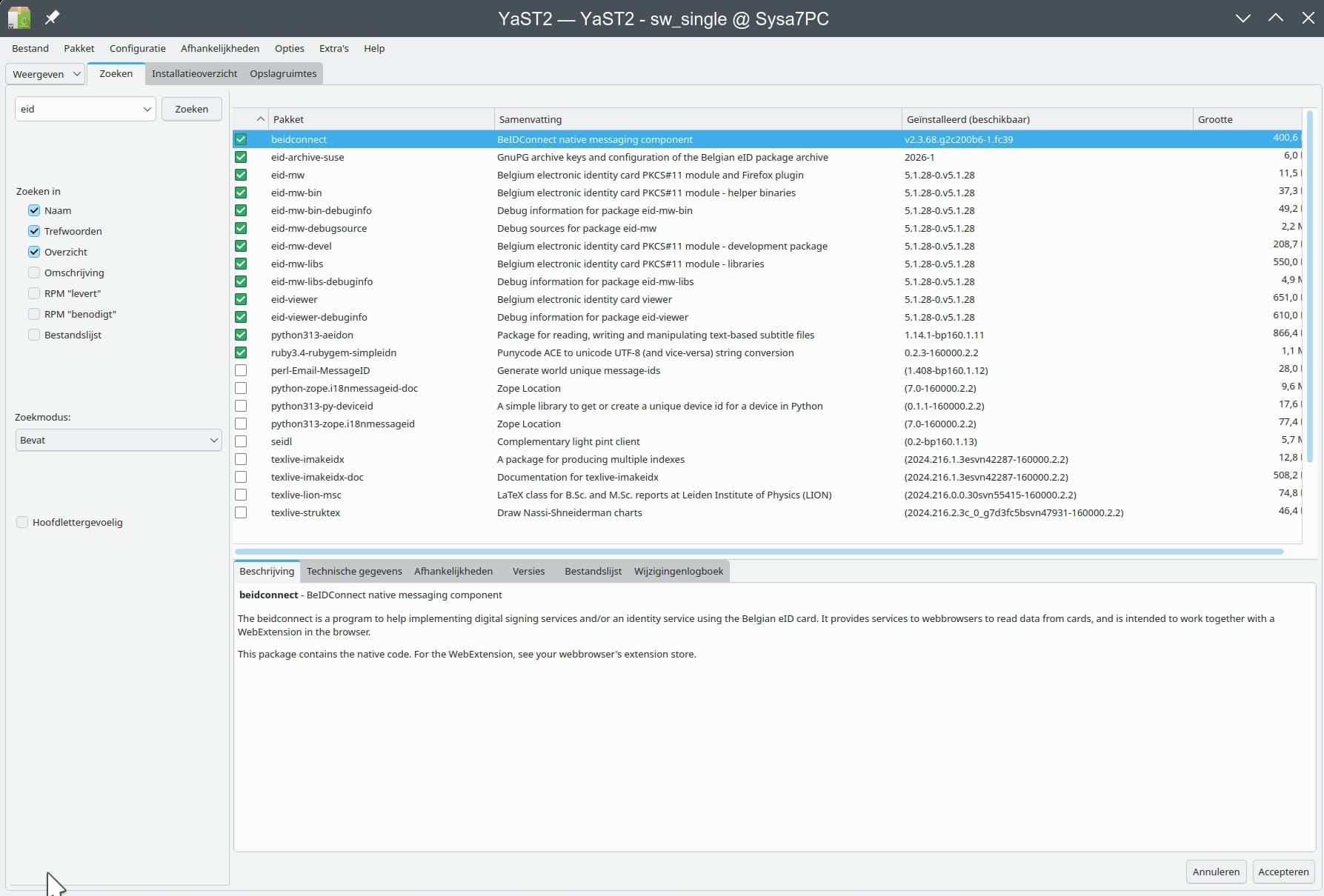
The four screenshots I join here tell the story? They’re all taken on the SAME Leap 16.0 system, on the SAME moment, two with Myrlyn and two with Yast-Software which luckily has been preserved on my system since I installed Leap 16.0 with the excellent opensuse-migration-tool. One set is a sum of the programs from the Belgian eid repo: Myrlyn shows five (5), Yast-Software shows ten (10). The second set is the search result for “eid”: Myrlyn shows five (5), Yast-Software shows thirteen (13) installed and nine (9) not installed but containing the syllable “eid”. I had already seen that Myrlyn searches only the exact name, while Yast-Software searches for any program name containing that syllable. With only Myrlyn, I would not have been able to solve the problem that arose with the “normal” eid files from the Belgian eid repository, conflicting with “ct” or something like that; I had to install the PKCS=11 modules instead, which I could only find with Yast-Software and not with Myrlyn. I suppose it would be better if Myrlyn’s search function could match that from the late Yast-Software.

@PolderPenguin Have a peruse here, suggest you raise on issue here
https://github.com/shundhammer/myrlyn or perhaps @shundhammer might offer a comment?
Myrlyn search defaults to “begins with” while YaST2-Software defaults to “contain”, that at least explains why beidconnect, python_xxx and ruby_xxx packages don’t show up.
The other ones are -devel or -debug packages, so showing what repos you have enabled might help:
zypper lr -d
This was already explained countless times by Stefan.
Sometimes it helps to have a look at the GUI:

Simply set the dropdown menu from “Auto” which translates to “Start with”, to “Contains”.
This is no bug but intended behaviour.
Which repos? You can see that in the left column of the two screenshots with the “Belgian eid repository”. All the enabled repos are there. On the right side, you have what Myrlyn and what Yast found in the Belgian eid repo.
THANK YOU, hui! I’ll be using that next time, and try to put “Contains” as default, if possible.
That shows only labels, not the actual URI of the repos.
Myrlyn remembers the last setting. So simply choose “Contains” and it will stick.
Maybe you have to check Options > Show devel packages and Options > Show debuginfo packages
( Hitting F7 and F8 should work, unless you have unusual settings)
THANKS, OrsoBruno, that’s another thing I’ll have to make Myrlyn do always.
And in addition to that, the default seach mode for “Auto” is now configurable:
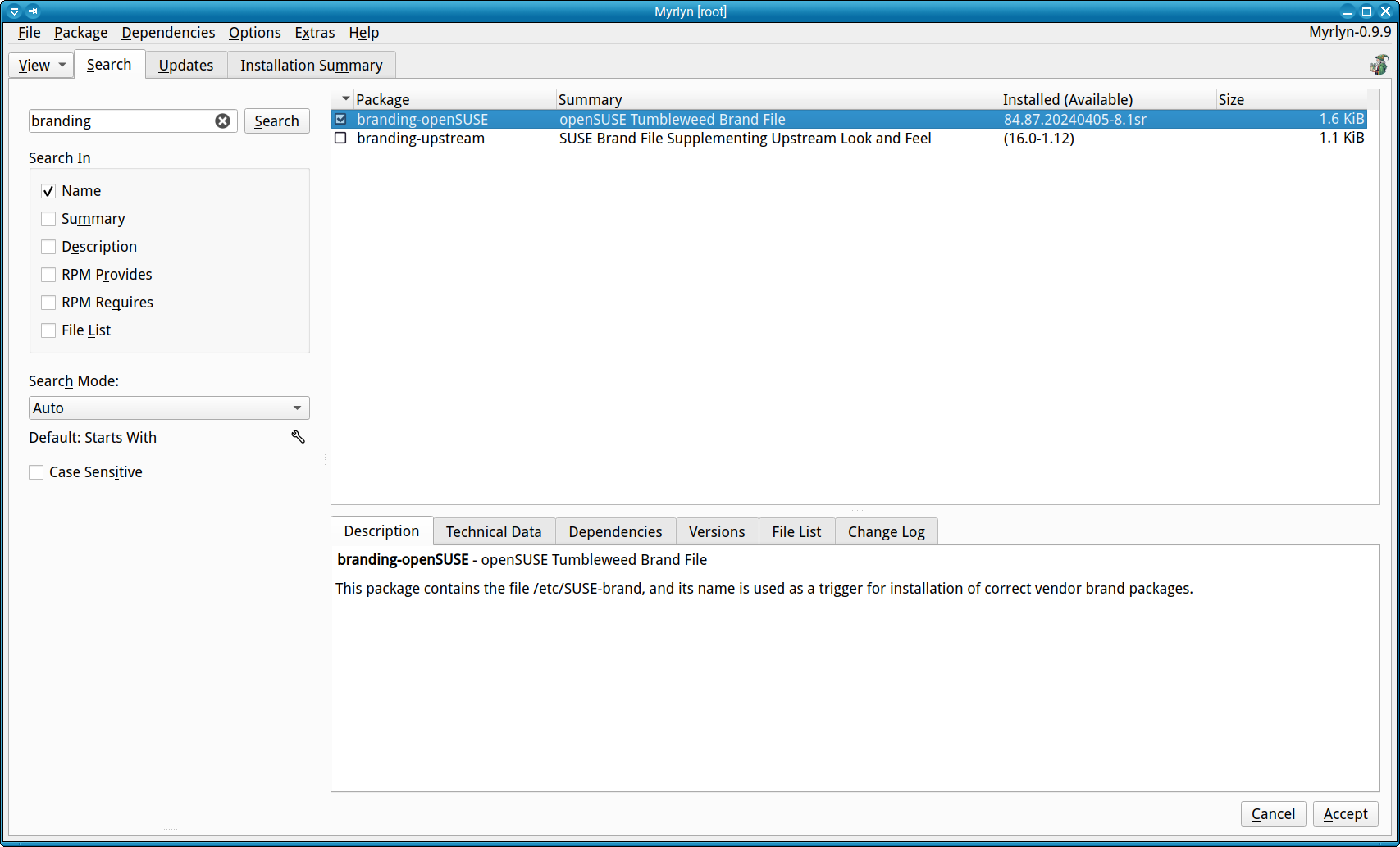
Click on the little wrench below the combo box to toggle the default mode and on the “Search” button again:

YaST didn’t have the “Auto” mode where it guesses the mode:
- “foo*bar” → wildcards
- “*foo*” → contains
- “foo*” → starts with
- “*foo” → ends with
- “foo.*bar” or “^foo bar” or “foo bar$” or “(foo|bar) baz”-> regexp
- “=foobar” → exact match
If you explictly search for “foo-devel” or “*qt*-devel”, that will override the default not to show any “-devel” package. This is much more handy than always having a gazillion “-devel” packages in your face.
THANK YOU Stefan for your extensive answer. I was not aware that Myrlyn is such a versatile tool with so many possibilities. I’ll take a thorough study of it in order to make the best possible use! In the meantime, let me express my gratitude to you for developing what seems to be like a little gem at second sight!
This topic was automatically closed 30 days after the last reply. New replies are no longer allowed.