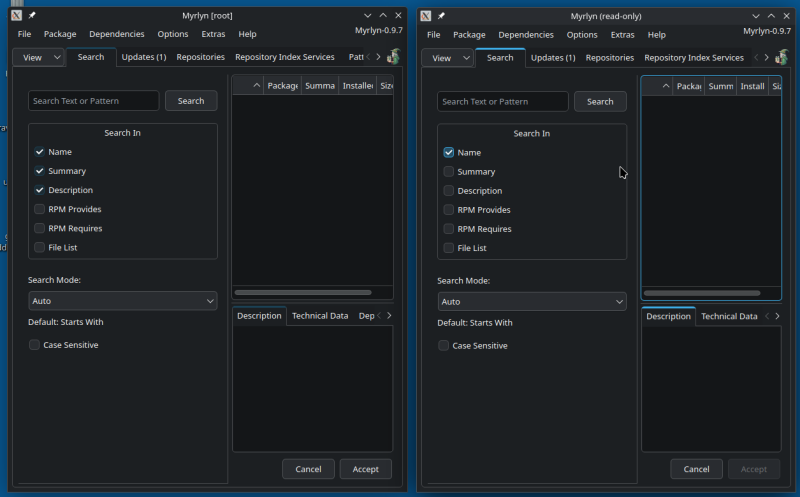
Well, to begin with, I use KDE Plasma, not GNOME, so what I have to offer may not work on GNOME.
If you examine the menu entries for Myrlyn (root) and Myrlyn (Read-only for a user), those are each scripts, customizing the execution.
For me - the quick answer is to execute at the Konsole (KDE windowed command line):
user@machine :~>  sudo -E myrlyn
[sudo] password for user:
[...]
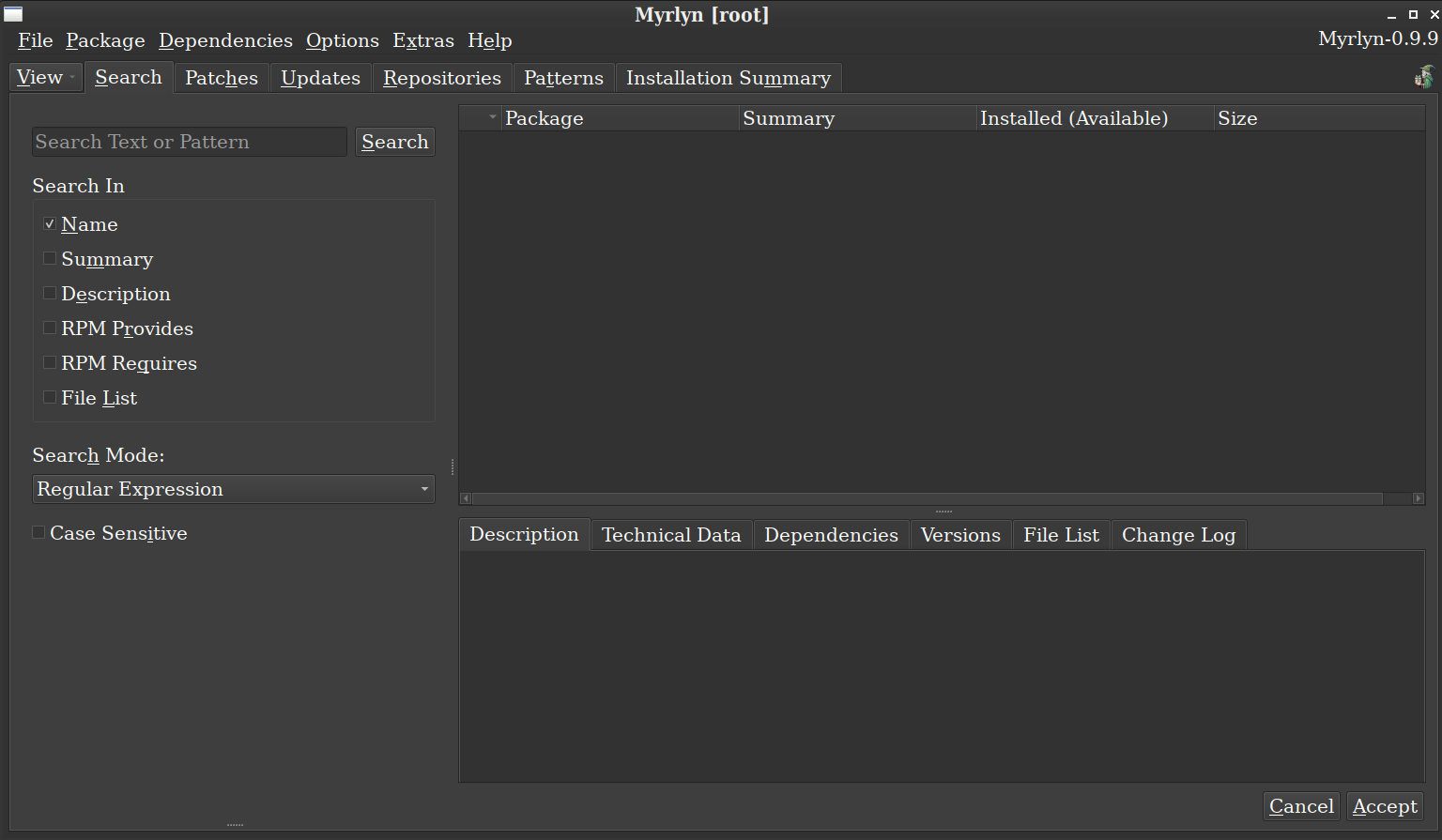
Executing as such shows Myrlyn with my user’s GUI configuration (Breeze Dark) and with root privileges (of course). It is rendered exactly like the Myrlyn (my user-account, read-only) version. See screenshot.
(sidenote: if I remember my research, the (root, i.e., sudo) script wants to run as wayland, but I use X11).
.
I wrote a lot of text about Myrlyn and root privileges here (it’s even one of the pinned issues):
sudo -E might work for some users, but it depends very much on your sudo setup. That’s why I wrote the myrlyn-sudo script that handles this transparently and without relying too much on your sudo setup.
As for the font and the widget theme, that’s indeed what @hui linked above.
Ok, I understand that making Myrlyn use the default GNOME theme in all cases is not straight forward.
As previously written, it does not bother me much and I will not waste any more time on this minor problem.
Myrlyn is still a great application!
I recently reinstalled Tumbleweed with XFCE as the desktop environment and the adwaita-dark theme. For me, using myrlyn-sudo results in the wrong light theme being applied, while sudo -E myrlin applies the correct theme. I tried editing the myrlyn-sudo script to use the -AE flag instead of just -A and that fixed the issue for me as well. I know it’s probably a skill issue on my part and the result of sticking with a gtk desktop environment, just thought I’d mention.
sudo -E tells sudo to keep all environment variables; this may or may not work, depending on the settings in /etc/sudoers (or /usr/etc/sudoers or files in /etc/sudoers.d or /usr/etc/sudoers.d).
If that is set up in a very restrictive way, sudo may simply refuse it; that’s why myrlyn-sudo calls /usr/bin/env as the command to run with root privileges: It builds a well-defined shell environment from some select environment variables and then calls myrlyn (still using root privileges) with that environment.
I added a good number of environment variables like QT_QPA_PLATFORMTHEME and others so you can set things like your preferred Qt widget theme, the widget colors, fonts, font size (if you used qt6ctfor your root account to set them).
By default, Qt tries to use your (in this case root’s) desktop settings for such things. But since this looks them up in the home directory of root, this might fail if you never logged in as root before.
An easy workaround is to log into a graphical session with root once to set these things: Set a root password with sudo passwd root if you don’t have one, log in as root into a graphical desktop, change the theme / fonts etc. there and then log out again.
You can delete the root password again with sudo passwd -d root if you wish, and of course if your sudo settings let you use your own password for it.
More details at the GitHub issue that I linked above.
does not it suggests that myrlyn-sudo misses some variables.
@baconcatbug Comparison of environment variables after sudo -E and myrlyn-sudo would be interesting (you can fetch it using something like sudo -- sh -c "tr '\0' '\n' < /proc/\$(pidof myrlyn)/environ").
That is possible. If anybody tells me which ones are missing, I will gladly add them. But the possibilities are very much endless.
And if I’d try to replicate the whole environment, for sure the security experts would complain; that’s why they introduced discarding the environment by default in sudo in the first place.
Checking the diff shows the non-E one has the MAIL variable but the -E one doesn’t, strangely, but the -E one has 74 additional variables, one of which I assume is allowing the theme to go though.
For what it’s worth, I did attempt logging into root graphically and setting the theme there, as well as running xfce4-appearance-settings as sudo. They both report as adwaita-dark (and when I open thunar for example as sudo, the theme does apply), but it doesn’t work for myrlyn.
Apparently doing so is difficult. The developer has offered a few solutions that all require the user understanding how to modify system files. I have asked the same question regarding font sizes (I have a 4k screen; sometimes fonts are unreasonably tiny).
The solution was to open a text window, edit (as root! ) /usr/share/applications/myrlyn-sudo.desktop to choose one of the Exec= options, and modify the text size (QT_SCALE_FACTOR=1.6) it to suit my preferences. This is stupid, and a reason why Linux is still a second/third/… choice.
Amused. You seriously believe that after I have told you what environment variable to preserve I did not know it? That is exactly what I meant with “sort of”.
In any case, this has very little to do with allowing myrlyn or any other application run via sudo/su to use the user theme. I have never explicitly changed theme in GNOME, Adwaita is apparently the openSUSE default and in this case the system default theme was not applied, not a user theme.
Well, yeah, if the root user has a light theme set then Myrlyn as root will use that light theme? Set your root user to use the same theme as your non-root user and it will work?