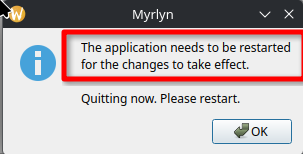
Don’t use myrlyn much. A simple question re: myrlyn. Myrlyn says (paraphrasing) that it needs to be restarted for changes to take effect.
Does that mean that the changes take effect prior or during closing or does that mean that you need to actually close and restart myrlyn for the changes to be made, i.e., if you don’t restart myrlyn that your changes are not made.
I use Yast software management where you can just continue without needing to close and restart.
There is no way around the restart. You can’t bypass the restart when the above window popped up. It doesn’t matter if you press “OK” or try to close the information window via the “X”: the app closes. So you need to reopen the app and afterwards the changes are applied. This was also explained by @shundhammer some time ago and is intended behaviour.
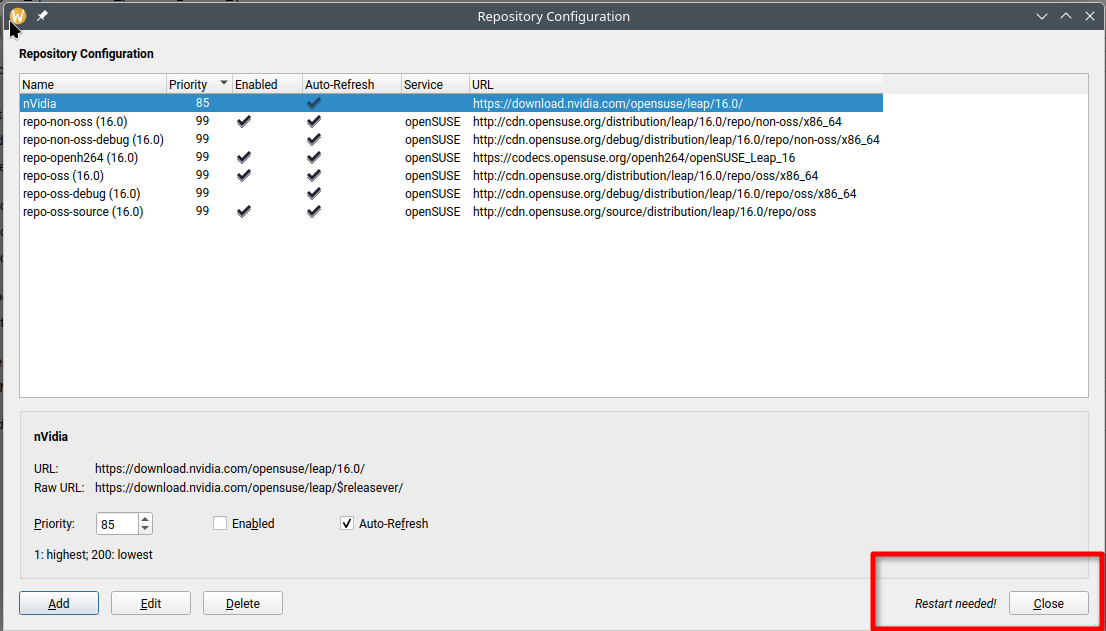
AFAIK that happens when you change something in the repositories settings, so Myrlyn does a refresh of the repos according to the new settings, or possibly somewhere else in the configuration of the app.
That popup does not imply that changes to the packages installed in the system, for instance for upgrades or new installs, require a Myrlyn restart to be effective.
“The application” is Myrlyn as the header of the popup says.
And before this popup appears, Myrlyn explicitely tells you that it needs a restart next to the “Close” button. Pressing “Close” opens the above shown popup.
Henk, simply try it yourself. It is enough to enable or disable a repository in this window. Or add a new one (as example a community repo). It doesn’t matter what you change in this window, it needs a restart. I can’t find Stefans’s explanation thread atm (that is why i tagged him in one of my answers). But it is completely expected behaviour.
Yes, it is a different behaviour to the old YaST Software Repositories module. But it does not hurt…or does it actually?
I made a change to a Repo configuration … it tells me to restart Myrlyn … why? My understanding is Myrlyn caches the Repo info upon start-up, and needs to restart to re-read the new | changed config.
(why? just refresh the cache when running, like many other apps do).
If you don’t restart Myrlyn, it will do so.
I added a new application. (ed, a simple editor). Myrlyn did not inform me to restart and it did not do so on its own.
I did not have any app to update, so could not test that scenario, but I’m sure it would simply inform me to “restart the app” and a Myrlyn re-start it not required.
This is strictly only needed when you change anything about repos: Add, edit, delete, change priority, enable / disable. This is needed to maintain data integrity.
If you try to enter the repo management dialog while you have pending package changes, it will warn you that those changes will get lost if you change any repos; you have the option of not opening the repo management and apply your package changes, or to abandon the changes.
Well, it did not help me. And I refuse to take responsibility for misunderstanding such a poorly defined problem
The first thing one (at least I) think about when one talks about changes and Myrlyn, is about the installation, updating and or removal of software. It is the very reason Myrlyn is for: making changes.
If you disable a repo, as an example, is that change made when you close myrlyn? Or is it made when you do the restart and if you never did a restart of myrlyn are the changes never made?
That was my question that I think is stated in the same manner in original post.
I suppose a few zypper reads after making a change with myrlyn could probably have answered my question.
It is NOT. There is no mention or example what change was made in what area. And assuming that Myrlyn is mostly used to change your software packages, it is not obvious that this is about a change in repo management.