Myrlyn 1.0 released!

I really appreciate the time and effort that went into Myrlyn so far - I am using it now and then on my TW install and it helps a lot, because I am no linux veteran by any means (Linux user since a year now, yay!).

Was wondering if there will be, or maybe already is (and I’m just stupid) a dark mode version for it? I don’t like getting “flash banged” on my 34" monitor, lol.

Cheers
Jeyh

erlangen:~ # zypper --verbose --non-interactive dist-upgrade --dry-run --download-only
Entering non-interactive mode.
Verbosity: 2
Initialising Target
Refreshing service 'openSUSE'.
Checking whether to refresh metadata for Application:Geo
Checking whether to refresh metadata for BellSoft Repository
Checking whether to refresh metadata for Packman
Checking whether to refresh metadata for Brave Browser
Checking whether to refresh metadata for filesystems
Checking whether to refresh metadata for graphics
Checking whether to refresh metadata for hardware
Checking whether to refresh metadata for qmapshack (openSUSE_Tumbleweed)
Checking whether to refresh metadata for home:shundhammer:myrlyn-git
Checking whether to refresh metadata for ihe-repo
Checking whether to refresh metadata for jalbum
Checking whether to refresh metadata for myrepo
Checking whether to refresh metadata for repo-non-oss
Checking whether to refresh metadata for repo-openh264
Checking whether to refresh metadata for repo-oss
Checking whether to refresh metadata for update-tumbleweed
Checking whether to refresh metadata for utilities
Loading repository data...
Reading installed packages...
Warning: You are about to do a distribution upgrade with all enabled repositories. Make sure these repositories are compatible before you continue. See 'man zypper' for more information about this command.
Computing distribution upgrade...
Force resolution: No
Computing upgrade...

The following package is going to be upgraded:
  myrlyn  1.0.0+git20260116.b1b2aad-5.1 -> 1.0.0+git20260117.58a8c14-7.1

1 package to upgrade.

Package download size:
            |     538.2 KiB  overall package size
       0 B  |  -  538.2 KiB  already in cache

Download only.

Backend:  classic_rpmtrans --dry-run --download-only
Continue? [y/n/v/...? shows all options] (y): y
committing (dry run)
In cache myrlyn-1.0.0+git20260117.58a8c14-7.1.x86_64.rpm                                                                                                                                                                (1/1), 538.2 KiB    

Checking for file conflicts: .........................................................................................................................................................................................................[done]
CommitResult  (total 1, done 0, error 0, skipped 1, updateMessages 0)
erlangen:~ # 

For your own user account, the Qt libs (which is what Myrlyn uses) should follow your desktop theme; at least for the common desktops like KDE Plasma, GNOME, Xfce. So if you have a dark desktop theme, Myrlyn should also use that one. Same with fonts and font sizes.

But to do anything meaningful, you’ll be running Myrlyn with root permissions, typical via sudo (myrlyn_sudo which the myrlyn.desktop file is using is just a very thin wrapper around sudo), so the desktop settings of the root user are used here.

See also

You can now also set environment variables for that sudo call in your normal user account’s ~/.config/openSUSE/myrlyn-sudo.conf file; no need to copy and modify the myrlyn.desktop file.

1 Like

The only meaningful change here was the version number that it displays in the top right corner of the main screen and in the “About” dialog. :smiley:

1 Like

You didn’t mention the DE you’re using.

So, it depends on the DE being used and if you have “dark mode” enabled for the user account (for the DE) executing “myrlyn”.

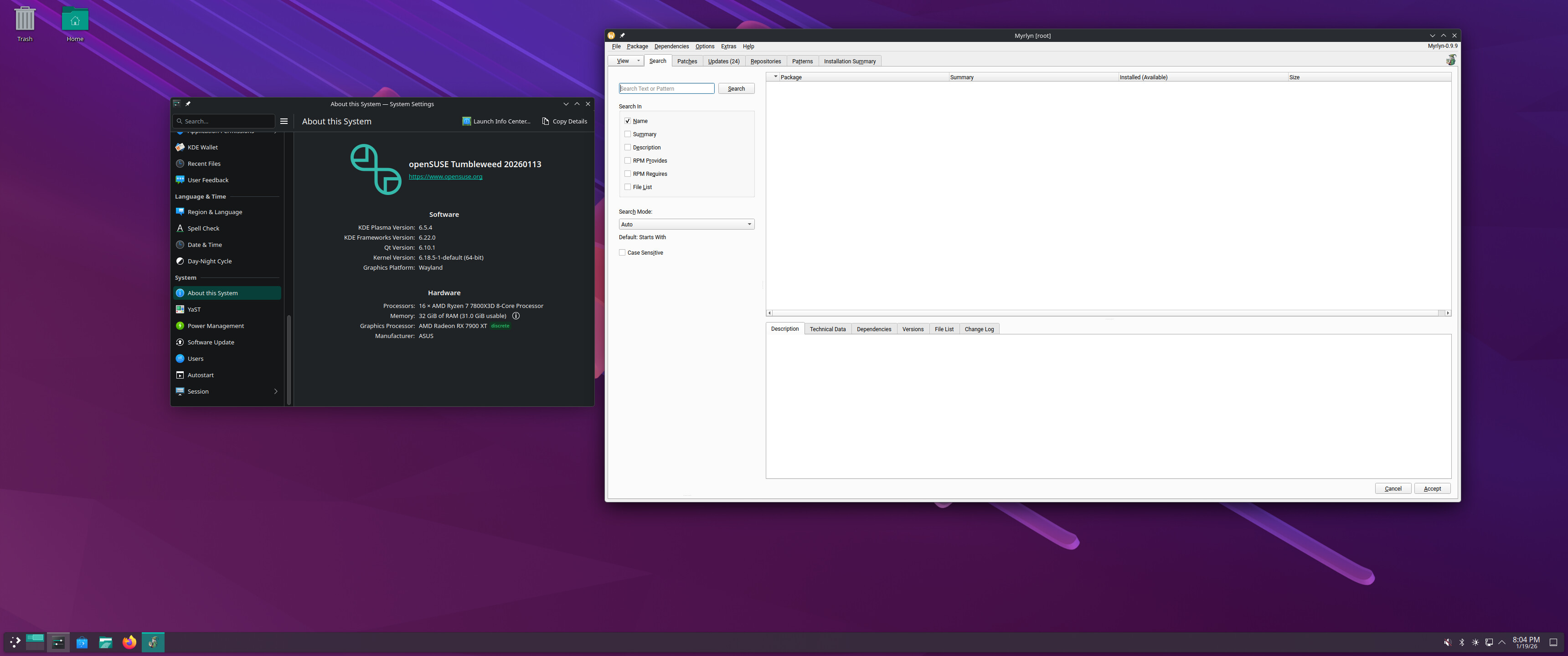
I use KDE Plasma here, and if I execute the “Myrlyn” choice in the KDE “System” menu (not the “Myrlyn read-only” choice) , which is the “root” version of Myrlyn, its dialog boxes are displayed with a bright-white background. (I have NOT logged into the root-user account in GUI mode, which is why it shows up with bright-white dialog boxes).

For me, the easiest solution is to open up a Konsole (KDE Plasma windowed command line) and execute this:

user@machine :~>  sudo -E myrlyn

That executes myrlyn as root user, and it inherits the KDE Plasma Dark Mode that my regular user account has set. The result is Myrlyn shown with dark-mode windows.

I can show screenshot differences it requested.

1 Like

Thank you all!

Actually,

sudo -E myrlyn

does the trick - thank you @myswtest ! And sorry, forgot to mention that I am using KDE, my bad.

What kinda confuses me is, even after I changed my theme to Dark in root session - myrlyn still opens in a white theme - I thought myrlyn_sudo is picking the root theme then? @shundhammer

Cheers
Jeyh

Hmnn. Lucky to be using myrlyn in xfce4.20 and it follows my dark theme with myrlyn-sudo. :kissing_heart:


Is your root account using the same desktop as your normal user account?

Yes, both are using KDE in a Wayland session.

In this screenshot I am actually logged in as root.

Check if there is a check box like “ Apply the KDE Plasma theme to non-KDE programs” in that root desktop.

I seem to recall that the Qt documentation insists that Qt automatically uses the current desktop’s theme (of the current user, in this case root). I am surprised that it doesn’t do that here.

Check the log for “logQtEnv” where it logs all environment variables starting with “QT”:

[sh @ meteor] ~ 1 % sudo grep -i "logqtenv" /tmp/myrlyn-root/myrlyn.log
2026-01-19 20:07:40.374 [312588] <Debug>   MyrlynApp.cc:126 logQtEnv():  QT_ENABLE_HIGHDPI_SCALING=0
2026-01-19 20:07:40.374 [312588] <Debug>   MyrlynApp.cc:126 logQtEnv():  QT_QPA_PLATFORMTHEME=qt6ct
2026-01-19 20:07:40.374 [312588] <Debug>   MyrlynApp.cc:126 logQtEnv():  QT_SCALE_FACTOR=1

In my case, I intentionally set those environment variables (in my ~/.config/openSUSE/myrlyn-sudo.conf). If yours also contains QT_QPA_PLATFORMTHEME=qt6ct, that might interfere with automatically using the desktop theme since that environment variable overrides it.

Some differences:

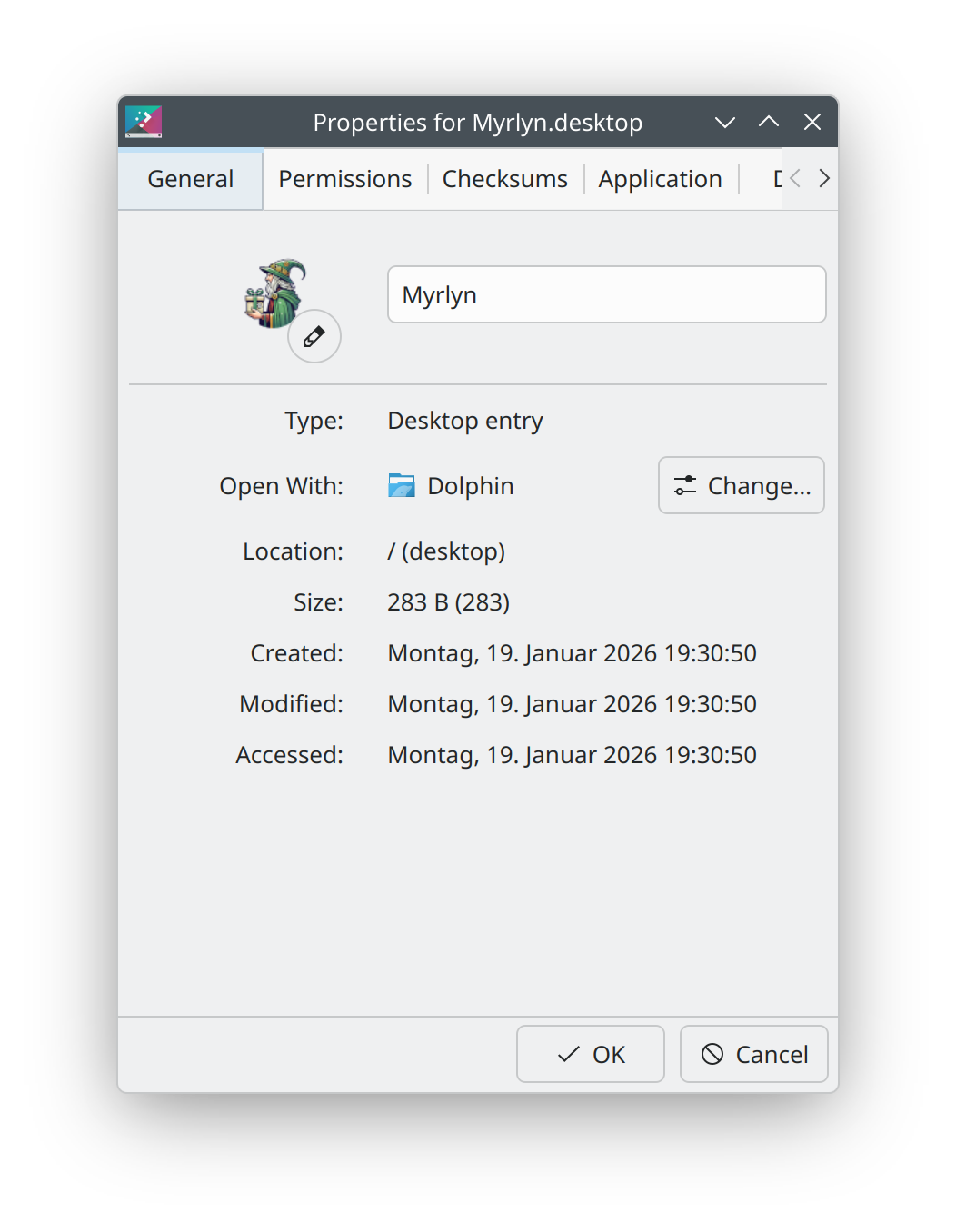
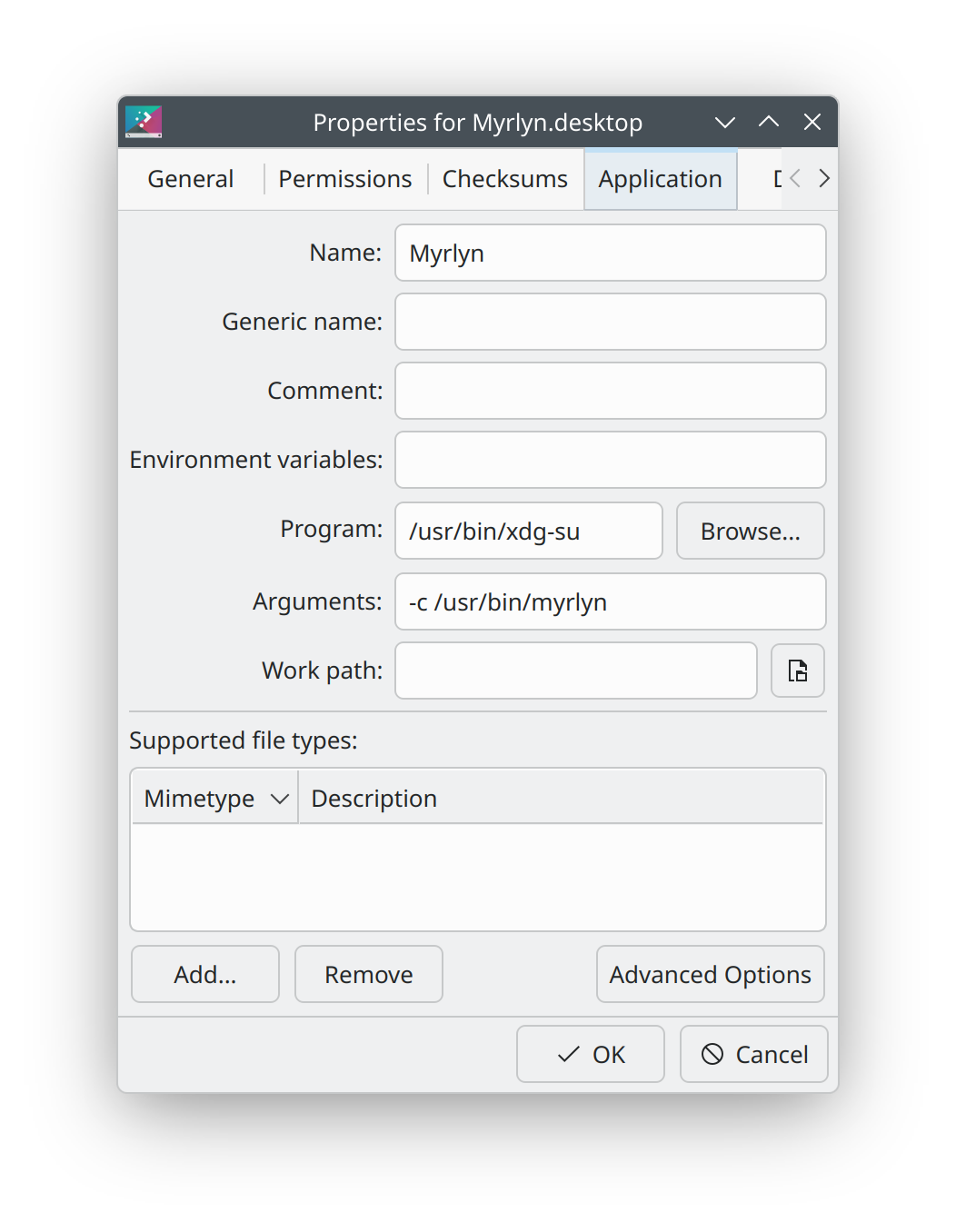
erlangen:~ # diff -y /usr/share/applications/myrlyn-sudo.desktop /home/karl/Schreibtisch/Myrlyn.desktop 
[Desktop Entry]                                                 [Desktop Entry]
Type=Application                                              | Comment[en_GB]=
                                                              > Comment=
                                                              > Exec=/usr/bin/xdg-su -c /usr/bin/myrlyn
                                                              > GenericName[en_GB]=
                                                              > GenericName=
                                                              > Icon=Myrlyn
                                                              > MimeType=
                                                              > Name[en_GB]=Myrlyn
Name=Myrlyn                                                     Name=Myrlyn
Exec=myrlyn-sudo                                              | Path=
# You can set variables in ~/.config/openSUSE/myrlyn-sudo.con | StartupNotify=true
#                                                             <
#  QT_QPA_PLATFORMTHEME=qt6ct                                 <
#  QT_ENABLE_HIGHDPI_SCALING=0                                <
#  QT_SCALE_FACTOR=1                                          <
                                                              <
Icon=Myrlyn.png                                               <
GenericName=Myrlyn Graphical Software Package Manager (using  <
Comment=Full root access (via sudo)                           <
Terminal=false                                                  Terminal=false
MimeType=                                                     | TerminalOptions=
Categories=System;Settings                                    | Type=Application
Keywords=software;package panagement;gui                      | X-KDE-SubstituteUID=false
                                                              > X-KDE-Username=
erlangen:~ #

Why?

No; all that it does is to preserve a number of environment variables from your environment over to the environment of the sudo’ed process. It’s a very simple script:

1 Like

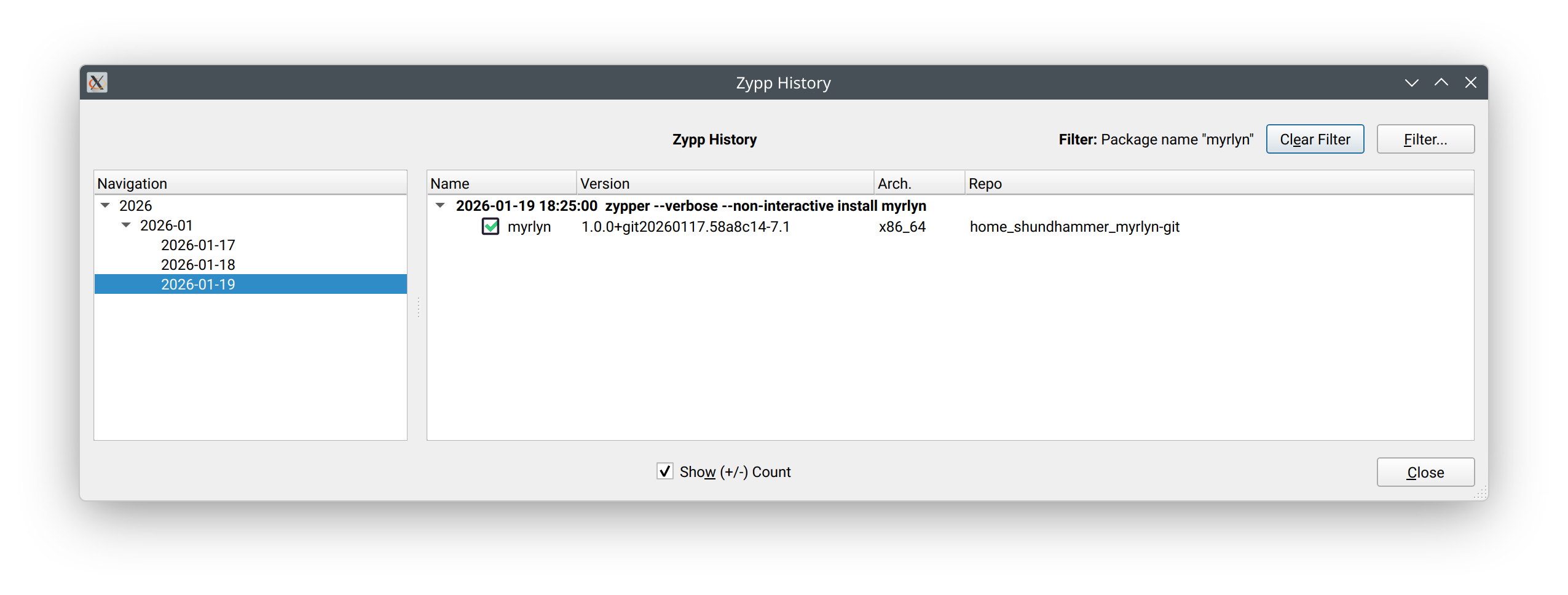
Some dumbass script in OBS stripping away things that it doesn’t consider necessary. The joys of centralized corporate tools designed by people who think they know better. :frowning_face:
1 Like
2026-01-19 20:24:06.567 [128904] <Info>    Logger.cc:124 openLogFile():  -- Log Start --
2026-01-19 20:24:06.567 [128904] <Info>    main.cc:122 logVersion():  myrlyn-0.9.9 built with Qt 6.10.0
2026-01-19 20:24:06.570 [128904] <Debug>   MyrlynApp.cc:57 MyrlynApp():  Creating MyrlynApp
2026-01-19 20:24:06.570 [128904] <Debug>   MyrlynApp.cc:68 MyrlynApp():  _optFlags: 0x0
2026-01-19 20:24:06.570 [128904] <Debug>   MyrlynApp.cc:136 createMainWin():  
2026-01-19 20:24:06.570 [128904] <Debug>   MyrlynApp.cc:141 createMainWin():  Creating the main window
2026-01-19 20:24:06.571 [128904] <Debug>   MainWindow.cc:40 MainWindow():  Device pixel ratio: 1
2026-01-19 20:24:06.571 [128904] <Debug>   MainWindow.cc:41 MainWindow():  Logical  dpi: 96
2026-01-19 20:24:06.571 [128904] <Debug>   MainWindow.cc:42 MainWindow():  Physical dpi: 108.877
2026-01-19 20:24:06.571 [128904] <Debug>   MainWindow.cc:43 MainWindow():  Default font: Sans Serif,9,-1,5,400,0,0,0,0,0,0,0,0,0,0,1
2026-01-19 20:24:06.571 [128904] <Debug>   MainWindow.cc:44 MainWindow():  Heading font: Sans Serif,9,-1,5,700,0,0,0,0,0,0,0,0,0,0,1
2026-01-19 20:24:06.573 [128904] <Debug>   MyrlynApp.cc:74 MyrlynApp():  Creating MyrlynApp done
2026-01-19 20:24:06.573 [128904] <Debug>   MyrlynApp.cc:114 run():  
2026-01-19 20:24:06.573 [128904] <Debug>   MyrlynApp.cc:157 createWorkflow():  Creating the application workflow
2026-01-19 20:24:06.573 [128904] <Debug>   MyrlynWorkflowSteps.cc:53 MyrlynWorkflowStep():  Creating step initRepos
2026-01-19 20:24:06.573 [128904] <Debug>   MyrlynWorkflowSteps.cc:53 MyrlynWorkflowStep():  Creating step pkgSel
2026-01-19 20:24:06.573 [128904] <Debug>   MyrlynWorkflowSteps.cc:53 MyrlynWorkflowStep():  Creating step pkgCommit
2026-01-19 20:24:06.573 [128904] <Debug>   MyrlynWorkflowSteps.cc:53 MyrlynWorkflowStep():  Creating step summary
2026-01-19 20:24:06.573 [128904] <Debug>   MyrlynApp.cc:168 createWorkflow():  Starting workflow
2026-01-19 20:24:06.573 [128904] <Debug>   MyrlynWorkflowSteps.cc:101 activate():  Activating step initRepos
2026-01-19 20:24:06.573 [128904] <Debug>   MyrlynRepoManager.cc:40 MyrlynRepoManager():  Creating MyrlynRepoManager
2026-01-19 20:24:06.588 [128904] <Debug>   MainWindow.cc:99 showPage():  Showing page InitReposPage class InitReposPage
2026-01-19 20:24:06.612 [128904] <Debug>   MyrlynWorkflowSteps.cc:155 initRepos():  Initializing zypp...
2026-01-19 20:24:06.612 [128904] <Info>    MyrlynRepoManager.cc:139 zyppConnectInternal():  Initializing Zypp library...
2026-01-19 20:24:06.613 [128904] <Info>    MyrlynRepoManager.cc:114 initZyppLocale():  C locale: en_US.UTF-8
2026-01-19 20:24:06.613 [128904] <Debug>   MyrlynRepoManager.cc:56 initTarget():  Creating the ZyppLogger
2026-01-19 20:24:06.613 [128904] <Info>    ZyppLogger.cc:30 ZyppLogger():  Installing the zypp logger
2026-01-19 20:24:06.613 [128904] <Debug>   MyrlynRepoManager.cc:59 initTarget():  Initializing zypp...
2026-01-19 20:24:06.704 [128904] <Debug>   MyrlynRepoManager.cc:64 initTarget():  Initializing zypp done
2026-01-19 20:24:06.704 [128904] <Debug>   MyrlynRepoManager.cc:94 repoManager():  Creating RepoManager
2026-01-19 20:24:06.708 [128904] <Info>    MyrlynRepoManager.cc:208 findEnabledRepos():  Found repo "Packman-Essentials" URL: https://ftp.gwdg.de/pub/linux/misc/packman/suse/openSUSE_Tumbleweed/Essentials/
2026-01-19 20:24:06.710 [128904] <Info>    MyrlynRepoManager.cc:216 findEnabledRepos():  Ignoring disabled repo "https://download.opensuse.org/tumbleweed/repo/oss/"
2026-01-19 20:24:06.710 [128904] <Info>    MyrlynRepoManager.cc:216 findEnabledRepos():  Ignoring disabled repo "https://download.opensuse.org/tumbleweed/repo/non-oss/"
2026-01-19 20:24:06.710 [128904] <Info>    MyrlynRepoManager.cc:208 findEnabledRepos():  Found repo "repo-non-oss" URL: http://cdn.opensuse.org/tumbleweed/repo/non-oss
2026-01-19 20:24:06.710 [128904] <Info>    MyrlynRepoManager.cc:208 findEnabledRepos():  Found repo "repo-openh264" URL: https://codecs.opensuse.org/openh264/openSUSE_Tumbleweed
2026-01-19 20:24:06.711 [128904] <Info>    MyrlynRepoManager.cc:208 findEnabledRepos():  Found repo "repo-oss" URL: http://cdn.opensuse.org/tumbleweed/repo/oss
2026-01-19 20:24:06.711 [128904] <Info>    MyrlynRepoManager.cc:216 findEnabledRepos():  Ignoring disabled repo "repo-oss-debug"
2026-01-19 20:24:06.711 [128904] <Info>    MyrlynRepoManager.cc:216 findEnabledRepos():  Ignoring disabled repo "repo-oss-source"
2026-01-19 20:24:06.711 [128904] <Info>    MyrlynRepoManager.cc:208 findEnabledRepos():  Found repo "update-tumbleweed" URL: http://cdn.opensuse.org/update/tumbleweed
2026-01-19 20:24:06.712 [128904] <Info>    MyrlynRepoManager.cc:216 findEnabledRepos():  Ignoring disabled repo "https://download.opensuse.org/update/tumbleweed/"
2026-01-19 20:24:06.712 [128904] <Info>    MyrlynRepoManager.cc:243 refreshRepos():  Refreshing repo Packman-Essentials...
2026-01-19 20:24:06.714 [128904] <Info>    MyrlynRepoManager.cc:252 refreshRepos():  Refreshing repo Packman-Essentials done after 0.001 sec
2026-01-19 20:24:06.714 [128904] <Info>    MyrlynRepoManager.cc:243 refreshRepos():  Refreshing repo repo-non-oss...
2026-01-19 20:24:06.721 [128904] <Info>    MyrlynRepoManager.cc:252 refreshRepos():  Refreshing repo repo-non-oss done after 0.006 sec
2026-01-19 20:24:06.721 [128904] <Info>    MyrlynRepoManager.cc:243 refreshRepos():  Refreshing repo repo-openh264...
2026-01-19 20:24:06.723 [128904] <Info>    MyrlynRepoManager.cc:252 refreshRepos():  Refreshing repo repo-openh264 done after 0.001 sec
2026-01-19 20:24:06.724 [128904] <Info>    MyrlynRepoManager.cc:243 refreshRepos():  Refreshing repo repo-oss...
2026-01-19 20:24:06.730 [128904] <Info>    MyrlynRepoManager.cc:252 refreshRepos():  Refreshing repo repo-oss done after 0.006 sec
2026-01-19 20:24:06.730 [128904] <Info>    MyrlynRepoManager.cc:243 refreshRepos():  Refreshing repo update-tumbleweed...
2026-01-19 20:24:06.736 [128904] <Info>    MyrlynRepoManager.cc:252 refreshRepos():  Refreshing repo update-tumbleweed done after 0.005 sec
2026-01-19 20:24:06.737 [128904] <Debug>   MyrlynRepoManager.cc:281 loadRepos():  Loading resolvables from Packman-Essentials
2026-01-19 20:24:06.738 [128904] <Debug>   MyrlynRepoManager.cc:281 loadRepos():  Loading resolvables from repo-non-oss
2026-01-19 20:24:06.739 [128904] <Debug>   MyrlynRepoManager.cc:281 loadRepos():  Loading resolvables from repo-openh264
2026-01-19 20:24:06.739 [128904] <Debug>   MyrlynRepoManager.cc:281 loadRepos():  Loading resolvables from repo-oss
2026-01-19 20:24:06.823 [128904] <Debug>   MyrlynRepoManager.cc:281 loadRepos():  Loading resolvables from update-tumbleweed
2026-01-19 20:24:06.824 [128904] <Debug>   MyrlynWorkflowSteps.cc:182 initRepos():  Initializing zypp done
2026-01-19 20:24:06.824 [128904] <Debug>   MyrlynWorkflowSteps.cc:117 nextPage():  _app->next()
2026-01-19 20:24:06.824 [128904] <Debug>   MyrlynApp.cc:383 next():  Current page: initRepos
2026-01-19 20:24:06.824 [128904] <Debug>   MyrlynApp.cc:403 next():  Next step in the workflow.
2026-01-19 20:24:06.824 [128904] <Debug>   MyrlynWorkflowSteps.cc:101 activate():  Activating step pkgSel
2026-01-19 20:24:06.824 [128904] <Debug>   MainWindow.cc:105 showPage():  Showing class QLabel
2026-01-19 20:24:07.087 [128904] <Info>    YQPkgSelectorBase.cc:60 YQPkgSelectorBase():  PackageSelectorBase init done
2026-01-19 20:24:07.087 [128904] <Debug>   YQPkgSelector.cc:141 YQPkgSelector():  Creating YQPkgSelector...
2026-01-19 20:24:07.151 [128904] <Debug>   YQPkgPatchList.cc:39 YQPkgPatchList():  Creating patch list
2026-01-19 20:24:07.151 [128904] <Debug>   YQPkgPatchList.cc:64 YQPkgPatchList():  Creating patch list done
2026-01-19 20:24:07.155 [128904] <Info>    YQPkgFilters.cc:59 singleProductFilter():  Found single product openSUSE
2026-01-19 20:24:07.161 [128904] <Info>    YQPkgFilters.cc:59 singleProductFilter():  Found single product openSUSE-Addon-NonOss
2026-01-19 20:24:07.174 [128904] <Debug>   YQPkgServiceList.cc:43 YQPkgServiceList():  Creating service list
2026-01-19 20:24:07.174 [128904] <Debug>   YQPkgServiceList.cc:77 fillList():  Filling service list
2026-01-19 20:24:07.180 [128904] <Debug>   YQPkgServiceList.cc:109 fillList():  Service list filled
2026-01-19 20:24:07.266 [128904] <Debug>   YQPkgServiceList.cc:63 YQPkgServiceList():  Creating service list done
2026-01-19 20:24:07.267 [128904] <Debug>   YQPkgPatternList.cc:50 YQPkgPatternList():  Creating pattern list
2026-01-19 20:24:07.267 [128904] <Debug>   YQPkgPatternList.cc:136 fillList():  Filling pattern list
2026-01-19 20:24:07.330 [128904] <Debug>   YQPkgPatternList.cc:120 YQPkgPatternList():  Creating pattern list done
2026-01-19 20:24:07.330 [128904] <Verbose> YQPkgLangList.cc:36 YQPkgLangList():  Creating language list
2026-01-19 20:24:07.343 [128904] <Verbose> YQPkgLangList.cc:71 YQPkgLangList():  Creating language list done
2026-01-19 20:24:07.529 [128904] <Info>    YQPkgFilterTab.cc:685 readSettings():  Restoring pages search, patches, updates, repos, patterns, inst_summary
2026-01-19 20:24:07.529 [128904] <Info>    YQPkgFilterTab.cc:686 readSettings():  Current page:   search
2026-01-19 20:24:07.594 [128904] <Debug>   YQPkgSelector.cc:1663 anyRetractedPkgInstalled():  No retracted packages installed.
2026-01-19 20:24:07.595 [128904] <Debug>   YQPkgSelector.cc:164 YQPkgSelector():  YQPkgSelector init done
2026-01-19 20:24:07.595 [128904] <Debug>   MainWindow.cc:105 showPage():  Showing class YQPkgSelector

That’s the whole log after enabling debugging and restarting myrlyn.
As far as I saw there is nothing you mentioned too look for in here, weird.

And I looked for that checkbox, which I only found for GTK themes - which was already toggled to convert into Breeze theme.

Cheers
Jeyh

Then I am fresh out of ideas.

Oh, I see - thank you for the explanation!

No problem at all! It’s nothing “gamebreaking” that’s for sure, I can live with that! :slight_smile:

The solution with “sudo -E myrlyn” via CLI works anyway - so I can use that instead for the time being.

Appreciate for taking a look into this and your time.

Cheers
Jeyh

A chronic infection with Morbus Enterprise!

1 Like