my graphics status on leap 15.6 is:
nvidia proprietary drivers running
x11 running
mesa-nouveau graphics is taboo
mate desktop primarily used
I don’t do games. I just plot and view graphs. 7 year old computer. Do not want to do “fresh” install because graphics stopped working.
Will migration tool update to leap 16 maintain this status? I don’t see any reason to try to improve anything.
thanks, tom kosvic
@tckosvic what GPU? Wayland is the default these days…
GPU: NVIDIA GeForce GTX 1050 Ti
I’ve been operating under lore that nvidia proprietary driver is problematic working on wayland.
I don’t want to do a new install.
tom kosvic
@tckosvic not seen that here on GNOME/Wayland, been all ok for a long time… Pascal Arch should be fine with the G06 driver.
malcolmlewis,
Just want to make sure that I understand right that you are using nvidia proprietary drivers with wayland.
Also using a gnome gtk based desktop environment.
My original question above has not been answered. Will using migration tool update to leap 16 maintain use of x11 as it is now configured or will it switch it to wayland?
thanks, tom kosvic
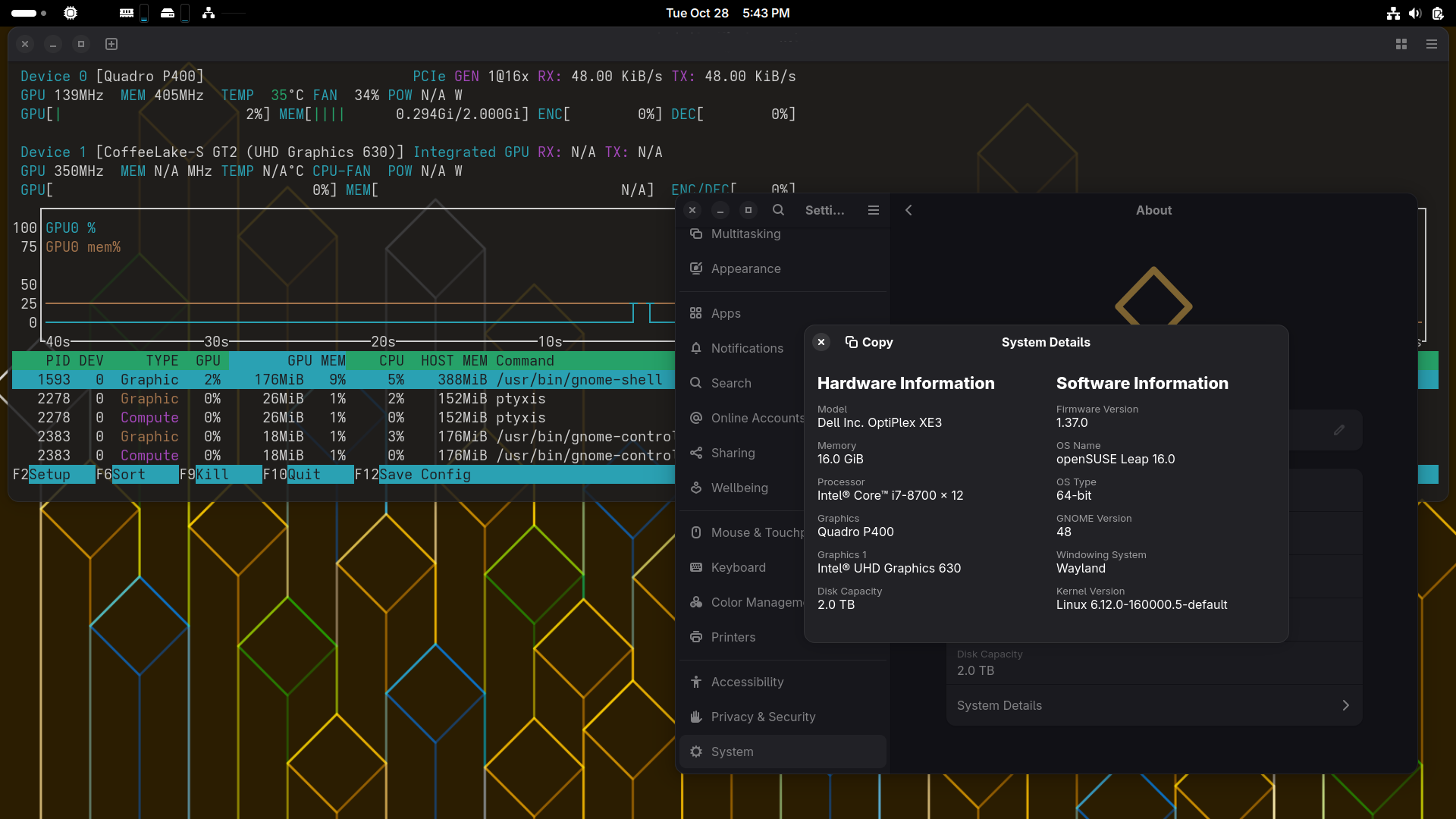
Confirming Gnome 49.1 with Wayland, Nvidia proprietary all good here (and being that way for years …)
@tckosvic what @OrsoBruno indicated, I’m just setting up a dual boot system for test (Win 11 Pro/Leap 16.0) but it has a T400 so the open driver, likewise the Intel GPU is switched to be a Display Controller (Offload).
I have Pascal running on Leap 16.0, but no desktop on that system, it’s a k3s compute node with a Nvidia Tesla P4.
@tckosvic
zypper inr
zypper in <nvidia-driver flavor>
update-bootloader --del-option nomodeset
update-bootloader
systemctl reboot
I migrated manually, not with the migration tool.
GDM no longer has an option for Gnome X11. So I changed to “Lightdm”, and can still login to Gnome X11 that way. Also, SDDM allows login to Gnome X11.
@tckosvic I put a P400 (which is Pascal Arch) to test and all ok as well…