I have a personal computer used by the whole family. Therefore I would like to be sure I can upgrade to 16.0 without a hassle. Being a SUSE user since 6.3 I always used the standard way to upgrade, the latest being using zypper.
It seems OpenSUSE 16.0 Leap behaves differently with many “SUSE” things being removed.
Questions I have:
1 - Which upgrade strategy should I use?
I have a computer using Nvidia chips. I use proprietary drivers as Nouveau or others seem too uinstable or inefficient. By moving to 16.0 I would like to keep Nvidia proprietary drivers. Here are my full repo list:
I was told this driver does not work anywore with 16.0 as 32-bit libs are not provided anymore. Is that true? How can I make this printer (and scan) works with OpenSUSE 16.0
3- Steam
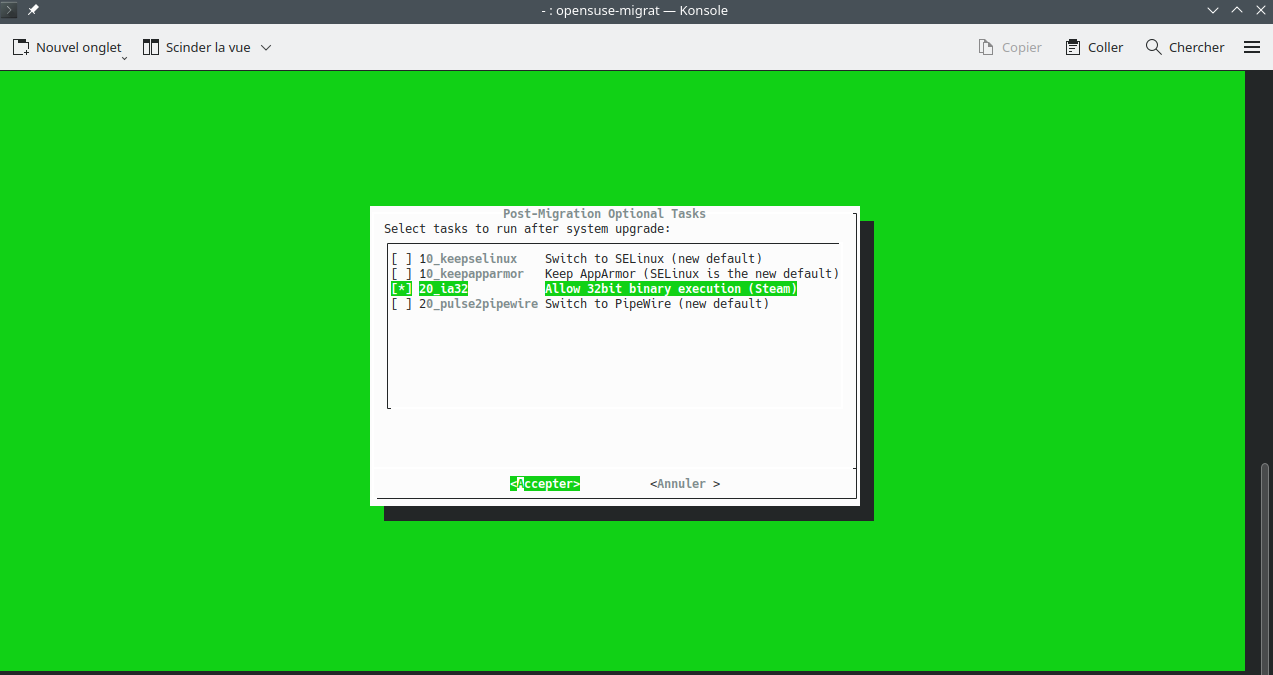
I know there is a workaround to make Steam workable with OpenSUSE 16.0. As far as I know we must install libs and change the boot option. Is there a more friendly method now?
Please note that your repo list is difficult to interprete. For posting terminal text:
And post as complete as possible. That is starting with the line with the prompt and the command, then all output, and ending with the new prompt line.
We now do not know what you did, but for posting a repo list we need the URLs included (to me it looks if you have doubles there, but without URLs we can not be certain). So something like zypper lr -dwould be fine. But It seems that your system is in French, thus to show out that fits in this English section of the forums, please precede your commands with LANG=C. E.g. in this case
Simply perform a dry run and you will see what the tool is doing. It disables external repos (except as example Nvidia) and you have the possibility to choose to preserve some of them.
The devs developed the dry run function for a purpose…
Last question: when I tried the new upgrade tool with dry run option, it did not mention my 3rd party repos like Nvidia, Wine, Packman or VSCode. Should I worry about it?
That may differ. About e.g. Nvidia there are multiple threads here (and in general it should work in the end because there is no common cry: no Nvidia on Leap 16.0). Packman is also one that is/was used by many. I am running without it until now on Leap 16.0, but your experience may differ. Many other third party products may or may not be Leap 16.0 ready, you better check with them.
That means that the script recognizes your third-party repos and is apparently able to switch them (if needed) from 15.6 to 16.0. Whether or not the upgraded packages will work as intended remains to be seen.
Generally speaking openSUSE, Nvidia and Packman repos should be upgraded by the Migration Tool, while Chrome repos do not include a version so should remain as they are.
Nevertheless I would check your repo list before upgrading, since at least the Chrome repos are duplicated apparently and others may not be needed anymore.
Hello Arnaudk93,
I have several computers and one is with NVIDIA chips. I upgraded them all, and here are some of what I learned in the process.
DO NOT USE AGAMA - its default settings are very dangerous, it sometimes stops in the middle of the process, leaving your PC in shambles, and when it works it leaves you with the task of still upgrading many hundreds of packages with zypper up.
DO USE the OPENSUSE-MIGRATION-TOOL. It works like a charm. I’ll tell you how I did it:
A. First you make your system as actual as possible with zypper up.
B. First run of the migration tool in Konsole with all your repos active. It makes an analysis of your system, but does not change anything, and it ends with a message “you’re free to run again”.
C. Now, (in Yast-repos OR in Myrlyn if you already have that installed) UNCHECK all your repos and ONLY KEEP checked these three repos: repo-oss, repo-non-oss, repo-openh264.
D. Now, second run of the migration tool in Konsole - it works the whole transition automatically and only asks you WHAT to install (for you, Leap 16.0) and later what firewall you want (the old apparmor, or the new selinux, or both). This process takes some time, you can see everything that is downloaded first, and installed or deleted - let the program work until it is completely ready.
E. Reboot. If MOK appears, make these choices: 1. ENROLL MOK → 2. CONTINUE → 3. YES → 4. your root-password → 5. REBOOT
F. Now your new system starts up, Leap 16.0 is installed. NVIDIA must now be finetuned. Go to MYRLYN and type NVIDIA in “Search”. Every NVIDIA package must have the same initial number, so you’ll probably have to adapt some of them in the “versions” tab below. Today, on my PC, that initial number is 580.126.18. Actualization of the “opendriver” packages always comes a lot later than the other packages, so you’ll probably have to chose a former version so that ALL these NVIDIA packages have the same initial number.
G. Now REBOOT …
H. … and your screen is perfect. Now you can finetune all your programs with Myrlyn or zypper up.
B is the dry run, the migration tool analyzes but does not change anything.
In C you UNCHECK all but three of your repos, in order to avoid package problems.
In D you do the real migration.
In F you RE-CHECK and thus reactivate the repos you had UNchecked in C (they will have been adapted by the migration tool to 16.0 if necessary, such as Packman for instance, and that’s why the B step was important: that way the migration tool could get to know all of your repos).
Oh, and do not wait too long: the migration tool will not be available anymore from June on … and in that case you would be condemned to that horrible AGAMA …