szw0407
February 27, 2024, 1:46pm
1
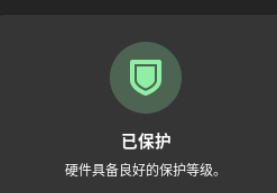
I found an error in GNOME settings > Privacy > Device Security and found an error in the security incidents, which is Linux Kernel Verification fail.
The date is the first boot after my installation. I am now wondering what has happened.
My device has a NVIDIA card, and the driver is installed via YaST, according to the documentations, and the key is enrolled as expected. The system boots, so I have not found the issue until today.
I am now wondering what may have caused the issue. Do I have to re-install the system or may I do something to fix it?
@szw0407 Hi, AFAIK this is triggered (now?) because the kernel is tainted… I see it here, but not previously.
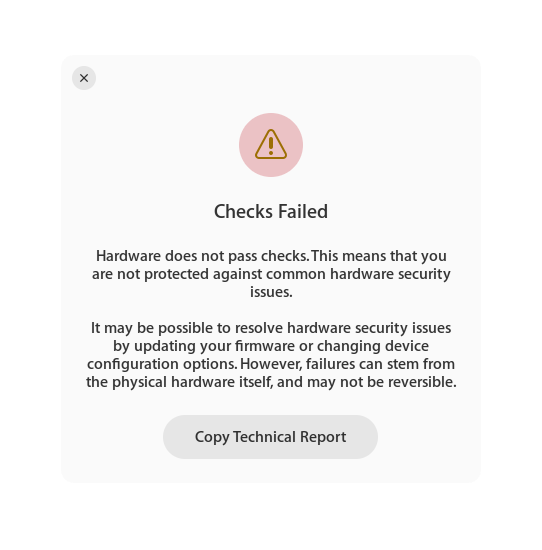
@szw0407 If you click on the ‘Checks failed’ and select ‘Copy Technical Report’ and then paste that into the text editor, it provides further details. I see;
Linux Kernel Verification: ! Fail (Tainted)
szw0407
February 28, 2024, 4:48am
4
Sorry, but I have not found anywhere to show the technical details. May I ask for using some other methods to diagnose it, for example use a CLI or something else? Thanks.
@szw0407 Click the icon;
Select “Copy Technical Report” it will save to the clipboard and can paste into an editor.
szw0407
February 28, 2024, 2:59pm
6
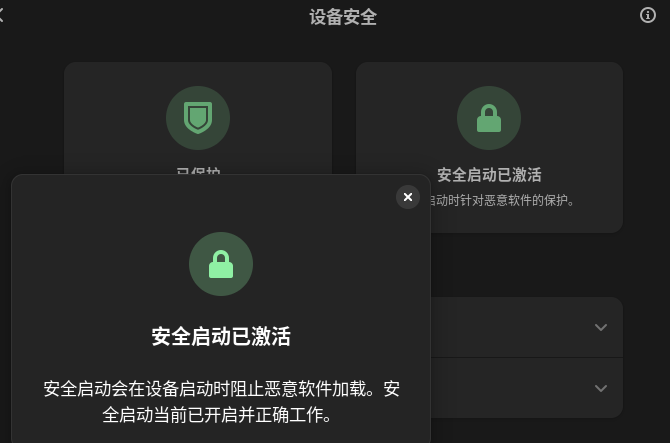
The words says that Secure boot is enabled. Secure Boot blocks malware from loading when the device boots. Secure Boot is currently enabled and working correctly.
szw0407
February 28, 2024, 2:59pm
7
No extra words or logs or details are provided here, so I cannot find what is wrong.
@szw0407 When you click 'Checks Failed" box, you should see;
Select “Copy Technical Report” and then can paste it into a text editor.
szw0407
February 28, 2024, 4:37pm
9
I think the report is this one:
Device Security Report
======================

Report details
  Date generated:                                  2024-02-29 00:34:25
  fwupd version:                                   1.9.13

System details
  Hardware model:                                  ASUSTeK COMPUTER INC. Vivobook_ASUSLaptop K6502VU_K6502VU
  Processor:                                       13th Gen Intel(R) Core(TM) i9-13900H
  OS:                                              openSUSE Tumbleweed
  Security level:                                  HSI:3! (v1.9.13)

HSI-1 Tests
  UEFI Platform Key:                               Pass (Valid)
  Firmware BIOS Region:                            Pass (Locked)
  UEFI Bootservice Variables:                      Pass (Locked)
  MEI Key Manifest:                                Pass (Valid)
  Intel Management Engine Version:                 Pass (Valid)
  TPM v2.0:                                        Pass (Found)
  Firmware Write Protection Lock:                  Pass (Enabled)
  Platform Debugging:                              Pass (Not Enabled)
  UEFI Secure Boot:                                Pass (Enabled)
  Intel Management Engine Manufacturing Mode:      Pass (Locked)
  BIOS Firmware Updates:                           Pass (Enabled)
  Firmware Write Protection:                       Pass (Not Enabled)
  TPM Platform Configuration:                      Pass (Valid)
  Intel Management Engine Override:                Pass (Locked)

HSI-2 Tests
  Intel BootGuard Fuse:                            Pass (Valid)
  Intel BootGuard Verified Boot:                   Pass (Valid)
  Intel BootGuard ACM Protected:                   Pass (Valid)
  Intel BootGuard:                                 Pass (Enabled)
  TPM Reconstruction:                              Pass (Valid)
  IOMMU Protection:                                Pass (Enabled)
  Platform Debugging:                              Pass (Locked)

HSI-3 Tests
  Suspend To RAM:                                  Pass (Not Enabled)
  Intel BootGuard Error Policy:                    Pass (Valid)
  Pre-boot DMA Protection:                         Pass (Enabled)
  Control-flow Enforcement Technology:             Pass (Supported)
  Suspend To Idle:                                 Pass (Enabled)

HSI-4 Tests
  加密内存:                                          ! Fail (Not Enabled)
  Supervisor Mode Access Prevention:               Pass (Enabled)

Runtime Tests
  Linux Kernel Verification:                     ! Fail (Tainted)
  Firmware Updater Verification:                   Pass (Not Tainted)
  Linux Swap:                                      Pass (Not Enabled)
  Control-flow Enforcement Technology:           ! Fail (Not Supported)
  Linux Kernel Lockdown:                           Pass (Enabled)

Host security events
  2024-02-14 00:34:54   Linux Kernel Verification  ! Fail (Not Tainted → Tainted)
  2024-02-13 23:55:09   TPM v2.0                     Pass (Not Found → Found)

For information on the contents of this report, see https://fwupd.github.io/hsi.html
copied from here:
And I cannot find any reports provided elsewhere. Thanks for your reply.
I’ve temporarily used C.UTF-8 as the LANG in the shell to make the display language English, but there is still information in another language.
From https://fwupd.github.io/libfwupdplugin/hsi.html#kernel-tainted I found:
tainted: the kernel is untrusted, perhaps because a proprietary module was loaded (failure)
Is it because of the NVIDIA driver, which is non-oss?
szw0407
February 28, 2024, 4:53pm
10
After running sudo cat /proc/sys/kernel/tainted, the output is 4097. I have now known that this is quite likely because of the NVIDIA driver.
@szw0407 You assumption is correct, or any other drivers that need non standard firmware…
system
March 29, 2024, 5:01pm
12
This topic was automatically closed 30 days after the last reply. New replies are no longer allowed.