I used the offline installer to do a fresh install of Leap 16.
On first try, I see that Agama don’t allow me to use LUKS cypher for a partition basis (only whole disk encryption, that would have destroyed my other systems). So, I exit the installer to begin with a manual creation of my encrypted partitions, with Gnome-Disks (on Leap 15.6, in a unused part of the disk).
On second try, on storage section, I select options to preserve all my partitions and I add one by one those I created with their mount points, without formating it (keep actual filesystems). As a result, Agama says it would just mount my partitions and do the install. Fine.
The install went good, finished with success.
On reboot, the key for / was asked for (which is the expected and usual result for encrypted /) but I was not able to decrypt and reach grub : I try typping it in EN keyboard layout (as usual) and in FR but it keeps saying the key is incorrect.
I restart Agama and can say for sure than my key is good as it permit to decypher the partition on start of the installer (on automatic checks to prepare the disks).
I wonder if the creation of the LUKS before Agama leads to a missing information to boot ? Or maybe there is a change on the keyboard layout used in this version ?
Any idea ?
I passed the first step by adding a new key for LUKS of my different partitions (cryptsetup LuksAddKey /dev/...).
Then, it asks for some cr-auto-x key (given then passed), not all.
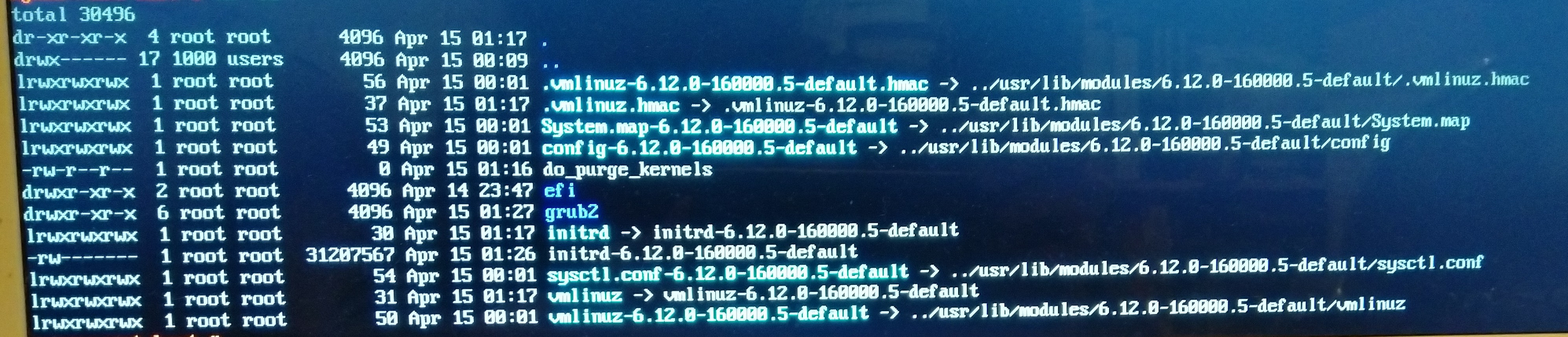
Finally, many errors loading kernel modules, duplicates in fstab and so on… and emergency mode. I never reach the graphical target.
Is there a way to proper encrypt partition but not whole disk with the Agama installer ? I would prefer a fresh install than using migration tool.
Since last message I found a solution to encrypt on a partition basis without encrypt the whole disk (which would have destroyed all others OS installed aside).
Theses methods doesn’t work for me :
Method 1 : Setting “Find space” Agama’s option at “custom”, activate encryption module and re-setting “custom” → both are incompatible, I guess.
Method 2 : Encrypt partitions previously before Agama and say to Agama to simply reuse without reformating → even if passphrase were given to Agama on installation process, informations about passphrases are not registred in the new system, it seems.
And this method was good :
Setting “Find space” Agama’s option at “custom” (to uncheck all partitions listed to be deleted [*]),
choose to (re)format the partitions used for the new installation,
then activate encryption module and let “Find space” change to “Use available space” (don’t re-force to “custom”).
The limit is : only one passphrase. With Yast installer it was possible to set a different passphrase for each partition.
[*] Agama storage module has a little taste of Michael Bay’s films : the tool proposals are to explode your other OS by default delete all partitions, and it’s sometimes necessary to uncheck the partitions twice to avoid accident. It’s very important to carefully verify the simulated “Results” before processing the actual installation.