I tried this method: https://forums.opensuse.org/t/compaq-nx7300-bcm4311-no-wifif/151104/4
hwinfo --network
35: None 00.0: 10700 Loopback
  [Created at net.126]
  Unique ID: ZsBS.GQNx7L4uPNA
  SysFS ID: /class/net/lo
  Hardware Class: network interface
  Model: "Loopback network interface"
  Device File: lo
  Link detected: yes
  Config Status: cfg=new, avail=yes, need=no, active=unknown

36: None 00.0: 10701 Ethernet
  [Created at net.126]
  Unique ID: usDW.ndpeucax6V1
  Parent ID: rBUF.JCaaxhFHMb2
  SysFS ID: /class/net/eth0
  SysFS Device Link: /devices/pci0000:00/0000:00:1c.0/0000:02:00.0
  Hardware Class: network interface
  Model: "Ethernet network interface"
  Driver: "tg3"
  Driver Modules: "tg3"
  Device File: eth0
  HW Address: 00:1d:72:0a:88:2e
  Permanent HW Address: 00:1d:72:0a:88:2e
  Link detected: yes
  Config Status: cfg=new, avail=yes, need=no, active=unknown
  Attached to: #6 (Ethernet controller)
lspci
00:00.0 Host bridge: Intel Corporation Mobile PM965/GM965/GL960 Memory Controller Hub (rev 03)
00:02.0 VGA compatible controller: Intel Corporation Mobile GM965/GL960 Integrated Graphics Controller (primary) (rev 03)
00:02.1 Display controller: Intel Corporation Mobile GM965/GL960 Integrated Graphics Controller (secondary) (rev 03)
00:1a.0 USB controller: Intel Corporation 82801H (ICH8 Family) USB UHCI Controller #4 (rev 03)
00:1a.1 USB controller: Intel Corporation 82801H (ICH8 Family) USB UHCI Controller #5 (rev 03)
00:1a.7 USB controller: Intel Corporation 82801H (ICH8 Family) USB2 EHCI Controller #2 (rev 03)
00:1b.0 Audio device: Intel Corporation 82801H (ICH8 Family) HD Audio Controller (rev 03)
00:1c.0 PCI bridge: Intel Corporation 82801H (ICH8 Family) PCI Express Port 1 (rev 03)
00:1c.1 PCI bridge: Intel Corporation 82801H (ICH8 Family) PCI Express Port 2 (rev 03)
00:1c.2 PCI bridge: Intel Corporation 82801H (ICH8 Family) PCI Express Port 3 (rev 03)
00:1d.0 USB controller: Intel Corporation 82801H (ICH8 Family) USB UHCI Controller #1 (rev 03)
00:1d.1 USB controller: Intel Corporation 82801H (ICH8 Family) USB UHCI Controller #2 (rev 03)
00:1d.2 USB controller: Intel Corporation 82801H (ICH8 Family) USB UHCI Controller #3 (rev 03)
00:1d.7 USB controller: Intel Corporation 82801H (ICH8 Family) USB2 EHCI Controller #1 (rev 03)
00:1e.0 PCI bridge: Intel Corporation 82801 Mobile PCI Bridge (rev f3)
00:1f.0 ISA bridge: Intel Corporation 82801HM (ICH8M) LPC Interface Controller (rev 03)
00:1f.1 IDE interface: Intel Corporation 82801HM/HEM (ICH8M/ICH8M-E) IDE Controller (rev 03)
00:1f.2 SATA controller: Intel Corporation 82801HM/HEM (ICH8M/ICH8M-E) SATA Controller [AHCI mode] (rev 03)
00:1f.3 SMBus: Intel Corporation 82801H (ICH8 Family) SMBus Controller (rev 03)
02:00.0 Ethernet controller: Broadcom Inc. and subsidiaries NetLink BCM5787M Gigabit Ethernet PCI Express (rev 02)
04:00.0 Network controller: Broadcom Inc. and subsidiaries BCM4311 802.11b/g WLAN (rev 01)
0f:06.0 CardBus bridge: Texas Instruments PCIxx12 Cardbus Controller
0f:06.1 FireWire (IEEE 1394): Texas Instruments PCIxx12 OHCI Compliant IEEE 1394 Host Controller
0f:06.2 Mass storage controller: Texas Instruments PCIxx12 Flash Media Controller
0f:06.3 SD Host controller: Texas Instruments PCIxx12 SDA Standard Compliant SD Host Controller
dmesg|grep -i b43
[   13.476889] b43-pci-bridge 0000:04:00.0: Sonics Silicon Backplane found on PCI device 0000:04:00.0
[   16.633309] b43-phy0: Broadcom 4311 WLAN found (core revision 10)
[   16.677232] b43-phy0: Found PHY: Analog 4, Type 2 (G), Revision 8
[   16.677267] b43-phy0: Found Radio: Manuf 0x17F, ID 0x2050, Revision 2, Version 0
[   16.700312] b43 ssb0:0: Direct firmware load for b43/ucode5.fw failed with error -2
[   16.700463] b43 ssb0:0: Direct firmware load for b43/ucode5.fw failed with error -2
[   16.700555] b43 ssb0:0: Direct firmware load for b43-open/ucode5.fw failed with error -2
[   16.700621] b43 ssb0:0: Direct firmware load for b43-open/ucode5.fw failed with error -2
[   16.700629] b43-phy0 ERROR: Firmware file "b43/ucode5.fw" not found
[   16.700638] b43-phy0 ERROR: Firmware file "b43-open/ucode5.fw" not found
[   16.700643] b43-phy0 ERROR: Please open a terminal and enter the command "sudo /usr/sbin/install_bcm43xx_firmware" to download the correct firmware for this driver version. For an off-line installation, go to https://en.opensuse.org/HCL:Network_(Wireless)#Broadcom and follow the instructions above the table.
[   19.886603] b43-wlan ERROR: Dual-core devices are not supported
[   19.886624] b43: probe of ssb0:0 failed with error -524
usr/sbin/install_bcm43xx_firmware
Downloading b43 firmware
####################################################################################################################### 100.0%
Extracting b43 firmware
bzip2: (stdin) is not a bzip2 file.
tar: Child returned status 2
tar: Error is not recoverable: exiting now
Cannot open input file broadcom-wl-5.100.138/linux/wl_apsta.o

Downloading b43legacy firmware
####################################################################################################################### 100.0%
Extracting b43legacy firmware
Sorry, the input file is either wrong or not supported by b43-fwcutter.
This file has an unknown MD5sum 4f8e702cc244ec5d4de32740c0ecbd97.

b43 firmware successfully installed.
b43legacy firmware successfully installed.
Do you have any ideas?
Use broadcom-wl from Packman Repo.
Still the same.
 dmesg|grep -i b43
[   18.820855] b43-pci-bridge 0000:04:00.0: Sonics Silicon Backplane found on PCI device 0000:04:00.0
[   19.644826] b43-phy0: Broadcom 4311 WLAN found (core revision 10)
[   19.689891] b43-phy0: Found PHY: Analog 4, Type 2 (G), Revision 8
[   19.689914] b43-phy0: Found Radio: Manuf 0x17F, ID 0x2050, Revision 2, Version 0
[   19.709386] b43 ssb0:0: Direct firmware load for b43/ucode5.fw failed with error -2
[   19.709466] b43 ssb0:0: Direct firmware load for b43/ucode5.fw failed with error -2
[   19.709540] b43 ssb0:0: Direct firmware load for b43-open/ucode5.fw failed with error -2
[   19.709592] b43 ssb0:0: Direct firmware load for b43-open/ucode5.fw failed with error -2
[   19.709599] b43-phy0 ERROR: Firmware file "b43/ucode5.fw" not found
[   19.709608] b43-phy0 ERROR: Firmware file "b43-open/ucode5.fw" not found
[   19.709613] b43-phy0 ERROR: Please open a terminal and enter the command "sudo /usr/sbin/install_bcm43xx_firmware" to download the correct firmware for this driver version. For an off-line installation, go to https://en.opensuse.org/HCL:Network_(Wireless)#Broadcom and follow the instructions above the table.
localhost:/home/jola # zypper se -s broadcom
Wczytywanie danych repozytorium...
Odczytywanie zainstalowanych pakietów...

S  | Name                                | Type            | Version                                         | Arch   | Repository
---+-------------------------------------+-----------------+-------------------------------------------------+--------+-----------
i+ | broadcom-wl                         | pakiet          | 6.30.223.271-150600.27.pm.3                     | x86_64 | packman
   | broadcom-wl                         | pakiet źródłowy | 6.30.223.271-150600.27.pm.3                     | noarch | packman
   | broadcom-wl-debugsource             | pakiet          | 6.30.223.271-150600.27.pm.3                     | x86_64 | packman
i+ | broadcom-wl-kmp-default             | pakiet          | 6.30.223.271_k6.4.0_150600.23.60-150600.27.pm.3 | x86_64 | packman
   | broadcom-wl-kmp-default-debuginfo   | pakiet          | 6.30.223.271_k6.4.0_150600.23.60-150600.27.pm.3 | x86_64 | packman
   | broadcom-wl-kmp-rt                  | pakiet          | 6.30.223.271_k6.4.0_150600.6-150600.27.pm.3     | x86_64 | packman
   | broadcom-wl-kmp-rt-debuginfo        | pakiet          | 6.30.223.271_k6.4.0_150600.6-150600.27.pm.3     | x86_64 | packman
i  | broadcom-wl-ueficert                | pakiet          | 6.30.223.271-150600.27.pm.3                     | x86_64 | packman
   | libfprint-2-tod1-broadcom           | pakiet          | 5.12.018-150600.1.pm.2                          | x86_64 | packman
   | libfprint-2-tod1-broadcom           | pakiet źródłowy | 5.12.018-150600.1.pm.2                          | noarch | packman
   | libfprint-2-tod1-broadcom-debuginfo | pakiet          | 5.12.018-150600.1.pm.2                          | x86_64 | packman
localhost:/home/jola # zypper se -s b43
Wczytywanie danych repozytorium...
Odczytywanie zainstalowanych pakietów...

S  | Name               | Type            | Version                  | Arch   | Repository
---+--------------------+-----------------+--------------------------+--------+----------------
i  | b43-fwcutter       | pakiet          | 019-bp156.3.6            | x86_64 | Main Repository
i+ | b43legacy-firmware | pakiet          | 3.130.20.0-150600.3.pm.1 | noarch | packman
   | b43legacy-firmware | pakiet źródłowy | 3.130.20.0-150600.3.pm.1 | noarch | packman
localhost:/home/jola # /usr/sbin/install_bcm43xx_firmware
Downloading b43 firmware
####################################################################################################################### 100.0%
Extracting b43 firmware
bzip2: (stdin) is not a bzip2 file.
tar: Child returned status 2
tar: Error is not recoverable: exiting now
Cannot open input file broadcom-wl-6.30.163.46.wl_apsta.o

Downloading b43legacy firmware
####################################################################################################################### 100.0%
Extracting b43legacy firmware
Sorry, the input file is either wrong or not supported by b43-fwcutter.
This file has an unknown MD5sum 4f8e702cc244ec5d4de32740c0ecbd97.

b43 firmware successfully installed.
b43legacy firmware successfully installed.
localhost:/home/jola # dmesg|grep -i b43
[   18.820855] b43-pci-bridge 0000:04:00.0: Sonics Silicon Backplane found on PCI device 0000:04:00.0
[   19.644826] b43-phy0: Broadcom 4311 WLAN found (core revision 10)
[   19.689891] b43-phy0: Found PHY: Analog 4, Type 2 (G), Revision 8
[   19.689914] b43-phy0: Found Radio: Manuf 0x17F, ID 0x2050, Revision 2, Version 0
[   19.709386] b43 ssb0:0: Direct firmware load for b43/ucode5.fw failed with error -2
[   19.709466] b43 ssb0:0: Direct firmware load for b43/ucode5.fw failed with error -2
[   19.709540] b43 ssb0:0: Direct firmware load for b43-open/ucode5.fw failed with error -2
[   19.709592] b43 ssb0:0: Direct firmware load for b43-open/ucode5.fw failed with error -2
[   19.709599] b43-phy0 ERROR: Firmware file "b43/ucode5.fw" not found
[   19.709608] b43-phy0 ERROR: Firmware file "b43-open/ucode5.fw" not found
[   19.709613] b43-phy0 ERROR: Please open a terminal and enter the command "sudo /usr/sbin/install_bcm43xx_firmware" to download the correct firmware for this driver version. For an off-line installation, go to https://en.opensuse.org/HCL:Network_(Wireless)#Broadcom and follow the instructions above the table.
[  110.535130] b43-wlan ERROR: Dual-core devices are not supported
[  110.535153] b43: probe of ssb0:0 failed with error -524
Have you restarted the PC?
broadcom-wl does not need any Firmware.
Post:uname -amokutil --sb-state
Of course
 uname -a
Linux localhost.localdomain 6.4.0-150600.23.60-default #1 SMP PREEMPT_DYNAMIC Tue Jul  1 14:43:49 UTC 2025 (6f98261) x86_64 x86_64 x86_64 GNU/Linux
localhost:/home/jola # mokutil --sb-state
EFI variables are not supported on this system
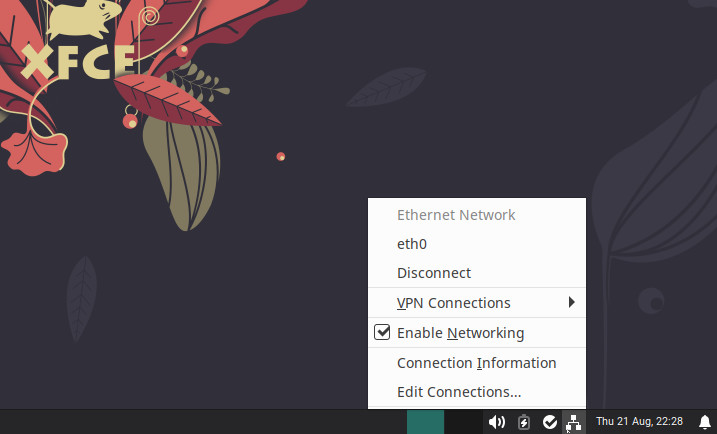
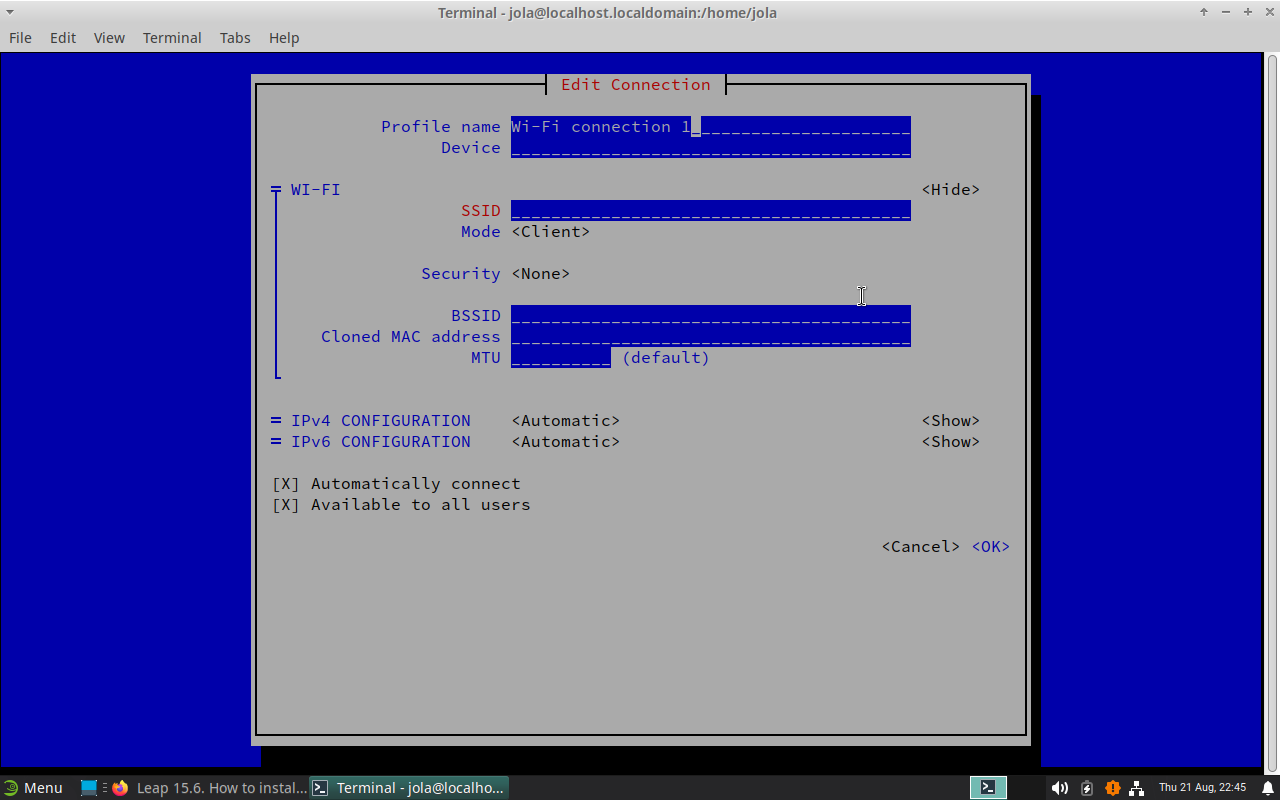
So try to configure your NetworkManager.
There is no wireless connection.
Run sudo nmtui and check the devices in theresudo rfkill list and post output here.
fkill list
0: acer-wireless: Wireless LAN
	Soft blocked: no
	Hard blocked: no
post executed as root:modinfo wllsmod | grep -Ei 'wl|b43|bcmi'
# modinfo wl
filename:       /lib/modules/6.4.0-150600.23.60-default/updates/wl.ko.xz
license:        MIXED/Proprietary
description:    Broadcom-wl wireless driver [unmaintained, out-of-tree]
suserelease:    SLE15-SP6
srcversion:     1AE9E67DAEEE1C8F1F01216
alias:          pci:v*d*sv*sd*bc02sc80i*
depends:        cfg80211
retpoline:      Y
name:           wl
vermagic:       6.4.0-150600.23.60-default SMP preempt mod_unload modversions
sig_id:         PKCS#7
signer:         Essentials OBS Project
sig_key:        72:11:BC:B0:88:9A:A4:37:26:DB:00:32:71:B4:E2:AA:65:37:9D:FD
sig_hashalgo:   sha256
signature:      3F:4A:83:D4:DD:FA:90:3F:D4:55:AB:54:55:E7:05:63:AC:72:BA:B0:
		11:D4:4C:B6:12:A6:6B:89:09:6C:79:99:DE:9E:20:92:5F:6E:F2:94:
		11:95:C0:1D:82:16:32:40:1C:41:92:2F:17:70:E0:68:80:02:DD:CE:
		07:9A:0E:EF:1E:69:C6:33:D2:BF:C6:15:A0:8F:9F:8D:79:1D:6A:DE:
		04:07:EB:5A:38:12:97:80:AD:B9:52:E5:AE:FB:B2:B9:D7:99:FB:4B:
		B0:FA:7C:04:16:AD:33:C7:5E:83:B7:3D:CF:34:30:43:0A:C5:FD:8B:
		6B:64:8E:BD:09:87:CA:68:1F:12:7C:89:A5:A0:BF:66:86:B9:C4:59:
		21:72:E4:BB:11:3D:2E:67:F4:20:BE:7D:2B:E3:CF:72:94:C5:B5:D2:
		5D:8E:4D:66:4F:8F:46:23:BA:2F:00:FF:2E:42:1B:F4:63:FA:85:21:
		82:D1:96:0F:9B:84:41:E1:95:33:EB:57:AA:11:8B:36:E6:7B:38:1A:
		F2:68:1B:FD:65:02:B5:D9:BF:1E:02:12:4D:BC:D6:8C:55:EC:D9:74:
		C6:FA:82:90:91:EC:90:35:EB:83:F9:BD:51:C9:88:CD:AE:23:21:5A:
		77:84:2E:7B:31:D3:09:69:A5:4D:43:D4:18:90:BB:11
parm:           passivemode:int
parm:           wl_txq_thresh:int
parm:           oneonly:int
parm:           piomode:int
parm:           instance_base:int
parm:           nompc:int
parm:           intf_name:string
localhost:/home/jola # lsmod | grep -Ei 'wl|b43|bcmi'
b43legacy             176128  0
b43                   516096  0
cordic                 12288  1 b43
bcma                   86016  1 b43
mac80211             1527808  2 b43,b43legacy
ssb                   110592  3 b43,b43legacy,ssb_hcd
wl                   6541312  0
cfg80211             1290240  4 wl,b43,b43legacy,mac80211
mmc_core              270336  5 b43,sdhci,ssb,cqhci,sdhci_pci
So b43 is not blocked.
grep -Ei 'b43|brcm|ssb' /etc/modprobe.d/*
grep -Ei 'b43|brcm|ssb' /etc/modprobe.d/*
/etc/modprobe.d/50-broadcom-wl-blacklist.conf:blacklist ssb
/etc/modprobe.d/50-broadcom-wl-blacklist.conf:blacklist b43
/etc/modprobe.d/50-broadcom-wl-blacklist.conf:blacklist brcm80211
/etc/modprobe.d/50-broadcom-wl-blacklist.conf:blacklist brcmsmac
Comment that line out, I would say
It is:
cat /etc/modprobe.d/50-broadcom-wl-blacklist.conf
# modules blacklisted for broadcom-wl
blacklist bcm43xx
blacklist ssb
blacklist b43
blacklist ndiswrapper
blacklist brcm80211
blacklist bcma
blacklist brcmsmac
So I would do as root:
modprobe -r ssb
modprobe -r b43
mosprobe -r brcm80211
modprobe -r bcma
modprobe -r brcmsmac
modprobe -r wl
to get rid of all broadcom modules.
modprobe wl
to load the broadcom-wl module.
systemctl restart network.service
Now see, if Networkmanager can configure your Wlan.
Please notice:
Still the same. I tried # and modprobe -r …
modprobe -r ssb
modprobe: FATAL: Module ssb is in use.
localhost:/home/jola # modprobe -r b43
localhost:/home/jola # modprobe -r brcm80211
modprobe: FATAL: Module brcm80211 not found.
localhost:/home/jola # modprobe -r bcma
localhost:/home/jola # modprobe -r brcmsmac
localhost:/home/jola # modprobe -r wl
localhost:/home/jola # cat /etc/modprobe.d/50-broadcom-wl-blacklist.conf
# modules blacklisted for broadcom-wl
blacklist bcm43xx
blacklist ssb
blacklist b43
blacklist ndiswrapper
blacklist brcm80211
blacklist bcma
blacklist brcmsmac
localhost:/home/jola # modprobe wl
localhost:/home/jola # systemctl restart network.service
localhost:/home/jola # cat /etc/modprobe.d/50-broadcom-wl-blacklist.conf
# modules blacklisted for broadcom-wl
blacklist bcm43xx
blacklist ssb
blacklist b43
blacklist ndiswrapper
blacklist brcm80211
blacklist bcma
blacklist brcmsmac
localhost:/home/jola #  dmesg|grep -i b43
[   19.092900] b43-pci-bridge 0000:04:00.0: Sonics Silicon Backplane found on PCI device 0000:04:00.0
[   19.850483] b43-phy0: Broadcom 4311 WLAN found (core revision 10)
[   19.892523] b43-phy0: Found PHY: Analog 4, Type 2 (G), Revision 8
[   19.892549] b43-phy0: Found Radio: Manuf 0x17F, ID 0x2050, Revision 2, Version 0
[   19.915825] b43 ssb0:0: Direct firmware load for b43/ucode5.fw failed with error -2
[   19.915888] b43 ssb0:0: Direct firmware load for b43/ucode5.fw failed with error -2
[   19.915949] b43 ssb0:0: Direct firmware load for b43-open/ucode5.fw failed with error -2
[   19.915991] b43 ssb0:0: Direct firmware load for b43-open/ucode5.fw failed with error -2
[   19.915998] b43-phy0 ERROR: Firmware file "b43/ucode5.fw" not found
[   19.916005] b43-phy0 ERROR: Firmware file "b43-open/ucode5.fw" not found
[   19.916010] b43-phy0 ERROR: Please open a terminal and enter the command "sudo /usr/sbin/install_bcm43xx_firmware" to download the correct firmware for this driver version. For an off-line installation, go to https://en.opensuse.org/HCL:Network_(Wireless)#Broadcom and follow the instructions above the table.
localhost:/home/jola # hwinfo --network
35: None 00.0: 10701 Ethernet
  [Created at net.126]
  Unique ID: usDW.ndpeucax6V1
  Parent ID: rBUF.JCaaxhFHMb2
  SysFS ID: /class/net/eth0
  SysFS Device Link: /devices/pci0000:00/0000:00:1c.0/0000:02:00.0
  Hardware Class: network interface
  Model: "Ethernet network interface"
  Driver: "tg3"
  Driver Modules: "tg3"
  Device File: eth0
  HW Address: 00:1d:72:0a:88:2e
  Permanent HW Address: 00:1d:72:0a:88:2e
  Link detected: yes
  Config Status: cfg=new, avail=yes, need=no, active=unknown
  Attached to: #6 (Ethernet controller)

36: None 00.0: 10700 Loopback
  [Created at net.126]
  Unique ID: ZsBS.GQNx7L4uPNA
  SysFS ID: /class/net/lo
  Hardware Class: network interface
  Model: "Loopback network interface"
  Device File: lo
  Link detected: yes
  Config Status: cfg=new, avail=yes, need=no, active=unknown
at /etc/modprobe.d/50-broadcom-wl-blacklist.conf
# modules blacklisted for broadcom-wl
# blacklist bcm43xx
# blacklist ssb
# blacklist b43
# blacklist ndiswrapper
# blacklist brcm80211
# blacklist bcma
# blacklist brcmsmac
localhost:/etc/modprobe.d # modprobe wl
localhost:/etc/modprobe.d # systemctl restart network.service
localhost:/etc/modprobe.d # hwinfo --network
35: None 00.0: 10701 Ethernet
  [Created at net.126]
  Unique ID: usDW.ndpeucax6V1
  Parent ID: rBUF.JCaaxhFHMb2
  SysFS ID: /class/net/eth0
  SysFS Device Link: /devices/pci0000:00/0000:00:1c.0/0000:02:00.0
  Hardware Class: network interface
  Model: "Ethernet network interface"
  Driver: "tg3"
  Driver Modules: "tg3"
  Device File: eth0
  HW Address: 00:1d:72:0a:88:2e
  Permanent HW Address: 00:1d:72:0a:88:2e
  Link detected: yes
  Config Status: cfg=new, avail=yes, need=no, active=unknown
  Attached to: #6 (Ethernet controller)

36: None 00.0: 10700 Loopback
  [Created at net.126]
  Unique ID: ZsBS.GQNx7L4uPNA
  SysFS ID: /class/net/lo
  Hardware Class: network interface
  Model: "Loopback network interface"
  Device File: lo
  Link detected: yes
  Config Status: cfg=new, avail=yes, need=no, active=unknown
Thanks for the help, everyone. Unfortunately, the laptop died. After 18 years, it was to be expected.
system
September 25, 2025, 6:25am
18
This topic was automatically closed 30 days after the last reply. New replies are no longer allowed.