Hi, this is the continuation of this thread.
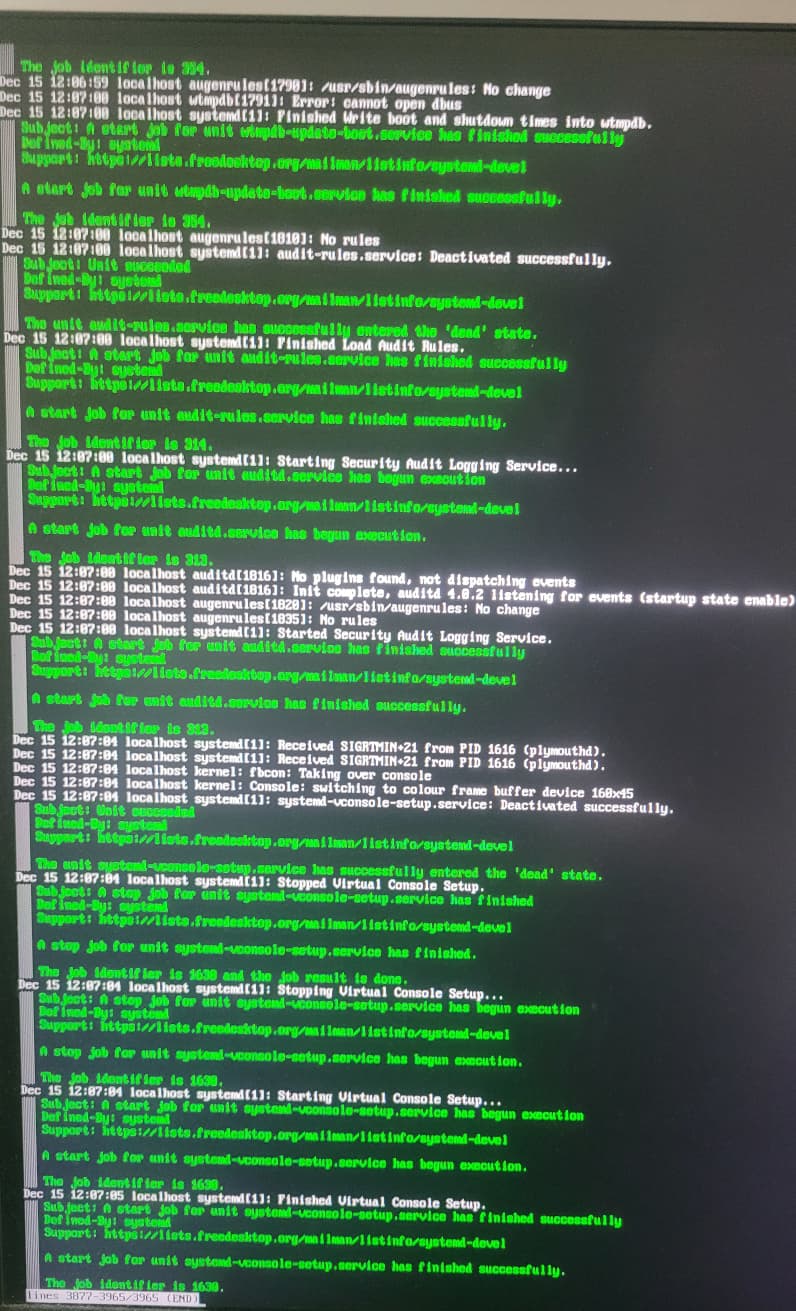
I installed apparently the latest Tumbleweed or at least the installer said so. I restarted the system, choose OpenSUSE and it booted to the emergency shell. I attach the log tail.
Hi, this is the continuation of this thread.
I installed apparently the latest Tumbleweed or at least the installer said so. I restarted the system, choose OpenSUSE and it booted to the emergency shell. I attach the log tail.
You again start with your conclusions instead of starting with facts. What do you call “emergency shell”?
Could you show me an example of “starting with conclusions instead of starting with facts”?
It asked me the root password and leaved me with the root shell. I don’t know how you call it. So I called it an emergency shell. I am sorry if my threads were a problem for you.
Show the screen when it asks you for the root password. Before doing anything.
If I understand your original thread correctly, your system install combines volumes set up with software raid0 and raid1, right?
I wonder if there is an issue with that setup preventing the system from loading properly. In particular, the initrd should include all the necessary modules so that root directory “/” can be found.
Please, show all screen content.
Maybe irrelevant, but the log fragment says something about plymouthd receiving a signal and switching to text console.
Try booting with plymouth.enable=0 added to and quiet removed from the kernel command line and post once more the screen before this prompt comes up.
Alternatively you can capture the full journal
journalctl --system -b > /tmp/journal.out
and post the content of /tmp/journal.out to the https://paste.opensuse.org/. It may be needed anyway, especially if picture will be of the same quality.
plymouthd sending SIGRTMIN+21.
This topic was automatically closed 30 days after the last reply. New replies are no longer allowed.