I have a keychron usb connected keyboard and a logitech bluetooth mouse.
The keyboard is only listed as generic-no keychron option.
The keychron keyboard shows up as top item list for a mouse with logitech farther down the list. If I select logitech it keeps deaulting to the keychron keyboard.
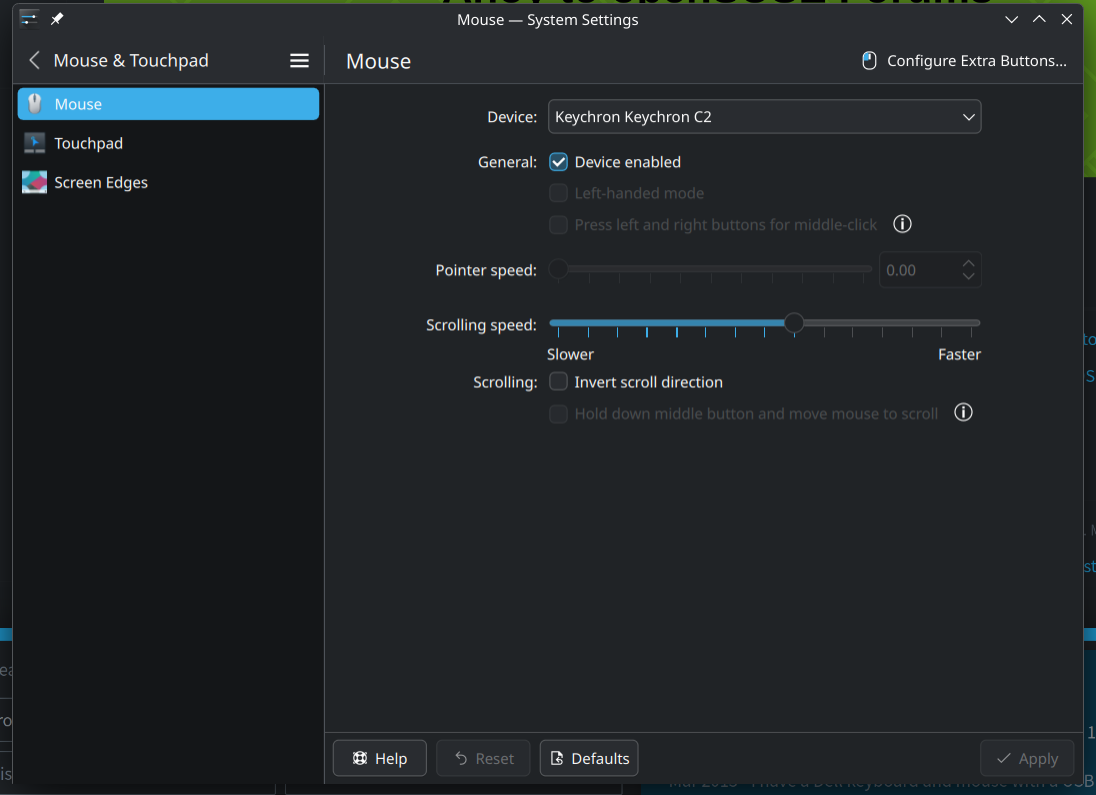
You are on the wrong page in systemsettings…there is a Keyboard tab…you are on the mouse tab…
Well this keyboard does not show up under keyboard options, I’m trying to find out why it shows up as a mouse?
On the mouse tab, all touchpads, mice and keyboards show up. But settings for keyboard can only be made on keyboard tab.
What issue do you try to solve? If you can type, your keyboard is properly detected and working. No further seetings needed. On the keyboard tab in systemsettings you can make settings regarding layout, shortcuts and more.
It is normal that standard keyboards show up as “Generic” under the keyboard rab.
Trying to customize a mouse button on the logitech M750 mouse. I don’t think they support linux.
Confusing…jumping between mouse and keyboard topics. But ok.
Select your mouse->Configure Extra Buttons
It is only a dropdown menu. The order is irrelevant. Simply choose your mouse from the dropdown menu and go to “Configure Extra Buttons”
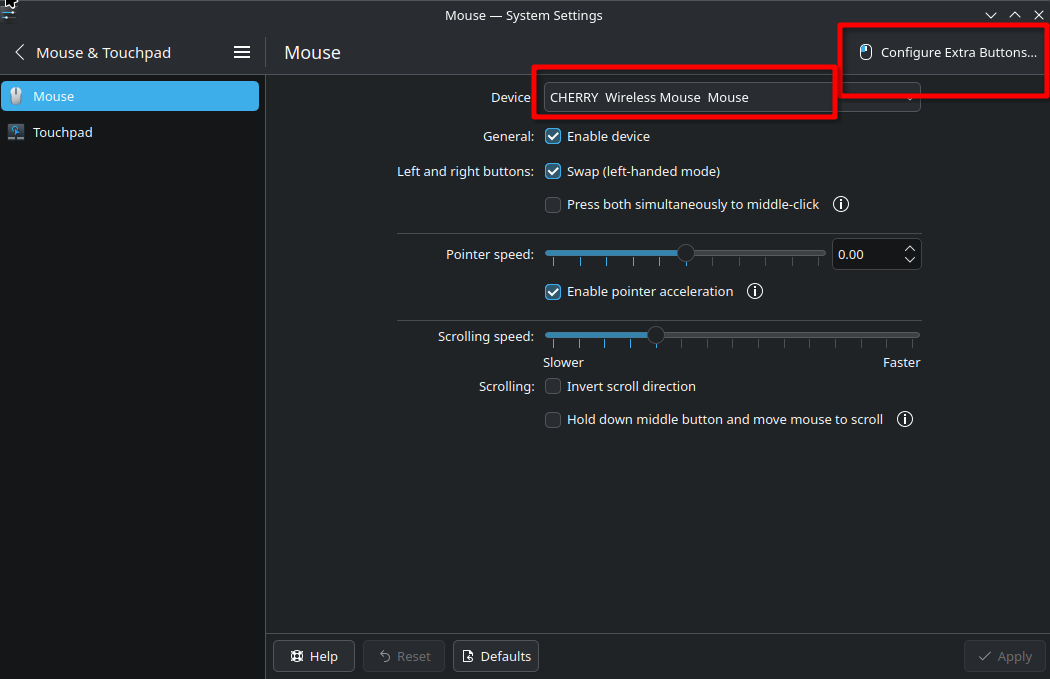
yep I tried that. Didn’t work. Basic functions work ok though. Just can’t customize any buttons
This topic was automatically closed 30 days after the last reply. New replies are no longer allowed.