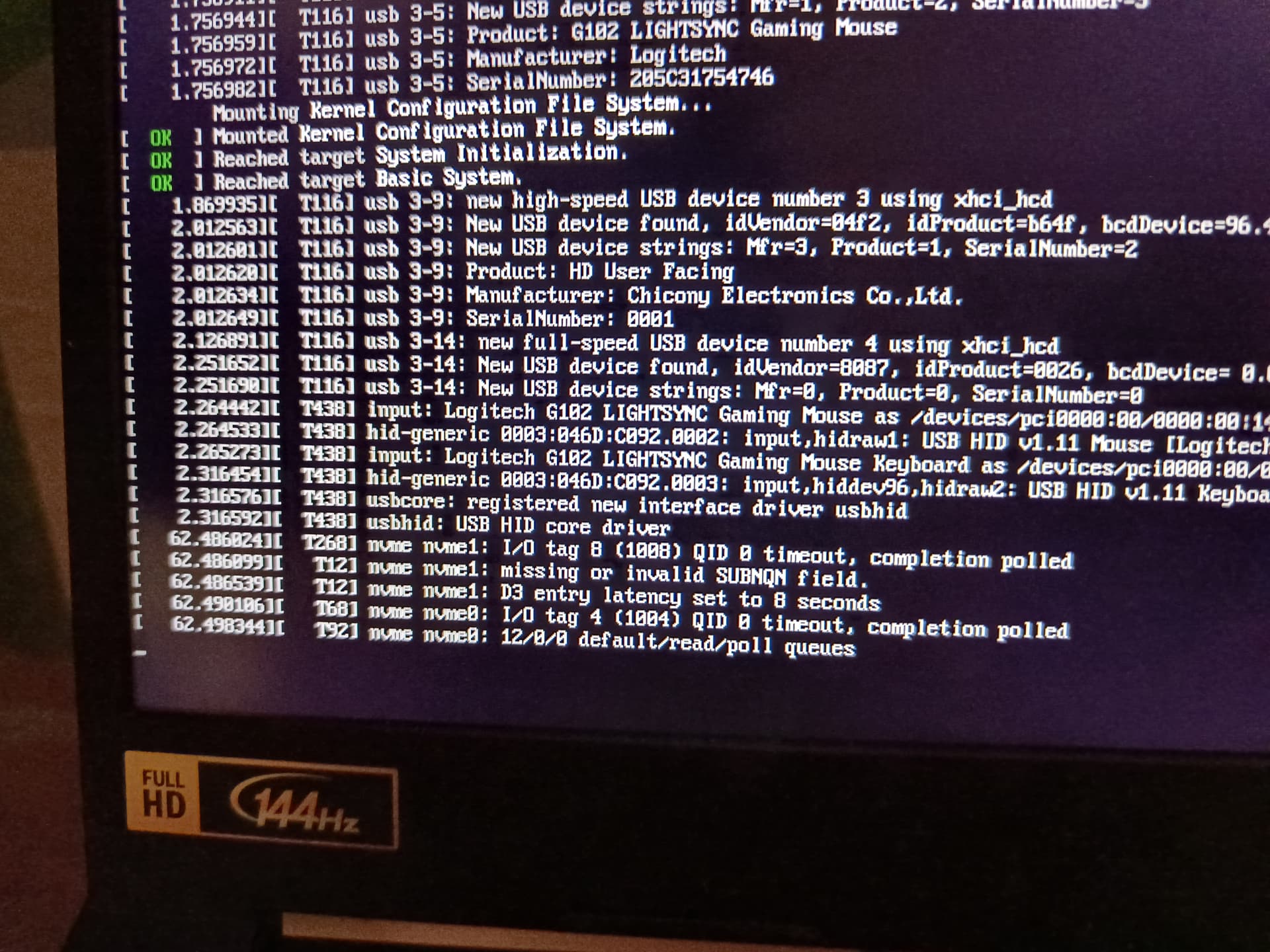
Judging from what I see on bugzilla, the fixed kernel seems to be 6.17.4. I have a question concerning its installation.
Every time a new kernel is installed on TW, the system removes the older of the remaining kernels automatically. In this case, when the 6.17.4 update arrives, the system will automatically remove 6.17.2 from the system, the moment 6.17.4 boots successfully.
If this happens, the system will have only kernels 6.17.4 and 6.17.3 installed, something I’d like to avoid. How do I make sure kernel 6.17.2 remains installed after the new 6.17.4 kernel’s installation?
You can adapt the settings in /etc/zypp.conf to keep more installed kernels. The relevant part is the multiversion section:
## Comma separated list of kernel packages to keep installed in parallel, if the
## above multiversion variable is set. Packages can be specified as
## 2.6.32.12-0.7 - Exact version to keep
## latest        - Keep kernel with the highest version number
## latest-N      - Keep kernel with the Nth highest version number
## running       - Keep the running kernel
## oldest        - Keep kernel with the lowest version number (the GA kernel)
## oldest+N      - Keep kernel with the Nth lowest version number
##
## Note: This entry is not evaluated by libzypp, but by the
##       purge-kernels service (via /sbin/purge-kernels).
##
## Default: Do not delete any kernels if multiversion = provides:multiversion(kernel) is set
multiversion.kernels = latest,latest-1,latest-2,latest-3,running
As you can see at the last line, i have adapted my settings to keep 4 kernels: multiversion.kernels = latest,latest-1,latest-2,latest-3,running
The standard setting is only two kernels: multiversion.kernels = latest,latest-1,running
You can also keep an exact version as described in the comment of zypp.conf.
Just to make sure I understood correctly. If I want to keep kernel 6.17.2, the only thing I have to type in /etc/zypp.conf is its number i.e. 6.17.2-1.1. Not the whole package name (kernel-default-xxx), right?
After I make the changes to /etc/zypp.conf do I have to reboot or do any additional things like regenerate all with dracut for example or is just editing and saving the file enough?
Do I have to place the parameters after the multiversion.kernels = command in a specific order or can they be placed freely separated by commas?
I’m getting the same issue with my laptop…the only difference with my issue is my laptop is totally and completely locked up…power button doesn’t even respond …it’s currently still on and unplugged waiting for the battery to die.
I’m afraid I have to bother you again. There is no /etc/zypp.conf file on my system. The only file I have found is a /etc/zypp/zypp.conf which is quite big.
Because there is a critical bug in how the Intel VMD controller initializes and shuts down MSI (Message Signaled Interrupts). So if you have VMD enabled, guaranteed kernel panic. It probably has been fixed in 6.17.4 though, so wait for that or use kernel 6.17.2, or the longterm kernel.