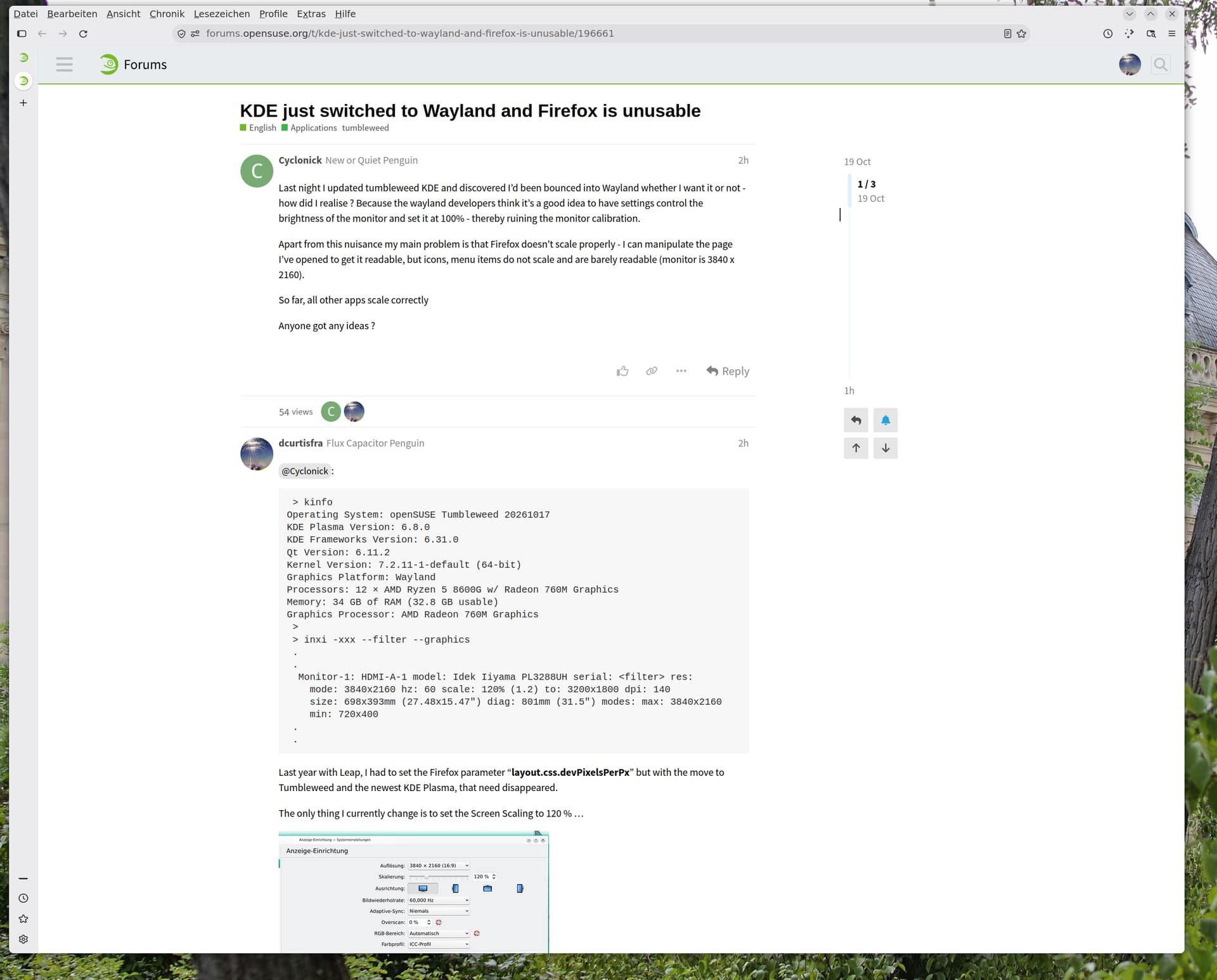
Last night I updated tumbleweed KDE and discovered I’d been bounced into Wayland whether I want it or not - how did I realise ? Because the wayland developers think it’s a good idea to have settings control the brightness of the monitor and set it at 100% - thereby ruining the monitor calibration.
Apart from this nuisance my main problem is that Firefox doesn’t scale properly - I can manipulate the page I’ve opened to get it readable, but icons, menu items do not scale and are barely readable (monitor is 3840 x 2160).
Last year with Leap, I had to set the Firefox parameter “layout.css.devPixelsPerPx” but with the move to Tumbleweed and the newest KDE Plasma, that need disappeared.
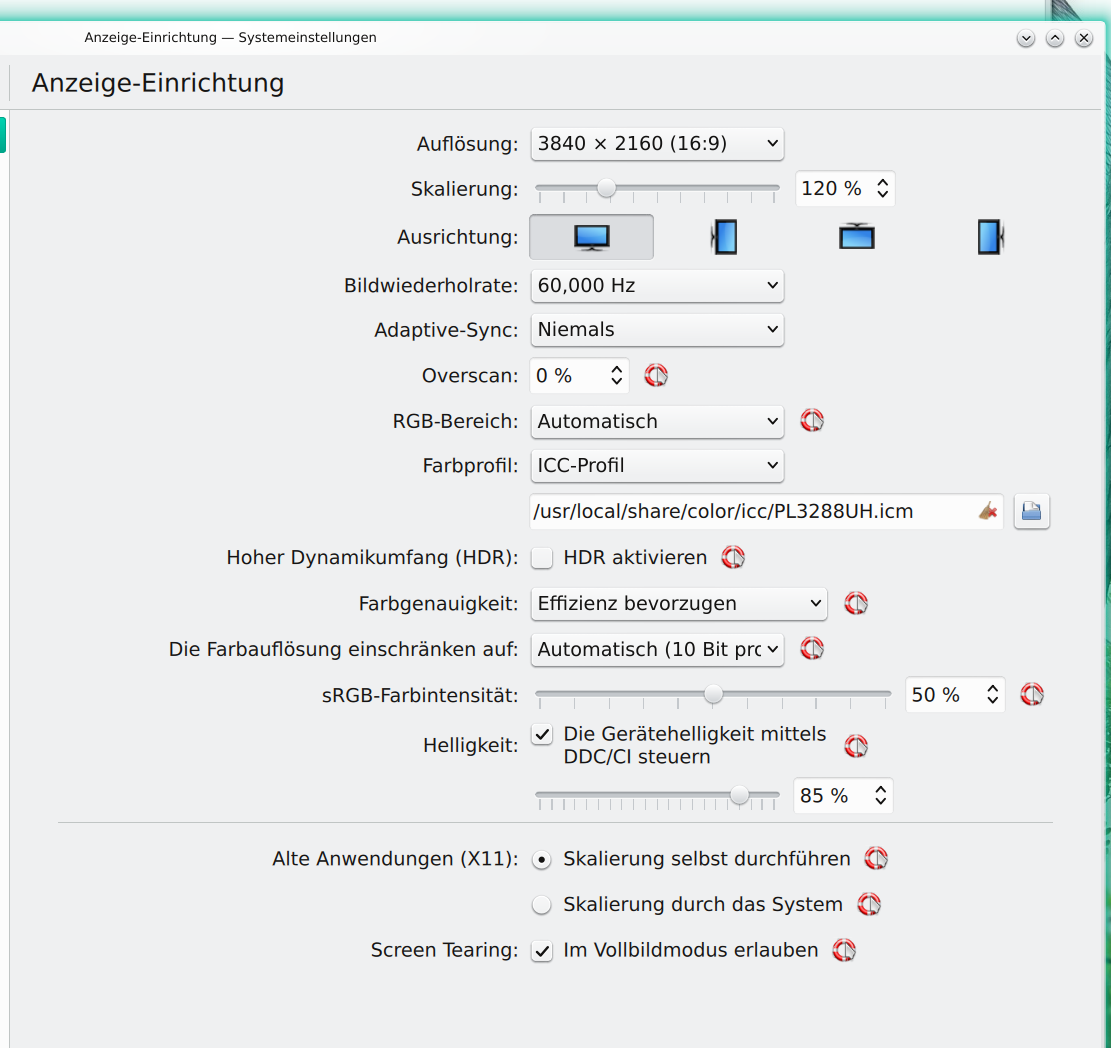
The only thing I currently change is to set the Screen Scaling to 120 % …
On my version I have had to set default zoom to 160% so the page is comfortable to read - Brave, my other browser (because certain sites only function Chrome-based browser) has required no modification.
Everything else - menus, status bar, etc. is, I suppose, in 16px but without any scaling - which is to say about 4mm high…
Wiped the ~/.cache but I don’t seem to be able to find the GPUcache - I’ve been looking in ~/.mozilla/firefox as well - but nothing seems to correspond
So far it hasn’t worked
Somewhere I read that creating a new profile could solve it - which means spending hours getting settings and extensions set up again (Mozilla’s “sync” doesn’t do what it says on the tin)
 > ls .mozilla/firefox/????.default-release/extensions/
plasma-browser-integration@kde.org.xpi
 >
But, before you delete everything in ‘~/.mozilla/’ what you could do is, to create a new, fresh, uncontaminated, Test User. Login to your new user and take a look at how a new fresh Mozilla Firefox instance is displayed.
Here’s how to find all the GPUCache sub-directories:
Open a windowed command line (such as Konsole if using
KDE Plasma) … then execute this command as below (you will notice there are multiple applications that use/have a GPUCache):
.
I also end up deleting all of them at once with (command shown below) … it’s not critical to delete GPUCache … once you launch the application afterwards, the GPUCache will be re-created and updated as you use the app (GPUCache content, at times, become corrupted and cause issues, which is why it helps to delete them):
My personal preference is to export/archive your current bookmarks and then, import the archived bookmarks into the new profile.
For the case of the extensions, given ‘extension-preferences.json’ and ‘extension-settings.json’ and ‘extensions.json’, I would suggest that, it’s definitely better to reinstall the extensions from the Mozilla Store.
Ironically, I just did a 'Net search … Firefox does NOT use a GPUCache sub-dir. (I dont use FF, so didnt know this)
quote:
The GPUCache folder is an explicit architectural feature used exclusively by Chromium-based browsers (such as Google Chrome, Brave, Microsoft Edge, and Opera) and Electron applications to store compiled GL shaders and GPU-accelerated interface assets.
How Firefox Handles GPU & Graphics Caches
Instead of creating a standalone GPUCache folder, Firefox manages its rendering and disk caches through its own custom rendering engine (WebRender).
Unified Storage: Firefox stores its primary disk cache data under a unified structure, typically located at ~/.cache/mozilla/firefox/[profile_name]/cache2/ on Linux.
Ah, so when I emptied the cache (using Bleachbit) it emptied any GPU data (or hid it somewhere else).
Anyway I’ll gin and bear it until I’ve got the time.
I’ve also got to find out how to calibrate and profile the monitor which can’t be done properly under Wayland - which is why photographers and artists like it so much (not).
KDE Plasma 6 itself supports assigning ICC profiles to displays under Wayland via System Settings > Display Configuration. However, applications must also support the relevant colour-management mechanism to make proper use of those profiles, so support won’t be universal unfortunately.
I’m not an artist, or photographer, but I assume some applications may have their own colour-management settings, including the ability to select an ICC profile? Hopefully others can advise further here.
widget.wayland.fractional-scale.enabled is enabled as are most of the Wayland entries. There’s one which isn’t widget.wayland.session-management.enabledwhich I don’t know what it means - it sort of suggests that Wayland isn’t managing it, then it is outside the system configuration…
As for colour management, it recognises that I have a .icc file but Wayland messed with the brightness level, so I have lost the calibration - which defines the white point and primaries - which is the start point for profiling, which analyses the quirks of the individual monitor…
I’m half thinking of installing XFCE alongside KDE to get back to X11 for any image work - which should be possible as all the X11 components are still there, it’s just that KDE won’t let me use them.
To OP; try “about:profiles” in the urlbar, start a new firefox profile and see how it works.
Firefox caches and sets some configs initially and grows garbage and stale settings overtime, if your profile is old it can have that. Heck, I’d recommend anyone resetting their Firefox profile and migrating to a new one once in a while.
Performance issues (slow firefox rendering), YouTube not loading with adblock, all things that can be solved by starting fresh.
I agree the main lever is the display scaling in settings - but Chrome has a second page zoom setting for fine-tuning not sure if Firefox also…
It is, indeed, the profile - new profile behaves more or less impeccably…
I now have to spend the day configuring the new profile (I have more interesting things to do)
Still furious the KDE and Wayland developers haven’t listened to users - the threads complaining about windows all opening in the middle of the window and the wrong size are miles long and nothing’s been done about it, and the colour management is a scandal - Graeme Gill, author of ArgyllCMS, and the colour guru as far as linux is concerned, contacted the Wayland team as long ago as 2013 and told to piss off - now they’ve realised it’s actually quite important… it’s down to Pekka Paalanen that Gill is back helping them sort out the mess. It’s a pity because colour management could have been built in as it is with Mac computers which would have given Linux a distinct edge.
And the KDE team didn’t need to block X11 until everything was sorted out.