[HOWTO] VLC, Remote control

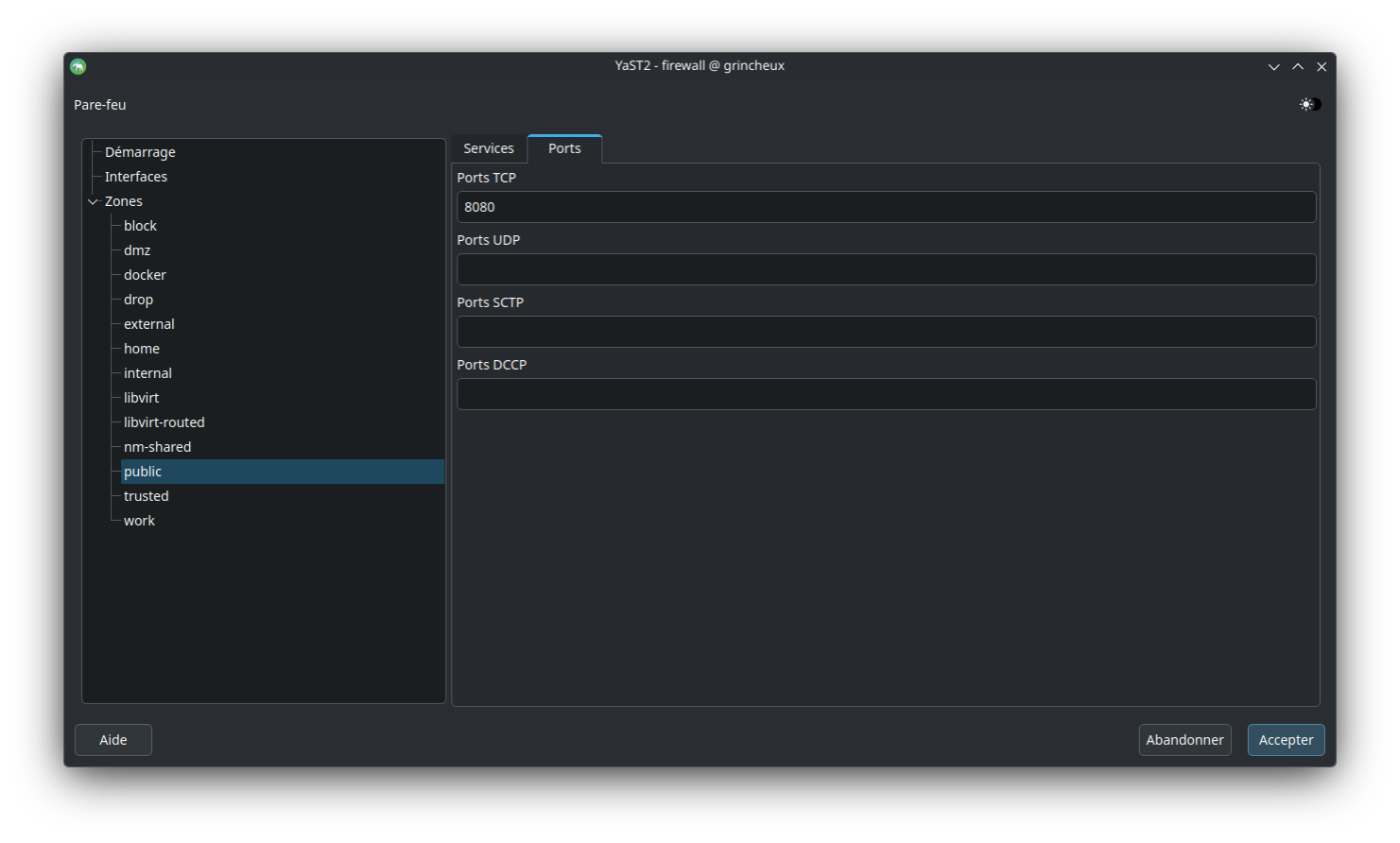
  1. In the firewall, in “Public” zone, open the port 8080/tcp for incoming access

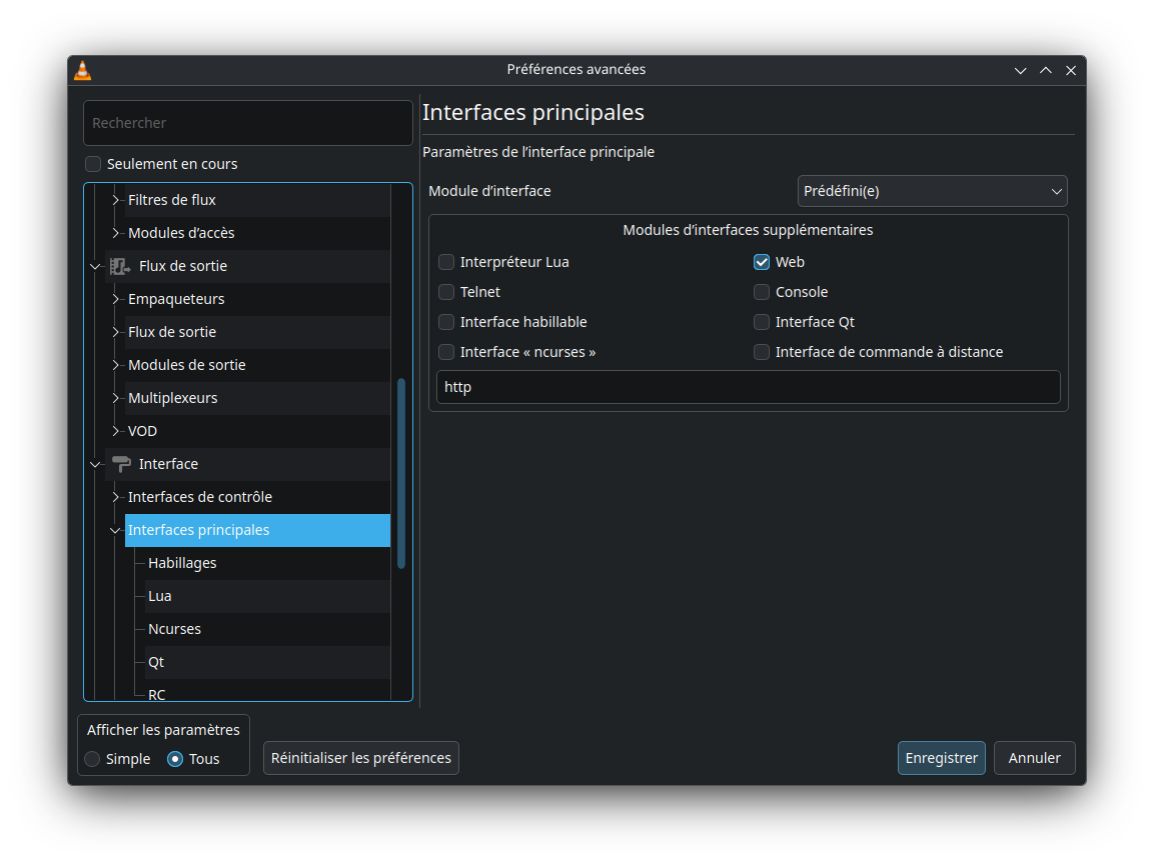
  2. In VLC enable the web access

In VLC Tools → Preferences (select “All” radio-button) → Interface → Main interfaces → check “Web”:

  1. In VLC set a password for the access

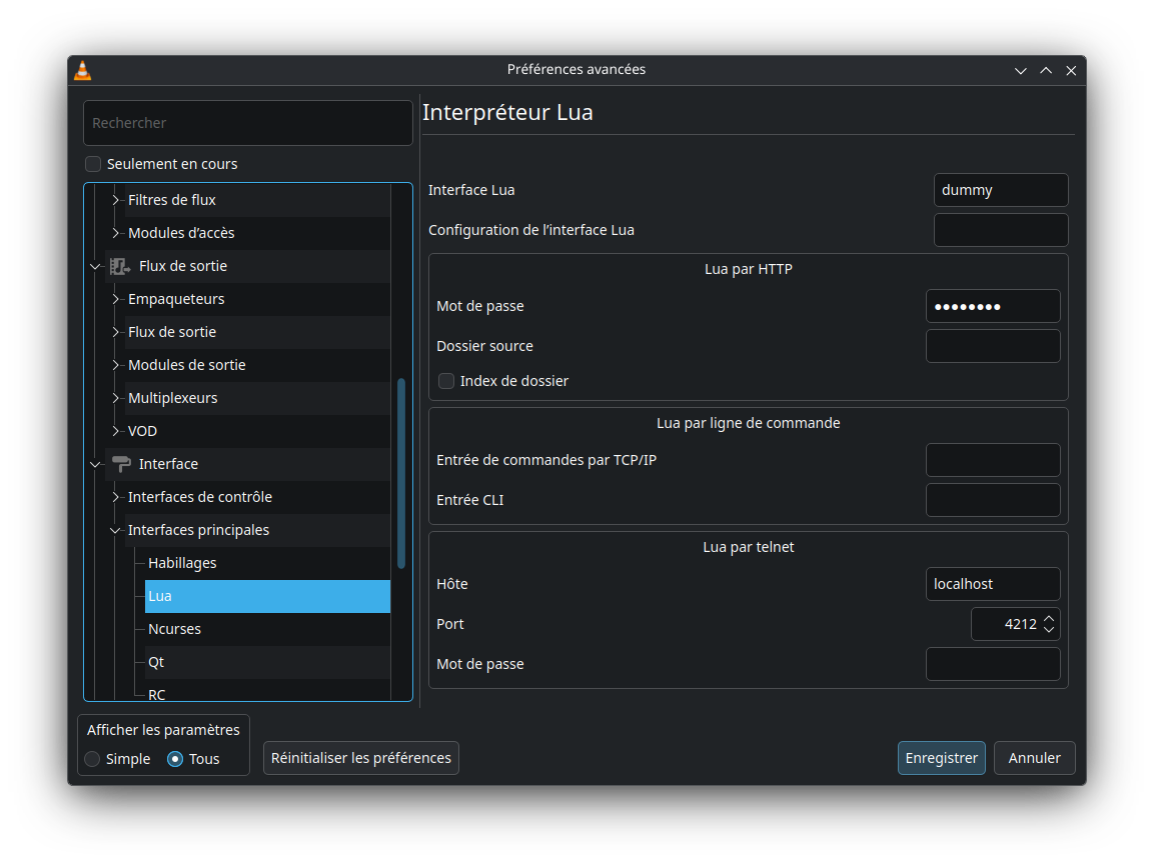
In VLC Tools → Preferences (select “All” radio-button) → Interface → Main interfaces → Lua → Lua by http
set a password

The password is strored in ~/.config/vlc/vlcrc at “[lua] # Lua interpreter”

  1. don’t forget to record the settings

  2. logout then login to get the new settings of the firewall

enjoy

I doubt that. Firewall settings are system settings and not settings of a user. Thus either they become valid direct through the tool you use, or they need a re-boot.

It is what I experimented. If you do not do this your profile does not benefit.

Firewalld allows you to make changes on the fly. Changes can be made permanent once things are working as desired. No logout/login or system restart required.
https://blog.christophersmart.com/2014/01/15/add-permanent-rules-to-firewalld/

This topic was automatically closed 30 days after the last reply. New replies are no longer allowed.