I am trying to read some documentation, but probably I’m not understanding everything. I feel sure about having all the conditions to have Snapper. sudo snapper list is showing me a list of snapshots, meaning that it’s working. Disk is 60GB, it’s only one.
What I’m reading is " 1. Boot the system. In the boot menu choose Bootable snapshots and select the snapshot you want to boot. The list of snapshots is listed by date—the most recent snapshot is listed first."
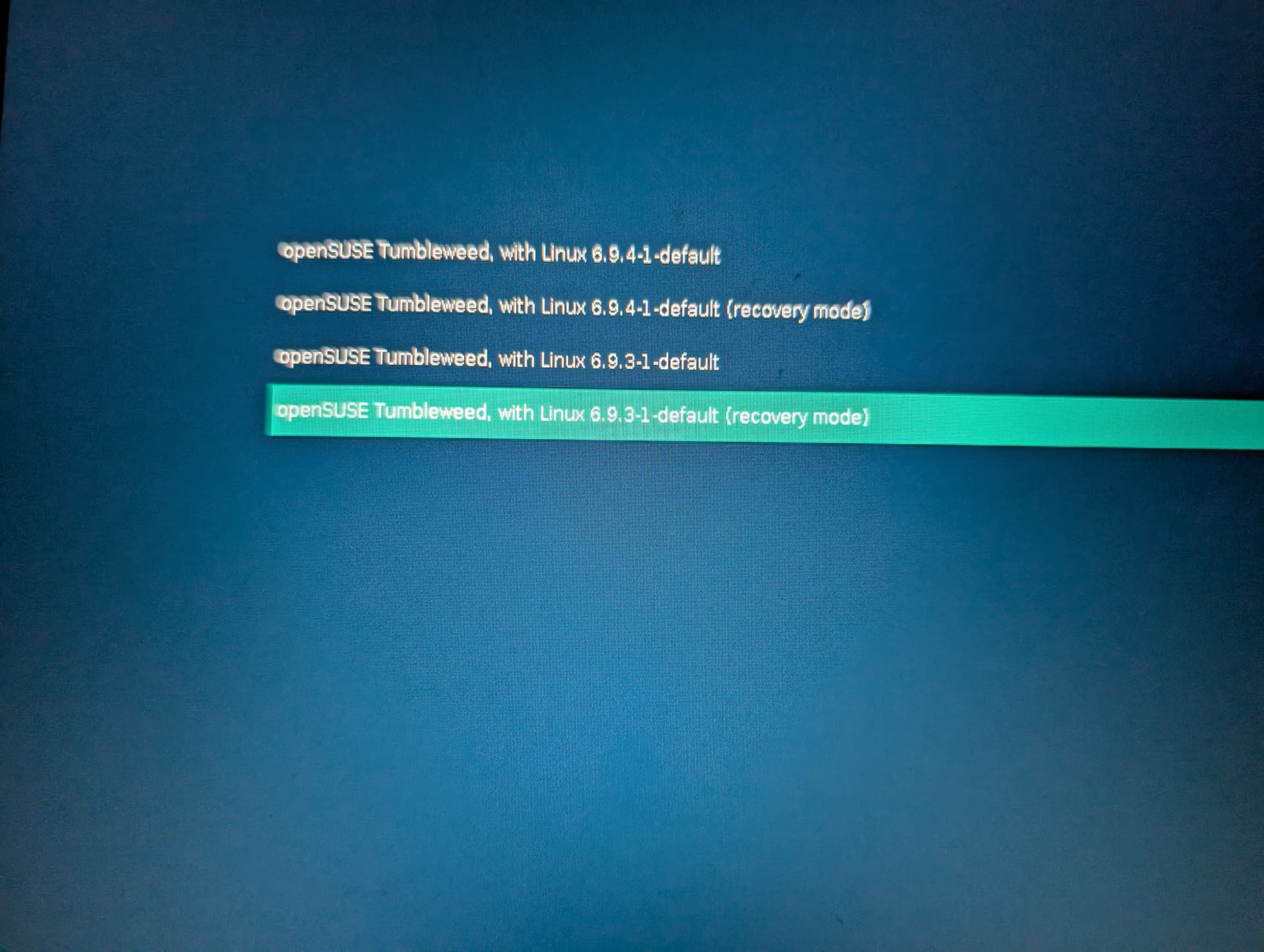
Does this mean that I should see a bootable Tumbleweed in GRUB? Because, in this case, I can’t see anything but the usual TW and Recovery options.
Otherwise, are snapshots just working with Snapper when booting in a bootable system in order to undo a couple of things that didn’t actually break too much?
Separate boot partition doesn’t make any difference.
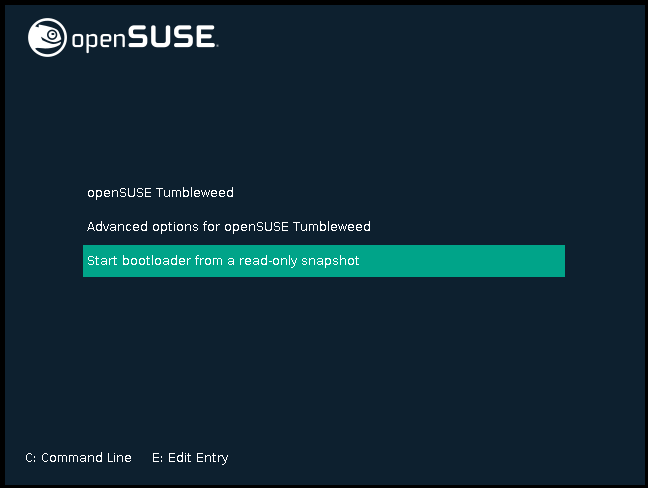
Here’s what you should see:
If there are a lot of options in the menu, you need to scroll down further to see the option. (That’s what happened to me - I had 3 or 4 kernels listed on that page, and it wasn’t clear to me that this menu scrolls when you get to the bottom of it).
Once in the menu, you’ll see something like this:
Note that if you’re not running btrfs, you won’t have this option. btrfs is required on the root partition.
I’m running with Btrfs and chose the snapshots options when installing. But /boot is in ext4 partition, so I’m still thinking that this might create an issue. Perhaps I might try to do a conversion to Btrfs.
~> mount | grep boot
/dev/nvme0n1p4 on /boot type ext4 (rw,relatime,data=ordered)
/dev/nvme0n1p1 on /boot/efi type vfat (rw,relatime,fmask=0022,dmask=0022,codepage=437,iocharset=iso8859-1,shortname=mixed,utf8,errors=remount-ro)
> mount | grep '/ '
/dev/mmcblk0p1 on / type btrfs (rw,relatime,compress-force=zstd:3,ssd,discard=async,space_cache=v2,subvolid=263,subvol=/@/.snapshots/1/snapshot)
I’ve also run “sudo zypper dup” and then
~> sudo snapper list
[sudo] password di root:
  # │ Tipo   │ Pre # │ Data                      │ Utente │ Spazio utilizzato │ Pulitura │ Descrizione           │ Dati utente
────┼────────┼───────┼───────────────────────────┼────────┼───────────────────┼──────────┼───────────────────────┼──────────────
 0  │ single │       │                           │ root   │                   │          │ current               │
 1* │ single │       │ lun 17 giu 2024, 19:03:41 │ root   │          7,15 MiB │          │ first root filesystem │
41  │ pre    │       │ mar 18 giu 2024, 14:53:17 │ root   │        384,00 KiB │ number   │ zypp(zypper)          │ important=yes
42  │ post   │    41 │ mar 18 giu 2024, 14:53:19 │ root   │        364,00 KiB │ number   │                       │ important=yes
45  │ pre    │       │ mar 18 giu 2024, 15:00:59 │ root   │          1,02 MiB │ number   │ zypp(zypper)          │ important=yes
46  │ post   │    45 │ mar 18 giu 2024, 15:03:11 │ root   │         11,59 MiB │ number   │                       │ important=yes
47  │ pre    │       │ mar 18 giu 2024, 15:09:08 │ root   │        376,00 KiB │ number   │ zypp(zypper)          │ important=yes
48  │ post   │    47 │ mar 18 giu 2024, 15:09:37 │ root   │          2,61 MiB │ number   │                       │ important=yes
49  │ pre    │       │ mar 18 giu 2024, 15:12:20 │ root   │        416,00 KiB │ number   │ zypp(zypper)          │ important=yes
50  │ post   │    49 │ mar 18 giu 2024, 15:13:56 │ root   │          5,43 MiB │ number   │                       │ important=yes
53  │ pre    │       │ mar 18 giu 2024, 15:19:02 │ root   │          1,70 MiB │ number   │ zypp(zypper)          │ important=yes
54  │ post   │    53 │ mar 18 giu 2024, 15:19:30 │ root   │          4,41 MiB │ number   │                       │ important=yes
63  │ pre    │       │ mar 18 giu 2024, 17:17:28 │ root   │          1,72 MiB │ number   │ zypp(zypper)          │ important=no
64  │ post   │    63 │ mar 18 giu 2024, 17:17:32 │ root   │          1,50 MiB │ number   │                       │ important=no
65  │ pre    │       │ mar 18 giu 2024, 17:27:16 │ root   │         96,00 KiB │ number   │ yast bootloader       │
66  │ post   │    65 │ mar 18 giu 2024, 17:28:38 │ root   │        320,00 KiB │ number   │                       │
67  │ pre    │       │ mar 18 giu 2024, 20:23:31 │ root   │          1,06 MiB │ number   │ yast sw_single        │
68  │ pre    │       │ mar 18 giu 2024, 20:24:01 │ root   │        380,00 KiB │ number   │ zypp(ruby.ruby3.3)    │ important=no
69  │ post   │    68 │ mar 18 giu 2024, 20:24:07 │ root   │        652,00 KiB │ number   │                       │ important=no
70  │ pre    │       │ mar 18 giu 2024, 20:28:01 │ root   │        288,00 KiB │ number   │ zypp(ruby.ruby3.3)    │ important=no
71  │ post   │    70 │ mar 18 giu 2024, 20:28:15 │ root   │        464,00 KiB │ number   │                       │ important=no
72  │ post   │    67 │ mar 18 giu 2024, 20:28:20 │ root   │         80,00 KiB │ number   │                       │
73  │ pre    │       │ mar 18 giu 2024, 20:43:58 │ root   │        976,00 KiB │ number   │ zypp(zypper)          │ important=no
74  │ post   │    73 │ mar 18 giu 2024, 20:45:41 │ root   │          9,47 MiB │ number   │                       │ important=no
I do not use Btrfs, but I am pretty sure you are correct here. When /boot is not part of the / Btrfs file system, all what is inside it (the kernel e.g.) will not be the subject of snapshotting.
In this case I might see if I can use the btrfs-convert util, but I know that it was dismissed years ago. Might have to use a Live USB OS and should also be very careful to change the fstab in advance.
I feel unsure for now though. I don’t really feel like re-installing, so this one is not an option
I know and I understand your point. In fact I have a machine like that.
But this specific situation requires me to have a /boot partition on a different disk in order for the system to boot. It’s on a disk that is not bootable
No. The problem is not what filesystem /boot has, but the fact that it is a separate filesystem. Rollback is only supported if /boot is part of the / filesystem.
If the machine won’t boot any more use a rescue system and manually create a writeable copy of the snapshot you want to boot and make it the default subvolume.
In the end I tried to make btrfs /boot a subvolume of /, but nothing booted at all.
I converted to systemd-boot (I wish I selected it in the first place when installing TW) by using this: Systemd-boot - openSUSE Wiki
Now I have the snapshots, after making the efi partition a bit bigger. The Known Issues part is important as “First boot with systemd-boot may select wrong snapshot. Workaround by holding the spacebar on first boot and select the correct snapshot from the menu. Then press ‘d’ to set it as default.”.