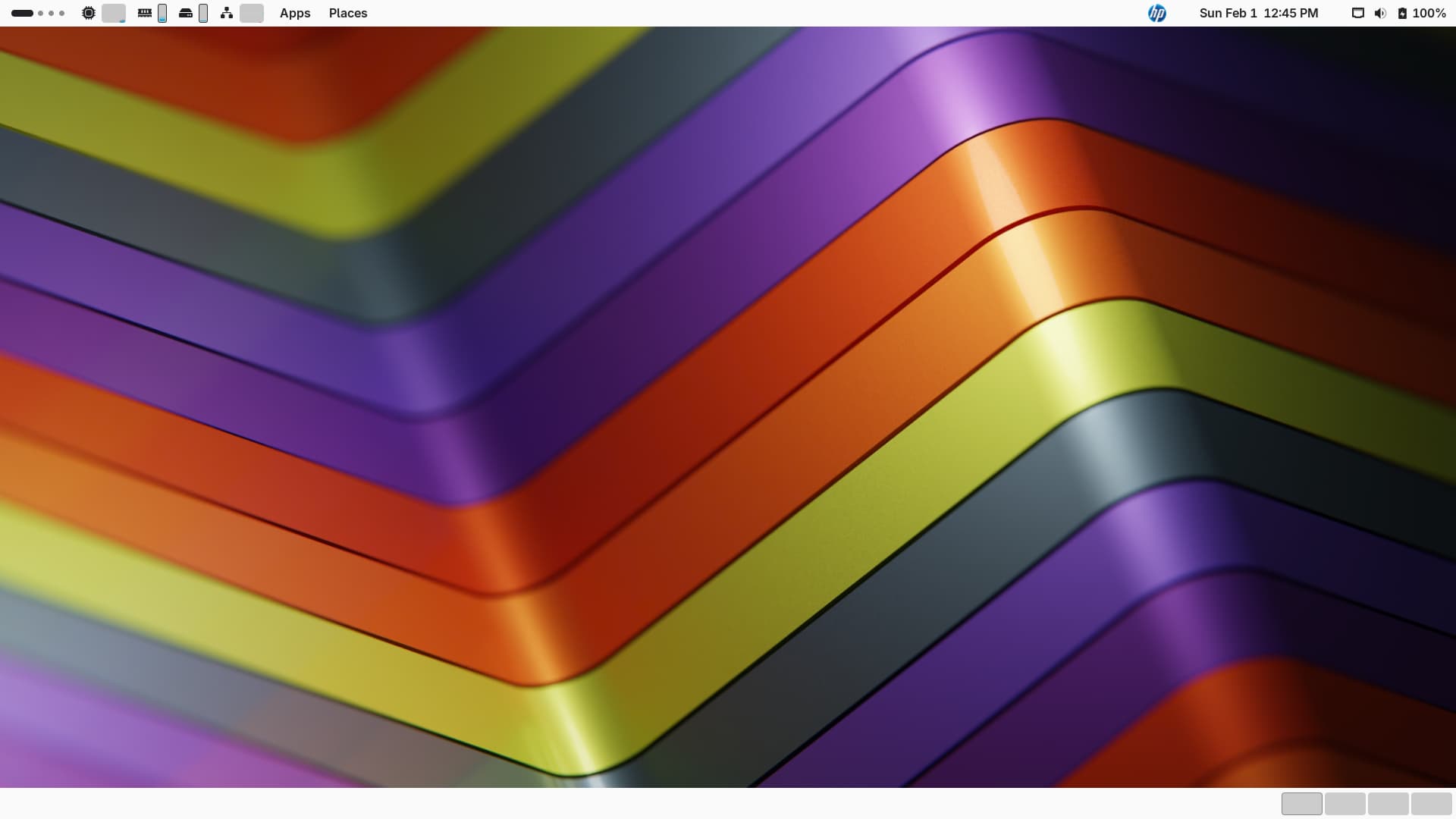
I just upgraded this system to 16 after being unable to update 15.6 for a long time (the system would only run under a read-only version and the fixes wouldn’t work). It was getting really buggy and slow and getting worse.
However, when I started 16, it came up with the most useless, horrible desktop environment which makes me wish I’d stuck with the old setup, as problematic as it had become.
I’ve been running an “old” version of Gnome for years - and don’t like the changes at all - in fact, the new desktop environment makes this computer a real pain. I think the old version I used to be called “Gnome Classic” or something like that - kind of like the old XP in the way it looks.
How on earth do I switch the desktop environment to the old Gnome I was using?
Thanks!
Bob
@Archaeometrist you could try installing gnome-shell-classic as in zypper in gnome-shell-classic gnome-shell-classic-xsession logout, select and login…
Thanks for the suggestion. It turned out that Gnome Classic was already installed, but logging out and logging back in did not give me a choice of desktop environments to use.
I’m not sure where to turn from here - just that the changes made have made the system far less usable even when this system was acting so strange. It IS faster and seems more stable, but that is about it.
@Archaeometrist On logout did you select your username, then select the cog icon bottom right and select the Desktop Environment?
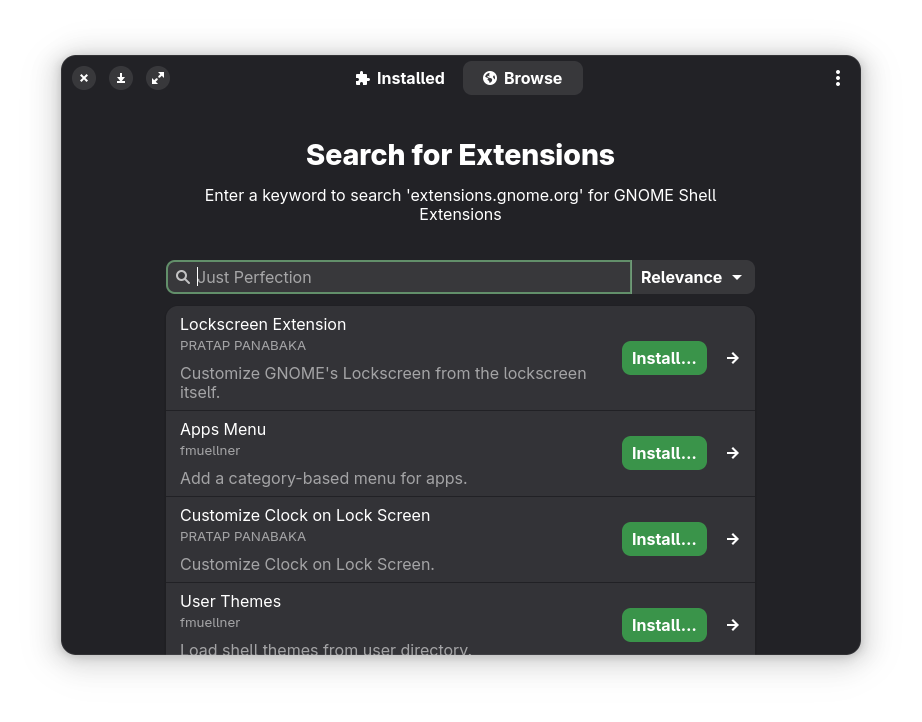
Else you might need to add the extension-manager package and peruse what is available there?
No Cog visible. Only login. I’ll try the extension-manager.
So far, no luck. No cog or way I’ve found so far to enable a choice.
@Archaeometrist Hmm, worked here fine?
zypper in gnome-shell-classic gnome-shell-classic-xsession

The following 22 NEW packages are going to be installed:
  brltty-driver-xwindow gnome-menus gnome-menus-branding-upstream gnome-session-xsession gnome-shell-classic gnome-shell-classic-xsession gnome-shell-extensions-common
  intel-media-driver libgnome-menu-3-0 libigdgmm12 libmfx-gen1_2 libmfx1 typelib-1_0-GMenu-3_0 xbrlapi xf86-input-evdev xf86-input-joystick xf86-input-libinput
  xf86-input-wacom xf86-video-vesa xorg-x11-driver-video xorg-x11-server xorg-x11-server-Xvfb
I should add;
inxi -GSaz

System:
  Kernel: 6.12.0-160000.8-default arch: x86_64 bits: 64 compiler: gcc
    v: 13.4.0 clocksource: tsc avail: acpi_pm
    parameters: BOOT_IMAGE=/boot/vmlinuz-6.12.0-160000.8-default
    root=UUID=e2911003-8a7b-490a-89b4-de68d08f1200 intel_iommu=on
    mitigations=auto quiet security=selinux selinux=1 ia32_emulation=1
    rd.driver.blacklist=nouveau
  Desktop: GNOME v: 48.4 tk: GTK v: 3.24.50 wm: gnome-shell
    tools: gsd-screensaver-proxy dm: GDM v: 48.0 Distro: openSUSE Leap 16.0
Graphics:
  Device-1: Intel CoffeeLake-S GT2 [UHD Graphics 630] vendor: Dell
    driver: i915 v: kernel arch: Gen-9.5 process: Intel 14nm built: 2016-20
    ports: active: none empty: DP-1, DP-2, DP-3, HDMI-A-1, HDMI-A-2, HDMI-A-3
    bus-ID: 00:02.0 chip-ID: 8086:3e92 class-ID: 0380
  Device-2: NVIDIA TU117GLM [Quadro T400 Mobile] driver: nvidia
    v: 580.126.09 alternate: nouveau,nvidia_drm non-free: 550.xx+ status: current
    (as of 2024-09; EOL~2026-12-xx) arch: Turing code: TUxxx
    process: TSMC 12nm FF built: 2018-2022 pcie: gen: 1 speed: 2.5 GT/s
    lanes: 16 link-max: gen: 3 speed: 8 GT/s ports: active: DP-4
    empty: DP-5,DP-6 bus-ID: 01:00.0 chip-ID: 10de:1fb2 class-ID: 0300
  Display: wayland server: X.org v: 1.21.1.15 with: Xwayland v: 24.1.6
    compositor: gnome-shell driver: N/A display-ID: 0
  Monitor-1: DP-4 res: 1920x1080 size: N/A modes: N/A
  API: EGL v: 1.5 hw: drv: intel iris drv: nvidia platforms: device: 0
    drv: nvidia device: 1 drv: iris gbm: drv: iris surfaceless: drv: nvidia
    wayland: drv: nvidia x11: drv: nvidia
  API: OpenGL v: 4.6.0 compat-v: 4.6 vendor: nvidia mesa v: 580.126.09
    glx-v: 1.4 direct-render: yes renderer: NVIDIA T400/PCIe/SSE2
    memory: 1.95 GiB display-ID: :0.0
  API: Vulkan v: 1.4.309 layers: 3 device: 0 type: discrete-gpu
    name: NVIDIA T400 driver: N/A device-ID: 10de:1fb2
    surfaces: xcb,xlib,wayland device: 1 type: integrated-gpu name: Intel UHD
    Graphics 630 (CFL GT2) driver: N/A device-ID: 8086:3e92
    surfaces: xcb,xlib,wayland
@Archaeometrist At the GDM login, you do have to click on your username for the cog icon to show up?
Here’s what I get:
System:
  Kernel: 6.4.0-150600.23.84-default arch: x86_64 bits: 64 compiler: gcc
    v: 7.5.0 clocksource: tsc avail: hpet,acpi_pm
    parameters: BOOT_IMAGE=/boot/vmlinuz-6.4.0-150600.23.84-default
    root=UUID=ab62f53d-4568-43c3-b5b1-9cac59a0ee3d splash=silent preempt=full
    mitigations=auto quiet security=apparmor
  Desktop: GNOME v: 48.4 tk: GTK v: 3.24.50 wm: gnome-shell
    tools: gsd-screensaver-proxy avail: xscreensaver dm: 1: GDM v: 48.0
    note: stopped 2: XDM note: stopped Distro: openSUSE Leap 16.0
Graphics:
  Device-1: Intel IvyBridge GT2 [HD Graphics 4000] vendor: Dell driver: i915
    v: kernel arch: Gen-7 process: Intel 22nm built: 2012-13 ports:
    active: HDMI-A-1,HDMI-A-2,VGA-1 empty: DP-1,DP-2 bus-ID: 00:02.0
    chip-ID: 8086:0162 class-ID: 0300
  Display: x11 server: X.org v: 1.21.1.15 with: Xwayland v: 24.1.6
    compositor: gnome-shell driver: X: loaded: modesetting unloaded: vesa
    alternate: fbdev,intel dri: crocus gpu: i915 display-ID: :0 screens: 1
  Screen-1: 0 s-res: 4864x1080 s-size: <missing: xdpyinfo>
  Monitor-1: HDMI-A-1 mapped: HDMI-1 pos: primary,top-center
    model: LG (GoldStar) FULL HD built: 2016 res: 1920x1080 hz: 60 dpi: 102
    gamma: 1.2 size: 480x270mm (18.9x10.63") diag: 551mm (21.7") ratio: 16:9
    modes: max: 1920x1080 min: 720x400
  Monitor-2: HDMI-A-2 mapped: HDMI-2 pos: top-left model: Dell P2312H
    serial: <filter> built: 2012 res: 1920x1080 hz: 60 dpi: 96 gamma: 1.2
    size: 510x287mm (20.08x11.3") diag: 585mm (23") ratio: 16:9 modes:
    max: 1920x1080 min: 720x400
  Monitor-3: VGA-1 pos: bottom-r res: 1024x768 hz: 60 size: N/A modes:
    max: 1024x768 min: 640x480
  API: OpenGL v: 4.2 vendor: intel mesa v: 24.3.3 glx-v: 1.4 es-v: 3.0
    direct-render: yes renderer: Mesa Intel HD Graphics 4000 (IVB GT2)
    device-ID: 8086:0162 memory: 1.46 GiB unified: yes
  API: EGL Message: EGL data requires eglinfo. Check --recommends.
Maybe you could spot something I haven’t.
I’m running Wayland… your running X11…
OK. That’s some potentially useful info. The login screen - only a space for username and once that’s entered, then the password. Clicking on the username does nothing. I do get a complaint screen about the resolution being not recommended, and can do nothing with that. It goes away as soon as I enter the login information, and my original background comes up (in proper resolution).
There may have been a glitch during the upgrade - my UPS was beeping, but none of the clocks were wrong or flashing. I can’t tell for sure.
I really appreciate the help!
@Archaeometrist There may be some 15.6 packages lurking… Can you show your repositories, zypper lr -d
That might be it.
zypper lr -d
#  | Alias                                 | Name                          | Enabled | GPG Check | Refresh | Keep | Priority | Type   | URI                                                                                  | Service
---+---------------------------------------+-------------------------------+---------+-----------+---------+------+----------+--------+--------------------------------------------------------------------------------------+---------
 1 | Education                             | Education                     | No      | ----      | ----    | -    |   99     | rpm-md | https://download.opensuse.org/repositories/Education/15.4/                           |
 2 | Electronics                           | Electronics                   | No      | ----      | ----    | -    |   99     | rpm-md | https://download.opensuse.org/repositories/electronics/SLE_12_SP5//                  |
 3 | Factory_Libreoffice                   | Factory Libreoffice           | No      | ----      | ----    | -    |   99     | rpm-md | https://download.opensuse.org/repositories/LibreOffice:/Factory/openSUSE_Leap_15.6/  |
 4 | Games                                 | Games                         | No      | ----      | ----    | -    |   99     | rpm-md | https://download.opensuse.org/repositories/games/15.6/                               |
 5 | Geo                                   | Geo                           | No      | ----      | ----    | -    |   99     | rpm-md | https://download.opensuse.org/repositories/Application:/Geo/15.6                     |
 6 | Gnome_Apps                            | Gnome Apps                    | No      | ----      | ----    | -    |   99     | rpm-md | https://download.opensuse.org/repositories/GNOME:/Apps/15.6/                         |
 7 | Graphics                              | Graphics                      | No      | ----      | ----    | -    |   99     | rpm-md | https://download.opensuse.org/repositories/graphics/15.6/                            |
 8 | Ham_Radio                             | Ham Radio                     | No      | ----      | ----    | -    |   99     | rpm-md | https://download.opensuse.org/repositories/hamradio/15.6/                            |
 9 | Hardware                              | Hardware                      | No      | ----      | ----    | -    |   99     | rpm-md | https://download.opensuse.org/repositories/hardware/15.6/                            |
10 | Science                               | Science                       | No      | ----      | ----    | -    |   99     | rpm-md | https://download.opensuse.org/repositories/science/15.6/                             |
11 | ftp.gwdg.de-openSUSE_Leap_$releasever | Packman Repository            | Yes     | (r ) Yes  | Yes     | -    |   99     | rpm-md | http://ftp.gwdg.de/pub/linux/misc/packman/suse/openSUSE_Leap_16.0/                   |
15 | https-download.opensuse.org-7a478988  | SUSE:SLE-15-SP1:GA            | No      | ----      | ----    | -    |   99     | rpm-md | https://download.opensuse.org/repositories/SUSE:/CA/SLE_12_SP1/                      |
12 | https-download.opensuse.org-1124a372  | SUSE:SLE-15-SP4:GA            | No      | ----      | ----    | -    |   99     | rpm-md | https://download.opensuse.org/repositories/SUSE:/CA/SLE_15_SP4                       |
13 | https-download.opensuse.org-1825f392  | SUSE:SLE-15-SP3:GA            | No      | ----      | ----    | -    |   99     | rpm-md | https://download.opensuse.org/repositories/SUSE:/CA/SLE_15_SP3                       |
14 | https-download.opensuse.org-5742cd5f  | SUSE:SLE-15:Update            | No      | ----      | ----    | -    |   99     | rpm-md | https://download.opensuse.org/distribution/leap/15.6/repo/oss/                       |
16 | https-download.opensuse.org-8549901c  | openSUSE:Backports:SLE-15-SP4 | No      | ----      | ----    | -    |   99     | rpm-md | https://download.opensuse.org/repositories/openSUSE:/Backports:/SLE-15-SP4/standard/ |
17 | https-download.opensuse.org-cb2ce724  | SUSE:SLE-15-SP2:GA            | No      | ----      | ----    | -    |   99     | rpm-md | https://download.opensuse.org/repositories/SUSE:/CA/SLE_15_SP2                       |
18 | https-download.opensuse.org-f896aecf  | SUSE:SLE-15-SP1:GA            | No      | ----      | ----    | -    |   99     | rpm-md | https://download.opensuse.org/repositories/SUSE:/CA/SLE_15_SP1                       |
19 | openSUSE:repo-non-oss                 | repo-non-oss (16.0)           | No      | ----      | ----    | -    |   99     | N/A    | http://cdn.opensuse.org/distribution/leap/16.0/repo/non-oss/x86_64                   | openSUSE
20 | openSUSE:repo-non-oss-debug           | repo-non-oss-debug (16.0)     | No      | ----      | ----    | -    |   99     | N/A    | http://cdn.opensuse.org/debug/distribution/leap/16.0/repo/non-oss/x86_64             | openSUSE
21 | openSUSE:repo-openh264                | repo-openh264 (16.0)          | Yes     | (r ) Yes  | Yes     | -    |   99     | rpm-md | http://codecs.opensuse.org/openh264/openSUSE_Leap_16                                 | openSUSE
22 | openSUSE:repo-oss                     | repo-oss (16.0)               | Yes     | (r ) Yes  | Yes     | -    |   99     | rpm-md | http://cdn.opensuse.org/distribution/leap/16.0/repo/oss/x86_64                       | openSUSE
23 | openSUSE:repo-oss-debug               | repo-oss-debug (16.0)         | No      | ----      | ----    | -    |   99     | N/A    | http://cdn.opensuse.org/debug/distribution/leap/16.0/repo/oss/x86_64                 | openSUSE
24 | openSUSE:repo-oss-source              | repo-oss-source (16.0)        | No      | ----      | ----    | -    |   99     | N/A    | http://cdn.opensuse.org/source/distribution/leap/16.0/repo/oss                       | openSUSE
A lot of repositories…
If you run zypper -vvv dup --from 23 --allow-vendor-change get a lot of packages?
results:
zypper lr -d
#  | Alias                                 | Name                          | Enabled | GPG Check | Refresh | Keep | Priority | Type   | URI                                                                                  | Service
---+---------------------------------------+-------------------------------+---------+-----------+---------+------+----------+--------+--------------------------------------------------------------------------------------+---------
 1 | Education                             | Education                     | No      | ----      | ----    | -    |   99     | rpm-md | https://download.opensuse.org/repositories/Education/15.4/                           |
 2 | Electronics                           | Electronics                   | No      | ----      | ----    | -    |   99     | rpm-md | https://download.opensuse.org/repositories/electronics/SLE_12_SP5//                  |
 3 | Factory_Libreoffice                   | Factory Libreoffice           | No      | ----      | ----    | -    |   99     | rpm-md | https://download.opensuse.org/repositories/LibreOffice:/Factory/openSUSE_Leap_15.6/  |
 4 | Games                                 | Games                         | No      | ----      | ----    | -    |   99     | rpm-md | https://download.opensuse.org/repositories/games/15.6/                               |
 5 | Geo                                   | Geo                           | No      | ----      | ----    | -    |   99     | rpm-md | https://download.opensuse.org/repositories/Application:/Geo/15.6                     |
 6 | Gnome_Apps                            | Gnome Apps                    | No      | ----      | ----    | -    |   99     | rpm-md | https://download.opensuse.org/repositories/GNOME:/Apps/15.6/                         |
 7 | Graphics                              | Graphics                      | No      | ----      | ----    | -    |   99     | rpm-md | https://download.opensuse.org/repositories/graphics/15.6/                            |
 8 | Ham_Radio                             | Ham Radio                     | No      | ----      | ----    | -    |   99     | rpm-md | https://download.opensuse.org/repositories/hamradio/15.6/                            |
 9 | Hardware                              | Hardware                      | No      | ----      | ----    | -    |   99     | rpm-md | https://download.opensuse.org/repositories/hardware/15.6/                            |
10 | Science                               | Science                       | No      | ----      | ----    | -    |   99     | rpm-md | https://download.opensuse.org/repositories/science/15.6/                             |
11 | ftp.gwdg.de-openSUSE_Leap_$releasever | Packman Repository            | Yes     | (r ) Yes  | Yes     | -    |   99     | rpm-md | http://ftp.gwdg.de/pub/linux/misc/packman/suse/openSUSE_Leap_16.0/                   |
15 | https-download.opensuse.org-7a478988  | SUSE:SLE-15-SP1:GA            | No      | ----      | ----    | -    |   99     | rpm-md | https://download.opensuse.org/repositories/SUSE:/CA/SLE_12_SP1/                      |
12 | https-download.opensuse.org-1124a372  | SUSE:SLE-15-SP4:GA            | No      | ----      | ----    | -    |   99     | rpm-md | https://download.opensuse.org/repositories/SUSE:/CA/SLE_15_SP4                       |
13 | https-download.opensuse.org-1825f392  | SUSE:SLE-15-SP3:GA            | No      | ----      | ----    | -    |   99     | rpm-md | https://download.opensuse.org/repositories/SUSE:/CA/SLE_15_SP3                       |
14 | https-download.opensuse.org-5742cd5f  | SUSE:SLE-15:Update            | No      | ----      | ----    | -    |   99     | rpm-md | https://download.opensuse.org/distribution/leap/15.6/repo/oss/                       |
16 | https-download.opensuse.org-8549901c  | openSUSE:Backports:SLE-15-SP4 | No      | ----      | ----    | -    |   99     | rpm-md | https://download.opensuse.org/repositories/openSUSE:/Backports:/SLE-15-SP4/standard/ |
17 | https-download.opensuse.org-cb2ce724  | SUSE:SLE-15-SP2:GA            | No      | ----      | ----    | -    |   99     | rpm-md | https://download.opensuse.org/repositories/SUSE:/CA/SLE_15_SP2                       |
18 | https-download.opensuse.org-f896aecf  | SUSE:SLE-15-SP1:GA            | No      | ----      | ----    | -    |   99     | rpm-md | https://download.opensuse.org/repositories/SUSE:/CA/SLE_15_SP1                       |
19 | openSUSE:repo-non-oss                 | repo-non-oss (16.0)           | No      | ----      | ----    | -    |   99     | N/A    | http://cdn.opensuse.org/distribution/leap/16.0/repo/non-oss/x86_64                   | openSUSE
20 | openSUSE:repo-non-oss-debug           | repo-non-oss-debug (16.0)     | No      | ----      | ----    | -    |   99     | N/A    | http://cdn.opensuse.org/debug/distribution/leap/16.0/repo/non-oss/x86_64             | openSUSE
21 | openSUSE:repo-openh264                | repo-openh264 (16.0)          | Yes     | (r ) Yes  | Yes     | -    |   99     | rpm-md | http://codecs.opensuse.org/openh264/openSUSE_Leap_16                                 | openSUSE
22 | openSUSE:repo-oss                     | repo-oss (16.0)               | Yes     | (r ) Yes  | Yes     | -    |   99     | rpm-md | http://cdn.opensuse.org/distribution/leap/16.0/repo/oss/x86_64                       | openSUSE
23 | openSUSE:repo-oss-debug               | repo-oss-debug (16.0)         | No      | ----      | ----    | -    |   99     | N/A    | http://cdn.opensuse.org/debug/distribution/leap/16.0/repo/oss/x86_64                 | openSUSE
24 | openSUSE:repo-oss-source              | repo-oss-source (16.0)        | No      | ----      | ----    | -    |   99     | N/A    | http://cdn.opensuse.org/source/distribution/leap/16.0/repo/oss                       | openSUSE
results from zypper -vvv dup --from 23 --allow-vendor-change:
zypper -vvv dup --from 23 --allow-vendor-change
[sudo] password for root:
Verbosity: 3
Initializing Target
Refreshing service 'openSUSE'.
Checking whether to refresh metadata for Packman Repository
Retrieving: http://ftp.gwdg.de/pub/linux/misc/packman/suse/openSUSE_Leap_16.0/repodata/repomd.xml ............................................................................[done (1.3 KiB/s)]
Checking whether to refresh metadata for repo-openh264 (16.0)
Retrieving: http://codecs.opensuse.org/openh264/openSUSE_Leap_16/repodata/repomd.xml .........................................................................................[done (2.9 KiB/s)]
Checking whether to refresh metadata for repo-oss (16.0)
Retrieving: http://cdn.opensuse.org/distribution/leap/16.0/repo/oss/x86_64/repodata/repomd.xml ...........................................................................................[done]
Loading repository data...
Reading installed packages...
Computing distribution upgrade...
Force resolution: No

The following 16 items are locked and will not be changed by any action:
 Available:
  gnome-packagekit gnome-packagekit-extras gnome-packagekit-lang libpackagekit-glib2-devel libpackagekitqt5-1 PackageKit PackageKit-backend-dnf PackageKit-backend-zypp
  PackageKit-branding-openSUSE PackageKit-branding-upstream PackageKit-devel PackageKit-gstreamer-plugin PackageKit-gtk3-module PackageKit-lang packagekitqt5-devel
  typelib-1_0-PackageKitGlib-1_0
Nothing to do.
That does not look like GDM; maybe you are using lightdm or something? Gnome is rather picky when a “foreign” display manager is used…
And repo #23 is not enabled so I think that Malcolm intended:
zypper -vvv dup --from 22 --allow-vendor-change
2 Likes
@Archaeometrist as indicated by @OrsoBruno sounds like Frankenstein installation  can you confirm if GDM is inuse?
Sorry for the late reply. After making a few changes (minor) to the Extension Manager and the last reply, I rebooted the system. After that I couldn’t get in unless I ran in root. My own username and password caused the white screen of death. One nice tip in 16 - I can log out from my login and change to root.
Once that happened, I couldn’t reply because I didn’t have my user info for OpenSUSE. I finally was able to figure out how to copy my Firefox info from my directory into the one for root.
I don’t know what GDM is, and how to test for it. I’ve used the standard installation with Gnome and have been too busy with other work (my dissertation) to do a lot of reading and so on.
I don’t like running in root, but right now I’m stuck.
BTW - I used the opensuse-migration program to upgrade to 16, and followed the directions. It took many hours and I had to leave the computer overnight. In the morning it came up with what I see now. It should have removed all of the repositories, at least I think I did that right. I had to run it as root as well due to the issues I had before with 15.6 (it would only start the bootloader with a read-only).