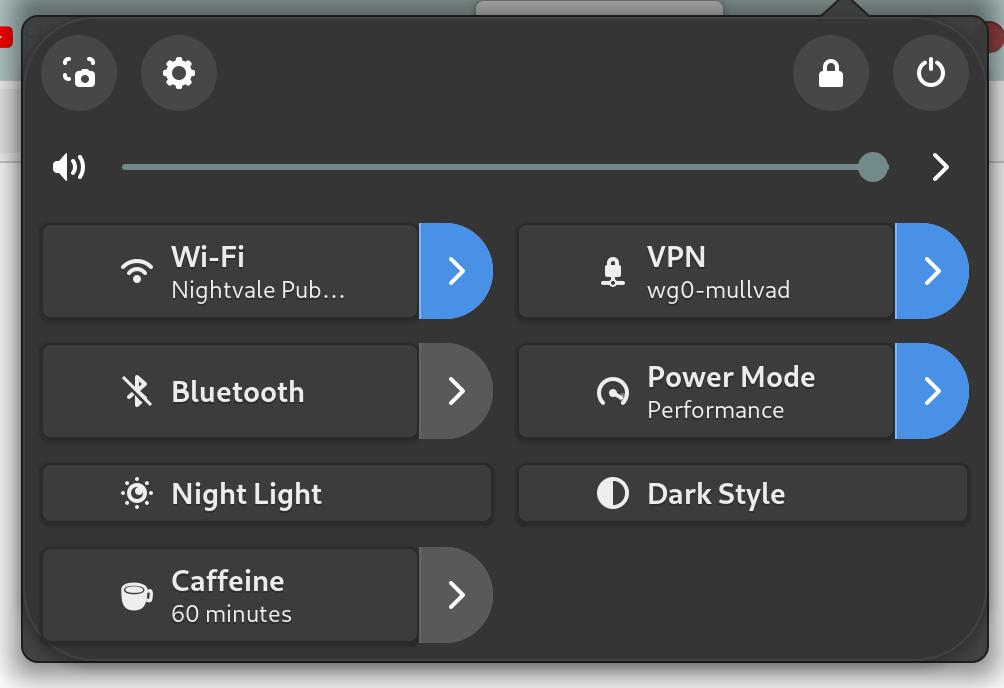
The example shown here is the BottleGlass theme I found from gnome-look.org. I am not married to this theme, and will probably end up changing it, but this is a consistent enough problem that it felt time to post.
I have looked at the GNOME manual, but it seems woefully out of date. I have also done a lot of searching, and cannot find anybody with the same issue.
How can I make my system menu take on the theme I select without overlapping like this?
As an aside, does anybody have any frosted glass type themes for gnome they would reccommend?
I did install the user-theme extension. I can use Tweaks to apply the theme to some windows without having to enable user-themes, but I have yet to get any themes to actually stick to the main programs (system menu, drop-down calendar, file explorer, etc.).
The example above specifically only happens when I do have user-themes enabled. Otherwise it is just the default background.
I dropped mint + cinnamon partially because I was really tired of the ugly flat-everything aesthetics. More than anything I just want a frosted glass look on my windows, file manager background, etc.
I really adore Gnome’s workflow and general layout, and want to make it work. I did not realize how difficult this would be, and I am a little heartbroken over it.